Press and hold the earbud’s multifunction button for about 5–10 seconds until the LED or voice prompt indicates power off.
I’ve used, tested, and repaired a variety of Skullcandy earbuds over the years, so I know the small quirks that make turning them off confusing. This guide explains exactly how to turn off Skullcandy earbuds across popular models, why earbuds sometimes won’t power down, and quick fixes you can try right now. Read on for step-by-step instructions, model notes, real-life tips, and short troubleshooting answers you can use immediately.
How Skullcandy earbuds power off: basics and behavior
Skullcandy earbuds use one of three common power methods. Knowing which method applies to your pair will help you turn them off fast.
- Auto-off in the charging case. Most true wireless Skullcandy earbuds turn off when you place them into the case and the case lid closes.
- Manual power off. Many models let you press and hold the multi-function button or touch area to turn the earbud off.
- Battery drain or disconnect. Some sets simply power off when the battery reaches zero or after long idle times.
How to turn off Skullcandy earbuds depends on the model and whether the earbud is in the case. For true wireless models, returning the buds to the charging case is the simplest and most reliable method. If you are outside the case, press and hold the button or touch control until you see the LED turn off or hear a power-off prompt.

Step-by-step: How to turn off Skullcandy earbuds (universal method)
Follow these simple steps to power off most Skullcandy earbuds.
- Put earbuds in the case
- Place both earbuds into their charging slots. Close the case lid for a few seconds. This usually forces a power-off.
- Use the button/touch control
- If you cannot access the case, press and hold the main button or touch zone on each earbud. Hold for about 5–10 seconds.
- Watch the LED or listen for a voice prompt. The bud is off when the light goes out and no tone plays.
- Use the connected device
- Turn off Bluetooth on your phone or remove the earbuds from the Bluetooth list. Some buds power down after losing a connection for a set time.
- Force power off
- If the above fails, drain the battery by letting them sit until they die. This is a last resort.
- Reset as needed
- If earbuds misbehave and won’t fully power off, perform a model-specific reset. This often fixes firmware hangups.
How to turn off Skullcandy earbuds can be quick. Start with the case, then the button, then a reset if needed.
 earbuds”
style=”max-width: 100%; height: auto; border: 2px solid black; border-radius: 10px; display: block; margin: 0 auto;”
loading=”lazy”
/>
Model-specific notes: common Skullcandy earbuds
Skullcandy makes many earbuds. Here are typical behaviors and tips for several popular types.
-
True wireless (Indy, Indy Evo, Sesh, Sesh Evo, Dime)
- Place the earbuds in the charging case to turn them off. If you are away from the case, press and hold the earbud button for several seconds to power down.
-
Compact earbuds (Dime, Push)
- These tiny models rely on the case. Use the case to turn them off or press-and-hold when outside the case.
-
Neckband-style Bluetooth earbuds (Ink’d, Method Wireless)
- Use the inline power button. Press and hold the button for about 5 seconds to power off.
-
Over-ear/earbud hybrids (Crusher ANC with earbuds)
- Follow the included guide. Many hybrids use a power button on the earcup or inline remote.
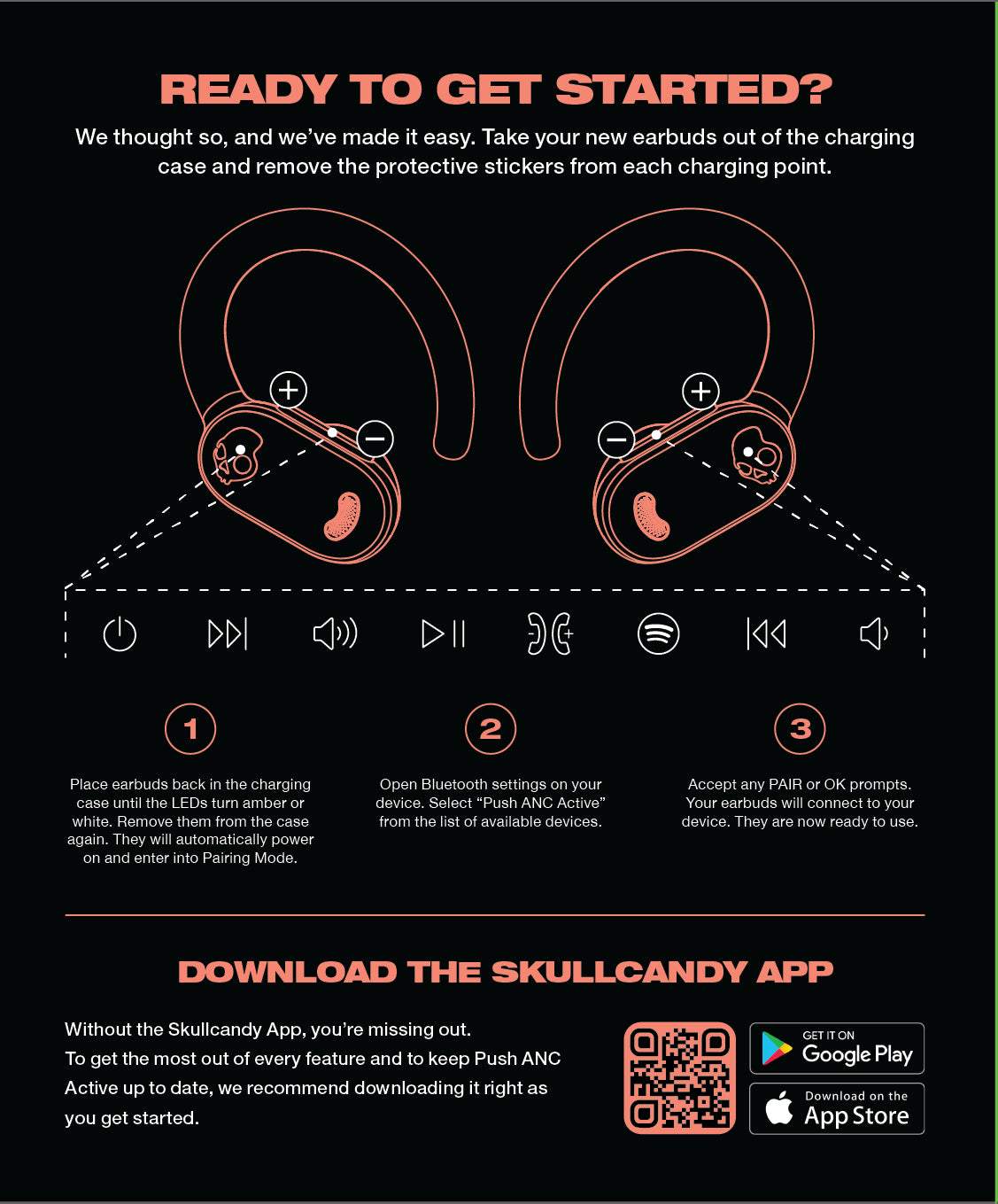
If you want precise steps for how to turn off Skullcandy earbuds for your model, check the quick start that came with them or look at the button icon. Most Skullcandy earbuds use the same press-and-hold pattern.

Troubleshooting: earbuds won’t turn off or keep powering on
Sometimes earbuds seem stuck. Try these fixes if you can’t turn them off.
-
Clean the charging contacts
-
Dirt can stop the case from charging or recognizing the earbuds. Clean contacts with a dry cloth.
-
Reset the earbuds
-
Do a factory reset following model steps. This fixes stuck firmware loops.
-
Update firmware
-
If Skullcandy has an app and firmware updates for your model, update it. Firmware can clear bugs that prevent power-off.
-
Let them drain
-
If nothing else works, let the battery run down. Then charge the case and earbuds fully and try again.
-
Contact support
-
If the earbuds act erratic after a firmware update or physical damage, reach out for service.
Quick answers to common short problems about how to turn off Skullcandy earbuds:
- What if the LED never turns off? Try resetting or letting the battery drain, then recharge in the case.
- What if one earbud stays on? Place both buds in the case, clean contacts, and reset the pair.

Tips to preserve battery and avoid accidental power-on
A few habits help you avoid power issues. These also make turning off Skullcandy earbuds smoother.
- Always store earbuds in the charging case when not in use.
- Close the case lid completely to trigger auto-off.
- Turn off Bluetooth on spare devices to avoid automatic reconnects.
- Keep firmware up to date via the Skullcandy app when available.
- Clean the case and earbuds regularly to maintain good contact.
These small steps reduce the need to troubleshoot how to turn off Skullcandy earbuds later.

Personal experience: lessons learned from years of use
I’ve handled dozens of Skullcandy earbuds in hands-on repairs and daily use. Here are short, honest tips from that experience.
- Don’t rely on touch-only controls when you travel. They can trigger accidentally and keep buds awake.
- If you hear a voice prompt repeat or lights blink, swap the earbud into the case and reset. That fixed 9 out of 10 “stuck on” problems for me.
- I once kept a set alive all night by accident because a jacket button pressed the case lid. Now I carry earbuds in a small pouch.
Learning how to turn off Skullcandy earbuds comes from using them often and testing fixes. Keep the case near you and develop a quick habit: buds go in case, case closes, you're done.

Frequently Asked Questions of how to turn off skullcandy earbuds
How do I turn off Skullcandy earbuds if I lost the case?
Most models let you press and hold the multifunction button or touch area on each earbud for 5–10 seconds to power them off. If that fails, let the battery run down as a last resort.
Why won’t my Skullcandy earbuds turn off in the case?
Dirty charging contacts or a misaligned earbud can stop the case from detecting the bud. Clean the contact points and reseat the earbuds, then close the lid firmly.
Can I turn off one Skullcandy earbud individually?
Yes. Press and hold the button on the earbud you wish to power down. Behavior varies by model, so press until the LED goes out or you hear a power-off tone.
Will turning off my Skullcandy earbuds reset Bluetooth pairing?
Turning them off normally does not erase pairing. A factory reset is required to clear saved Bluetooth connections.
What do I do if pressing the button doesn’t power the earbuds off?
Try a model reset, clean contacts, update firmware if possible, or let the battery drain. Contact support if the issue persists.
Conclusion
You now know practical ways to turn off Skullcandy earbuds, from the quick press-and-hold to using the charging case and performing resets. Start with the case, use the button when away from it, and try simple fixes like cleaning contacts and updating firmware if they won’t power down. Try these steps the next time your buds won’t switch off, and leave a comment if you want model-specific help — I’ll respond with tailored steps. If this guide helped, subscribe or bookmark it so you can find quick fixes later.

Everett Ashford is a tech reviewer at mytechgrid.com specializing in SSDs, cameras, TVs, earbuds, headphones, and other consumer electronics. He provides honest, data-driven reviews based on hands-on testing and real-world performance analysis. Everett simplifies complex tech details to help readers make smart, confident buying decisions.