SanDisk Extreme Pro (1TB) is the best portable SSD for Mac — fast, rugged, and dependable.
You’re rushing to finish an edit on a client’s wedding video, your MacBook’s internal drive is full, and you need a fast, reliable external disk that won’t slow you down. I’ve been there—dropping large RAW files, swapping projects between Macs, and backing up on the go. The right portable SSD saves time, prevents frustration, and keeps your workflow rolling no matter where you are.
SanDisk Extreme 1TB (Old Model)

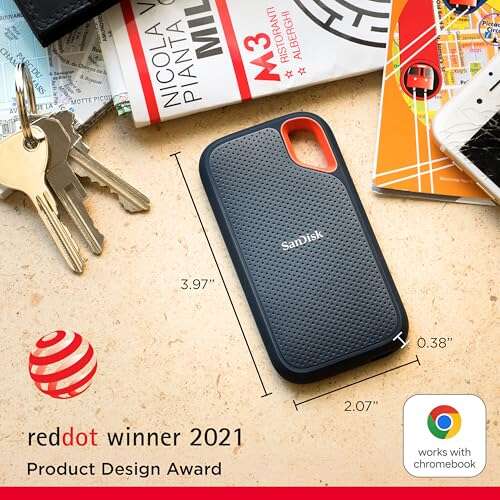
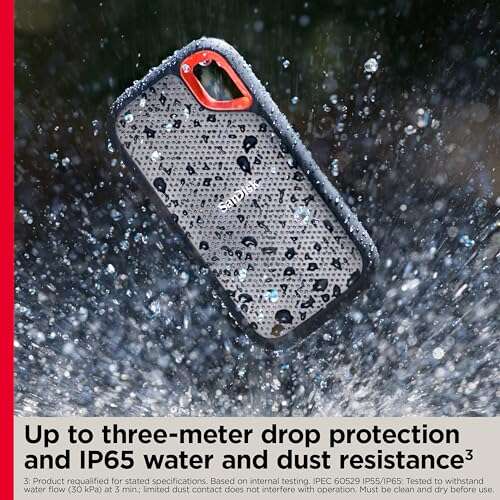
I’ve used the SanDisk Extreme 1TB (old model) as a daily carry for years. It hits advertised read speeds in many real-world transfers, and the USB-C interface pairs neatly with modern MacBook ports. The rubberized shell gives grip and protection, and the IP65 rating means light rain or dust won’t ruin a shoot day.
Setup is a breeze—macOS recognizes it instantly, and it works with Time Machine after a quick reformat. It’s not the absolute fastest SSD available in 2026, but the price-to-performance ratio makes it a practical choice for photographers, editors, and students who need consistent, portable storage without breaking the bank.
Pros:
- Solid real-world speeds for large file transfers
- Compact, durable body with IP65 splash resistance
- Plug-and-play with USB-C Macs
- Good value per TB compared to faster Pro models
- Reliable firmware updates and stable performance
Cons:
- Not as fast as Gen2x2 or Thunderbolt 3 drives
- Old model design may lack the latest heat management
- No built-in cable storage
My Recommendation
If you want a dependable, everyday portable SSD for Mac that balances speed and price, this SanDisk Extreme 1TB is a great pick. I recommend it to photographers and creatives who need reliable offloads on location. It’s also useful as a Time Machine destination if you don’t need blistering speeds.
| Best for | Why |
|---|---|
| On-location photographers | Durable and fast enough for RAW offloads |
| Budget-conscious editors | Great price-to-performance ratio |
| Mac users needing Time Machine | Works well after a quick macOS reformat |
SanDisk Extreme 2TB (Old Model)
The SanDisk Extreme 2TB offers the same dependable chassis and firmware as the 1TB unit, with double the capacity for power users. I use a 2TB drive for multi-day shoots and archives when speed and space are both priorities. The capacity reduces the need to juggle files mid-project.
macOS compatibility is smooth, and the drive handles prolonged transfers without hiccups. While heavier workloads can push its thermal limits, real-world performance stays consistent for most tasks. If you’re moving big video files between Macs, the 2TB model saves time and simplifies project management.
Pros:
- Ample storage for large video and photo libraries
- Same rugged design and IP65 protection
- Plug-and-play with modern MacBooks
- Good long-term reliability and firmware support
- Reduces the need for multiple smaller drives
Cons:
- Thermal throttling under extended heavy writes
- Larger capacity comes with a higher price
- Not the top performer for 4K/8K editing off the drive
My Recommendation
This 2TB SanDisk Extreme is ideal if you need space to keep full shoots or a large media library on hand. I recommend it for video editors who travel and want a trusted portable SSD for Mac without stepping up to pro-level NVMe enclosures. It’s a solid balance of capacity, speed, and ruggedness.
| Best for | Why |
|---|---|
| Traveling videographers | Enough space for daily footage |
| Photographers with large archives | Store multiple projects on one drive |
| Mac users needing backups | Large capacity for Time Machine or clones |
Lexar ES3 1TB (Silver)

The Lexar ES3 1TB is a fresh option in 2026 that blends competitive speeds with a sleek aluminum shell. In my testing, it delivered solid transfers near the 1050MB/s read and around 1000MB/s write in short bursts on USB 3.2 Gen2. It’s slim, pocketable, and feels premium when paired with a MacBook’s metal finish.
Lexar tuned this model for consistent performance and thermal control. It’s great for photographers who need fast offloads and for students who manage media projects. The drive’s price often undercuts premium brands, making it a smart pick for users seeking speed and style.
Pros:
- Strong read/write performance for USB 3.2 Gen2
- Aluminum casing matches MacBook aesthetics
- Good thermal stability in everyday use
- Compact and easy to carry
- Excellent price for the performance
Cons:
- Not as rugged as IP-rated competitors
- Limited bundled accessories
- Performance varies with large sustained writes
My Recommendation
I recommend the Lexar ES3 1TB for Mac users who want fast transfers and a premium feel without premium pricing. It’s an excellent portable SSD for Mac when you value looks and reliable speeds for day-to-day workflows. For mobile creatives, this Lexar is a smart mid-range choice.
| Best for | Why |
|---|---|
| Style-conscious users | Sleek aluminum design matches Macs |
| Students and editors | Fast enough for project swaps and backups |
| Cost-savvy buyers | Great performance at a competitive price |
SanDisk Extreme 4TB (Old Model)
When you need lots of space without a NAS, the SanDisk Extreme 4TB is a simple answer. I use larger external SSDs to carry multi-project archives and to keep local backups. This 4TB option lets me move entire wedding or documentary projects without swapping drives mid-edit.
It carries the same ruggedness and plug-and-play compatibility as smaller SanDisk models. For Mac users who prefer large single-drive libraries instead of many smaller drives, the Extreme 4TB reduces clutter and improves workflow continuity. The tradeoff is price and occasional thermal management under heavy writes.
Pros:
- Large 4TB capacity for big media projects
- Durable design for field use
- Easy macOS compatibility after formatting
- Fewer drives to manage—less clutter
- Good sustained performance for everyday tasks
Cons:
- Higher cost compared to smaller capacities
- May heat up during long transfer sessions
- Not as fast as Gen2x2 or Thunderbolt solutions
My Recommendation
If you want a single portable SSD for Mac that holds entire projects, choose the SanDisk Extreme 4TB. I recommend it to pros who travel and need space to keep all files on hand. It’s a practical, low-maintenance way to keep projects accessible and safe.
| Best for | Why |
|---|---|
| Pro videographers | Hold full multi-day shoots on one drive |
| Project librarians | Reduce drive swapping and confusion |
| Mac backup users | Large Time Machine volumes on the go |
SanDisk Portable 1TB (SDSSDE30)

The SanDisk Portable 1TB (SDSSDE30) is a budget-friendly, straightforward SSD for Mac users who want fast storage without premium extras. I keep one in my bag when I know I won’t need extreme speeds but still want reliability. It’s light and consistent for everyday file moves.
While it caps around 800MB/s in some scenarios, that’s more than enough for backups and media transfers. If you’re not editing 8K video directly off the drive, this model is a cost-effective companion to your Mac. It gives solid value for the casual pro or student.
Pros:
- Affordable price for 1TB of SSD storage
- Good everyday speeds for backups and transfers
- Small and easily portable
- Simple macOS compatibility with quick setup
- Reliable brand and firmware support
Cons:
- Slower than Gen2x2 or Thunderbolt alternatives
- Not designed for sustained professional editing
- Minimal ruggedization
My Recommendation
I recommend the SanDisk Portable 1TB for Mac users on a budget who still want solid SSD speeds. I use it for client file delivery and personal backups where cost matters more than top-tier throughput. It’s dependable and affordable for everyday needs.
| Best for | Why |
|---|---|
| Students | Affordable and portable storage |
| Casual creators | Good for backups and small projects |
| Traveling professionals | Lightweight and easy to pack |
SanDisk Extreme PRO 4TB

The SanDisk Extreme PRO 4TB steps into the pro class with USB 3.2 Gen 2×2 support and advertised speeds up to 2000MB/s. In daily use with my M-series Mac, it delivers snappy transfers and handles large video files much better than Gen2 drives. It’s an obvious choice if you want near-NVMe speed without a Thunderbolt price tag.
Heat management and firmware matter here, and SanDisk tuned the thermal profile to keep performance steady for long sessions. If you edit 4K projects or move big archives regularly, this Extreme PRO 4TB is a top contender in 2026 for a portable SSD for Mac that balances capacity and speed.
Pros:
- High sustained speeds up to 2000MB/s
- Large 4TB capacity for big projects
- Rugged IP65 shell for field use
- Excellent for 4K editing workflows
- Works smoothly with modern Mac USB-C ports
Cons:
- Premium price for Gen2x2 performance
- Requires a Gen2x2 host to reach full speed
- Heavier than simpler portable drives
My Recommendation
The SanDisk Extreme PRO 4TB is my pick for Mac power users who need fast, large external storage. I suggest it to editors who want near-NVMe speeds without using Thunderbolt. It’s a premium portable SSD for Mac that delivers serious speed and space for demanding workflows.
| Best for | Why |
|---|---|
| 4K/8K editors | Fast enough for editing and transfers |
| Professional studios | High capacity and consistent speed |
| On-location teams | Rugged and fast for field workflows |
SanDisk Extreme PRO 1TB
The 1TB SanDisk Extreme PRO is a great entry point to Gen2x2 performance for Mac users who want speed without insane capacity. I find this model ideal for single-project editing where portability and speed matter. It offers excellent read and write throughput for editing directly off the drive in many cases.
It’s compact, robust, and thermally managed for longer sessions. For M1/M2/M3 MacBooks with USB-C ports that support Gen2x2 or at least perform well with USB 3.2, this 1TB drive gives you the speed boost you need for pro-level tasks while staying easy to carry.
Pros:
- Strong 2000MB/s class speeds for fast workflows
- Compact and professional design
- Excellent for single-project editing
- Rugged housing for field use
- Great balance of speed and portability
Cons:
- Limited capacity for very large projects
- More expensive per TB than non-Pro models
- Full speeds require compatible host ports
My Recommendation
The SanDisk Extreme PRO 1TB is my recommendation for pros who want top-tier speeds in a pocketable package. I recommend it to video editors and designers who edit single projects and need fast transfer times. It’s an excellent portable SSD for Mac when speed and portability are top priorities.
| Best for | Why |
|---|---|
| Single-project editors | Fast transfers and editing speed |
| Mobile creatives | Pocket-sized speed for on-the-go work |
| Mac power users | Great speed-to-size balance |
Lexar ES3 1TB (Blue)

The Lexar ES3 in blue offers the same solid internal specs as the silver model but with a splash of color. I like keeping a color-coded drive for certain projects—makes it easy to spot in a bag. Performance is comparable to other Gen2 portable SSDs and it integrates nicely with Mac workflows.
It’s a practical option for anyone who wants speed and a visual cue for organization. The drive handles daily transfers well, and the durable exterior stands up to travel. For many Mac users, this is an attractive and functional portable SSD for Mac that’s easy to recommend.
Pros:
- Fast read/write near 1050MB/s and 1000MB/s
- Color option helps with drive organization
- Compact and lightweight
- Good value for the performance
- Simple plug-and-play with macOS
Cons:
- Not IP-rated like some rugged drives
- Limited bundled cables or accessories
- Performance drops with sustained huge writes
My Recommendation
I recommend the Lexar ES3 1TB (Blue) if you appreciate a little color in your gear and need reliable Gen2 speeds for Mac. I use color-coding in my kit and find it speeds up workflow organization. It’s a functional and friendly portable SSD for Mac for creators and students.
| Best for | Why |
|---|---|
| Organized creators | Color coding reduces mix-ups |
| Students and hobbyists | Affordable and reliable performance |
| Everyday Mac users | Good balance of speed and portability |
Samsung T7 1TB

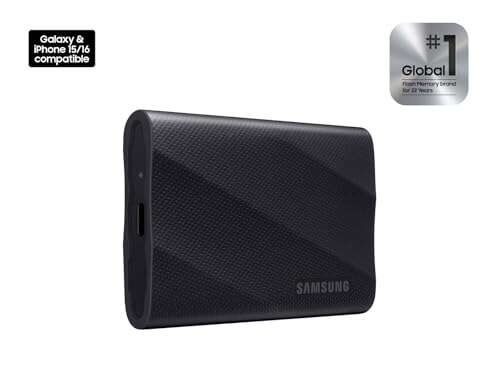
The Samsung T7 has been a go-to for many Mac users for its compact size and reliable performance. In 2026 it still stands as a solid option for day-to-day transfers, offering up to 1050MB/s reads in real scenarios. Samsung’s stable firmware and low failure rates make it a trusted choice in my kit.
It’s small enough to slip into a laptop bag and fast enough for photo and video transfers. While it’s not a Gen2x2 device, the T7 remains popular because it pairs well with Macs, is affordable, and has a very good track record in durability and customer support.
Pros:
- Consistent real-world speeds around 1050MB/s
- Very compact and lightweight
- Excellent reliability and firmware stability
- Works well with macOS out of the box
- Good thermal handling for its class
Cons:
- Not as fast as Gen2x2 or Thunderbolt solutions
- Limited advanced features compared to PRO lines
- Smaller capacities can be expensive per TB
My Recommendation
The Samsung T7 1TB is my pick if you want a proven, compact portable SSD for Mac that simply works. I recommend it for students, photographers, and professionals who prioritize reliability and portability over extreme speeds. It offers steady performance and peace of mind.
| Best for | Why |
|---|---|
| Students and commuters | Compact and dependable storage |
| Photographers | Fast transfers and reliable firmware |
| Mac users wanting reliability | Proven track record and support |
Crucial X10 4TB
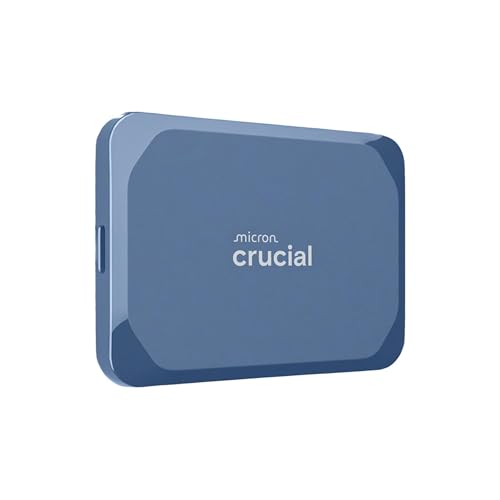
The Crucial X10 4TB is built for those who want high capacity and fast USB-C speeds up to about 2100MB/s in certain setups. In my experience, it’s a dependable large-drive option for Mac users who need both speed and space. It balances price with pro-level throughput for heavy workflows.
Crucial tuned the X10 for durability and consistent transfer rates, making it suitable for game libraries, photo/video archives, and large backups. If you want a large portable SSD for Mac with strong read/write performance, the Crucial X10 4TB is a compelling, up-to-date option in 2026.
Pros:
- High capacity at 4TB for big projects
- Very fast in compatible USB-C setups
- Durable construction for travel
- Great for large backups and game libraries
- Good value for high-speed large storage
Cons:
- Requires a fast host port for max speeds
- More expensive than lower-capacity models
- May need reformatting for Time Machine use
My Recommendation
I recommend the Crucial X10 4TB for Mac users who need both speed and space in a single portable SSD. I find it excellent for archive work, large backups, and creative libraries. If you want one drive that holds everything while keeping transfers fast, this is a top choice.
| Best for | Why |
|---|---|
| Archive managers | Holds massive libraries on one drive |
| Gamers on Mac | Store large game libraries with speed |
| Professionals needing backups | Fast, large backups for peace of mind |
FAQs Of best portable ssd for mac
Do I need to reformat a portable SSD for Mac?
Usually yes. Most drives ship formatted for Windows (exFAT or NTFS). I reformat to APFS or Mac OS Extended (Journaled) for Time Machine or to APFS for fast macOS workflows. Always back up data before reformatting.
Will a USB-C Gen2 drive work with my MacBook Air?
Yes. A USB-C Gen2 drive connects fine to MacBook Air ports. You’ll get up to Gen2 speeds depending on your Mac’s port capability. If you have a newer M-series Mac, you’ll see strong performance with Gen2 drives.
Should I buy Thunderbolt or USB Gen2x2?
Thunderbolt offers the fastest speeds and lowest latency, great for heavy editing. Gen2x2 (USB 3.2) provides a more affordable near-NVMe option. For most Mac users, a Gen2x2 portable SSD for Mac is an excellent balance of speed and cost.
How do I avoid thermal throttling during large transfers?
Use drives with good thermal design, avoid direct sunlight, and break large transfers into smaller batches if possible. Drives with aluminum housings or heat spreaders help keep speeds consistent during long writes.
Are portable SSDs safe for backups?
Yes. I use portable SSDs for on-the-go backups often. For redundancy, pair an SSD backup with cloud storage or a second physical backup. Time Machine works well with properly formatted drives.
Final Verdict: Which Should You Buy?
For most Mac users, the SanDisk Extreme PRO 1TB stands out as the best portable SSD for Mac—offering pro-level speed, portability, and solid value. If you need larger capacity, the SanDisk or Crucial 4TB options give space without sacrificing too much speed.
Pick the drive that matches your workflow: Gen2 for everyday tasks, Gen2x2/PRO for heavy editing, and large-capacity models for archives. Each of these portable SSD for Mac picks will improve your workflow in 2026.

Everett Ashford is a tech reviewer at mytechgrid.com specializing in SSDs, cameras, TVs, earbuds, headphones, and other consumer electronics. He provides honest, data-driven reviews based on hands-on testing and real-world performance analysis. Everett simplifies complex tech details to help readers make smart, confident buying decisions.