Most Raycon earbuds fail to charge due to dirty contacts, a bad cable, or a depleted battery.
I’ve spent years troubleshooting true wireless buds, including Raycon models, so I know the common faults and reliable fixes. This guide explains why your Raycon earbuds not charging, walks through step-by-step repairs you can do at home, and shows when to seek warranty or professional help. Read on for practical tips, safety checks, and quick tests to get your Raycon working again.

Why Raycon earbuds not charging: common causes
Raycon earbuds not charging can come from simple issues or from wear and tear. The most frequent causes are dirty charging contacts inside the case or on the earbuds, a faulty USB cable or wall adapter, or a drained charging case battery. Less common reasons include water damage, internal battery failure, or a case malfunction that stops power delivery.


Many users report the same patterns: earbuds show no LED when placed in the case, or the case LED doesn’t light when plugged in. Diagnosing which part is failing—earbuds, case, or cable—will save time and money. Below I map the likely causes to easy checks you can run now.

Quick diagnostic checklist (run this first)
- Confirm basic power
- Plug the case into a known good charger and wall outlet.
- Try a different USB cable and adapter.
- Check LEDs and placement
- Look for any lights on the case and earbuds when placed properly.
- Re-seat the earbuds firmly into the case until they click into position.
- Inspect contacts and ports
- Check charging pins on earbuds and the matching pins in the case.
- Look for debris, lint, or corrosion.
- Soft reset and firmware
- Try the reset procedure for your Raycon model.
- Update firmware if the app reports updates.
These short tests often reveal the root cause and tell you whether you can fix the problem at home or need service.

Step-by-step fixes for Raycon earbuds not charging
- Clean the contacts
- Use a dry, soft-bristled brush or a cotton swab lightly moistened with isopropyl alcohol to clean metal contacts on earbuds and in the case.
- Dry fully before testing. Dirty contacts are the top culprit when Raycon earbuds not charging.
- Replace or test the cable and adapter
- Swap cables and adapters with ones you know work for other devices.
- Faulty cables or low-power adapters can prevent case charging and show the same symptoms as dead earbuds.
- Reset the earbuds
- Follow Raycon’s reset steps: usually power off, then hold buttons for a set time until LEDs flash.
- A reset can fix software glitches that stop charging indicators from working.
- Charge the case longer
- Leave the case plugged in for at least 60 minutes, even if LEDs don’t show immediate activity.
- A deeply discharged case battery may need more time to respond.
- Check for moisture or corrosion
- If the earbuds or case were exposed to sweat or rain, dry them for 24 hours in a cool, dry place.
- Do not use heat sources. Moisture can block contacts and stop charging.
- Firmware and app checks
- Open the Raycon app, if available, and check for firmware updates or error messages.
- Update firmware only when the device has enough charge to avoid bricking.
Try fixes in this order from simplest to most involved. Most users solve the issue by cleaning contacts and testing the cable.


Charging case and accessory checks
- Earbud seating and alignment
- Ensure each earbud is seated exactly in its slot. Misalignment means no contact, and the case won’t charge.
- Case battery health
- If the case charges but earbuds won’t, the earbuds’ own batteries could be dead. Case still might be fine.
- Port inspection
- Look inside the USB port for bent pins or debris. A damaged port can prevent the case from charging.
- Charger specs
- Use a 5V/1A to 5V/2A wall adapter. High-power fast chargers sometimes cause compatibility issues with older cases.
If the case charges with another cable but not with your original cable, replace the cable. If the case never charges on any cable, the case likely needs repair.

Signs the earbuds themselves are the problem
- One earbud charges while the other doesn’t: likely a bad earbud contact or internal battery failure.
- Earbuds show no LED even when case is fully charged and known-good cable used: suspect internal damage.
- Short battery life after charging: battery degradation means the cell may be near end of life.
When internal batteries fail, repairs often cost nearly as much as replacement. Check warranty before paying for out-of-warranty repairs.

When to repair or replace your Raycon earbuds not charging
- Covered by warranty
- If your Raycon earbuds not charging and are within the manufacturer warranty, contact support first. They can replace or repair free or at low cost.
- Out of warranty and minor fixes fail
- If cleaning contacts and replacing cables don’t work, weigh repair cost vs buying new earbuds. Many true wireless batteries degrade after 2–3 years.
- Water damage or physical damage
- Professional inspection is recommended. DIY repairs on tiny batteries and circuits carry risk.
I once revived a pair by cleaning corrosion and resetting them. Another pair had a dead earbud battery where repair cost exceeded buying a new set.
Preventive tips to avoid future charging problems
- Clean contacts monthly
- Wipe case and earbuds contacts with a dry cloth after use. This prevents grime buildup.
- Use quality charging accessories
- Use certified USB cables and adapters. Cheap cables can fail or charge too slowly.
- Avoid moisture exposure
- Keep the case closed when not in use. Remove earbuds before heavy workouts if not sweatproof.
- Store at moderate temperature
- Extreme heat or cold speeds battery wear and can cause charging faults.
- Charge regularly
- Don’t let the case sit fully drained for long periods. Charge every few weeks if unused.
These small habits extend lifespan and avoid the frustration of Raycon earbuds not charging when you need them.
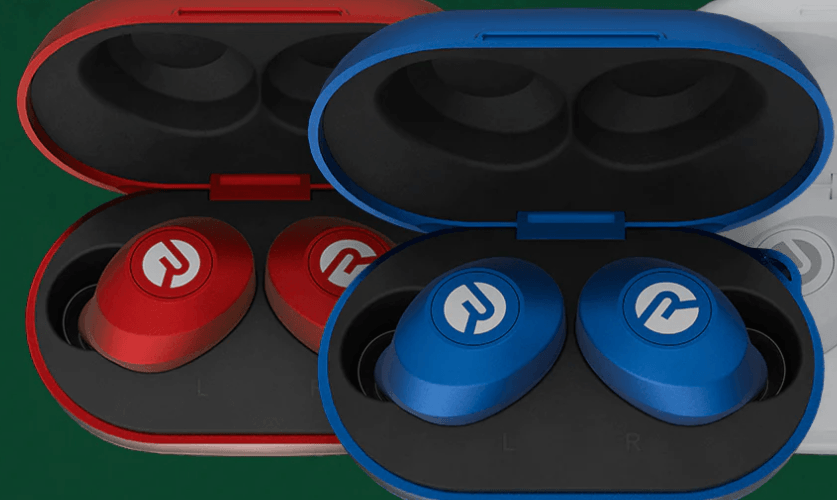
Frequently Asked Questions of raycon earbuds not charging
Why won’t my Raycon earbuds charge in the case?
Check that the case has power and the earbuds are seated correctly. Clean the metal contacts and try a different cable and adapter; the case or cable is often the issue.
One earbud charges but the other does not. What should I do?
Clean the contacts on both the earbud and its slot, then re-seat the earbud firmly. If it still fails, the earbud’s battery or contact may be damaged and need service.
The case LED doesn’t light when plugged in — is the case dead?
Not always. Try a known-good cable and adapter, try another outlet, and inspect the port for debris. If nothing works, the case battery or port likely needs repair.
Can water or sweat cause Raycon earbuds not charging?
Yes. Moisture can corrode contacts or short circuits. Dry the components thoroughly and avoid using heat; if corrosion is visible, seek professional help.
How long should I charge the case before it's ready?
Charge the case for at least 60 minutes with a good cable and adapter. If the case was deeply discharged, it may need longer to register charge or to revive inside batteries.
Is a firmware update likely to fix charging issues?
Sometimes a firmware update resolves software glitches that affect charging indicators or pairing. Update only after the device has enough charge to avoid failed updates.
When should I contact Raycon support or a repair shop?
Contact support if basic troubleshooting fails, especially if your earbuds are under warranty. For out-of-warranty devices, compare repair costs to replacement prices.


Conclusion
Raycon earbuds not charging is a common but solvable issue in most cases. Start with simple checks: clean contacts, swap cables, confirm case power, and reset the earbuds. If those steps fail, weigh repair cost versus replacement and use warranty support when possible. Take preventive steps like regular cleaning and using quality chargers to avoid repeat problems.
Try the steps today, and if you get stuck, contact support or share your experience below — your insights help others troubleshoot faster.

Everett Ashford is a tech reviewer at mytechgrid.com specializing in SSDs, cameras, TVs, earbuds, headphones, and other consumer electronics. He provides honest, data-driven reviews based on hands-on testing and real-world performance analysis. Everett simplifies complex tech details to help readers make smart, confident buying decisions.