You can change AirPods Pro ear tips by twisting, pulling off old tips, then snapping new tips on.
I’ve guided dozens of users through simple AirPods fixes. This article walks you through how to change earbuds on airpods pro step by step. You’ll learn tools, safety tips, cleaning advice, and quick fixes. Read on to make the swap fast, safe, and effective.

Why change your earbud tips?
Ear tips wear out. They get dirty, lose grip, or tear. A bad fit hurts sound and noise cancellation. Knowing how to change earbuds on airpods pro keeps them comfy and performing well.
Good ear tips restore sound balance and seal. A proper seal improves bass and active noise cancellation. If you use them for calls or workouts, fresh tips prevent slippage and reduce ear fatigue.
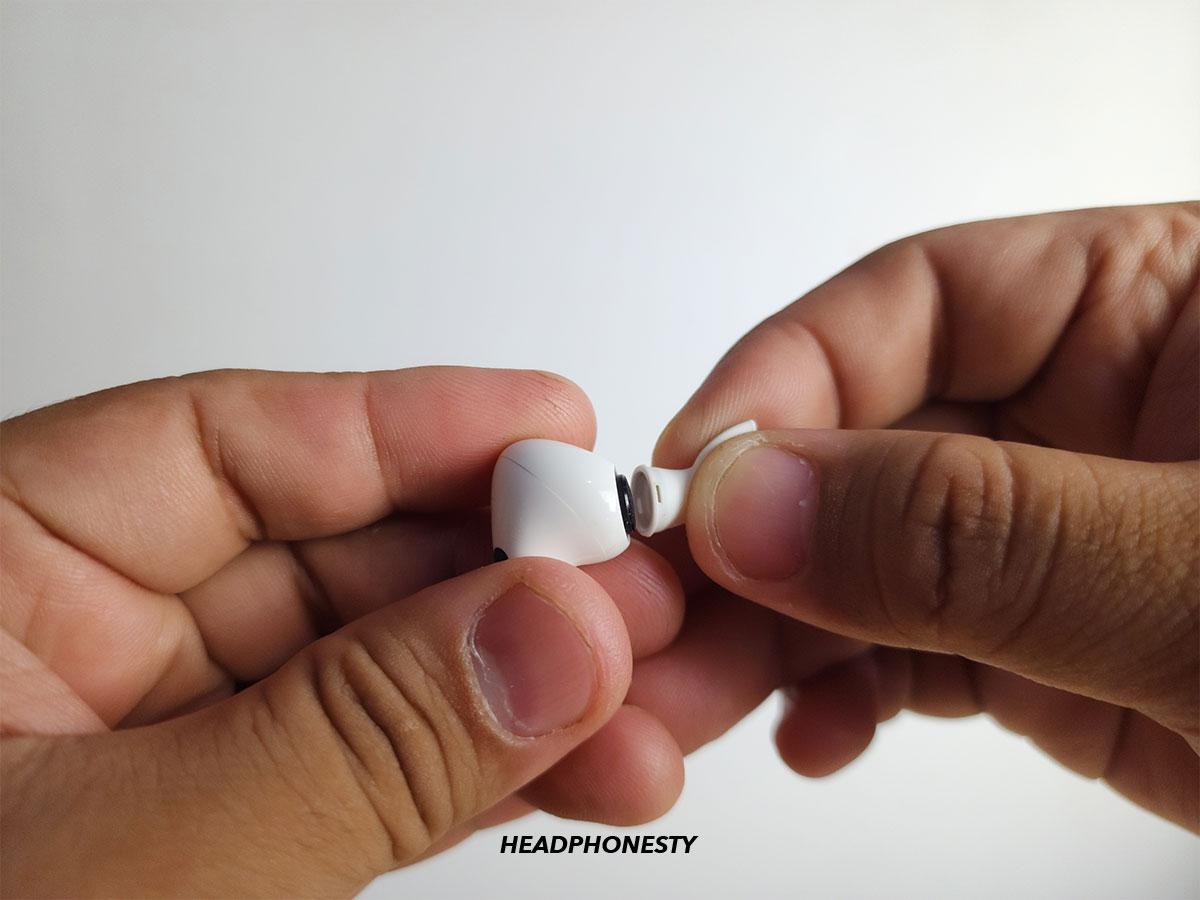
What you need before you change earbuds on AirPods Pro
Prepare simple tools. You rarely need anything besides your new tips and clean hands. Gather these items before you start.
- New ear tips in the size you want.
- A lint-free cloth or microfiber cloth.
- A soft-bristled brush or a dry cotton swab.
- Optional: a small bowl of warm soapy water for cleaning used tips (if they’re removable).
Make sure your AirPods Pro are dry and out of your ears. Work on a clean surface. This reduces dirt and keeps the stem and mesh safe.
Step-by-step: how to change earbuds on airpods pro
Follow these steps slowly. Each step is short and clear. Doing it right keeps the sound and seal intact.
- Remove the AirPod from your ear and hold it stem-down.
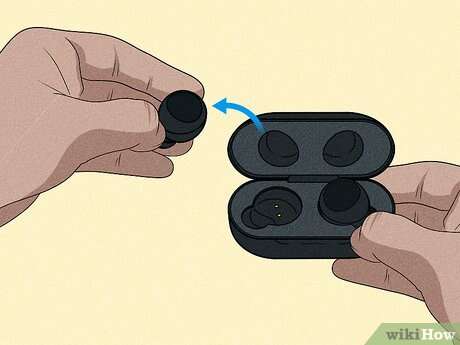
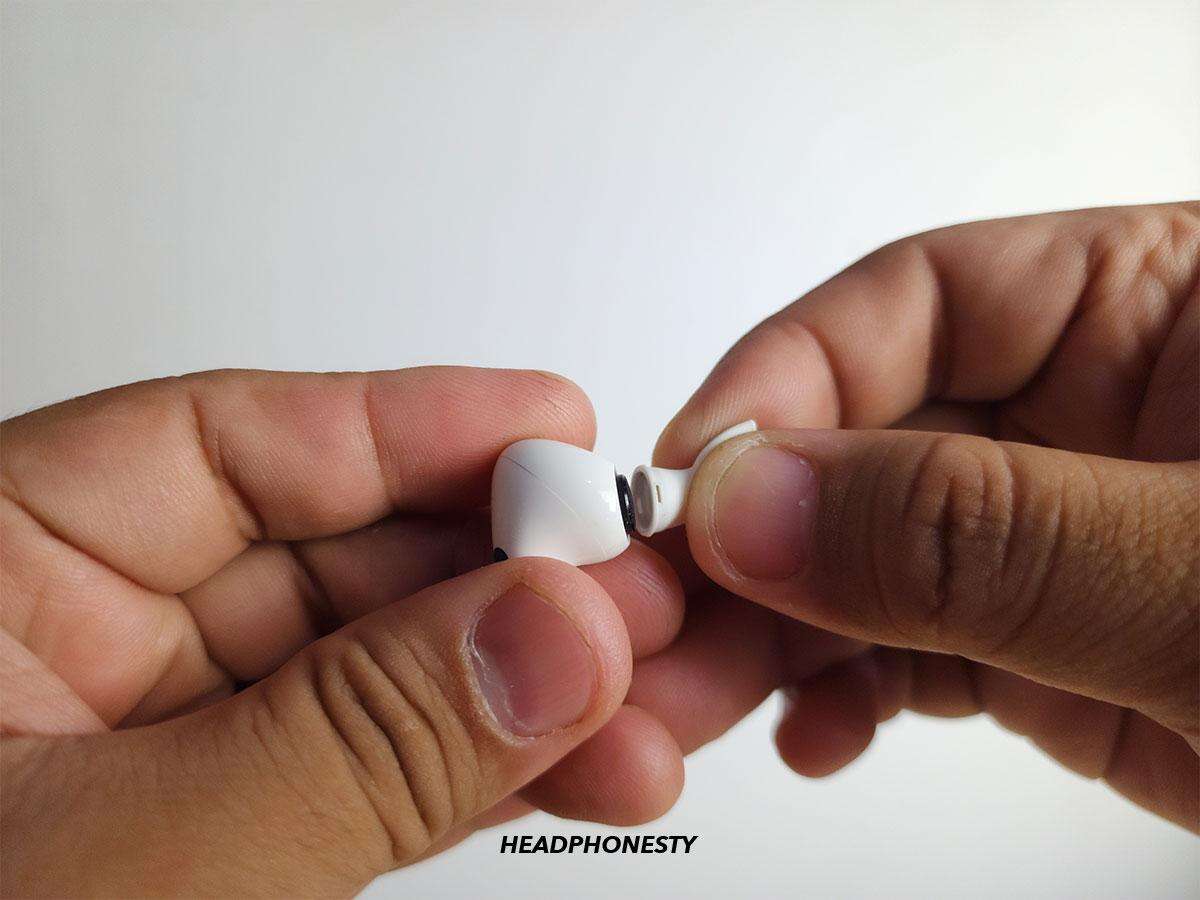
- Grip the ear tip between thumb and forefinger. Twist gently while pulling away from the speaker mesh. The tip should pop off with light force.
- Inspect the speaker mesh and the removed tip. Remove any lint or debris with a soft brush or dry swab.
- Take the new ear tip and align its oval opening with the AirPod nozzle. Push the tip onto the nozzle and twist slightly until you feel a click. The click means it’s locked.
- Gently tug the new tip to confirm it is secure. If it comes off, press and twist again until it snaps in place.
- Repeat for the other AirPod. Test fit in each ear. Use the iPhone fit test or rely on comfort and sound seal.
If you follow these steps, you’ll know how to change earbuds on airpods pro correctly. Practice once or twice and the motion becomes second nature.

Cleaning and maintenance after you change earbuds on airpods pro
Clean tips regularly. Clean tips last longer. They stay hygienic and keep sound clear.
- Remove tips and rinse soft silicone tips with warm water only. Do not use soap on the AirPod itself.
- Dry tips fully before reattaching. Moisture inside the nozzle can cause damage.
- Clean the AirPod speaker mesh with a dry soft brush. Avoid pushing debris into the mesh.
- Replace tips if they are torn, stretched, or repeatedly slip off.
Rotate through sizes if fit changes. A worn tip won’t seal well even if it looks okay. Knowing how to change earbuds on airpods pro helps you keep them clean and working.

Troubleshooting common issues after you change earbuds on AirPods Pro
If sound feels off or noise cancellation drops, don’t panic. These quick checks often fix the issue.
If bass is weak, check the seal. A loose fit causes loss of bass. Try a different tip size or re-seat the tip. This often restores full sound.
If an ear tip falls off easily, confirm it clicked into place. A click means secure attachment. If it still slips, try a different size or contact support.
If the microphone or controls act oddly, clean the mesh gently. Dirt can block sensors and mics. After cleaning, test again.
Will changing tips fix audio balance? Often yes. Good tips restore the intended sound.
How often should you replace tips? Replace them when they tears or lose grip. Typical use may mean change every 6–12 months.

Personal experience and expert tips
I’ve changed many ear tips for friends and clients. Small mistakes repeat. I’ll share what I learned so you avoid them.
- Don’t yank hard. Pull with steady gentle force and twist. Jerky pulls risk stretching or tearing a tip.
- Always dry tips fully before reattaching. A damp tip trapped on the nozzle risks corrosion.
- Use the right size. I once used medium tips when the fit needed small. The result was weak bass. Swapping to small fixed it.
- Keep a spare set. A travel pack saved me on a long run when a tip tore.
My best tip: try the Ear Tip Fit Test on an iPhone after you change earbuds on airpods pro. It gives a quick, objective read on the seal.

Frequently Asked Questions of how to change earbuds on airpods pro
How do I remove the ear tips from AirPods Pro?
Grip the tip close to the nozzle. Twist gently while pulling away. The tip should pop off with light, steady force.
How do I attach new ear tips to AirPods Pro?
Align the tip with the nozzle and push on until you hear a click. Twist slightly to confirm it’s locked. Give a gentle tug to double-check.
What if the new ear tip keeps falling off?
Make sure it’s fully clicked on. Try a different size. If it still falls off, the tip may be defective and should be replaced.
Can I wash AirPods Pro ear tips?
You can wash removable silicone tips in warm water. Dry them completely before reattaching. Never submerge the AirPods themselves.
Will changing ear tips affect noise cancellation?
Yes. A proper seal is vital for active noise cancellation. Changing to the correct size or a worn tip to a new one often improves ANC.
Conclusion
Changing ear tips is quick and low risk when you follow a few simple steps. You now know how to change earbuds on airpods pro, how to clean them, and how to fix common issues. Try a fit test after you change tips. That ensures comfort and the best sound.
Take action: replace worn tips today, test the fit, and leave a comment about your experience or questions. If you found this helpful, subscribe for more practical tips and device care advice.

Everett Ashford is a tech reviewer at mytechgrid.com specializing in SSDs, cameras, TVs, earbuds, headphones, and other consumer electronics. He provides honest, data-driven reviews based on hands-on testing and real-world performance analysis. Everett simplifies complex tech details to help readers make smart, confident buying decisions.