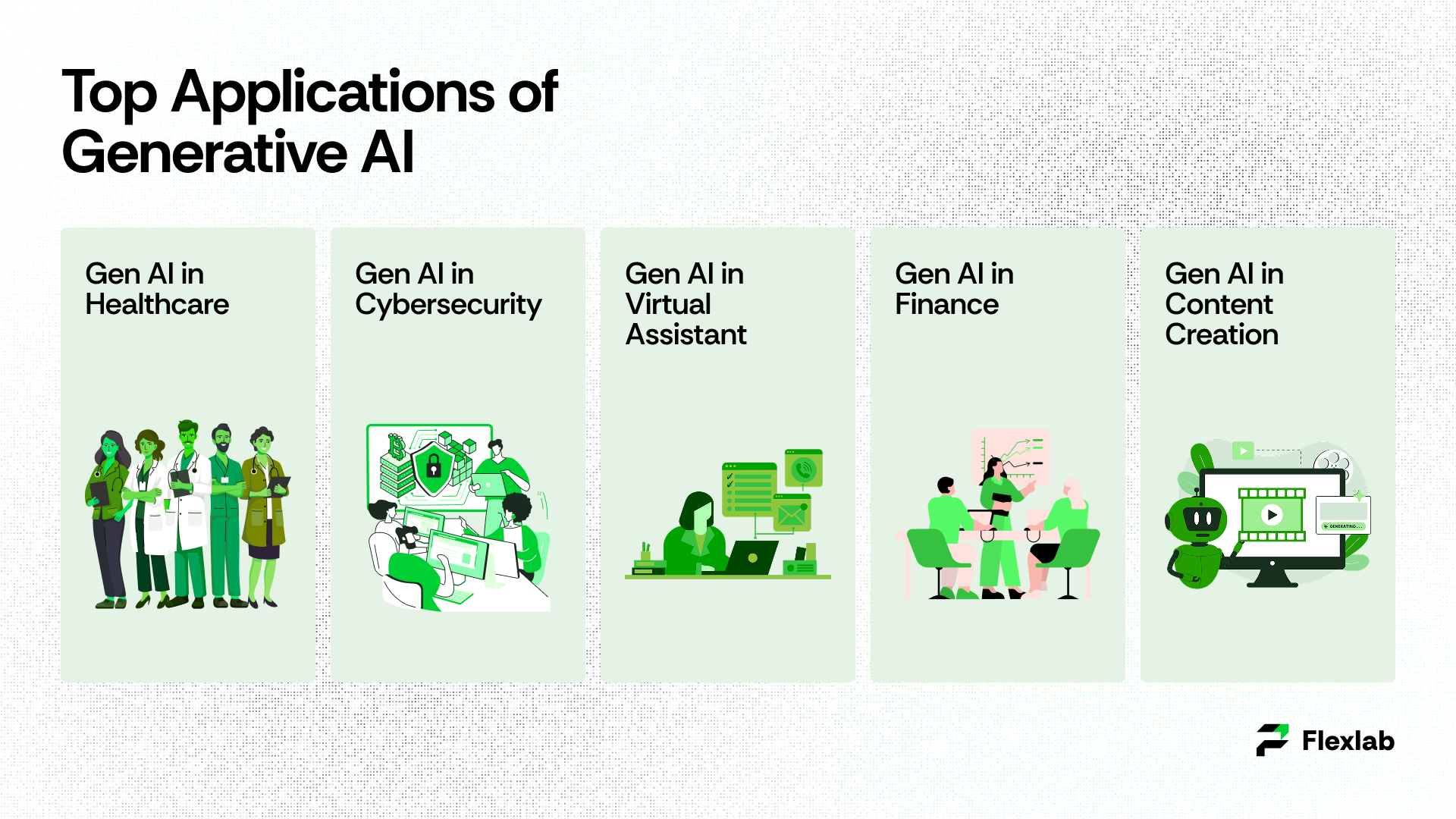
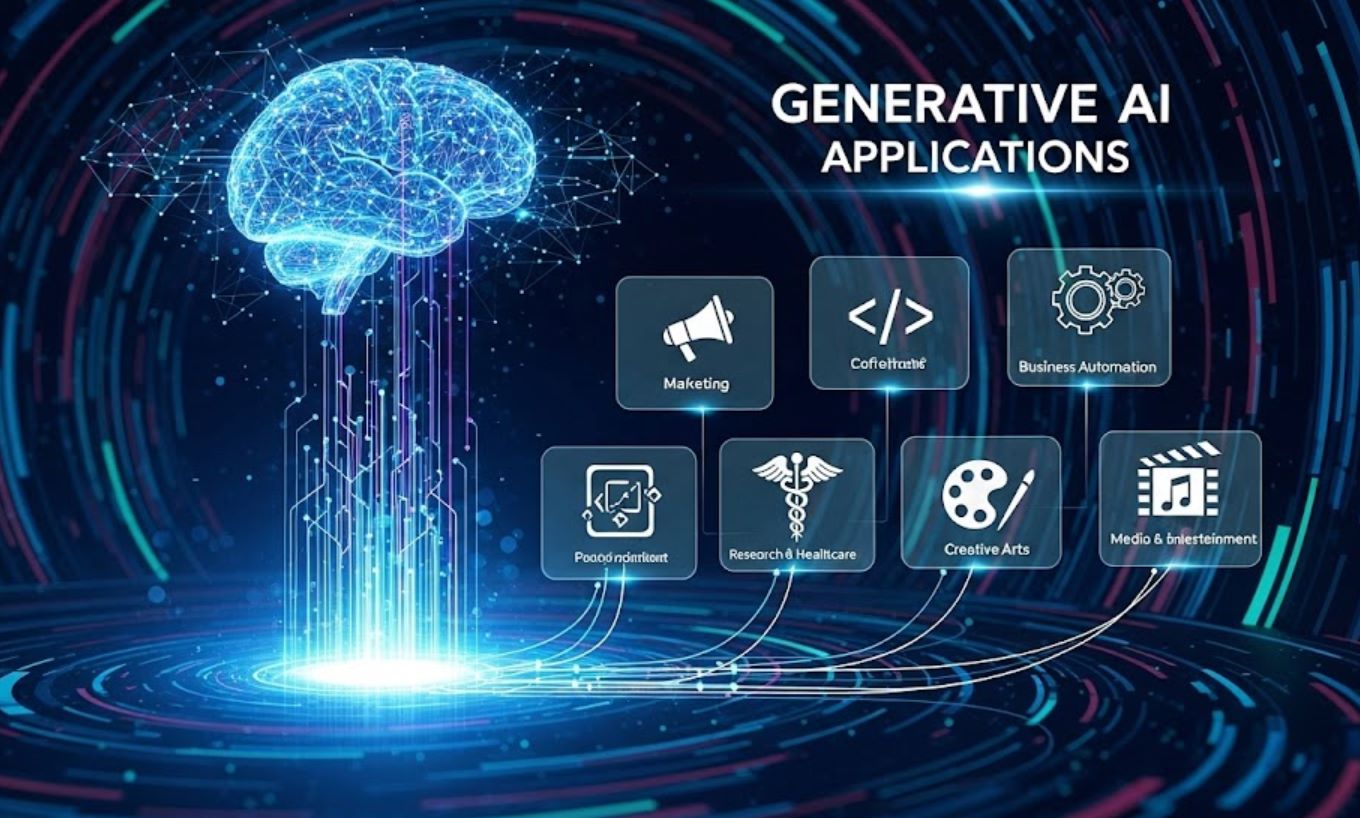
Generative AI is used across the United States to create text, images, software code, audio, video, designs, and other digital content. The main applications include customer support, marketing, software development, education, health care research, finance, product design, media, and workplace automation.
Its value is simple: generative AI can turn a prompt, set of documents, image, or data set into a useful first result. A person still needs to check that result, especially when it affects money, health, safety, privacy, or legal rights.
What Is Generative AI?
Generative AI is a type of artificial intelligence that creates new content from patterns learned from large data sets. It can produce an answer, draft, image, computer program, voice track, video, or design based on a user’s instructions.
Traditional software usually follows fixed rules. Generative AI works in a less direct way. It predicts and combines patterns to create a new result that matches the request.
Common forms include:
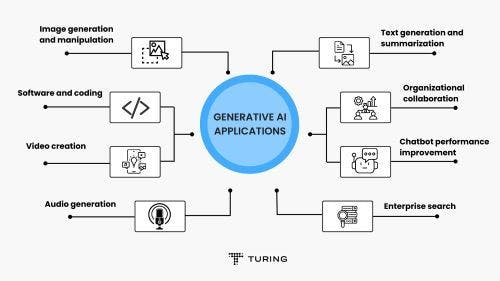
- Text generation: Emails, reports, summaries, scripts, and answers
- Image generation: Illustrations, product concepts, marketing images, and edits
- Code generation: Software functions, tests, documentation, and debugging help
- Audio generation: Speech, music, sound effects, and transcription
- Video generation: Short clips, training videos, storyboards, and animations
- Data generation: Synthetic records used for testing, research, and system development
Generative AI is not the same as a search engine. A search engine retrieves information from known pages. A generative AI system creates a response from its model and any information supplied to it.
That difference matters. A generated answer may sound confident but still contain errors. The National Institute of Standards and Technology, or NIST, lists risks such as inaccurate content, privacy loss, harmful bias, and security problems in its [Generative AI Profile](https://www.nist.gov/itl/ai-risk-management-framework/ generative-ai-profile).
The Main Applications of Generative AI
The main applications of generative AI fall into three broad groups:
- Creating content
- Helping people complete knowledge work
- Supporting decisions, design, research, and automation
The best use depends on the cost of mistakes, the privacy of the data, and how much human review is available.
1. Content creation and marketing
Generative AI helps US companies create and adapt content at high speed. Marketing teams use it for first drafts, product descriptions, ad ideas, social media posts, email campaigns, and search content.
It can also adjust one message for different audiences. For example, a retailer might use one product brief to create:
- A short mobile ad
- A longer product page
- An email subject line
- A social media caption
- A customer FAQ
- A sales script
The main benefit is speed. The main risk is low-quality or misleading content. Teams should check facts, brand claims, copyright concerns, and the intended audience before publishing.
Generative AI works best here as a drafting and editing tool. It should not replace a review of prices, product details, legal claims, or customer promises.
2. Customer service and support
Companies use generative AI to answer common customer questions and help support agents find information. A system may summarize a customer’s issue, suggest a reply, or search an approved knowledge base.
Typical uses include:
- Order and delivery questions
- Product setup instructions
- Return and warranty information
- Account support
- Internal help desks
- Call summaries
- Suggested responses for support agents
A customer service model can be connected to company documents. This can reduce the need for staff to search many pages by hand. It may also help provide support outside normal business hours.
The system should not make decisions that require judgment without controls. Examples include denying a refund, changing an account, closing a case, or handling a dispute. Human review is wise when the customer faces a financial loss, service cut, or safety concern.
3. Software development
Software developers use generative AI to write code, explain unfamiliar code, create tests, document functions, and find possible bugs.
A developer may ask an AI tool to:
- Build a basic function
- Convert code from one language to another
- Create unit tests
- Explain an error message
- Draft database queries
- Write technical documentation
- Suggest ways to improve code structure
The tool can reduce work on routine tasks. It does not remove the need for software engineering. Generated code may contain security flaws, incorrect logic, outdated methods, or license issues.
A safe process includes code review, automated tests, dependency checks, and security testing. Developers should also avoid placing private keys, passwords, customer records, or restricted source code into a public AI service.
4. Education and training
Schools, colleges, employers, and training teams use generative AI to create lesson plans, practice questions, study guides, tutoring prompts, and accessible explanations.
A teacher may use it to create several versions of a reading exercise. A company may use it to draft a safety lesson or role-play for new staff.
Useful applications include:
- Personalized practice
- Language learning
- Reading support
- Quiz creation
- Lesson planning
- Feedback on a draft
- Training simulations
- Translation and plain-language rewriting
The strongest educational use supports learning rather than replacing it. Students still need to think, solve problems, and show their own work. Schools may also need clear rules for acceptable AI use.
AI-generated teaching material needs review for accuracy, age fit, cultural bias, and alignment with the course. It can simplify a hard topic, but it can also simplify it incorrectly.
5. Health care and medical research
Generative AI is used in health care for administrative work, research support, clinical documentation, patient communication, and medical education.
Examples include:
- Drafting visit notes
- Summarizing medical records
- Preparing patient instructions
- Translating health information
- Searching research literature
- Creating synthetic data for testing
- Supporting drug discovery research
- Generating medical training cases
The US Food and Drug Administration discusses AI used in medical devices and continues to publish guidance on the safe development of AI-enabled health products. A medical application may face different requirements based on its intended use and level of risk.
Generative AI should not be treated as a doctor. A patient should not rely on a chatbot alone for diagnosis, emergency advice, or treatment changes. Health care organizations must also protect patient information under applicable privacy rules, including the Health Insurance Portability and Accountability Act, or HIPAA, when it applies.
6. Finance and banking
Banks, insurers, investment firms, and financial teams use generative AI to summarize documents, assist with research, draft reports, and support customer service.
Potential uses include:
- Summarizing earnings reports
- Reviewing loan documents
- Explaining financial terms
- Drafting internal reports
- Detecting unusual patterns when paired with other systems
- Creating training materials
- Helping staff search policies
- Answering routine account questions
Finance requires strong controls because errors can affect money, credit, fraud investigations, and access to services.
A generated summary should not be the only basis for a lending, investment, insurance, or fraud decision. Staff should be able to trace important claims back to source records. The US Securities and Exchange Commission has also warned that firms must make accurate statements about their use of AI.
7. Product design and engineering
Manufacturers and product teams use generative AI to explore design options before building physical prototypes.
The system may create:
- Product shapes
- Packaging concepts
- Machine parts
- Building layouts
- User interface designs
- Materials comparisons
- Engineering alternatives
- Virtual prototypes
This use is sometimes called generative design. The system receives goals and limits, such as weight, size, cost, strength, or material use. It then suggests designs that meet those limits.
The output still needs testing. A digital design is not proof that a product is safe, durable, affordable, or easy to manufacture. Engineers must check it against accepted standards, physical tests, supply limits, and real use conditions.
8. Media, entertainment, and advertising
Film studios, game companies, publishers, and creators use generative AI for ideation, storyboards, visual effects, voice drafts, background art, and editing.
For example, a production team may use AI to create early visual concepts before hiring artists for final work. A game developer may use it to create temporary dialogue or environment ideas.
Rights and consent are major issues. A creator should confirm that training data, voices, likenesses, music, and images can be used legally. A generated voice that imitates a real person may create privacy, publicity, or contract concerns.
Generative AI can lower the cost of early production. It does not settle questions about ownership, originality, labor agreements, or permission.
9. Business operations and office work
Many organizations use generative AI to handle repetitive office tasks. This includes drafting, summarizing, sorting, and extracting information.
Common examples are:
- Meeting summaries
- Internal search
- Policy questions
- Spreadsheet help
- Report drafting
- Document comparison
- Job description writing
- Project updates
- Email replies
- Procurement summaries
This is one of the easiest areas for a company to test. The work is often repetitive, and a person can review the result before it is used.
Even here, privacy matters. A company should define which information may enter an AI system. It should also record who reviews important outputs and how the organization handles mistakes.
10. Scientific research and discovery
Researchers use generative AI to examine papers, suggest hypotheses, write code, create simulations, and design molecules or materials.
It can help with the early stages of research by finding links between ideas that a person may not see quickly. It can also create synthetic data for certain tests when real data is scarce or sensitive.
The output is a research aid, not evidence by itself. A hypothesis must be tested. A generated citation must be checked. A model’s proposed molecule, material, or experiment must be verified in the lab or through accepted analysis.
Researchers should also disclose meaningful AI use when required by a journal, funder, employer, or research institution.
11. Accessibility and communication
Generative AI can make information easier to use for people with different needs.
Examples include:
- Converting complex text into plain English
- Creating image descriptions
- Generating captions
- Translating content
- Converting speech to text
- Creating audio from written material
- Rewriting content at a different reading level
- Supporting assistive communication
These tools can remove barriers, but they can also introduce errors. Captions may miss names or technical terms. Image descriptions may omit key details. Translation may change meaning.
A person should review accessibility output when the content affects safety, education, employment, health, or legal rights.
How Generative AI Is Used in Practice
Generative AI usually supports a workflow rather than performing one isolated task. A reliable workflow has five stages:
- Define the task. State what the system should create and who will use it.
- Provide approved information. Give it accurate source material and clear limits.
- Generate a draft. Ask for a result in a useful format.
- Review the result. Check facts, tone, bias, privacy, security, and completeness.
- Use and monitor it. Track errors and improve the process over time.
For example, a support team could use AI to draft answers from a current help center. The agent would then confirm the answer before sending it. If the system repeatedly gives outdated instructions, the team should update the source documents or stop using the workflow.
A simple prompt structure
A useful prompt often includes:
- Role: What type of assistant should the system be?
- Task: What should it do?
- Context: What facts or documents should it use?
- Limits: What must it avoid?
- Format: How should the answer look?
- Review rule: What should it flag for a human?
Example:
Use the attached product manual to draft a short setup guide for a US customer. Do not invent steps. If the manual does not answer a question, say so. Use numbered steps and include a safety warning when the manual gives one.
This prompt is better than “Write setup instructions” because it gives the model a source, audience, format, and safety boundary.
Where generative AI adds the most value
Generative AI is most useful when:
- The task involves language, images, code, or patterns
- A human can review the result
- The work is repeated often
- A good first draft saves time
- The source material is available and current
- A mistake will not cause serious harm
It is less suitable when:
- The task needs a guaranteed correct answer
- The system lacks current information
- Private data cannot be protected
- A person cannot review the output
- The decision affects rights, health, safety, or essential services

Generative AI Applications by Industry
The table below shows common uses and the main control each industry needs.
| Industry | Common applications | Main control |
|---|---|---|
| Retail | Product copy, recommendations, support | Check claims and customer data |
| Health care | Notes, research, patient materials | Clinical review and privacy controls |
| Finance | Document review, reports, support | Traceable records and decision review |
| Education | Tutoring, quizzes, lesson drafts | Teacher oversight and academic rules |
| Software | Code, tests, documentation | Testing and security review |
| Manufacturing | Design concepts, maintenance guides | Engineering validation |
| Media | Scripts, storyboards, editing | Rights, consent, and disclosure |
| Government | Public information and document work | Accuracy, access, and accountability |
| Legal services | Document review and drafting | Attorney review and confidentiality |
| Small business | Marketing, support, admin work | Clear data and approval policies |
The table describes common applications, not proof that every tool performs them well. Results depend on the model, the data, the task, and the review process.
What Are the Benefits of Generative AI?
The main benefit is that generative AI can reduce the time needed to create a first draft or find a useful pattern.
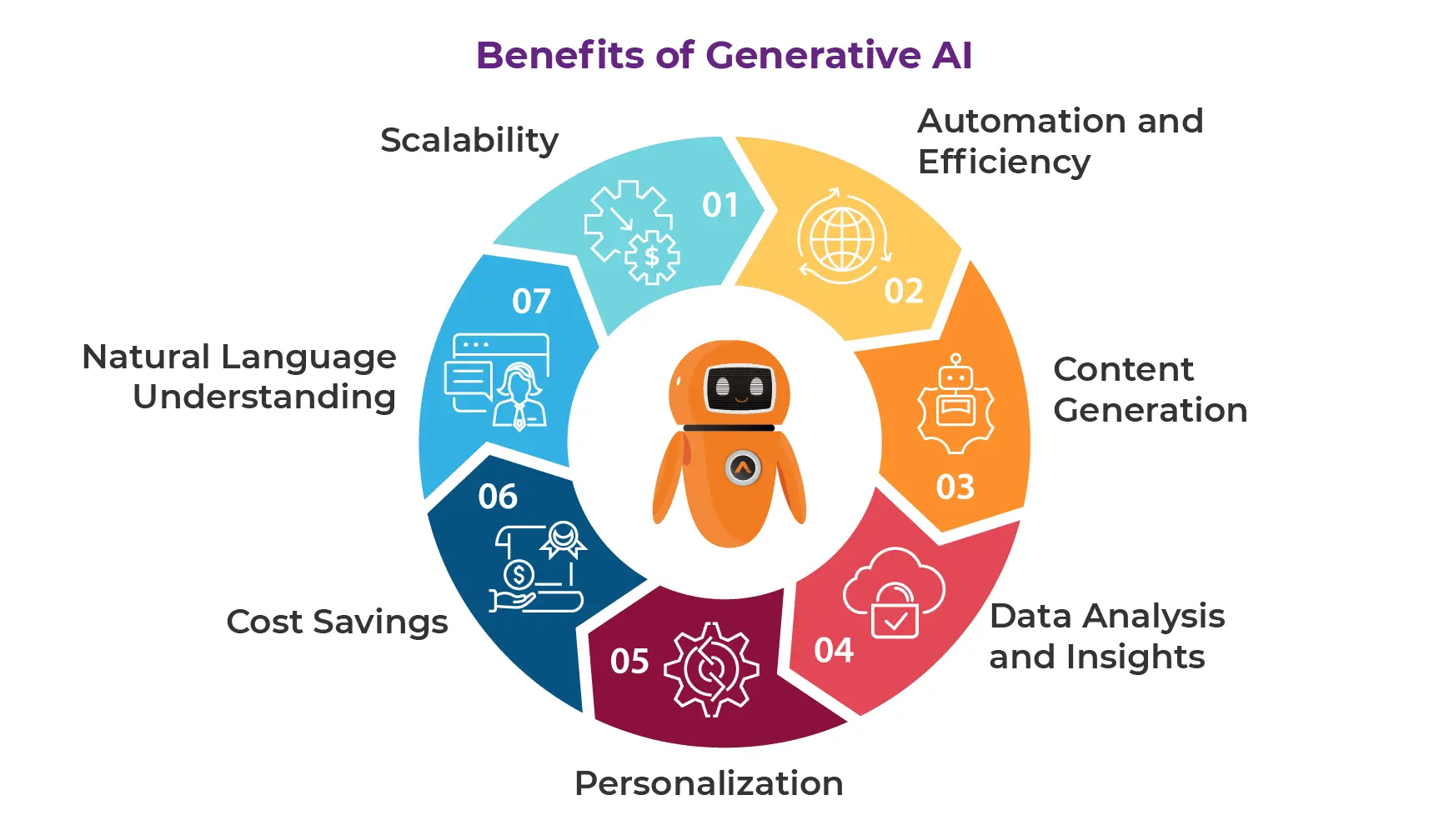
Other possible benefits include:
- Faster document and content creation
- Lower cost for routine work
- More personalized learning and support
- Easier access to complex information
- More design options during early planning
- Better support for people with disabilities
- Faster software prototyping
- Help with research and analysis
- More consistent internal documentation
These benefits are not automatic. A poor source document can produce a poor answer. A vague prompt can produce an unusable result. A fast system can also spread errors faster.
The strongest business case compares the full workflow before and after AI use. That comparison should include review time, correction costs, privacy controls, training, software fees, and the effect of mistakes.
What Are the Risks and Limitations?
Generative AI can produce incorrect, biased, incomplete, or fabricated content. It may also expose sensitive information or repeat material that should not be reused.
Accuracy problems
A model may create a false statement that sounds clear and certain. This is often called a hallucination. It can happen when the system lacks information, misunderstands the prompt, or predicts a likely answer instead of checking a source.
Reduce this risk by:
- Supplying trusted source documents
- Asking the system to identify uncertainty
- Checking important facts
- Using retrieval from current internal records
- Keeping a human reviewer for high-impact work
Privacy and confidentiality
Do not place sensitive data into an AI tool unless the organization has approved the tool and understands how the data is handled.
Sensitive data may include:
- Social Security numbers
- Medical records
- Financial account details
- Passwords and private keys
- Customer records
- Confidential business plans
- Personal information about employees
A privacy policy should explain which tools staff may use, what data they may enter, and how long outputs are kept.
Bias and unfair results
Generative AI can reflect bias in its training data or in the design of the system. It may produce different results for people based on names, language, race, gender, disability, age, or other traits.
Bias checks should use realistic examples from the intended audience. High-impact uses need stronger review than low-risk drafting tasks.
Copyright and ownership
AI output may resemble existing work. The legal status of generated content can vary by facts and jurisdiction. The US Copyright Office has published reports and guidance on copyright and artificial intelligence, including human authorship and digital replicas.
Users should keep records of source material, permissions, human edits, and the tool used. Do not assume that an AI-generated result is free of rights concerns.
Security risks
Attackers may try to manipulate an AI system through malicious instructions in documents or web pages. A system connected to company tools may also take an unsafe action if permissions are too broad.
Good controls include:
- Limited access
- Separate testing environments
- Human approval for external actions
- Logging
- Input filtering
- Output checks
- Regular security testing
How Should a Business Choose a Generative AI Application?
Start with the task, not the tool. A business should choose a use case that has a clear benefit, known data sources, and a safe review process.
Use this checklist:
- Define the goal. What time, cost, quality, or access problem should improve?
- Set the risk level. What happens if the output is wrong?
- Check the data. Is the information accurate, current, and allowed for this use?
- Choose the human role. Who checks the output and approves action?
- Test a small workflow. Use real but controlled examples.
- Measure results. Track accuracy, time saved, corrections, and user impact.
- Set a stop rule. Pause the system if errors or privacy problems exceed an agreed limit.
A simple decision table can help:
| Use case | Risk level | Human review |
|---|---|---|
| Brainstorming headlines | Low | Light review |
| Drafting an internal memo | Low to medium | Required before sharing |
| Writing customer instructions | Medium | Fact and policy review |
| Summarizing medical records | High | Qualified professional review |
| Making lending decisions | High | Formal controls and human oversight |
| Controlling industrial equipment | Very high | Strict technical and safety controls |
This approach prevents a common mistake: using the same level of automation for a marketing draft and a medical decision.
Common Mistakes to Avoid
Treating generated text as verified fact
A polished answer is not proof. Check names, dates, figures, quotations, citations, and technical claims.
Using private data in an unapproved tool
Staff may copy information into a public chatbot without realizing that the data could be stored, reviewed, or processed under terms the company has not approved.
Giving the system too much authority
A chatbot that drafts an email is lower risk than a system that can issue refunds, delete files, or change customer accounts. Give AI only the access it needs.
Measuring speed but not quality
Time saved is useful only if the output does not create more correction work. Measure both production time and review time.
Ignoring users and workers
People who use the system often know where it fails. Include them in testing. Explain when AI is involved, especially when a customer may reasonably expect a human.
Assuming all AI tools are alike
Models differ in training, privacy terms, context limits, accuracy, tools, and update schedules. Evaluate the exact system and version being used.

Frequently Asked Questions
What is the most common use of generative AI?
Content creation, writing assistance, customer support, and software development are among the most common uses. Many organizations begin with low-risk tasks such as summaries, drafts, internal search, and routine questions.
Can generative AI replace human workers?
It can automate parts of some jobs, but most real workflows still need human judgment. Jobs that involve trust, accountability, physical work, complex relationships, or high-risk decisions are less likely to be fully automated safely.
Is ChatGPT the same as generative AI?
No. ChatGPT is one example of a generative AI application. Generative AI is the wider technology category, which also includes image, audio, video, code, and design systems from many providers.
Is generative AI safe for business use?
It can be used safely for some business tasks when the organization controls data, access, review, and accountability. Safety depends on the use case. A low-risk draft needs less control than a system used in health care, finance, employment, or public services.
How can I start using generative AI?
Choose one repetitive, low-risk task. Use approved information, create a clear prompt, review every result, and measure whether the workflow actually improves. Do not begin with a process that can harm a person if the output is wrong.
Conclusion
The main applications of generative AI include content creation, customer support, coding, education, health care research, finance, design, media, science, office work, and accessibility.
Its strongest role is as a supervised assistant. It can create a useful first draft, find patterns, explain information, and support creative work. It should not receive unchecked authority over decisions involving health, money, safety, privacy, or legal rights.
The best next step is to choose one low-risk task, define success, protect sensitive data, and review the results before expanding the system.

Everett Ashford is a tech reviewer at mytechgrid.com specializing in SSDs, cameras, TVs, earbuds, headphones, and other consumer electronics. He provides honest, data-driven reviews based on hands-on testing and real-world performance analysis. Everett simplifies complex tech details to help readers make smart, confident buying decisions.