Introduction
In the United States, a camera is used to record family moments, news, sports, travel, science, and public events. You may use a camera built into an iPhone, a digital camera for school or work, or a security camera outside a home or business.
So, what do you mean by camera? A camera is a device that captures light and records it as a still image or video. It uses a lens to collect light and a sensor or film to store the image.
What Is a Camera?
A camera is an optical device that makes a picture by controlling light. The word can describe a simple pinhole camera, a smartphone camera, a professional cinema camera, or a security camera.


Every camera needs three basic things:
- A light path: Light must enter the camera.
- A way to control light: The camera may use a shutter, aperture, or electronic controls.
- A recording surface: Film or a digital image sensor stores the picture.
A digital camera turns light into electronic data. A film camera records light on light-sensitive film. Both types follow the same basic idea: light enters through an opening and creates an image.
The National Institute of Standards and Technology describes a camera as a device that records images. The image may be stored on film, a memory card, internal storage, or another recording system.
A simple definition
You can define a camera in one sentence:
A camera is a device that captures and records light to create a picture or video.
The camera does not record an object itself. It records the light that reflects from or passes through the object.


For example, when you photograph a tree, the camera records light reflected by the leaves, trunk, and branches. The lens directs that light onto film or an image sensor.
Camera meaning in different contexts
The word “camera” can have slightly different meanings based on its use.
| Type of camera | Main purpose |
|---|---|
| Smartphone camera | Everyday photos, video, calls, and social media |
| Digital still camera | High-control photography |
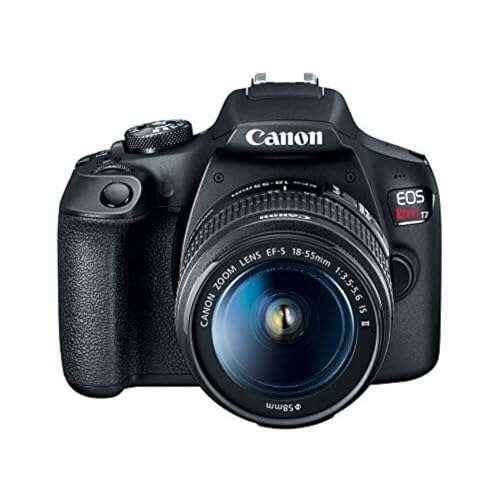
| DSLR camera | Interchangeable-lens photography with an optical viewfinder |
| Mirrorless camera | Interchangeable-lens photography without a reflex mirror |
| Film camera | Images recorded on photographic film |
| Video camera | Continuous moving images and sound |
| Security camera | Monitoring and recording an area |
| Webcam | Live video for computers and online meetings |
| Action camera | Small, rugged video recording |
| Medical camera | Viewing or recording inside or near the body |
A camera may also be part of another device. Cars, doorbells, laptops, drones, microscopes, and scientific instruments can all contain cameras.

How Does a Camera Work?
A camera works by guiding light through a lens and recording the resulting image. The process is similar to opening a small window, focusing the view, and saving what appears outside.
1. Light enters through the lens
The lens is made of curved pieces of glass or plastic. It gathers light and bends it so the camera can form a sharp image.
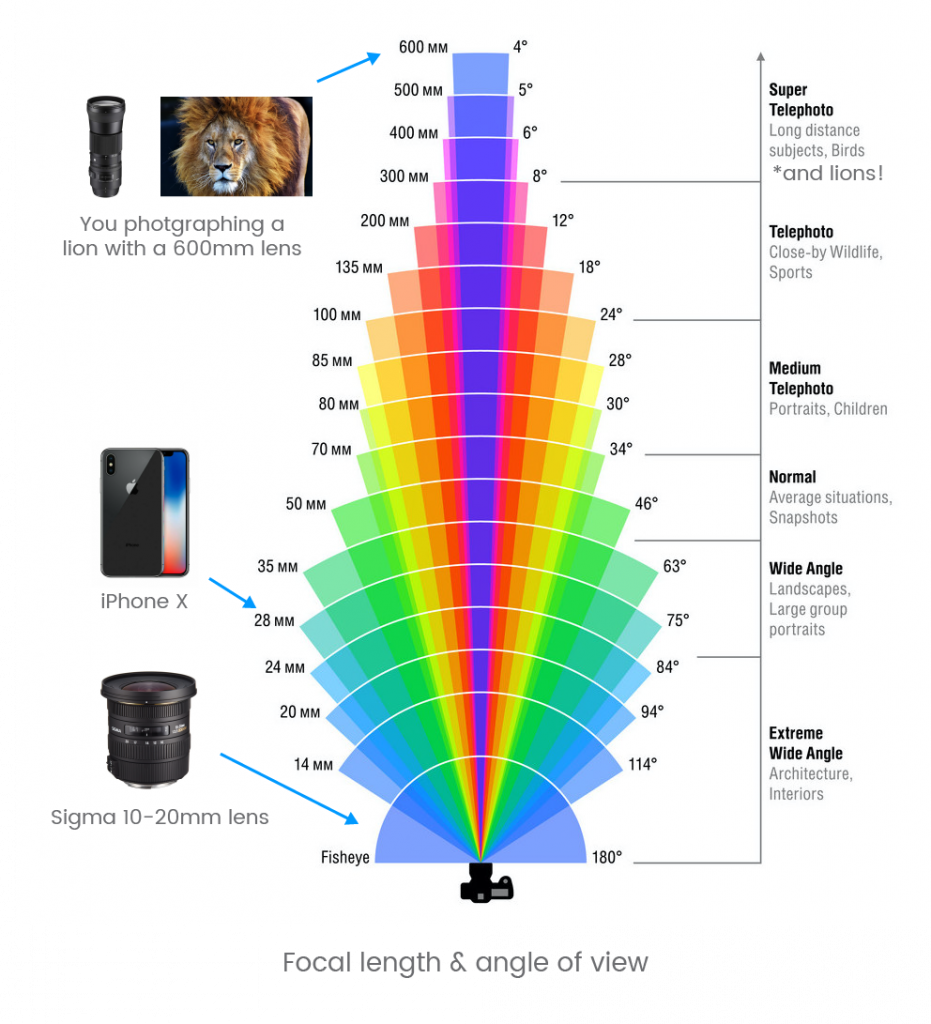
The lens also affects the camera’s view. A wide-angle lens shows more of a scene. A telephoto lens makes a distant subject appear closer.
2. The aperture controls the opening
The aperture is the adjustable opening inside the lens. It controls how much light enters the camera.
A wide aperture lets in more light. It can also create a blurred background. A narrow aperture lets in less light and usually keeps more of the scene in focus.
Aperture is written as an f-number, such as f/1.8, f/4, or f/11. The numbering can seem backward:
- A smaller f-number means a wider opening.
- A larger f-number means a narrower opening.
3. The shutter controls time
The shutter controls how long light reaches the sensor or film.
A fast shutter speed, such as 1/1000 second, can freeze a moving subject. A slow speed, such as 1/10 second, can show motion blur and may require a tripod.
Some digital cameras use a mechanical shutter. Others use an electronic shutter that starts and stops the sensor’s recording process.
4. The sensor or film records the image
A digital camera uses an image sensor. The sensor contains millions of tiny light-sensitive areas called pixels.
Each pixel measures light. The camera then processes this information to create a digital image file, such as a JPEG, HEIF, or RAW file.


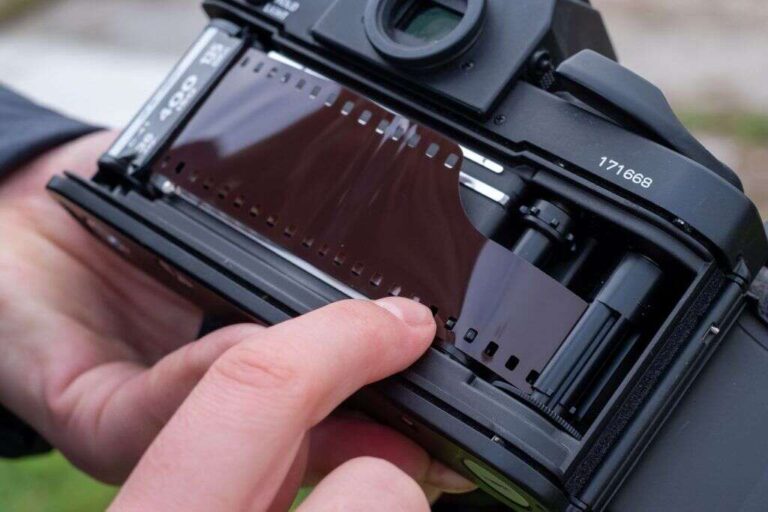
A film camera uses photographic film. Chemicals in the film react to light. The film must later be developed before the image can be viewed as a print or scan.
5. The camera processes the result
A digital camera may adjust color, brightness, contrast, sharpness, and noise. The camera can also save information about the date, lens, exposure, and location.
This processing is useful, but it can change the image. A camera’s automatic mode may brighten shadows, reduce noise, or sharpen edges without asking the photographer.

What Are the Main Parts of a Camera?
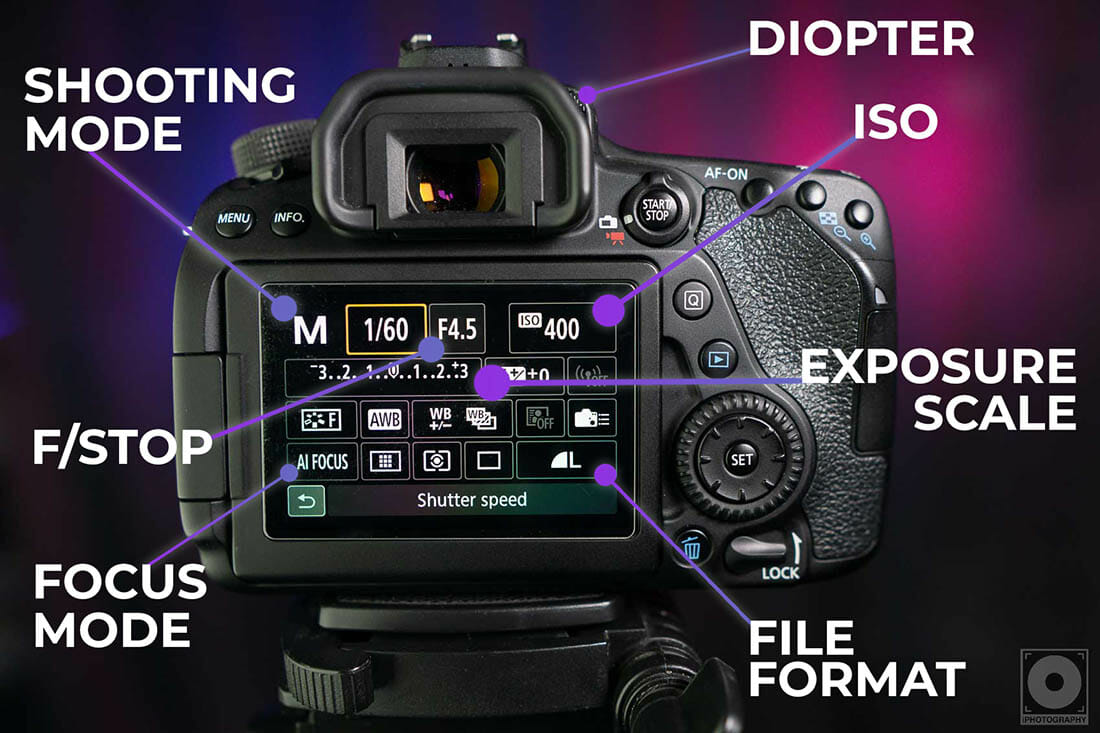
The main parts of a camera work together to capture, control, and save light.
Lens
The lens directs light into the camera. It affects:
- Field of view
- Magnification
- Focus
- Background blur
- Low-light performance
A lens may be built into the camera or changed by the user.
Image sensor
The image sensor converts light into an electrical signal. Common sensor types include CMOS and CCD.
Modern digital cameras usually use CMOS sensors because they can offer low power use, fast reading, and strong performance in small devices. The sensor’s size affects image quality, lens choices, low-light performance, and camera size.
More megapixels do not always mean a better picture. Lens quality, light, focus, processing, and sensor size also matter.
Shutter
The shutter controls exposure time. Some cameras have a physical curtain. Others use electronic control.
The shutter can affect motion blur and, in some cases, image distortion. Fast-moving subjects may look bent when an electronic rolling shutter reads the scene from top to bottom.
Aperture
The aperture controls the size of the lens opening. It affects both exposure and depth of field.
Depth of field means the range of distance that appears acceptably sharp. A shallow depth of field can isolate a person from the background. A deep depth of field can keep a landscape sharp from front to back.
Viewfinder and screen
A viewfinder lets you frame a subject while holding the camera to your eye. A screen lets you compose the image from the back of the camera or from a phone.


An optical viewfinder shows light through the lens by using mirrors and prisms. An electronic viewfinder shows a digital preview from the sensor.
Processor
The image processor interprets sensor data. It helps create the final image and may control autofocus, noise reduction, color, face detection, and video recording.
Storage
Digital cameras store images on internal memory, removable memory cards, or connected devices. Check the camera manual before buying a memory card. The card must have the right format, capacity, and speed.
Battery
The battery powers the sensor, screen, processor, autofocus, and wireless systems. Video, flash use, cold weather, and bright screens can reduce battery life.
What Is the Difference Between a Digital Camera and a Film Camera?
The main difference is the recording medium. A digital camera uses an electronic sensor, while a film camera uses light-sensitive film.
| Feature | Digital camera | Film camera |
|---|---|---|
| Recording medium | Image sensor | Photographic film |
| Immediate viewing | Usually available | Not available until development |
| Reuse | Memory card can be reused | Film must be replaced |
| Processing | Software and camera settings | Chemical development and printing |
| Storage | Digital files | Negatives, slides, or prints |
| Cost per exposure | Often low after purchase | Includes film and processing |
| Image review | Easy to check | Requires more patience |
Digital cameras are usually more convenient for daily use. Film cameras can offer a slower, hands-on process that some photographers prefer.
Neither format automatically creates a better photograph. The result depends on the camera, lens, light, exposure, focus, and person using it.
What Is the Difference Between a Camera and a Video Camera?
A still camera is designed mainly to capture individual images. A video camera records a series of images in quick succession.
When these images play back fast enough, they create the appearance of movement. Video also records sound in many devices.
Modern cameras often serve both purposes. A mirrorless camera may take high-resolution photos and record video. A smartphone may record short clips, long videos, slow motion, and time-lapse footage.
The main differences often include:
- Recording time: Video cameras are designed for longer continuous recording.
- Sound: Video cameras often include microphones and audio controls.
- Cooling: Some video cameras have systems that help manage heat.
- Handling: Video cameras may include grips, mounts, or controls for steady recording.
- File size: Video files can use much more storage than still photographs.
A camera with a strong photo rating may not be the best tool for long interviews or professional video. The right choice depends on the task.


What Are the Most Common Types of Cameras?
The best camera type depends on what you need to record and how much control you want.
Smartphone cameras
Smartphones are small, convenient, and ready to use. Many combine several cameras, such as a standard lens, ultra-wide lens, and telephoto lens.
Software plays a large role. A phone may combine several exposures to improve shadows, highlights, and low-light detail.
Smartphones are useful for:
- Quick photos
- Family events
- Travel
- Online posts
- Scanning documents
- Video calls
- Short videos
Compact digital cameras
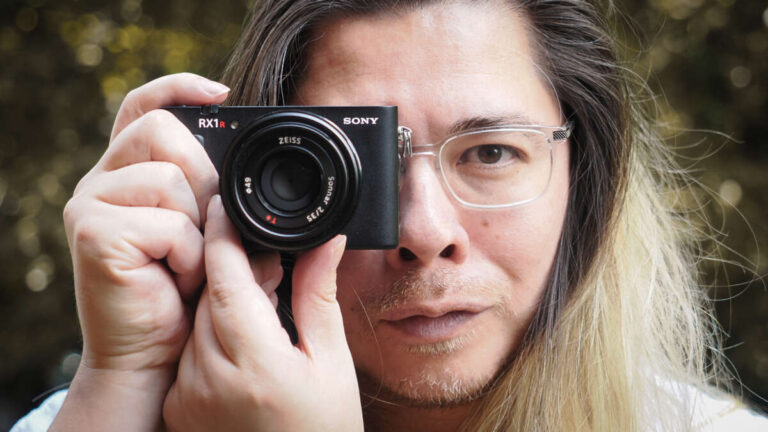
Compact cameras are small and simple. Some have a built-in zoom lens and more optical control than a typical phone.
They may be useful when you want a dedicated camera but do not want interchangeable lenses.
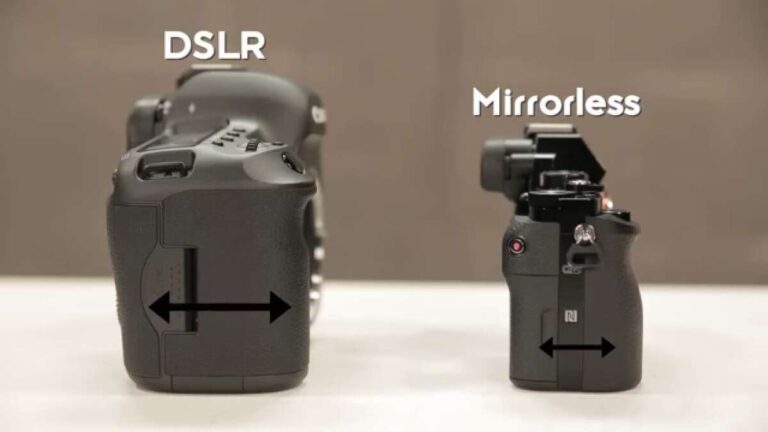
DSLR cameras
A DSLR, or digital single-lens reflex camera, uses a mirror system. The mirror sends light to an optical viewfinder. When you take a picture, the mirror moves so light can reach the sensor.
DSLRs can offer strong battery life, many lens choices, and direct viewing through the lens. They are often larger than mirrorless cameras.
Mirrorless cameras
A mirrorless camera does not use the DSLR mirror system. Light reaches the sensor all the time, and the screen or electronic viewfinder shows a digital preview.
Mirrorless cameras can be smaller than many DSLRs. They often provide advanced autofocus and strong video tools. Battery life and lens size vary by model.
Action cameras
Action cameras are small and often built for movement. They may include wide-angle lenses, image stabilization, waterproof cases, and rugged bodies.
They are common for cycling, skiing, hiking, travel, and other active uses. Their wide lenses can make nearby subjects look stretched.
Security cameras
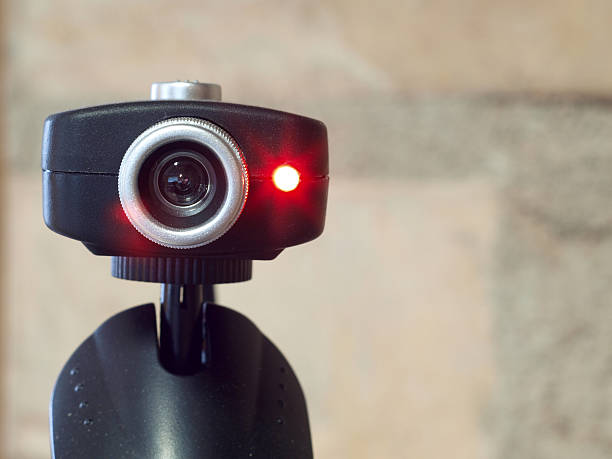
Security cameras monitor an area. They may record continuously, detect motion, send alerts, or store video in the cloud or on local storage.
Before installing one, check local laws and building rules. Recording people in private areas without permission may violate privacy laws or other rules.

What Should You Look for When Choosing a Camera?
Choose a camera based on the job, not just the number of megapixels.
Start with these questions:
- Will you take photos, record video, or do both?
- Will you carry the camera often?
- Do you need a zoom lens?
- Will you work in low light?
- Do you want to change lenses?
- Do you need a microphone input or headphone output?
- How much storage and battery life do you need?
- What is your total budget, including lenses and accessories?
Camera choice by use
| Main need | A practical starting point |
|---|---|
| Everyday snapshots | Smartphone or compact camera |
| Learning photography | Entry-level interchangeable-lens camera |
| Travel | Compact camera or small mirrorless camera |
| Sports and wildlife | Fast autofocus and a suitable telephoto lens |
| Family video | Smartphone, compact camera, or mirrorless camera |
| Long interviews | Camera with reliable recording and audio support |
| Home monitoring | Security camera with suitable privacy controls |
| School projects | Smartphone or basic digital camera |
The camera body is only part of the system. A lens, extra battery, memory card, tripod, microphone, or lighting can affect the final cost.

What Makes a Good Camera Image?
A good camera image has a clear subject, suitable focus, useful exposure, and a composition that supports the purpose.
Technical quality matters, but it is not the whole picture. A simple phone photo can be more effective than an expensive camera photo if it captures the right moment.
The main factors are:
- Light: Soft, well-placed light often creates a clear image.
- Focus: The important subject should usually be sharp.
- Exposure: The image should not be too dark or too bright.
- Composition: The placement of subjects affects how the viewer reads the image.
- Stability: A steady camera reduces unwanted blur.
- Timing: The right moment can matter more than camera cost.
A larger sensor may help in low light, but it can also increase camera and lens size. A powerful zoom may help distant subjects, but it may cost more and weigh more.
Every camera choice involves trade-offs.

Common Camera Mistakes
Many poor images result from simple errors rather than a weak camera.
Using digital zoom without understanding it
Digital zoom enlarges part of an image. It may reduce detail because the camera is using fewer pixels for the subject.
Optical zoom changes the lens view before the image reaches the sensor. It usually preserves more detail.
Covering the lens
A finger, case edge, or piece of dirt can block part of the lens. Check the lens when photos look dark, hazy, or uneven.
Ignoring focus
Autofocus may lock onto the wrong object. Tap or select the subject when the camera allows it.
Shooting with a dirty lens
Fingerprints can create haze and lower contrast. Clean the lens with a proper lens cloth. Avoid rough paper or household cleaners.
Expecting megapixels to solve every problem
More pixels cannot fix motion blur, poor focus, weak light, or a low-quality lens.
Forgetting privacy
Do not assume that a camera recording is harmless because it is easy to make. Respect people’s privacy, especially in homes, schools, workplaces, medical settings, and private spaces.
For security cameras, use strong passwords, update the device, limit access, and review storage settings.

Is a Camera the Same as a Sensor?
No. A camera is a complete image-recording system. A sensor is one part of that system.
The sensor detects light, but it does not normally provide the lens, controls, storage, processing, housing, or user interface. A camera combines these parts so it can create and save an image.
The word “sensor” can also describe other devices. A temperature sensor measures heat. A motion sensor detects movement. A camera sensor specifically measures light patterns for imaging.
Can a Camera Work Without a Lens?
A camera can record light without a traditional glass lens if it has another opening or optical system. A pinhole camera is a basic example.
However, most modern cameras use a lens because a lens collects more light and forms a sharper, brighter image. Without suitable optics, the camera may produce a dim or unfocused picture.
Does a More Expensive Camera Always Take Better Pictures?
No. A more expensive camera may provide faster autofocus, better controls, stronger construction, higher video performance, or better low-light results. Those features matter only when they match the task.
Light, timing, composition, focus, and technique often have a larger effect on the image than price alone.
What Is the Best Camera for a Beginner?
For many beginners in the United States, a smartphone is enough to learn framing, light, focus, and timing. It is easy to carry and provides immediate feedback.
A beginner who wants interchangeable lenses and manual control may prefer an entry-level mirrorless or DSLR camera. The best choice is the one the person will carry, understand, and use often.
How Do You Keep a Camera Safe?
Keep the camera dry, protect it from drops, and store it in a clean case when not in use. Use the correct battery and charger listed by the maker.
Do not open a camera body unless you know how to handle electronics and stored electrical energy. For a damaged, wet, or overheating camera, stop using it and contact the manufacturer or a qualified repair service.
Key Takeaways
- A camera captures and records light as a still image or video.
- The lens, aperture, shutter, sensor or film, and processor all affect the result.
- Digital cameras use image sensors; film cameras use light-sensitive film.
- Smartphones, DSLRs, mirrorless cameras, action cameras, webcams, and security cameras serve different needs.
- More megapixels do not automatically mean better photos.
- Choose a camera based on your subject, lighting, portability, control, storage, and total cost.
- Good light, focus, timing, and composition often matter more than camera price.
Conclusion
A camera is a tool that turns light into a recorded image. Its basic job is simple, but its parts give you control over focus, brightness, motion, color, and perspective.
For everyday use, a smartphone may be all you need. For more control, you may choose a compact camera, DSLR, mirrorless camera, film camera, or specialized video camera. Start with the task you want to perform, then choose the camera features that support it.

Everett Ashford is a tech reviewer at mytechgrid.com specializing in SSDs, cameras, TVs, earbuds, headphones, and other consumer electronics. He provides honest, data-driven reviews based on hands-on testing and real-world performance analysis. Everett simplifies complex tech details to help readers make smart, confident buying decisions.