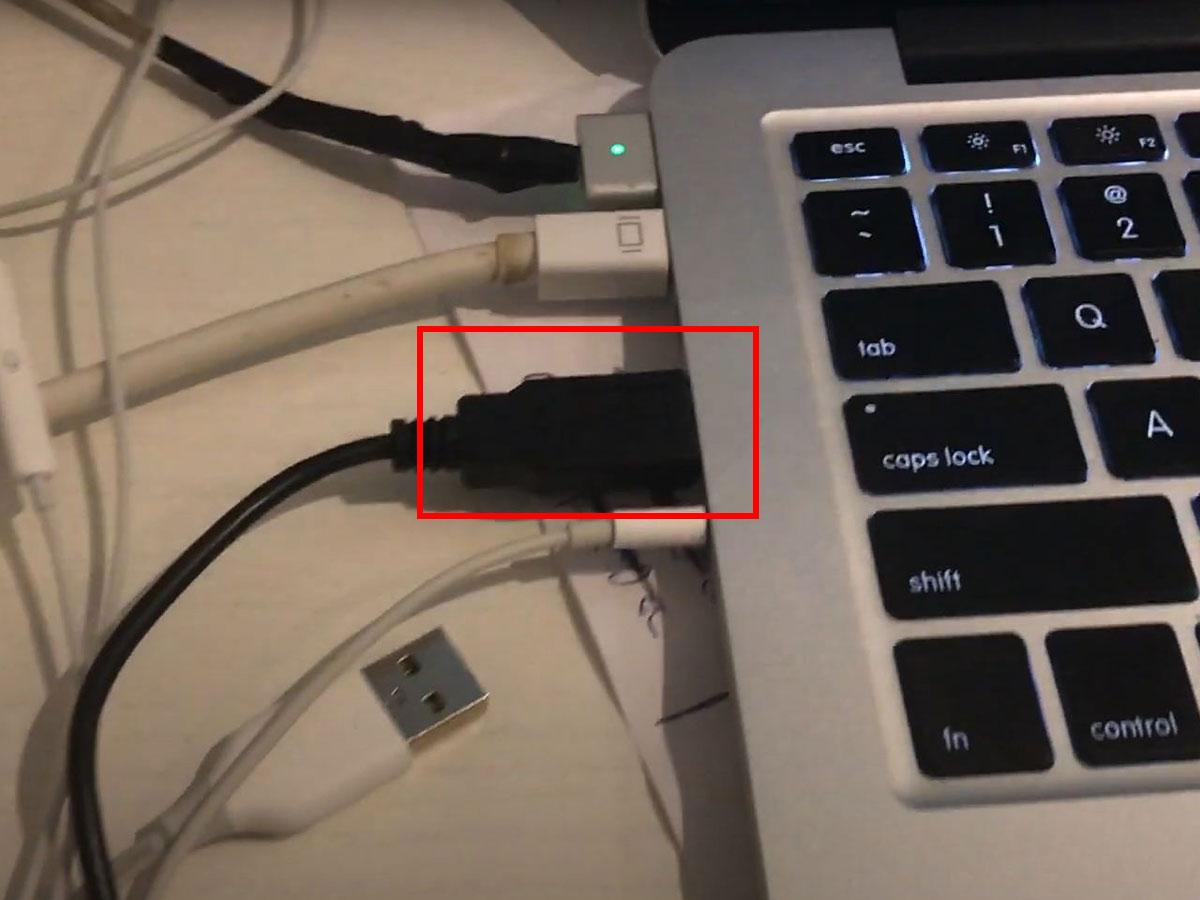
Yes, you can usually charge earbuds with a laptop charger if the charger uses USB-C or USB-A and the earbuds’ case accepts power through a matching cable. A USB-C laptop charger will not force its full wattage into the earbuds. The charging case takes only the power it needs.
For people in the United States, the safest choice is a genuine, undamaged laptop charger from a known brand, paired with the cable that came with the earbuds. Avoid using a laptop charger with a round barrel plug unless the earbuds came with a matching input and the voltage is clearly compatible.

When a Laptop Charger Is Safe for Earbuds
A laptop charger is generally safe when the connection follows the normal USB charging process. The charger supplies power, while the earbuds’ charging case controls how much current it uses.
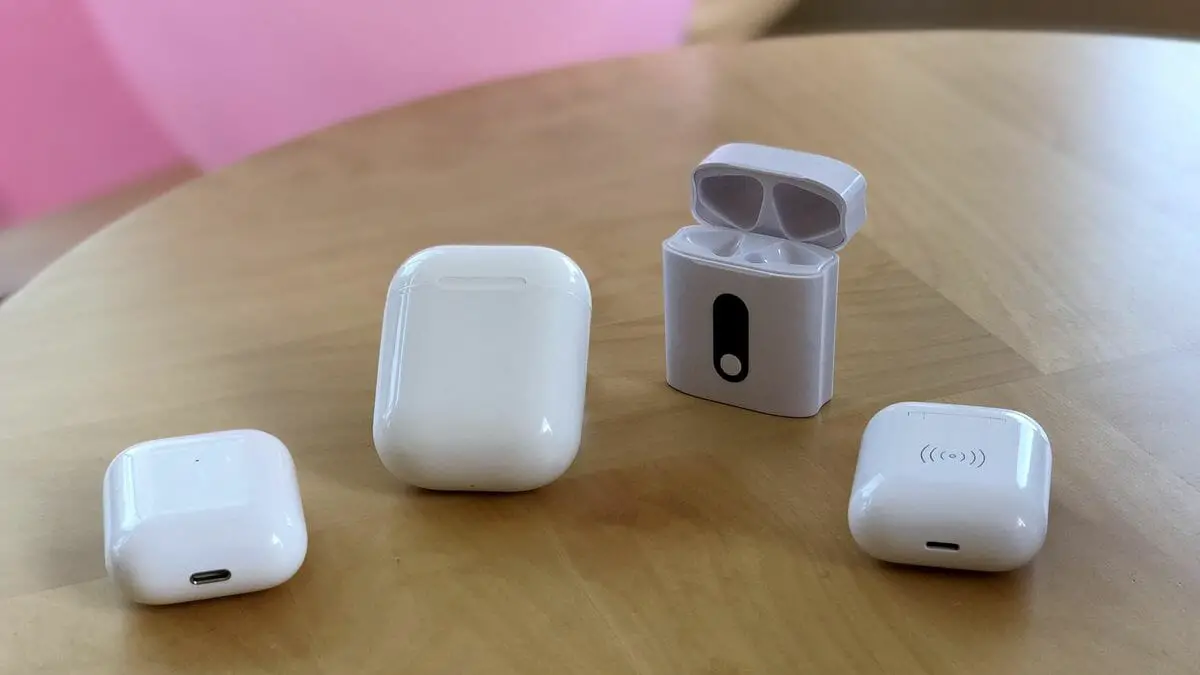
Most wireless earbud cases charge through one of these ports:
- USB-C
- Micro-USB
- Lightning
- A wireless charging surface
The charger and cable must match the case’s charging port. For example, a USB-C laptop charger can charge a case with a USB-C port when you use a USB-C cable that supports charging.
USB-C laptop chargers
Modern USB-C laptop chargers often support USB Power Delivery, also called USB PD. This standard allows the charger and device to communicate before higher voltage is used.
In simple terms:
- The charger begins at a low, safe USB voltage.
- The charging case identifies the power it can accept.
- The case requests the needed level.
- The charger supplies that level.
A 65-watt USB-C charger does not automatically send 65 watts into a small earbud case. The wattage is the charger’s maximum capacity, not the amount forced into every connected device.
USB-A laptop ports
You can also charge earbuds from a USB-A port on a laptop. This method is often slower, especially if the laptop is asleep, turned off, or running on battery power.
A USB-A port may stop supplying power when:
- The laptop enters sleep mode
- The laptop shuts down
- Battery-saving settings disable USB power
- The port supports data only while the computer is off
Barrel-plug laptop chargers
Do not connect a round barrel-plug laptop charger to an earbud case with an adapter unless the earbud manufacturer specifically supports that setup.
Barrel chargers can have different:
- Voltage levels
- Current limits
- Plug sizes
- Polarity arrangements
A wrong connection can damage the case or create a safety risk. USB-C and USB-A chargers are usually easier to use because they follow established USB power standards.
How to Charge Earbuds With a Laptop Charger
Follow these steps to charge earbuds from a laptop charger.
1. Check the charging port on the case
Look at the bottom or side of the charging case. Identify whether it uses USB-C, Micro-USB, or Lightning.
Do not rely only on the shape of the plug. Some cables may fit physically but may not provide the correct connection.
2. Check the laptop charger output
Look at the label on the charger. A USB-C laptop charger may list several output levels, such as:
- 5 volts
- 9 volts
- 15 volts
- 20 volts
Multiple output levels are normal for a USB-C PD charger. The connected device should request the level it supports.
If the charger has a USB-C plug permanently attached to it, it may connect directly to a USB-C earbud case. If it has a USB-C port instead, use a suitable USB-C cable.
3. Use a sound cable
Use the cable supplied with the earbuds when possible. If you need another cable, choose one made for charging and data rather than a damaged or unusually thin cable.
Inspect the cable for:
- Frayed insulation
- Bent connectors
- Loose plugs
- Heat damage
- Corrosion
A poor cable can cause slow charging, repeated disconnects, or excess heat.
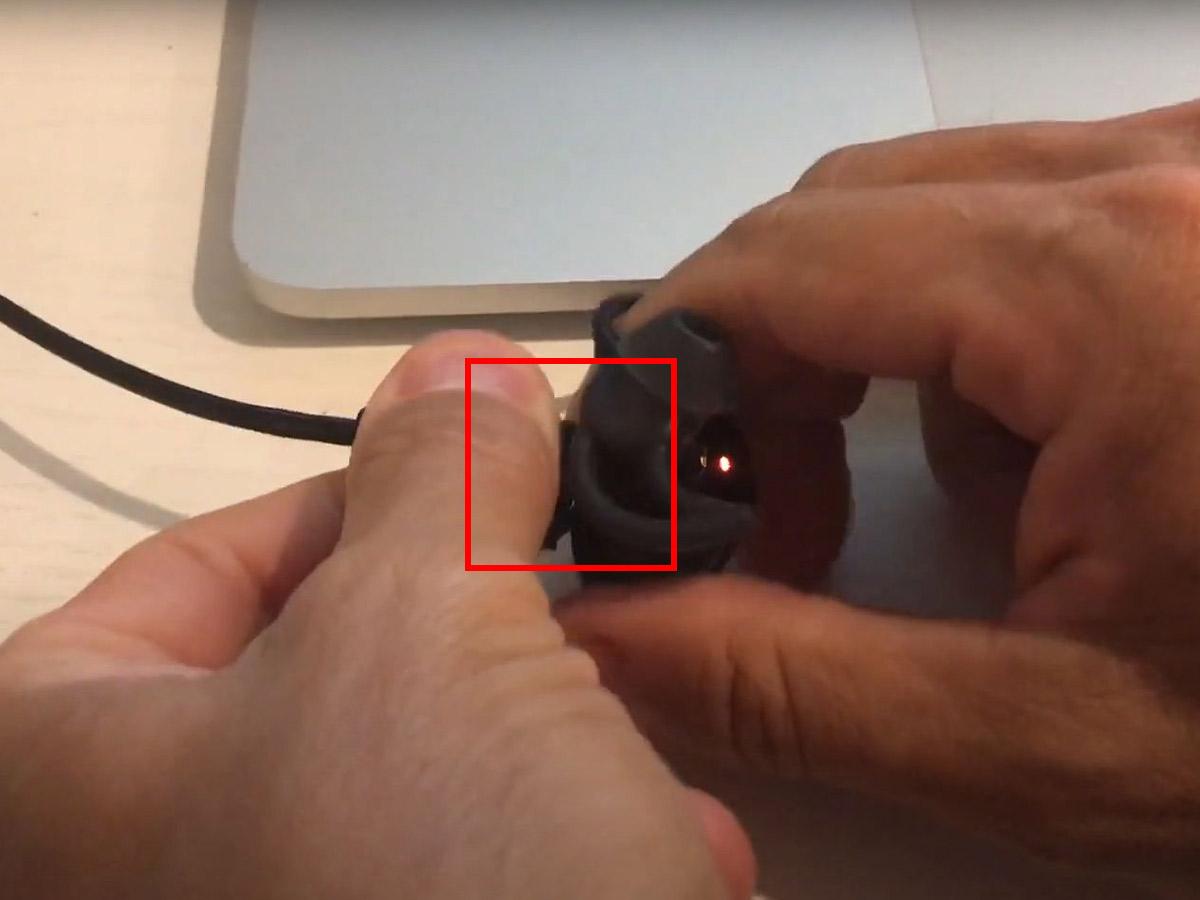
4. Connect the case
Plug the cable into the case first, then connect the other end to the laptop charger or laptop USB port.
A light on the case may turn on. Depending on the model, the light may show:
- Charging in progress
- A full battery
- A low battery
- A fault or poor connection
The exact colors differ by brand, so check the earbud manual if the light pattern is unclear.
5. Place the case on a safe surface
Keep the case on a hard, dry surface while it charges. Avoid placing it under a pillow, inside a bag, or near heat.
Stop charging if the case becomes unusually hot, swells, smells burnt, or makes a crackling sound.
Can a 65W or 100W Laptop Charger Damage Earbuds?
A compliant 65-watt or 100-watt USB-C laptop charger should not damage ordinary earbuds simply because its maximum wattage is higher.
Wattage is calculated as:
Watts = volts × amps
The charger’s wattage rating describes the most power it can provide under supported conditions. It does not mean that every device receives that amount.
An earbud case normally draws a small amount of power. The case’s charging circuit limits the current and manages the battery charge.
The main risks come from problems such as:
- A counterfeit or poorly made charger
- A damaged cable
- A nonstandard adapter
- Liquid in the charging port
- A damaged battery
- A forced-voltage connection
- A charger that is not actually USB compliant
Use the original charger when you are unsure. A reputable USB-C charger with USB Power Delivery is usually a better choice than an unknown high-power adapter.
Why fast charging does not always occur
A high-power laptop charger does not make earbuds charge at laptop speed. The earbuds must support the charging rate, and the case controls its own input.
The result may be:
- Normal charging speed
- Slow charging
- No charging if the cable or port is incompatible
Fast charging also depends on the earbuds, case, cable, temperature, and battery level.

Laptop Charger and Earbud Compatibility
Use this table to check the most common combinations.
| Earbud case port | Laptop charger or port | Cable needed | Usually works? |
|---|---|---|---|
| USB-C | USB-C laptop charger | USB-C to USB-C | Yes |
| USB-C | USB-A laptop port | USB-A to USB-C | Usually |
| Micro-USB | USB-C laptop charger | USB-C to Micro-USB | Usually |
| Micro-USB | USB-A laptop port | USB-A to Micro-USB | Usually |
| Lightning | USB-C laptop charger | USB-C to Lightning | Usually |
| Lightning | USB-A laptop port | USB-A to Lightning | Usually |
| Any USB port | Round barrel laptop charger | Special adapter | Avoid unless approved |
The key issue is not the charger’s brand or wattage alone. The case, cable, connector, and charging standard must work together.
USB-C to USB-C compatibility
Some older or low-cost USB-C accessories may behave differently with certain USB-C cables or chargers. If the case does not charge with USB-C to USB-C, try:
- The original cable
- A USB-A to USB-C cable with a USB-A laptop port
- A different compliant USB-C charger
- Cleaning the case port carefully
Do not force the connector or scrape inside the port with metal.

Charging Earbuds From a Laptop USB Port
A laptop USB port can charge earbuds, but it may be less convenient than a wall charger.
The laptop may limit or stop power when it is:
- Running on a low battery
- In sleep mode
- Turned off
- Using a power-saving setting
- Overloaded with USB devices
Charging from a laptop can also take longer than charging from a wall adapter. This is not usually a problem. It simply means the USB port is supplying less current.
For a reliable test, keep the laptop awake, connect the case, and watch for the case’s charging indicator. If the indicator turns on and stays on, the connection is likely working.

What to Do If the Earbuds Will Not Charge
If the case does not charge, check the simple and safe causes first.
The case light stays off
Try these steps in order:
- Confirm that the laptop charger is plugged into a working outlet.
- Try another charging cable.
- Check that the cable fits fully into the case.
- Test a different USB port or charger.
- Inspect the case port for lint or dirt.
- Leave the case connected for 15 to 30 minutes.
- Check the manufacturer’s instructions for a reset procedure.
A deeply discharged battery may not show a light immediately. Give it some time before deciding that the case has failed.
The case charges slowly
Slow charging can result from:
- A low-power laptop USB port
- A damaged cable
- A loose connection
- A dirty port
- A battery near full charge
- A laptop that is asleep or heavily loaded
Try a wall charger and a different cable. If the case still charges very slowly, its battery or charging circuit may need service.
The case gets hot
Warmth can occur during charging, but excessive heat is not normal. Unplug the case if it becomes too hot to touch comfortably.
Do not continue charging a case that is:
- Swollen
- Cracked
- Leaking
- Smoking
- Giving off a chemical smell
- Producing unusual sounds
Move away from the device if it is smoking or burning. Do not puncture, open, or dispose of a lithium-ion battery in household trash. Contact your local waste or battery-recycling program for disposal guidance in the United States.

Common Mistakes to Avoid
The most common mistake is confusing the charger’s maximum output with the power the earbuds will receive. A 100-watt USB-C charger is not automatically unsafe, but an incorrect adapter or damaged cable can be.
Avoid these mistakes:
- Using a barrel-plug laptop charger with a random USB adapter
- Charging through a wet or dirty port
- Using a visibly damaged cable
- Covering the case while it charges
- Forcing a connector into the port
- Leaving a damaged or swollen battery connected
- Assuming every USB-C cable has the same performance
- Charging from a laptop that is almost out of battery
Do not use a charger just because the plug fits. The charging standard and electrical design also matter.
Can I Charge Earbuds With a Laptop Without the Charger?
Yes, you can charge earbuds from the laptop itself if the laptop has a compatible USB port.
Use:
- A USB-A to USB-C cable for a USB-A port and USB-C case
- A USB-C to USB-C cable for a USB-C port and USB-C case
- The correct cable for Micro-USB or Lightning cases
The laptop must be turned on or configured to provide power while asleep. If the case does not charge, wake the laptop and try again.
A laptop port is useful in an emergency, but a wall charger is usually more reliable and may charge faster.

Can You Charge Earbuds Wirelessly With a Laptop Charger?
Usually, no. A USB-C laptop charger supplies electrical power through a cable. It does not create a wireless charging field by itself.
You can charge a compatible earbud case wirelessly only when you use a separate Qi or manufacturer-approved wireless charging pad. The pad must be connected to a suitable power source.
Some earbud cases support wireless charging, while others do not. Check the case specifications before placing it on a charging pad.
Frequently Asked Questions
Can I use my MacBook charger to charge earbuds?
Usually, yes, if the MacBook charger has USB-C and the earbud case uses USB-C, Micro-USB, or Lightning with the correct cable. Use an undamaged cable and do not use a round MagSafe-style laptop connector with the earbuds.
Can I charge earbuds with a Chromebook charger?
Usually, yes. A USB-C Chromebook charger should work with a compatible earbud case. The case will normally draw only the power it supports.
Is it better to charge earbuds with a phone charger?
Not necessarily. A suitable phone charger and a suitable laptop charger can both work. The important factors are the connector, charging standard, cable quality, and condition of the earbud battery.
Can a laptop charger overcharge earbuds?
The charging case is designed to manage the battery and stop or reduce charging when the battery is full. However, use a compliant charger and stop using the case if it becomes unusually hot, swollen, or damaged.
Should I leave earbuds charging overnight?
Many modern cases manage charging automatically, but overnight charging still should not be done with a damaged cable, damaged case, or unsafe surface. Keep the case uncovered and use a reliable charger.
Final Answer
You can charge most earbuds with a laptop charger. Use a USB-C or USB-A connection, choose the correct cable, and avoid random barrel-plug adapters. A higher-wattage USB-C laptop charger should not force its full power into the earbud case.
If charging fails, test the cable, port, laptop power state, and charger one at a time. Stop immediately if the case becomes very hot, swells, leaks, or smells unusual.

Everett Ashford is a tech reviewer at mytechgrid.com specializing in SSDs, cameras, TVs, earbuds, headphones, and other consumer electronics. He provides honest, data-driven reviews based on hands-on testing and real-world performance analysis. Everett simplifies complex tech details to help readers make smart, confident buying decisions.