Press and hold each JLab earbud for about three seconds until the LED flashes and you hear a voice prompt.
I have spent years testing wireless earbuds and writing clear how-to guides. In this article I will show exactly how to turn on JLab earbuds, step by step, for common models and situations. You will get simple instructions, model-specific notes, troubleshooting tips, and real-world advice so you can power up, pair, and start listening fast.

Overview: what turning on JLab earbuds actually means
Turning on JLab earbuds usually powers their internal Bluetooth radio, activates LED indicators, and enables pairing mode when needed. How to turn on JLab earbuds varies slightly by model, but the core action is pressing and holding a multi-function button on each bud. Once on, the earbud announces power status or shows a steady or blinking LED to confirm its state.
For most JLab true wireless models you will hold the touchpad or button for about three seconds. If both earbuds are in the case, removing them often powers them on automatically. Read on to learn model-specific steps, pairing tips, and fixes if the earbuds won’t turn on.

Quick step-by-step: how to turn on JLab earbuds
Follow this short list as a quick reference when wondering how to turn on JLab earbuds. These steps work for most JLab true wireless and wireless-in-ear models.
- Remove both earbuds from the charging case or take the earbud out if single use.
- Press and hold the touchpad or power button on each earbud for about 3 seconds.
- Wait for LED flash and listen for a voice prompt saying “Power on” or similar.
- If you want to pair, hold until the LED flashes rapidly or enter pairing mode as the voice prompt explains.
If earbuds do not respond, place them in the case and ensure the case has charge. Repeat the process after a few minutes of charging.

Model-specific instructions: exact steps by common JLab models
Different JLab models use slightly different controls. Below are concise instructions for common lines. These details address how to turn on JLab earbuds for each model family.
- JLab JBuds Air True Wireless
- Remove both buds from the case. Each bud powers on automatically. If not, press and hold the touchpad for 3 seconds until you hear “Power on.”
- JLab JBuds Air ANC / Studio
- Remove buds from case or press and hold the button for 3 seconds. For ANC models, a second touch or button sequence toggles noise canceling.
- JLab JBuds Air Executive / Pro
- Press and hold the multifunction button on either bud for 3 seconds. LED will flash white and voice prompt confirms power on.
- JLab Go Air / Go Air Pop
- Remove from case to auto power on. If kept inside, press and hold the button on the bud for about 3 seconds to turn on.
If you have a sport or wired Bluetooth neckband model, the power button is usually on the inline control; press and hold for 2–4 seconds.
 powering on”
style=”max-width: 100%; height: auto; border: 2px solid black; border-radius: 10px; display: block; margin: 0 auto;”
loading=”lazy”
/>
Pairing and first-time setup after powering on
After you know how to turn on JLab earbuds, you’ll want to pair them to a phone, tablet, or computer. Here’s how to get reliable pairings every time.
- Enable Bluetooth on your device and open its Bluetooth settings.
- Turn on JLab earbuds or remove them from the case so they enter pairing mode.
- Look for the earbud name in the device list; choose it to pair.
- If the earbuds pair to one bud first, allow the second bud to join automatically or follow the model-specific pairing step.
If your earbuds don’t show up, turn Bluetooth off and on again on your device. You can also forget the device and retry pairing. Knowing how to turn on JLab earbuds correctly reduces pairing errors.

Troubleshooting: what to do if earbuds won’t turn on
Sometimes the earbuds won’t power on. Use these checks and fixes to get back to listening without hassle.
- Check battery levels
- Ensure the charging case has charge and the earbuds show charging lights when docked. Low battery is the most common cause.
- Clean the charging contacts
- Dirt or lint can block the connection between earbuds and case. Clean gently with a dry cotton swab.
- Reset the earbuds
- Many JLab models can be reset by holding the buttons while in the case or following a reset sequence in the manual. Reset clears pairing issues and can restore normal power behavior.
- Try a different charging cable or power source
- A faulty cable or wall adapter can prevent the case from charging, so try another USB cable and power adapter.
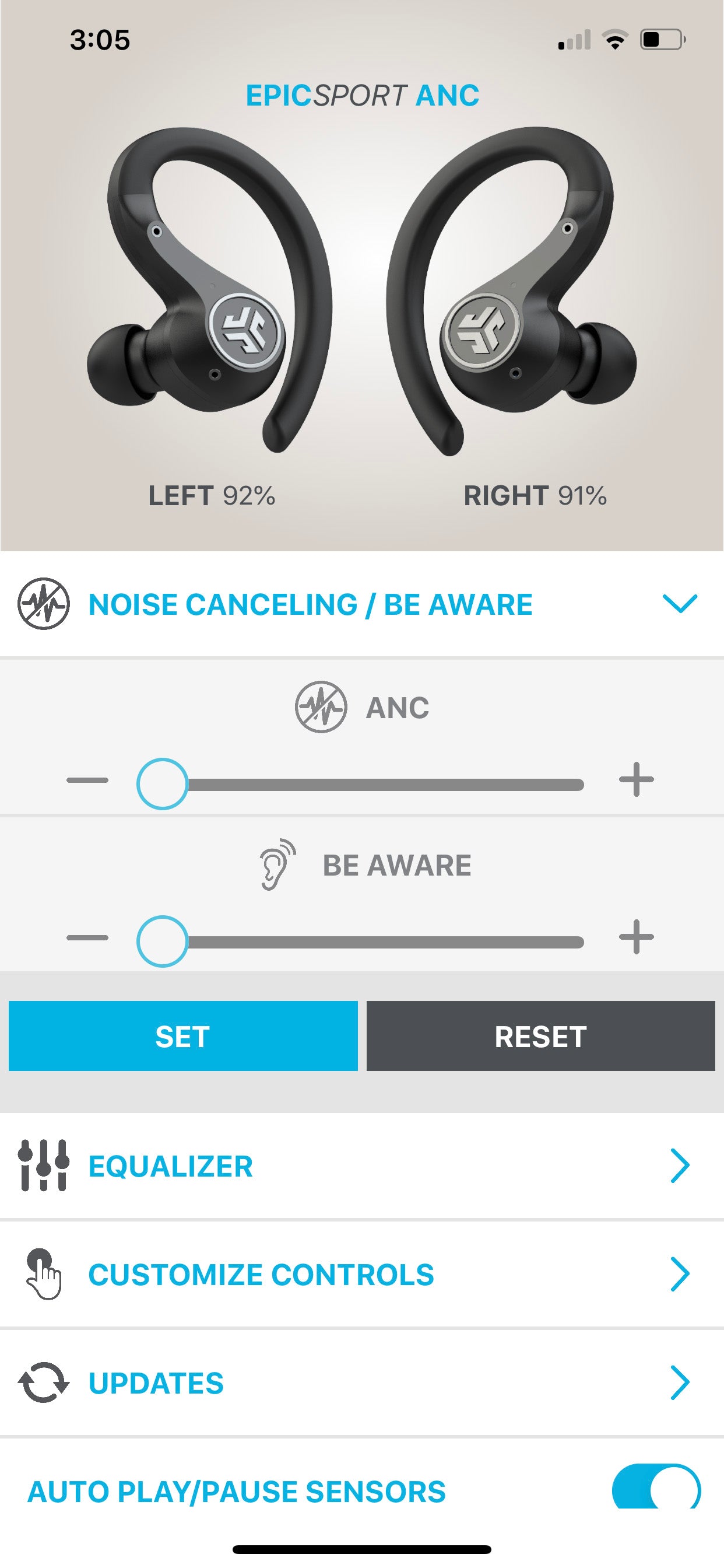
- Firmware updates
- Use the JLab app or manufacturer update method if available. Outdated firmware can affect power and pairing.
These steps help whether your question is how to turn on JLab earbuds after storage, or how to turn on JLab earbuds that suddenly stopped responding.
Battery care and charging basics
Good battery habits help when learning how to turn on JLab earbuds without surprises. Proper charging extends battery life and prevents power failures.
- Charge the case regularly even if you use the earbuds infrequently.
- Don’t leave the earbuds in a dead case for long periods; recharge within a week.
- Avoid extreme heat or cold; batteries degrade faster outside normal temperatures.
- Use the original cable or one rated for data/charging to avoid slow or failed charges.
Following these habits keeps your earbuds ready to power on and reduces the need for troubleshooting.

Personal experience: mistakes I made and tips I learned
I’ve tested many JLab earbuds and learned a few practical lessons you can use when learning how to turn on JLab earbuds.
- Lesson: Always check the case charge first. I once assumed a bud failed to power on when the case was empty. After a quick charge, everything worked.
- Tip: Keep the touchpads dry and clean. Sweat can cause missed presses and confusing behavior.
- Tip: Learn the voice prompts. JLab voice cues clearly say “Power on” or “Pairing,” which saves time.
- Mistake to avoid: Force-pressing repeatedly. That can confuse the bud and drain battery. Hold steady for the required time instead.
These real-world tips help you turn on JLab earbuds faster and with less stress.
Safety, maintenance, and best practices
Treating earbuds well keeps them working and safe. Use these simple habits every day.
- Store earbuds in the case when not in use to avoid loss and accidental power-ups.
- Clean ear tips and contacts regularly with a soft, dry cloth.
- Avoid using damaged cables or cases. Replace accessories if they show wear.
- Follow local disposal rules when battery life ends; do not incinerate.
Good care makes turning on JLab earbuds predictable and reliable.
Frequently Asked Questions of how to turn on jlab earbuds
How long should I press the JLab earbud to turn it on?
Press and hold the touchpad or power button for about 3 seconds. Most JLab earbuds will flash an LED and give a voice prompt when they power on.
My earbuds are in the case but not turning on — what now?
Check that the case has charge and that the earbuds’ contacts are clean. If the case is charged, try resetting the earbuds or charging them for at least 10–15 minutes before retrying.
Do JLab earbuds turn on automatically when removed from the case?
Many JLab true wireless models power on automatically when removed from the case. If your model does not, press and hold the button on the bud for 3 seconds.
What if one earbud turns on but the other does not?
Dock both buds in the case and ensure they charge. Then remove them together and follow the pairing or reset steps for your model to sync both sides.
Can I power on JLab earbuds without the case if they are dead?
If the earbuds are fully drained, you must charge them in the case or via their charging method before they can power on. A short charge often restores enough battery to power on.
Conclusion
You now have a clear, practical guide on how to turn on JLab earbuds for most models, plus fixes for common problems and neat tricks from real use. Start by checking battery and contacts, use a steady 3-second press or remove buds from the case, and follow model-specific pairing steps when needed. Try the simple checks and resets outlined here next time you face power issues.
Take action: charge your case, clean the contacts, and practice the power press so turning on JLab earbuds becomes second nature. If this guide helped, leave a comment with your model or subscribe for more earbud tips and troubleshooting.

Everett Ashford is a tech reviewer at mytechgrid.com specializing in SSDs, cameras, TVs, earbuds, headphones, and other consumer electronics. He provides honest, data-driven reviews based on hands-on testing and real-world performance analysis. Everett simplifies complex tech details to help readers make smart, confident buying decisions.