Clean, reset, and adjust balance—clean the mesh, reboot, and tweak settings to fix one earbud louder than the other fast.
I’ve spent years testing headphones and fixing audio issues for friends and clients. In this guide I explain exactly how to fix one earbud louder than the other with clear, step-by-step checks you can do at home. You’ll learn simple software fixes, safe cleaning techniques, hardware tests, and when to seek repair or replacement. Read on to get reliable results and restore balanced sound quickly.

Common causes of one earbud louder than the other
Uneven sound can come from many places. Knowing the cause helps you pick the right fix. Below are the common reasons you’ll see when learning how to fix one earbud louder than the other.
- Earwax and debris blocking the speaker mesh reduce volume on one side.
- Device balance settings or mono/stereo toggles may be off.
- Bluetooth signal or codec issues can drop audio quality on one earbud.
- Physical damage to the driver or cable weakens output.
- Dirty or ill-fitting ear tips change perceived loudness.
I’ve found that most cases are either dirty mesh or a simple balance setting. Diagnose in a logical order to avoid needless part swaps.
Quick software fixes you should try first
Start with software. These steps are fast and often solve the problem without tools.
- Check balance settings on your phone or computer. Move the left-right slider to center and test.
- Disable mono audio or any accessibility audio mode that forces one channel.
- Reboot your device and the earbuds. A reset often clears audio routing issues.
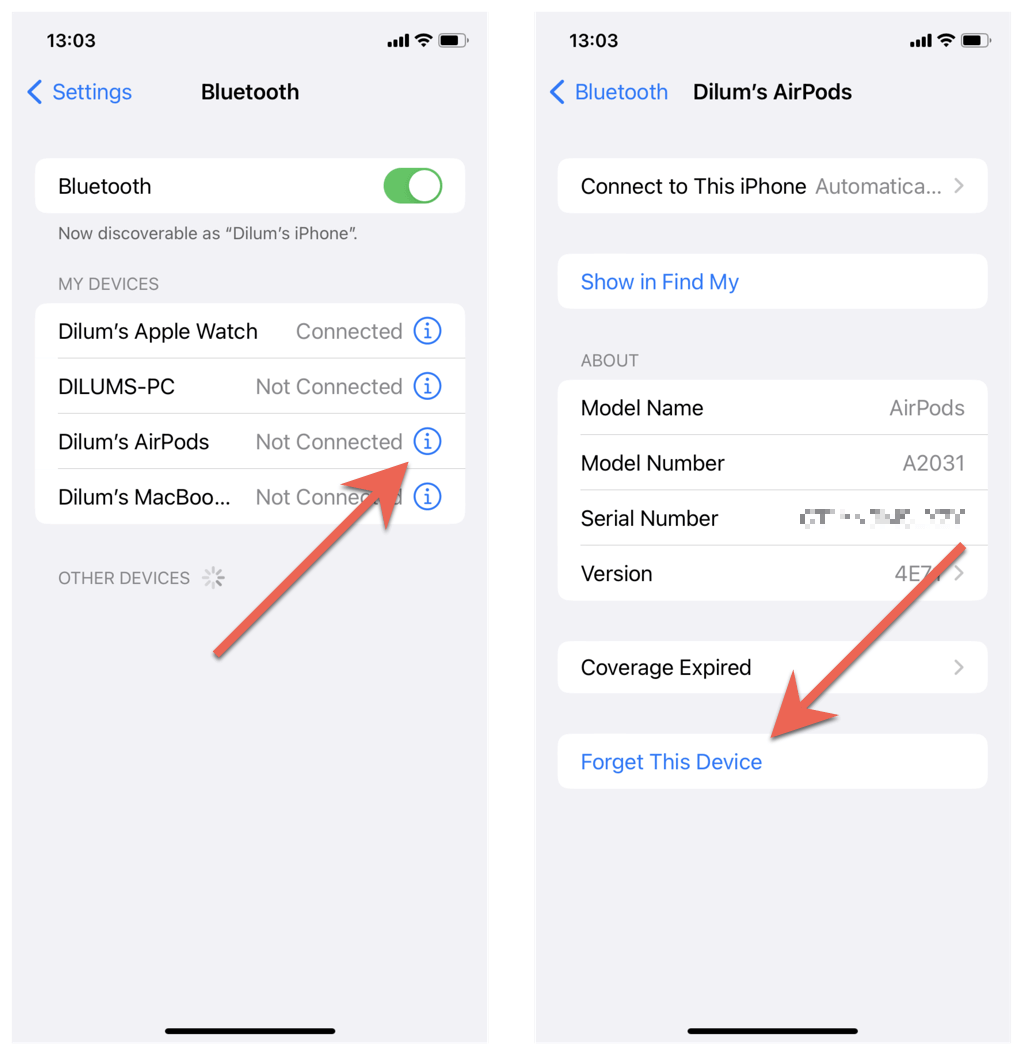
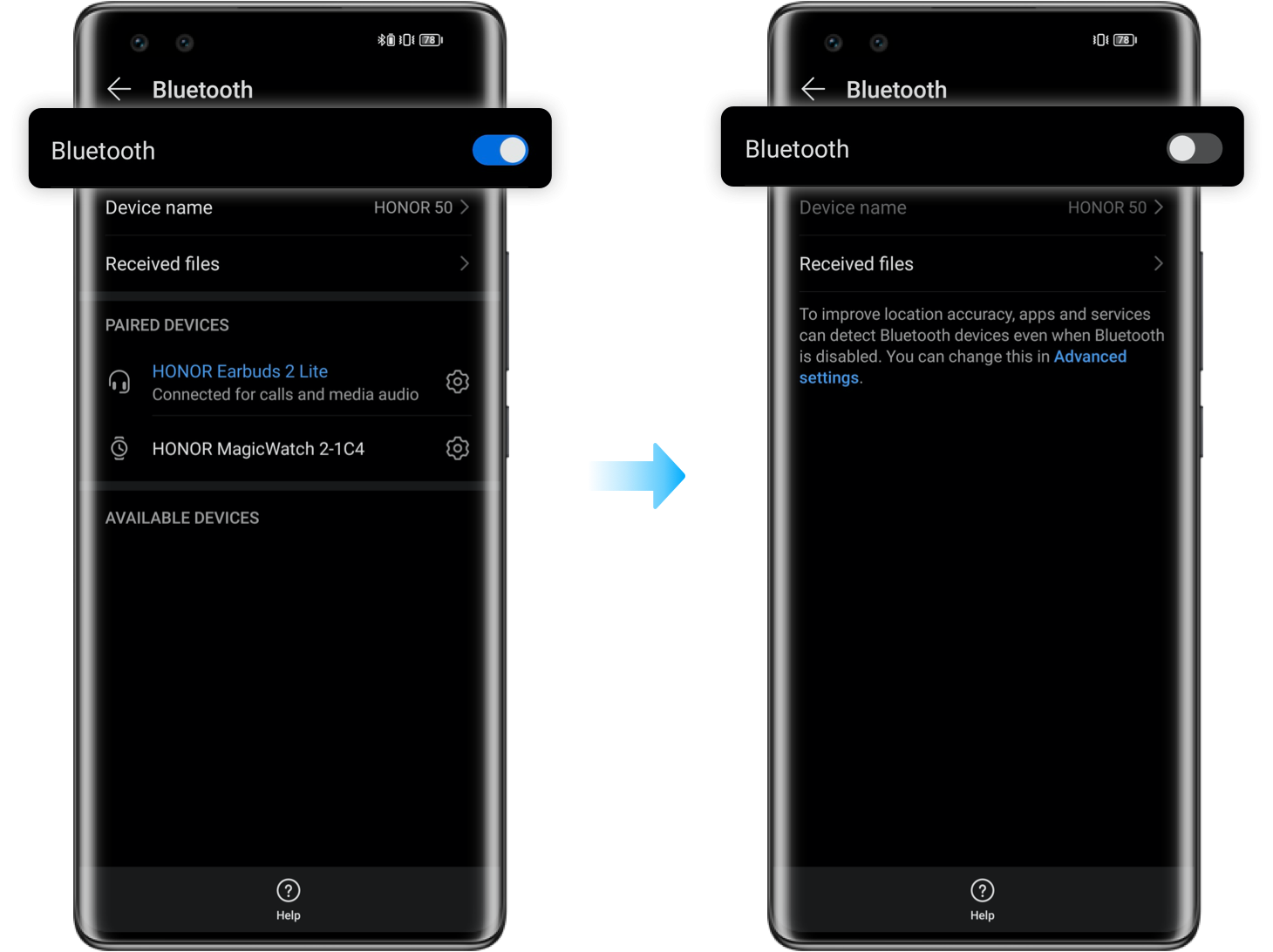
- Forget and re-pair Bluetooth earbuds to refresh the connection and codec negotiation.
- Update firmware and the audio app. Manufacturers fix sound bugs in updates.
- Try the earbuds on another device. If the issue follows the earbuds, it’s likely the earbuds. If not, it’s the original device.
These software fixes are quick. When you follow them, you’ll often stop wondering how to fix one earbud louder than the other.
Cleaning and maintenance to restore balanced volume
Cleaning is safe and effective if done right. Dirty mesh is a top culprit for uneven sound.
- Gather tools: a soft toothbrush, cotton swabs, isopropyl alcohol (70%), and a toothpick or small brush.
- Remove ear tips first. Brush the mesh gently with a dry toothbrush to dislodge debris.
- Use a slightly alcohol-dampened cotton swab for sticky residue. Avoid letting liquid enter the driver.
- For in-ear foam tips, wash them in warm soapy water and let them dry completely before reattaching.
- Blow gently into the grill or use short bursts from an air spray made for electronics to clear loose particles.
I once repaired a pair that sounded muffled on the right side simply by cleaning a waxy blockage. Proper cleaning can stop you from buying replacements.
Hardware troubleshooting and practical tests
If software and cleaning don’t help, test hardware step by step.
- Swap left and right where possible. If you have detachable cables or buds that can change sides, swap components to see if the loud side changes.
- Test with wired cable if your earbuds support both wired and wireless modes. A wiring fault may surface only in one mode.
- Use a test track with panned audio to confirm which channel is louder. Play a left-only and right-only tone to measure difference.
- Inspect cables, jacks, and stems for bends or breaks. Small kinks can reduce power to one driver.
- Open the case only if you are skilled and the warranty has expired. Visual checks can show burned drivers or loose solder joints.
If the loudness follows a specific bud or cable, that tells you where the fault is. That helps you decide whether to repair or replace.

When to repair, replace, or use warranty
Sometimes hardware problems demand pro help. Here’s how to decide.
- Use warranty first. If your earbuds are under warranty, manufacturer repair or replacement is usually the best route.
- Choose repair when drivers or cables are expensive but replaceable, and the repair cost is lower than a new pair.
- Replace when multiple components fail or when repair cost approaches the price of new earbuds.
- Consider professional ultrasonic cleaning for premium earbuds that still have good hardware but stubborn residue.
Be transparent with the service center about the tests you ran. Giving them clear steps saves time and can speed up a warranty claim.

Preventing imbalance in the future
Small habits avoid big audio headaches. Try these to keep buds even.
- Clean ear tips and meshes once a month. Regular care prevents wax buildup.
- Store earbuds in the case and avoid leaving them in pockets where lint builds up.
- Rotate earbuds if you use one side more for calls. Balanced use reduces wear.
- Keep firmware and apps up to date for performance and codec stability.
- Use proper-fitting tips to ensure a good seal and even perceived loudness.
A little maintenance goes a long way. These steps cut the chance you’ll need to figure out how to fix one earbud louder than the other again.

Frequently Asked Questions of how to fix one earbud louder than the other
Why is one earbud louder than the other after I update my phone?
Updates can reset audio settings or change codecs. Check balance sliders and reinstall or update earbud firmware to match the new system.
Can earwax really make one earbud quieter?
Yes. Earwax can block the speaker mesh and muffle sound on one side. Cleaning the mesh carefully usually restores volume.
Will resetting my earbuds fix the imbalance?
Resetting often clears software or pairing errors that cause uneven sound. It’s a quick, low-risk first step to try.
How do I tell if the problem is the earbuds or my phone?
Test the earbuds on a second device. If the same earbud is quieter on both, the earbuds are likely at fault.
Is it safe to open my earbuds for repair?
Only open earbuds if you have experience and your warranty has expired. Tiny parts and glued seals can be damaged easily.
Can a fit problem make one earbud seem louder?
Yes. Poor seal or wrong tips change bass and perceived loudness. Try different tips and adjust fit before assuming a hardware issue.
Conclusion
You can fix one earbud louder than the other using a clear, step-by-step approach: start with balance and software checks, then clean and test hardware, and finally consider repair or replacement if needed. My practical tips and real-world examples show that many fixes are simple and inexpensive. Take action now—run the quick software checks, clean the mesh, and test on another device to see fast results. If this guide helped, try the steps and leave a comment with your results, or subscribe for more hands-on audio fixes.

Everett Ashford is a tech reviewer at mytechgrid.com specializing in SSDs, cameras, TVs, earbuds, headphones, and other consumer electronics. He provides honest, data-driven reviews based on hands-on testing and real-world performance analysis. Everett simplifies complex tech details to help readers make smart, confident buying decisions.