Look for unusual lenses, blinking lights, odd Wi‑Fi devices, and use RF or camera detectors.
I have spent years testing detection tools and checking real rooms. This guide on how to find a spy camera combines hands‑on tips, proven tech checks, and legal cautions. Read on to learn clear, step‑by‑step methods you can use today to locate hidden cameras and protect your privacy.

Detection basics: what to expect and why it matters
Knowing how to find a spy camera starts with what these devices look like and how they work. Most spy cameras are small. They hide inside everyday items. Some stream video over Wi‑Fi. Others store footage on tiny memory cards.
When you know the patterns, you spot them fast. I trained on real cases where a tiny lens in a smoke detector gave everything away. This section sets the mindset and tools you need to begin your search.
Physical inspection: room sweep steps
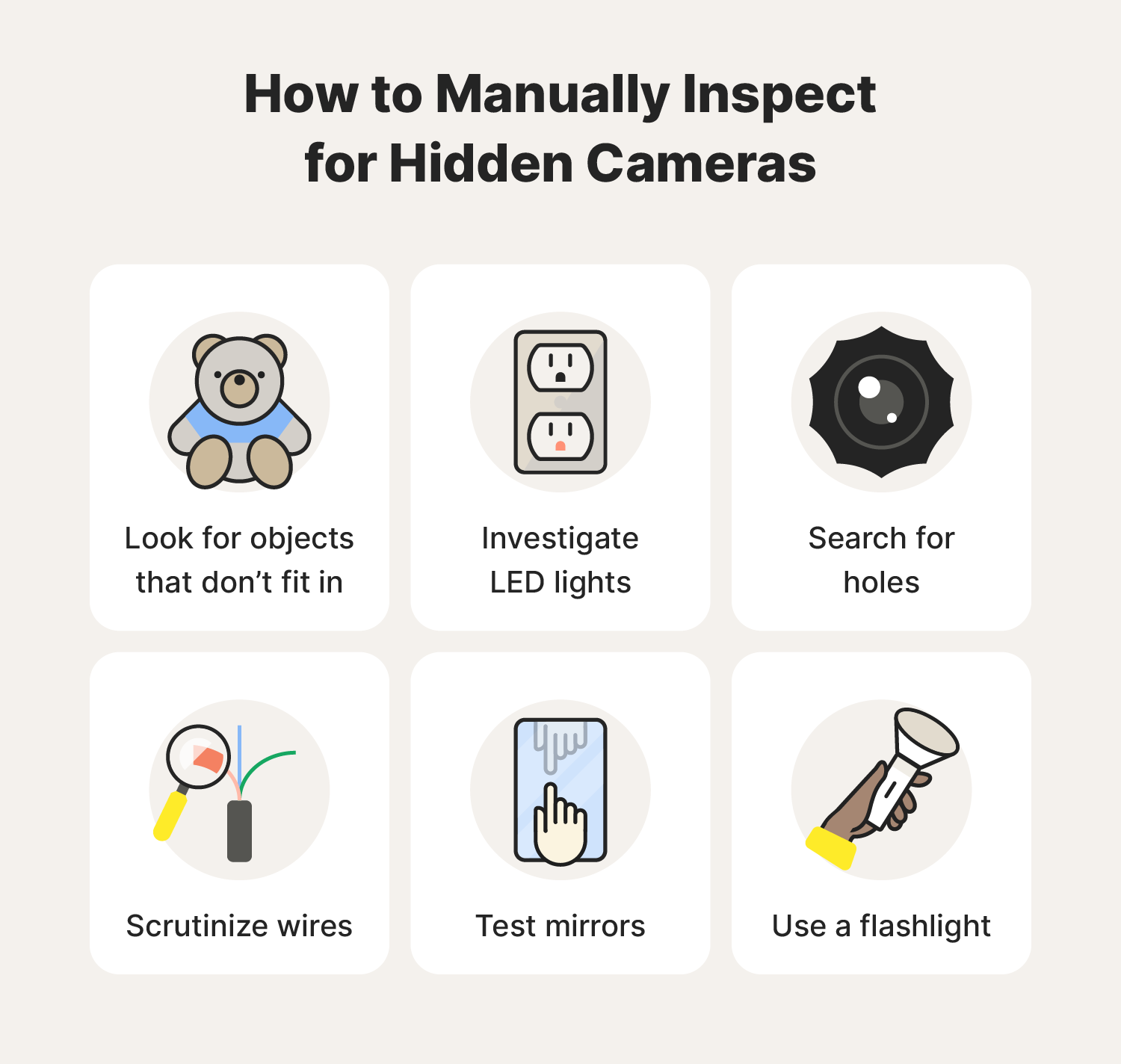
A careful visual sweep is the first way to learn how to find a spy camera. Move slowly and methodically. Check obvious and hidden spots.
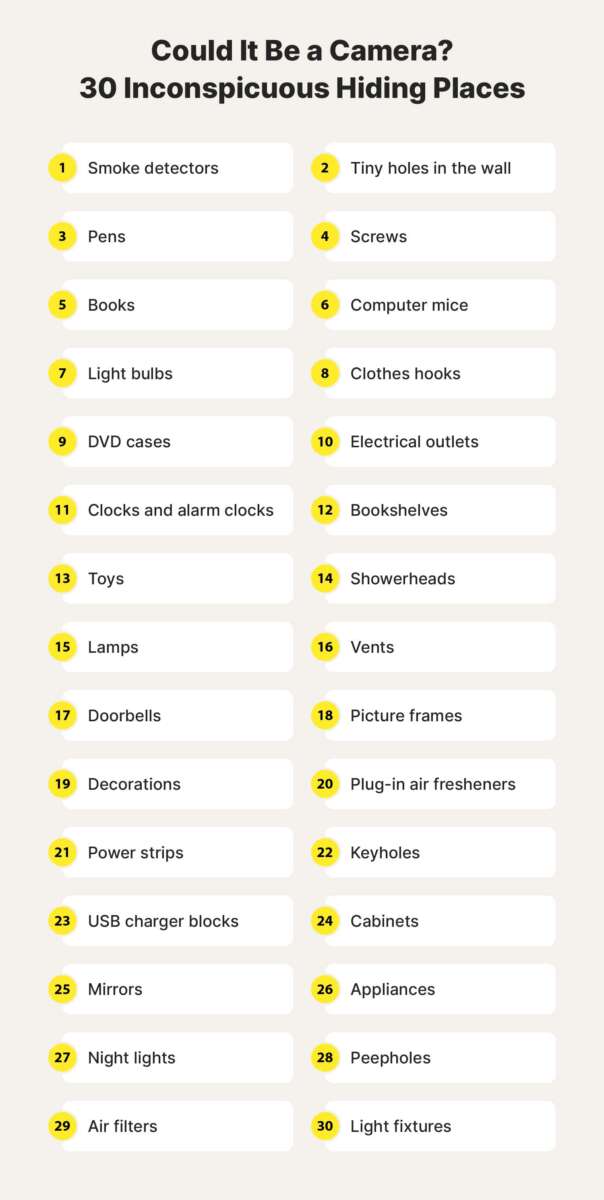
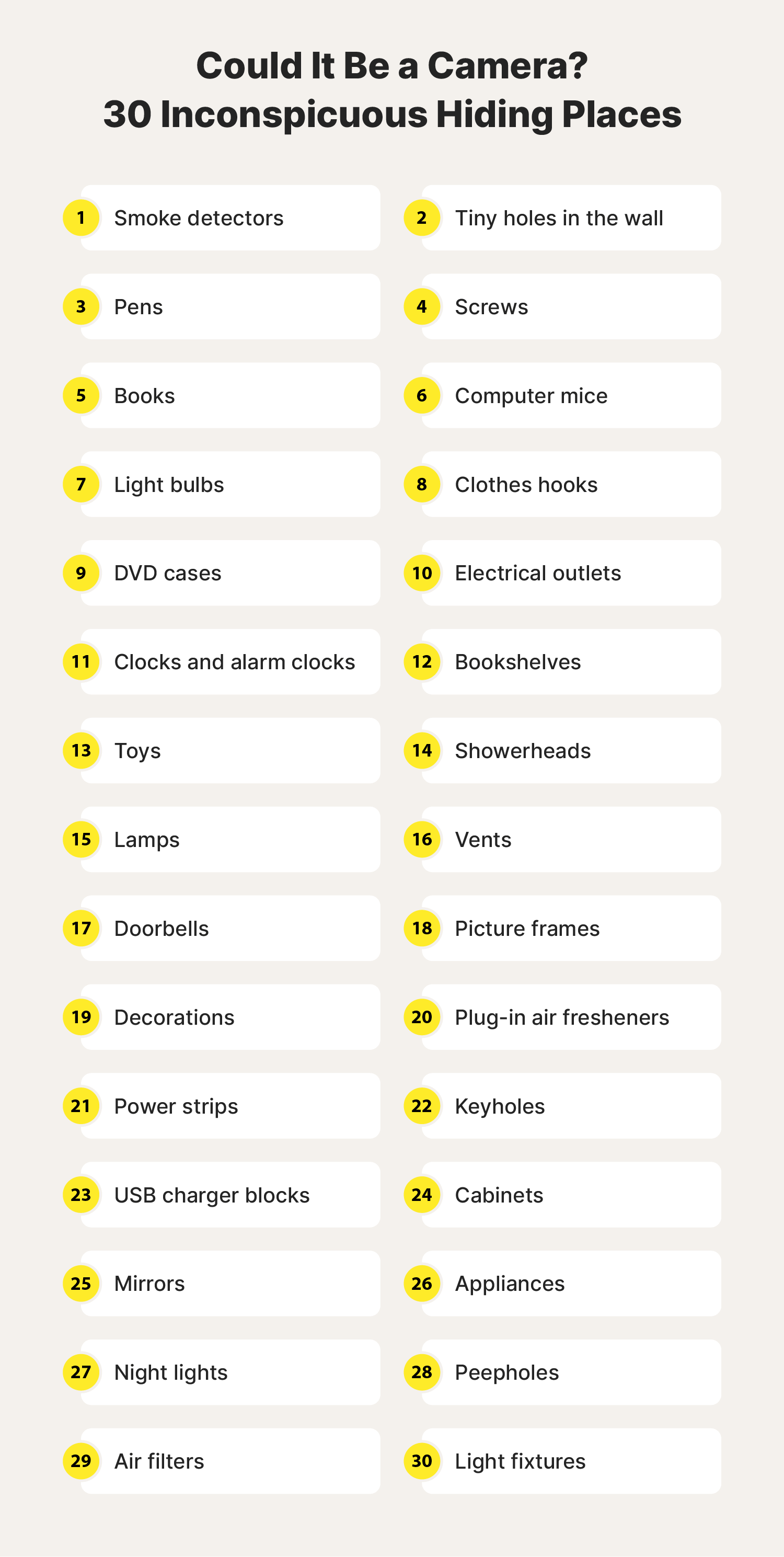
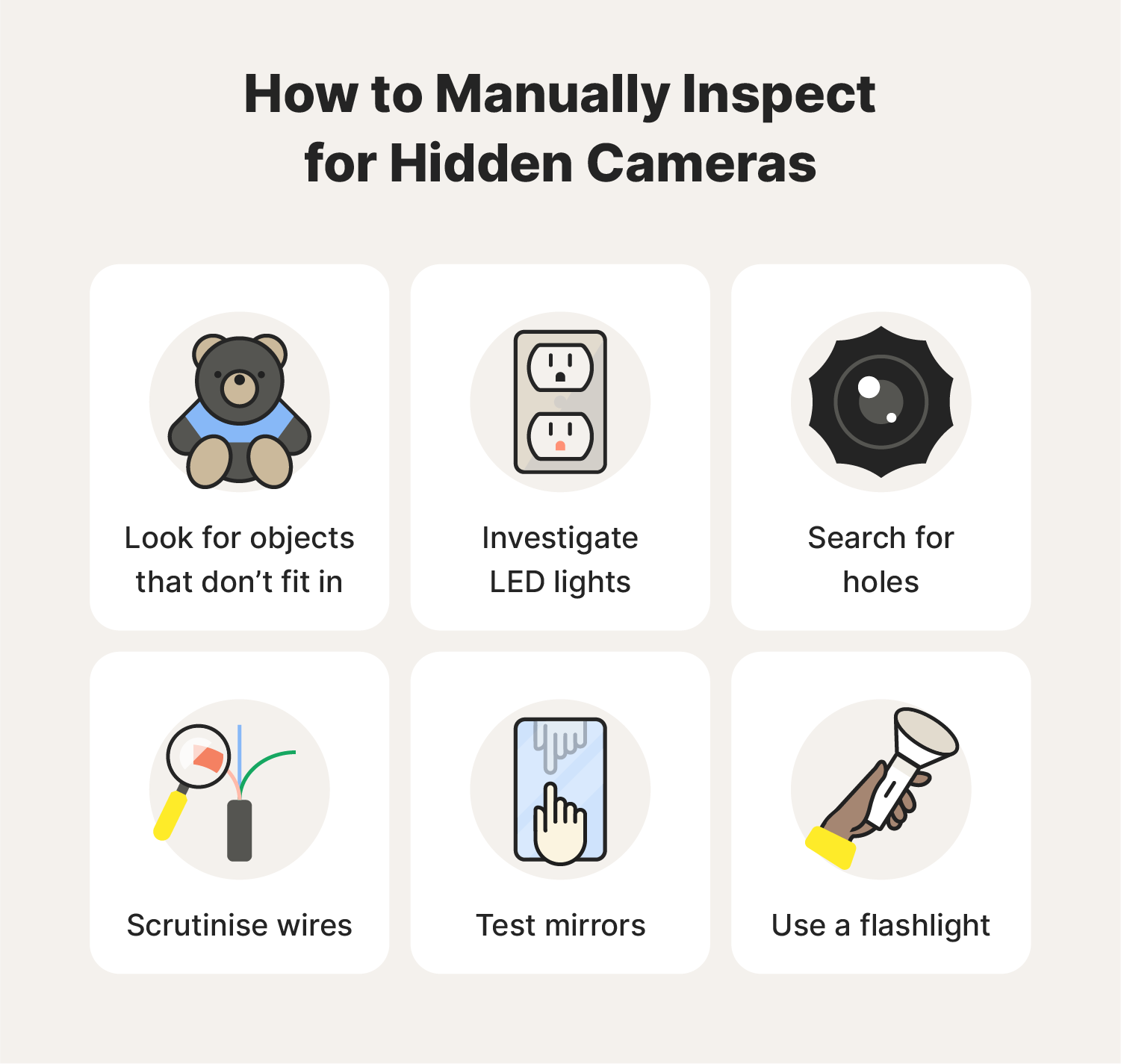
- Start at eye level and scan the room. Look at clocks, smoke detectors, air purifiers, and picture frames.
- Inspect vents, lamps, stuffed toys, and power adapters. Small lenses can be on the edge of objects.
- Look for odd holes or black dots. A lens often looks like a tiny glass circle.
- Check reflective surfaces. Use a flashlight and look for tiny reflections that could be a camera lens.
- Feel for recent hardware. Loose screws, fresh glue, or displaced items can signal tampering.
I once found a camera hidden in a wall clock by holding it to a light and spotting a tiny lens reflection. Slow, focused inspection often works before you need gadgets.
Electronic detection methods: scan for signals
Understanding how to find a spy camera electronically saves time. Many hidden cameras use power or wireless signals. Electronic checks help you find them.
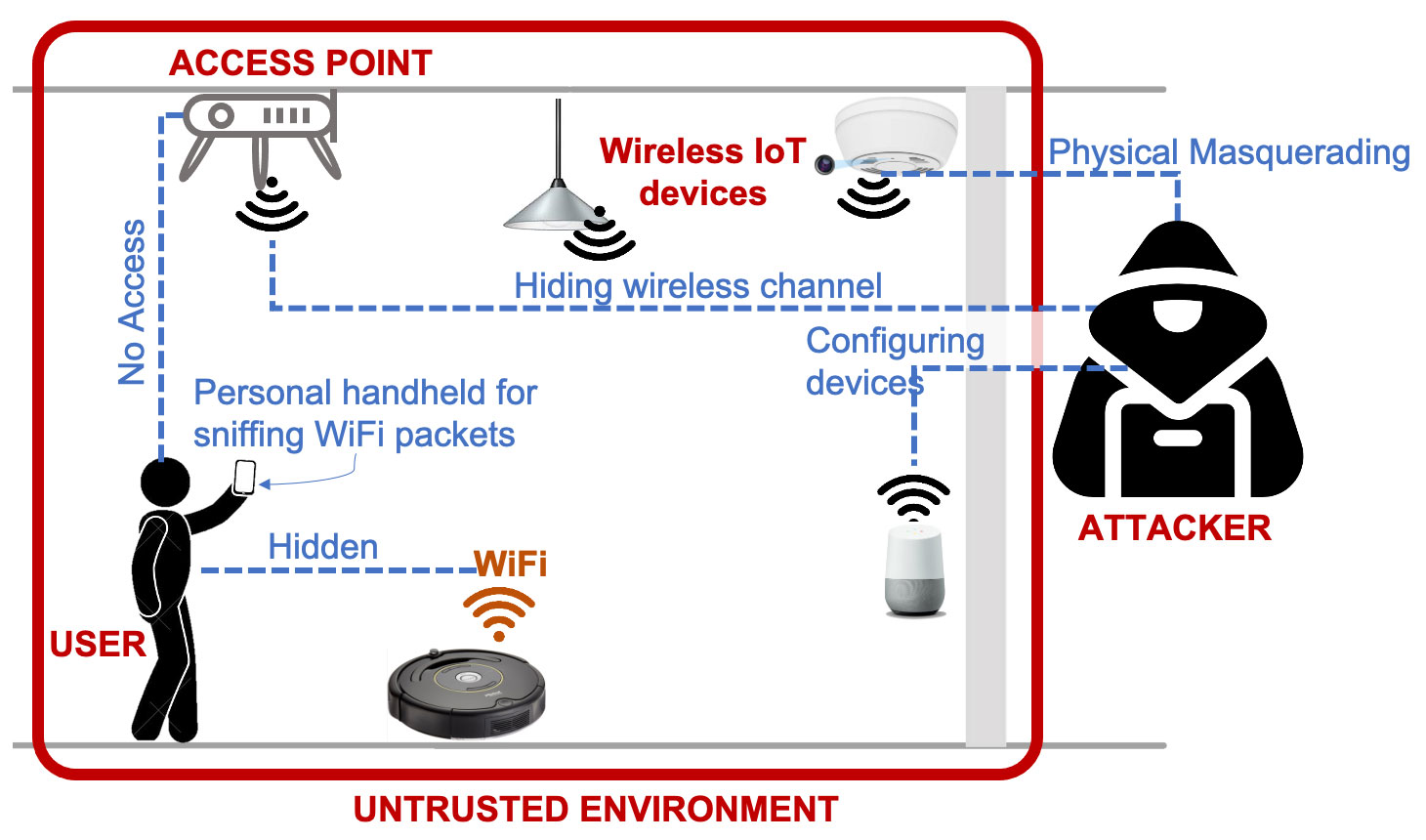
- Ping the room with a Wi‑Fi scanner app. Look for unknown devices on the network.
- Use a Bluetooth scanner. Some cameras use low‑power connections.
- Run an IP device scan from your phone or laptop. Unknown cameras often show up as new IP addresses.
- Check power outlets and USB chargers for extra devices. Spy cameras sometimes plug into wall sockets.
- Consider a wired cable check. Hidden cameras may use Ethernet or USB data lines.
In one inspection, a Wi‑Fi scan revealed an unrecognized device named like a camera in the guest room. Tracing that device found a camera hidden behind an outlet faceplate.
:max_bytes(150000):strip_icc()/how-to-detect-a-hidden-camera-on-android-devices-4590372-1-ecd3b840161b492dade7d8408300fdbe.jpg)
Using smartphone tools to find a spy camera
Smartphones are powerful tools when you need to learn how to find a spy camera quickly. You can use free or low‑cost apps to scan for signals and lenses.
- Camera lens check: Turn off lights and use your phone camera to scan dark corners. Infrared LEDs on many cameras glow and show up as bright dots through a phone camera.
- Network scanning apps: Use apps that show all devices on local Wi‑Fi. Look for unfamiliar MAC vendors or device names.
- Bluetooth scanning apps: Scan for low‑energy devices around you.
- Flashlight reflection: Move a bright flashlight slowly across objects and watch for tiny lens glints.
A simple phone camera test caught an infrared glow in a mirror frame. That saved us from a much larger privacy breach.

RF and thermal detection: when to bring dedicated gear
Some cameras do not use Wi‑Fi. They transmit on radio frequencies or use recording only. In those cases, dedicated detectors help you learn how to find a spy camera.
- RF detectors: Sweep the room slowly. Watch for spikes in signal strength or unusual frequencies.
- Thermal imagers: A powered camera may run warm. A thermal scan can reveal hidden electronics behind walls or inside appliances.
- Lens finders: These devices shine a special light to highlight camera lenses.
- Multimeters and outlet testers: Check for hidden power draws or wiring mods.
I carried an RF detector into a rented office once and found a tiny transmitter behind a bookshelf. The detector showed bursts of RF that led us right to it.

Network forensics and deeper IT checks
When how to find a spy camera requires tech depth, network forensics helps. This is useful for homes or offices with managed networks.
- Review router logs. Look for new DHCP leases and unfamiliar MAC addresses.
- Check for open ports and streaming services running on odd IPs.
- Monitor bandwidth spikes at odd hours. Hidden cameras streaming video can cause measurable traffic.
- Use network segmentation. Put guest devices on a separate VLAN to isolate unknown hardware.
If you manage a network, these steps can reveal hidden cameras that otherwise stay quiet.
Legal and privacy considerations
Knowing how to find a spy camera also means knowing the law. Rules vary by place. Privacy protections matter.
- In many places, recording someone in private areas like bathrooms or bedrooms is illegal.
- Employers and landlords may face restrictions on where they can place cameras.
- If you find a camera, document everything. Take photos and record dates and times.
- Contact authorities or legal counsel if you suspect criminal intrusion.
I always advise documenting evidence and seeking legal advice rather than confronting someone directly. Safety comes first.

Practical checklist: step‑by‑step search plan
Follow this checklist to learn how to find a spy camera efficiently. Use it every time you suspect a device.
- Turn off lights and use your phone camera to scan for infrared dots.
- Do a physical sweep. Check common hiding spots and odd items.
- Scan Wi‑Fi and Bluetooth networks for unknown devices.
- Sweep with an RF detector and use a lens finder for small optics.
- Inspect outlets, chargers, and cables for tampering.
- Review router logs for new devices and strange traffic.
- Document findings and secure the area before involving law enforcement.
I keep a pocket kit with a flashlight, RF detector, and a small camera lens finder. It saved me hours in one inspection and gave clear proof when I reported the issue.
Tips, mistakes to avoid, and final precautions
These practical tips come from real inspections and tests. They help you avoid common errors when you try to find a spy camera.
- Tip: Move slowly and stay patient. Quick searches miss small details.
- Mistake: Assuming every unknown device is a camera. Investigate calmly and gather proof.
- Tip: Swap batteries and unplug suspicious devices carefully. Preserve evidence.
- Mistake: Confronting a suspect without help. Always prioritize safety and documentation.
- Tip: Regularly check rentals and new spaces. Hidden cameras are often placed in short‑term rentals.
Being methodical and calm makes the difference between finding a camera and missing it.
Frequently Asked Questions of how to find a spy camera
How can I quickly check a room for hidden cameras?
A quick check uses your phone camera in a dark room to look for infrared dots, and a flashlight to scan for tiny lens reflections. Also scan Wi‑Fi for unknown devices and inspect common hiding spots manually.
Can a smartphone detect all hidden cameras?
A smartphone helps with infrared and Wi‑Fi checks but cannot detect non‑transmitting or hardwired cameras. For those, you need RF detectors, thermal tools, or a professional sweep.
Are there apps that reveal hidden cameras on Wi‑Fi?
Yes, network scanning apps can list devices on your Wi‑Fi and show unfamiliar MAC addresses or IPs. These apps help spot cameras that stream or connect to a network.
What should I do if I find a spy camera?
Document the device with photos and video, avoid touching it if possible, and contact local authorities or legal counsel. Preservation of evidence is important for any legal action.
Do hotels and rentals commonly hide cameras?
Hidden cameras have been found in rentals, but the frequency is low relative to the number of properties. Still, always check private spaces and report any suspicious devices to the host and platform.
Conclusion
Finding a spy camera is about method, tech, and calm judgment. Use visual sweeps, smartphone scans, RF and thermal tools, and network checks to locate hidden devices. Document everything and know the legal steps to take if you find a camera. Start with the checklist today to protect your privacy, and consider keeping a small detection kit on hand. If this guide helped, try the steps in a safe space, subscribe for more practical security tips, or leave a comment with your experience.

Everett Ashford is a tech reviewer at mytechgrid.com specializing in SSDs, cameras, TVs, earbuds, headphones, and other consumer electronics. He provides honest, data-driven reviews based on hands-on testing and real-world performance analysis. Everett simplifies complex tech details to help readers make smart, confident buying decisions.