Use these steps to pair, control, charge, and troubleshoot JLab earbuds quickly.
I’ve spent years testing earbuds and helping friends get the most from them, so this guide explains clearly how to use jlab earbuds from unboxing to advanced tips. You’ll get step-by-step pairing, control gestures, battery care, sound tuning, and troubleshooting advice that actually works. Read on to learn practical, tested techniques for how to use jlab earbuds with phones, tablets, and laptops, plus real mistakes to avoid so you get reliable sound every time.

Quick start: unboxing and first setup
When you first open the box, confirm you have earbuds, the charging case, cable, and extra ear tips. Inspect the earbuds for a protective film or tab and remove it before charging. Place the earbuds in the case and connect the case to power for a full initial charge; this stabilizes battery calibration and prevents early battery issues.
Simple checklist for first setup:
- Charge case and buds fully before first use.
- Install the ear tips that fit your ears snugly.
- Read the quick start leaflet for model-specific steps.
These steps prepare you for pairing and help avoid common setup headaches when learning how to use jlab earbuds.

Pairing your JLab earbuds with devices
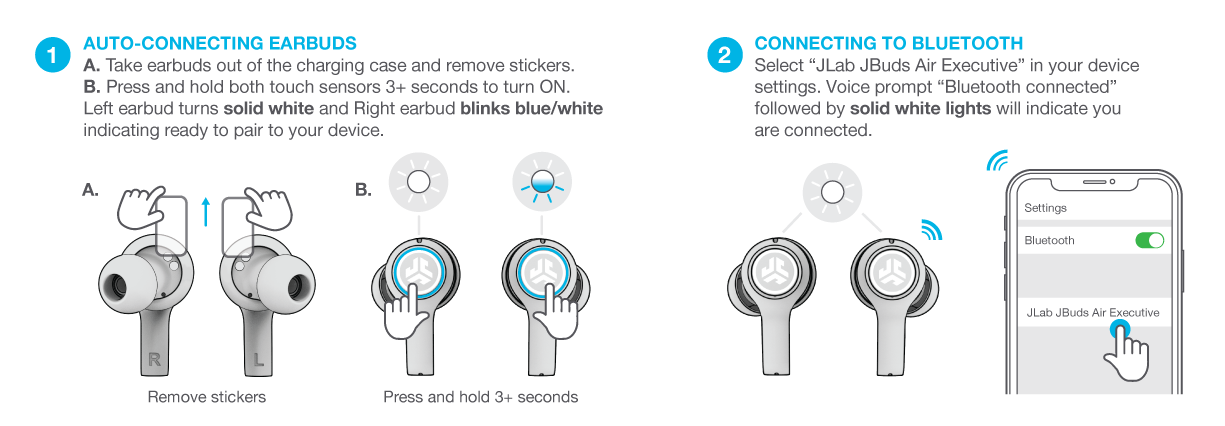
Most JLab models use standard Bluetooth pairing. The general flow for how to use jlab earbuds to pair is:
- Remove earbuds from the case to enter pairing mode automatically.
- If pairing doesn’t start, hold the touch area or button for 3–5 seconds until you see the LED flash.
- Open your phone’s Bluetooth settings and select the JLab device name.
If you need to pair to a second device, turn Bluetooth off on the first device or use the multi-point feature (if supported). For Windows or older Bluetooth stacks, choose “Add a device” and follow prompts. Practically speaking, I’ve connected JLab earbuds to phones, tablets, and a laptop with one quick restart of Bluetooth when pairing failed. This is the core of how to use jlab earbuds wirelessly.

Using controls, gestures, and buttons
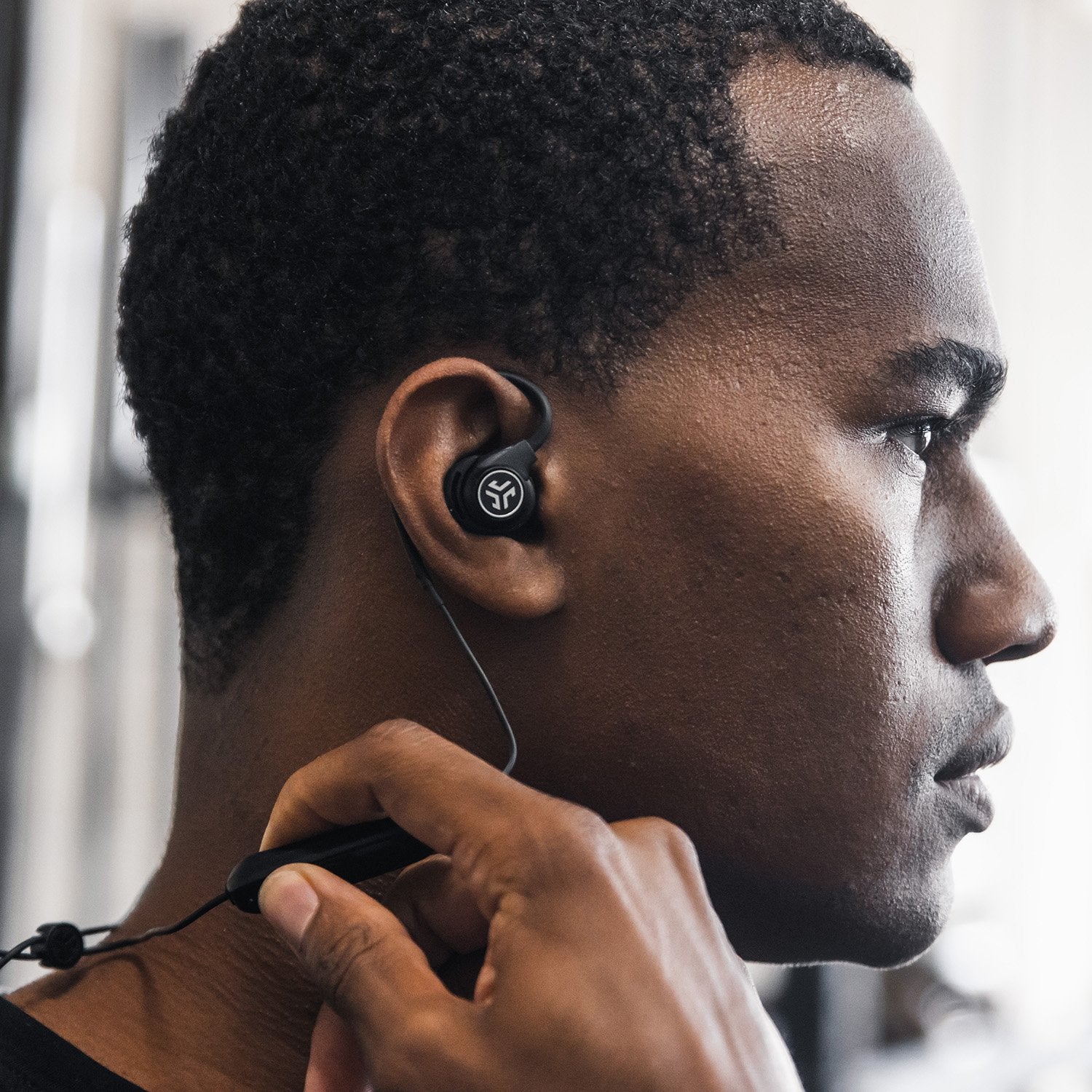
Controls vary by model: some JLab earbuds use touch gestures while others use physical buttons. Learn your model’s controls so you can manage calls, music, and voice assistants without reaching for your device.
Common control patterns:
- Single tap — play/pause or answer call.
- Double tap — skip track or reject call depending on model.
- Long press — enter pairing mode, decline call, or activate voice assistant.
- Triple tap or swipe — volume up/down on some models.
Practice the gestures while sitting so you don’t accidentally skip a track during workouts. I once fought with touch controls in the rain; switching to physical-button models solved that. Understanding controls is central to how to use jlab earbuds in daily life.

Charging, battery life, and maintenance
Battery habits matter. JLab earbuds typically offer hours of playtime per charge and additional charges via the case. To keep batteries healthy:
- Charge the case and earbuds regularly and avoid leaving them fully drained for long periods.
- Use the included cable or a high-quality cable to avoid slow charging.
- Store earbuds in the case when not in use to prevent dust and accidental loss.
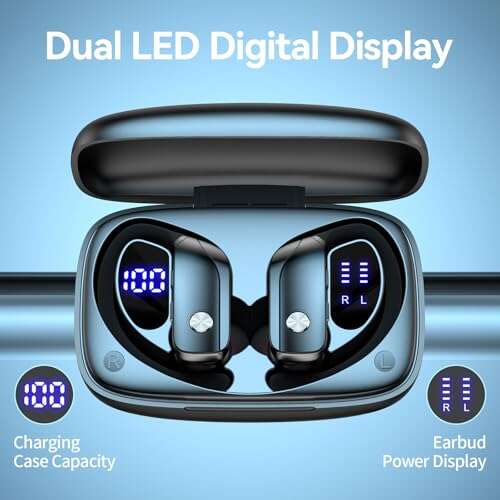
Monitor battery indicators: LED colors show case and earbud levels. My experience: charging before long trips keeps things predictable and avoids mid-day dead batteries. Learning how to use jlab earbuds includes simple battery routines that extend life.

Sound settings, EQ, and app features
Many JLab earbuds support onboard EQ or an app for sound tuning. Use those to balance bass, mids, and treble for your music and podcasts.
Adjust sound like this:
- Try the built-in EQ presets first — they are tuned for common listening styles.
- Use the app’s EQ if you want a custom profile.
- Enable any “ambient” or “transparency” mode when you need to hear surroundings.
I often prefer a neutral EQ for podcasts and a bass boost for workouts. Exploring these settings is a practical part of how to use jlab earbuds for better listening.
Fit, isolation, and using ear tips
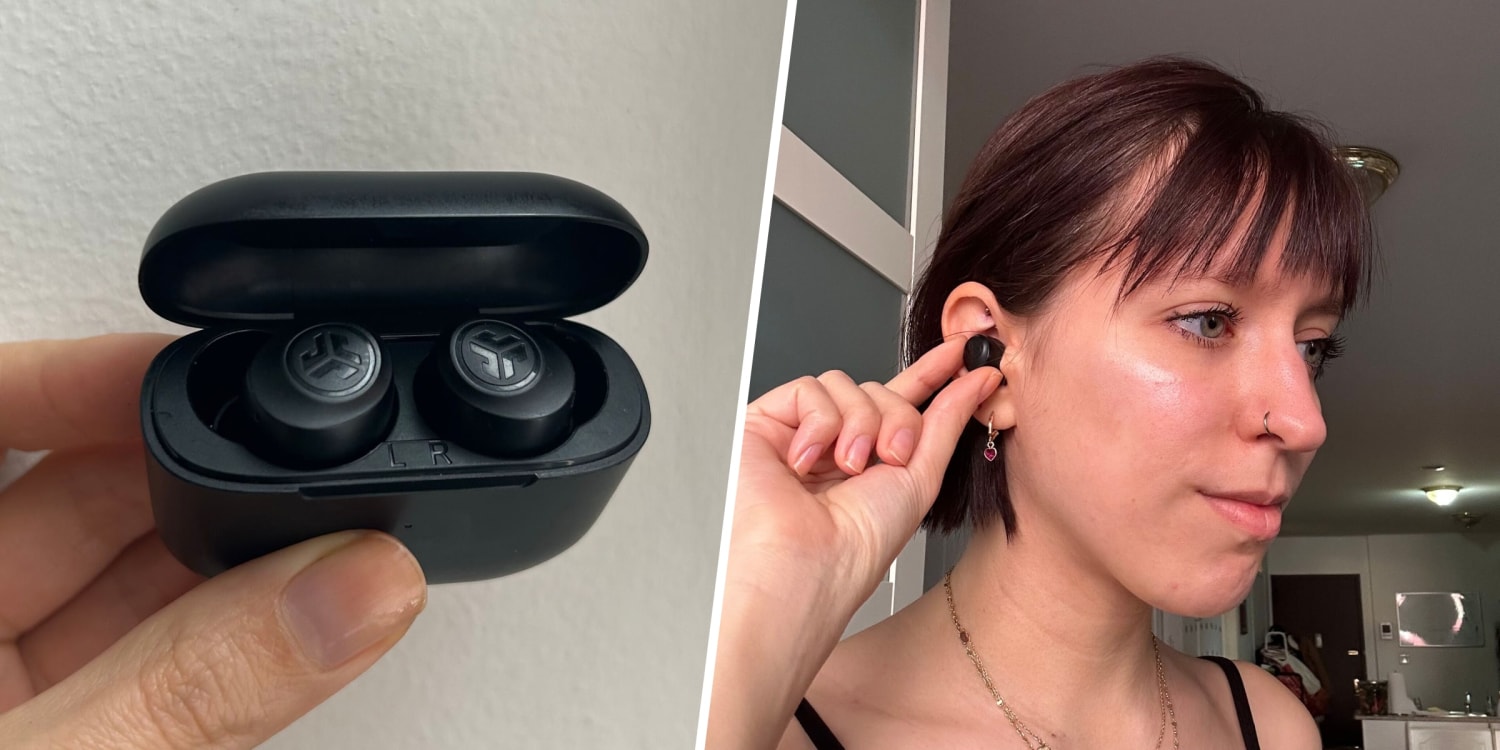
A good seal is essential for sound and call quality. JLab provides multiple ear tip sizes; test each to find the best fit.
Fit tips:
- Insert the bud and twist gently until it feels snug.
- Try foam tips for better isolation during travel.
- If calls sound muffled, reseat the earbud or try a different tip size.
A secure fit improves bass and prevents dropouts. I learned this after hours of testing: the wrong tips make even great earbuds sound thin. Proper fit is a big part of how to use jlab earbuds effectively.

Cleaning and care
Regular cleaning keeps audio clear and prolongs life. Use a soft cloth and a small brush or cotton swab.
Cleaning steps:
- Remove ear tips and wash silicone tips with mild soap and water.
- Brush mesh gently to remove earwax or debris.
- Wipe the case and charging contacts with a dry cloth.
Avoid water exposure beyond the IP rating of your model. Cleaned earbuds perform better and charge reliably — a simple but essential step in how to use jlab earbuds daily.
Troubleshooting common issues
If you face drops, low volume, or pairing problems, try these quick fixes:
- Restart earbuds by placing them in the case and closing, then reopen.
- Forget the device in Bluetooth settings and re-pair.
- Reset the earbuds to factory settings via the manual’s reset sequence.
If problems persist, update firmware using the JLab app or contact support. I’ve fixed most issues by resetting and re-pairing; it’s often faster than more complex steps. These fixes are core to knowing how to use jlab earbuds confidently.
Tips, best practices, and real-life use cases
Use earbuds for calls, workouts, commuting, and focus work. Here are practical tips I use:
- Carry a spare charging cable in your bag.
- Set a consistent charging time — like nightly — to avoid dead earbuds at key moments.
- Use one bud at a time for long calls to stretch battery life.
Avoid leaving them in hot cars or exposed to heavy sweat if your model isn’t rated for that. These real-world habits show how to use jlab earbuds smartly and extend their usable life.
Frequently Asked Questions of how to use jlab earbuds
How do I pair my JLab earbuds to an iPhone?
Put the earbuds into pairing mode by removing them from the case or holding the touch area for a few seconds, then select the device name in iPhone Bluetooth settings. You’ll see a confirmation when connected.
Why won’t my JLab earbuds connect to my laptop?
Turn off Bluetooth on other nearby devices, forget the earbuds on the laptop, then re-pair. Also check the laptop’s Bluetooth drivers and enable discoverable mode.
How long does the battery last on JLab earbuds?
Battery life varies by model but commonly ranges from 6 to 10 hours per charge, with the case providing extra full charges. Check your model specs for exact numbers.
How do I reset my JLab earbuds?
Reset procedures differ by model but usually involve holding the touch area or buttons for 10–15 seconds until LEDs flash. Refer to the quick start guide for the exact reset sequence.
Can I use one JLab earbud at a time?
Yes, many JLab models allow mono use of a single bud for calls or to extend battery life. Make sure the bud is out of the case and paired before using it alone.
Conclusion
You now have a clear, practical roadmap for how to use jlab earbuds from unboxing and pairing to sound tuning and troubleshooting. Start by charging and fitting the tips, learn the control gestures, and keep a simple charging routine to avoid surprises. Try the tips here and adjust EQ and fit until the sound matches your needs. If this guide helped, leave a comment with your model and favorite tip, subscribe for more hands-on gear help, or share this with a friend who just bought JLab earbuds.

Everett Ashford is a tech reviewer at mytechgrid.com specializing in SSDs, cameras, TVs, earbuds, headphones, and other consumer electronics. He provides honest, data-driven reviews based on hands-on testing and real-world performance analysis. Everett simplifies complex tech details to help readers make smart, confident buying decisions.