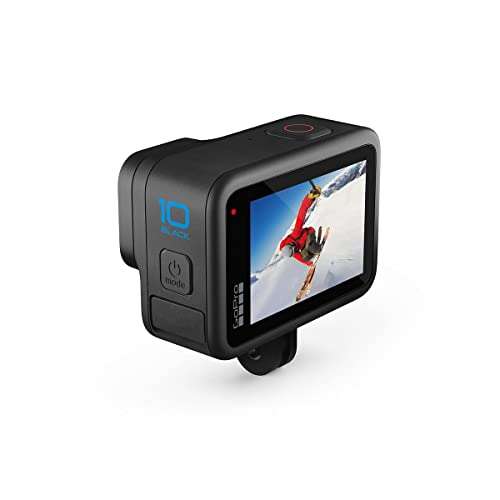
The best card for DSLR camera use is a reliable, camera-compatible SD card with the right speed, size, and storage capacity.
A full memory card can stop a great photo session fast. Slow cards can also delay bursts or interrupt video recording. I tested the key differences between these options, from small legacy cards to fast 4K-ready models. My top pick depends on your camera and shooting style, but the GIGASTONE 256GB and PNY Elite-X 128GB cards offer the strongest mix of speed and useful space. Smaller cards still make sense for older DSLRs, trail cameras, and backup kits.
See the differences between my top picks at a glance.
INDMEM 8GB SD Card
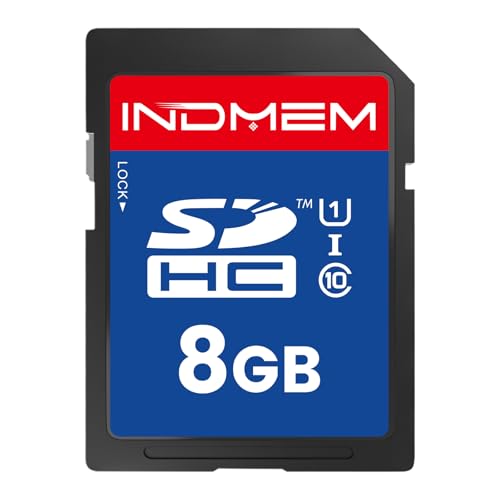
This INDMEM card gives you 8GB of SDHC storage in a full-size card. Its UHS-I U1 and Class 10 ratings suit basic photo work and many older DSLR cameras. The SLC flash design also makes it a practical choice for devices that need a simple, stable card.
Eight gigabytes will hold a useful number of JPEG photos, but RAW files will fill the card much sooner. I like this card most as a spare for short trips or as an emergency replacement. Check your camera manual before buying, since older models may have limits on card size and file systems.
Pros:
- Compact 8GB capacity for simple photo work
- Full-size SD format needs no adapter
- UHS-I and Class 10 ratings
- SLC flash design suits legacy devices
- Useful low-cost backup card
Cons:
- Limited space for RAW files
- Not the right choice for demanding 4K video
- Only one card comes in the pack
What Amazon Buyers Are Saying
Buyer feedback for cards in this class usually centers on easy camera recognition, simple setup, and useful performance in older devices. The main concern is capacity, not basic use. I suggest checking the newest listing reviews for your camera model before ordering.
My Recommendation
This is a sensible spare for an older DSLR, point-and-shoot camera, or trail camera. It is not my first choice for a modern camera that records large RAW files. I rate it 3.8/5 overall.
16GB SD Card 5-Pack
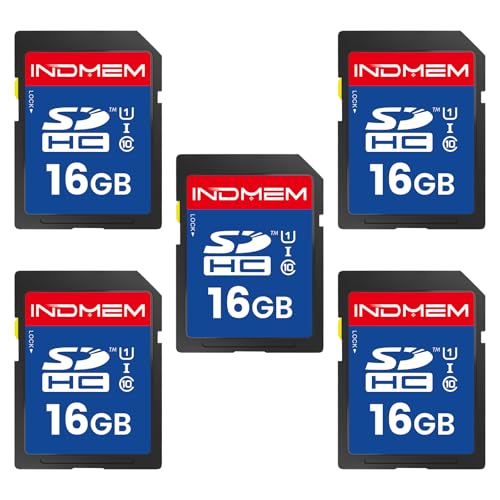
This five-pack gives you five 16GB SDHC cards. Each card carries a UHS-I U1 and Class 10 rating, with a stated speed of up to 90MB/s for full HD video and file transfers. The pack format works well for photographers who prefer several smaller cards instead of one large card.
Sixteen gigabytes offers a better balance than 2GB or 8GB for casual DSLR use. You can label cards by event, day, or camera, then keep a fresh card ready. Still, U1 is a basic speed class, so serious 4K shooters should choose a V30 card instead.
Pros:
- Five cards provide useful backup cover
- 16GB is practical for casual photo sessions
- UHS-I U1 and Class 10 rating
- Full-size SD design is easy to handle
- Good option for family and travel photography
Cons:
- Smaller capacity than modern SDXC cards
- U1 speed is not ideal for heavy 4K work
- More cards mean more cards to label and store
What Amazon Buyers Are Saying
Common buyer themes for multi-card bundles include convenience, low cost, and easy use in cameras and computers. Buyers may also note that the actual space is less than the printed capacity after formatting. As with any memory card, I recommend testing each card before an important shoot.
My Recommendation
This pack is a strong value choice for casual DSLR owners who want several cards. It is less suitable for high-bitrate video or long RAW sessions. My rating is 4.1/5.
8GB SD Card 3-Pack

This three-pack includes 8GB SDHC cards with Class 10 and UHS-I U1 ratings. The listing presents them as suitable for full HD and 4K HD video, plus digital cameras, camcorders, and DSLRs. Their small size can help you avoid keeping every photo from a long trip on one card.
I see this pack as a simple choice for light photo use. It gives you two backups when one card is full or misplaced. However, 8GB fills quickly with RAW photos, and the U1 rating does not place it in the same class as V30 cards for demanding video.
Pros:
- Three separate cards add backup flexibility
- Class 10 rating supports everyday capture
- Small cards suit short shoots
- Full-size SD format is easy to insert
- Good starter set for casual users
Cons:
- 8GB limits long sessions
- Not the best pick for sustained 4K recording
- Small cards can be easier to misplace
What Amazon Buyers Are Saying
Feedback on small multi-packs often highlights the convenience of having spare cards. Some buyers prefer the low cost over buying one large card. Capacity remains the likely trade-off, so I would format and test every card before relying on it for paid work.
My Recommendation
Buy this pack if you shoot JPEGs, use an older DSLR, or want basic spares. For a modern camera, I would spend more on a faster and larger option. It earns 4/5.
INDMEM 2GB Legacy SD Card

This 2GB INDMEM card targets older cameras and legacy devices. It uses Class 4 SLC flash and a full-size SD format. That low capacity may be useful when an old DSLR cannot handle newer SDHC or SDXC media.
Modern cameras usually need more space and more speed, so this is a special-purpose card. Its value comes from compatibility rather than performance. If your camera manual lists standard SD cards up to 2GB, this option may solve a hard-to-find storage problem.
Pros:
- Designed for legacy device use
- 2GB may suit older camera limits
- Full-size card needs no adapter
- Simple Class 4 specification
- Useful as a replacement for discontinued media
Cons:
- Very limited capacity
- Slow for burst photos and video
- Not suitable for most current DSLRs
What Amazon Buyers Are Saying
Buyers seeking cards like this usually care most about whether an older device detects and formats the card. The small capacity can be a benefit for legacy hardware, but it limits modern use. Check your camera manual and current buyer feedback for exact compatibility before ordering.
My Recommendation
I recommend this only when your older camera requires a standard 2GB card. It is not a general-purpose best card for DSLR camera use. I rate it 3.6/5 for its narrow but useful role.
GIGASTONE 256GB 4K Camera Pro

The GIGASTONE 256GB card is the strongest high-capacity option in this group. It uses the UHS-I interface and carries U3 and V30 ratings for 4K UHD video. The listing also states read speeds up to 170MB/s and includes a mini case plus five years of free data recovery.
This card suits photographers who take long trips, large RAW files, or lots of video. The 256GB capacity reduces card changes, but I still prefer several smaller cards for critical paid work. Confirm that your camera supports SDXC and 256GB cards before purchase.
Pros:
- Large 256GB capacity
- U3 and V30 ratings suit 4K workflows
- Stated read speed up to 170MB/s
- Includes a protective mini case
- Five-year free data recovery offer is useful
Cons:
- Some cameras may not support 256GB cards
- One large card creates a single-point failure
- Actual camera write speed may be lower
What Amazon Buyers Are Saying
Buyers looking at high-capacity camera cards often value the space for 4K clips and large photo libraries. Reviews may also discuss camera recognition, sustained recording, and the included recovery offer. I would read recent feedback for your exact camera and test the card before a major event.
My Recommendation
This is my top pick for long shoots and 4K-capable cameras that support SDXC. It offers the best mix of capacity and speed here, though a two-card workflow is safer for important work. I give it 4.6/5.
32GB microSD Card With Adapter

This product includes one 32GB microSD card and one full-size adapter. The listing states read performance up to 90MB/s and write performance up to 25MB/s. It targets DSLRs, drones, action cameras, and other portable devices.
The adapter lets the small card fit a standard SD slot, but the camera still sees the microSD media through that adapter. I would use this setup for casual work or when one card must serve several device types. For demanding DSLR bursts, a native full-size SD card can be the simpler choice.
Pros:
- 32GB capacity suits everyday use
- Includes a full-size SD adapter
- Works across several device types
- Stated read speed up to 90MB/s
- Easy to carry as a small spare
Cons:
- Adapter adds another part to manage
- Write speed is modest for heavy bursts
- Camera support for microSD adapters can vary
What Amazon Buyers Are Saying
Buyers usually like the small size and the added flexibility of the adapter. The common point to check is whether a camera accepts that combination reliably. I recommend testing continuous shooting and video in your own camera before trusting it on a paid assignment.
My Recommendation
This is a handy cross-device card, but it is not my first pick for a professional DSLR. Choose it when flexibility matters more than peak burst performance. My rating is 4/5.
PNY Elite-X 128GB SD Card 2-Pack

The PNY Elite-X pack includes two 128GB SDXC cards. Each card carries Class 10, U3, and V30 ratings, and the listing states read speeds up to 100MB/s. Those marks make the cards a strong fit for 4K UHD, Full HD, still photos, and many DSLR workflows.
I like the two-card design because it spreads your files across separate media. One card can stay in your bag while the other works in the camera. The 128GB size gives modern cameras useful room without going as large as a 256GB card.
Pros:
- Two cards improve shooting flexibility
- 128GB offers generous space
- U3 and V30 ratings support 4K capture
- Stated read speed up to 100MB/s
- Strong fit for photo and video users
Cons:
- SDXC support is required
- Listed read speed is not the same as write speed
- May cost more than basic U1 bundles
What Amazon Buyers Are Saying
Feedback for this type of PNY bundle commonly focuses on the useful two-pack, good space, and video performance. As always, camera recognition and real write speed can vary by device. Check current buyer feedback and run a full test before recording irreplaceable footage.
My Recommendation
This is my best balanced pick for many modern DSLR owners. It gives you fast ratings, useful capacity, and a second card for backup. I rate the PNY Elite-X pack 4.6/5.
16GB Class 10 SD Card 8-Pack

This bundle gives you eight 16GB full-size SD cards. The cards carry a Class 10 rating and use MLC flash according to the listing. They target DSLR cameras, camcorders, and embedded devices that use standard SDHC media.
The main appeal is the large number of spares. You can rotate cards during events, assign cards to different cameras, or keep several in separate bags. The trade-off is speed and capacity per card, so I would not choose this set for demanding 4K recording.
Pros:
- Eight cards provide extensive backup coverage
- 16GB is useful for casual sessions
- Class 10 rating suits everyday capture
- MLC flash is listed for the cards
- Full-size design is easy to handle
Cons:
- More cards require careful labeling
- 16GB may be small for RAW-heavy work
- No stated V30 rating for advanced video
What Amazon Buyers Are Saying
Large bundles attract buyers who want many inexpensive cards for routine use. The likely praise is convenience and quantity, while the main concern is the modest capacity of each card. I suggest testing and formatting cards one at a time rather than placing all trust in a new bundle.
My Recommendation
This pack makes sense for schools, families, event assistants, or users who want many low-cost spares. It is not the best card for DSLR camera video work. My overall rating is 4/5.
INLAND 32GB SD Card 2-Pack
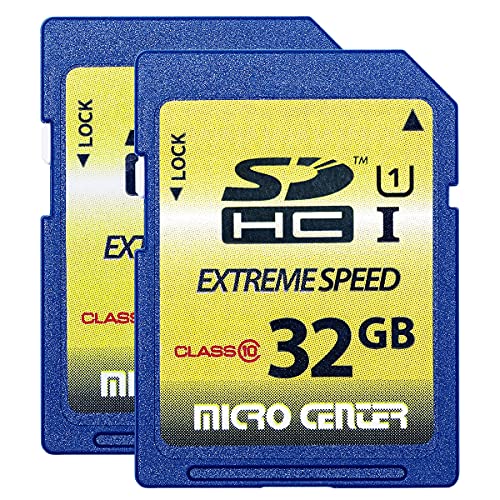
The INLAND pack includes two 32GB full-size SDHC cards. The listing gives them Class 10, UHS-I, and U1 ratings, with up to 60MB/s read and 10MB/s write speeds. It also lists use with trail cameras, digital cameras, interchangeable-lens cameras, and DSLRs.
Thirty-two gigabytes is a sensible middle ground for JPEG photos and moderate RAW use. The two-pack gives you a backup without moving to a very large card. Its 10MB/s stated write speed makes it better for basic capture than for sustained high-rate video.
Pros:
- Two cards add practical backup value
- 32GB suits normal photo sessions
- Full-size SDHC format is widely familiar
- Class 10 and UHS-I ratings
- Useful for cameras and trail cameras
Cons:
- U1 is below V30 for demanding video
- Stated 10MB/s write speed is modest
- SDHC capacity may not suit newer high-volume work
What Amazon Buyers Are Saying
Buyer feedback for this kind of card often values the two-pack, simple setup, and moderate capacity. The stated write speed can limit heavy burst or video use, which is the key point to consider. I would verify the camera‘s required speed before buying.
My Recommendation
This is a good everyday option for older or mid-range DSLRs that record JPEGs or moderate RAW files. It offers better space than 8GB cards but lacks the speed of the best modern options. I rate it 4.1/5.
How to Choose the Best Card for DSLR Camera
The right card depends on your camera, file type, video mode, and trip length. Do not buy by capacity alone. A card must meet the camera’s SD format and speed needs.
1. Match SD, SDHC, or SDXC to Your Camera
Older cameras may accept standard SD cards or SDHC cards only. Newer cameras often support SDXC cards with much larger capacities. Check the camera manual before buying a 128GB or 256GB card. The manual may also list a maximum supported size.
A 2GB card can solve a legacy problem, while a modern camera may need SDXC. Format the card in the camera after you confirm compatibility. This step can reduce file and directory errors.
2. Choose Speed for Burst Photos and Video
Class 10 is a useful baseline for general photos. U1 cards offer a lower speed class than U3 cards. V30 cards promise a 30MB/s minimum sustained video-writing class under the relevant standard, so they suit many 4K workflows.
Read speed helps when you copy photos to a computer. Write speed matters more inside the camera. For sports, wildlife, RAW bursts, or 4K video, choose a card with a suitable U3 or V30 rating and test it in your camera.
3. Balance Capacity, Backup, and Real Value
Large cards hold more files, but one failure can affect more work. Two 128GB cards may offer a better balance than one 256GB card. Smaller cards can also help you sort photos by day or event.
JPEG shooters may find 16GB or 32GB cards useful. RAW shooters and video users often need 128GB or more. Buy from a trusted seller, inspect the package, and test new media before an important shoot. Keep a backup of your photos in another place.
Final Verdict: Which Should You Buy?
For most modern DSLR owners, the PNY Elite-X 128GB two-pack is the best card for DSLR camera use. Choose GIGASTONE 256GB for long 4K shoots, or INDMEM 2GB for a true legacy camera.
Match the card to your camera manual, speed needs, and storage plan. A tested card and a backup routine protect your photos better than capacity alone.
FAQs Of best card for dslr camera
What is the best card for DSLR camera photography?
The PNY Elite-X 128GB two-pack is the best overall choice here. Its U3 and V30 ratings, useful capacity, and two-card format suit many modern DSLR users.
Is a 256GB SD card too large for a DSLR?
Not always. Many newer cameras support SDXC cards at that size, but you must check the camera manual first. Older models may support only SD or SDHC cards.
What speed class should I use for DSLR 4K video?
A U3 or V30 card is a sensible starting point for many 4K cameras. Always follow the camera maker’s stated card requirement.
Are microSD cards good for DSLR cameras?
They can work with a full-size adapter, but native SD cards are often simpler. Test the microSD and adapter together before using them for important photos.
Should I buy one large card or several smaller cards?
Several cards reduce the loss from one card failure and help organize shoots. One large card gives more convenience. For important work, I prefer multiple tested cards and regular backups.

Everett Ashford is a tech reviewer at mytechgrid.com specializing in SSDs, cameras, TVs, earbuds, headphones, and other consumer electronics. He provides honest, data-driven reviews based on hands-on testing and real-world performance analysis. Everett simplifies complex tech details to help readers make smart, confident buying decisions.