Introduction
Yes. You can use most wireless earbuds with an iPhone if they connect through standard Bluetooth. This includes AirPods, Beats, Samsung Galaxy Buds, Sony earbuds, Bose earbuds, Jabra earbuds, and many lower-cost models sold in the United States.
You do not need AirPods to listen to music or make calls. The main trade-off is that non-Apple earbuds may not support every iPhone feature. Basic Bluetooth audio usually works well, while features such as automatic device switching, hands-free Siri, precise battery views, and Find My may be limited.

What wireless earbuds work with an iPhone?
Most Bluetooth earbuds work with an iPhone. The earbuds must support Bluetooth audio profiles used for music and calls.
The two key profiles are:
- A2DP: Sends stereo music and other media audio.
- HFP: Supports phone calls and two-way voice audio.
These profiles are common in modern wireless earbuds. If the product says it supports Bluetooth audio, it will usually pair with an iPhone.
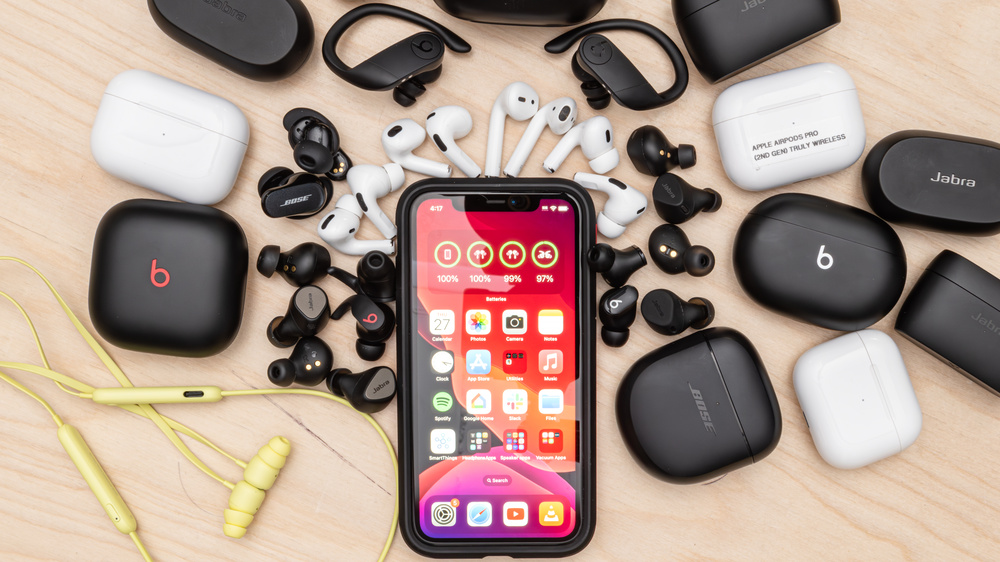
Compatible examples include:
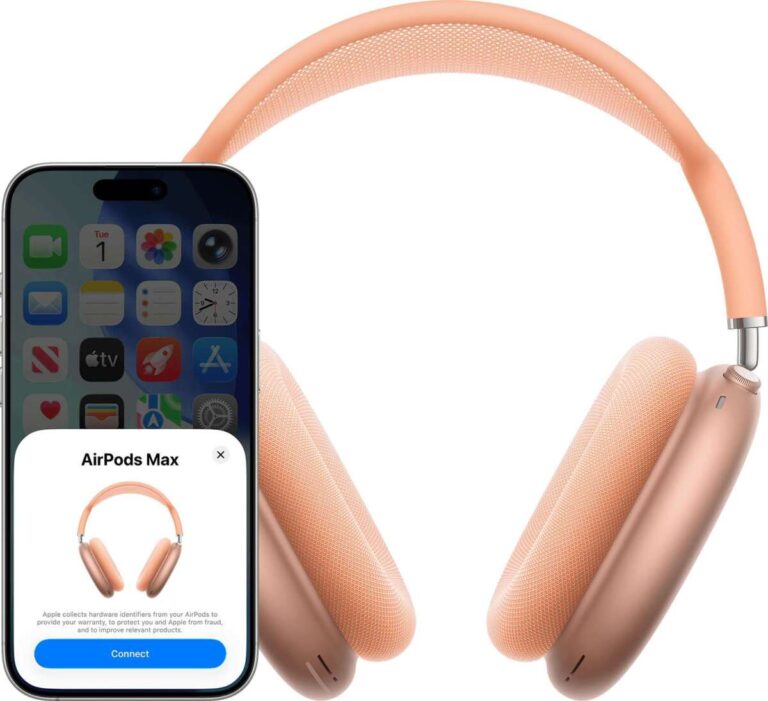
- Apple AirPods
- Beats wireless earbuds
- Samsung Galaxy Buds
- Sony WF-series earbuds
- Bose QuietComfort Earbuds
- Jabra Elite earbuds
- Anker Soundcore earbuds
- Google Pixel Buds
- Many generic Bluetooth earbuds
The brand does not need to match your iPhone. A Samsung earbud can connect to an iPhone. A Sony earbud can connect to an iPhone. Bluetooth is designed to connect devices from different brands.
What will not work directly?
Some wireless headphones use a proprietary wireless connection instead of Bluetooth. These models may need a special USB receiver or another adapter.
For example, earbuds designed only for a gaming console, computer, or brand-specific wireless receiver may not appear in the iPhone’s Bluetooth menu. Check the product specifications before buying.
Also, earbuds that use Bluetooth only through a separate transmitter may require extra hardware. The transmitter must work with your iPhone’s port and support audio output.
Apple’s Bluetooth accessory support and iPhone technical specifications are useful starting points when checking compatibility.
How to connect wireless earbuds to an iPhone
Pairing Bluetooth earbuds with an iPhone usually takes less than a minute. You need an iPhone with Bluetooth enabled and earbuds with enough charge.
Follow these steps
-
Charge the earbuds and charging case.
Low battery can prevent pairing. -
Place the earbuds near the iPhone.
Keep them within a few feet during setup. -
Put the earbuds into pairing mode.
This often means opening the case and holding its setup button. Some models use a touch control. Check the earbud manual if you are unsure. -
Open Settings on the iPhone.
-
Tap Bluetooth.
-
Turn Bluetooth on.
-
Wait for the earbuds to appear under Other Devices.
-
Tap the earbud name.
-
Accept a pairing request or enter a code if the iPhone asks for one.
After pairing, the earbuds should move to the My Devices list. The iPhone may connect to them each time you open the case or turn them on.
Apple provides separate instructions for connecting Bluetooth accessories.
How to confirm the connection
Look for the earbud name under Settings > Bluetooth. You may also see an earbud or headphone icon near the battery area, depending on your iPhone model and software version.
To test the connection:
- Play a song or video.
- Open Control Center.
- Tap the audio output button in the media control.
- Select your earbuds.
If sound comes from the earbuds, the connection works. If the iPhone still uses its speaker, select the earbuds as the output device.

What features work with non-Apple earbuds?
Basic audio and calls usually work with third-party earbuds. Advanced features depend on the earbud brand, the companion app, and the iPhone software version.
| Feature | Usually works with third-party earbuds? | What to expect |
|---|---|---|
| Music and video audio | Yes | Uses standard Bluetooth audio |
| Phone calls | Usually | Earbud microphones must support call audio |
| Play, pause, and skip | Often | Controls vary by model |
| Volume control | Often | Some earbuds need phone controls |
| Active noise cancellation | Yes, if built in | Controlled by the earbud or its app |
| Transparency mode | Yes, if built in | May use an earbud button or app |
| Siri by voice | Sometimes | Depends on earbud support and settings |
| Automatic device switching | Limited | Usually best with Apple devices and AirPods |
| Find My support | Limited | Full Apple Find My support is not universal |
| Battery display | Sometimes | May require the maker’s app |
| Spatial Audio | Limited | Support depends on the earbuds and app |
Music, videos, and podcasts
Most Bluetooth earbuds can play music, podcasts, audiobooks, and videos from an iPhone. The iPhone sends audio to the connected earbuds.
Bluetooth audio can add a small delay. This may be noticeable when playing games or watching video. Many apps correct for normal Bluetooth delay, but the amount varies by earbud model and app.
Phone calls
Most modern earbuds support phone calls. The iPhone uses the earbud microphones when the earbuds are selected as the call audio device.
Call quality can change with wind, distance, traffic, and the earbud’s microphone design. A model that sounds clear for music may not sound as clear during a call.
Noise cancellation and transparency
Active noise cancellation works inside the earbuds. It does not require an iPhone-specific connection.
You may control these modes with:
- A button on the earbud
- A touch control
- The earbud maker’s iPhone app
- A shortcut in the app
- Siri, if supported
The feature may still work when the maker’s app is not installed, but the app often provides more controls.
Siri and voice controls
Some third-party earbuds can activate Siri through a button or touch control. Others only send microphone audio during a call.
This is one area where AirPods and some Beats models often have closer integration with iOS. Do not assume that every wireless earbud supports “Hey Siri” or voice commands.

AirPods versus other Bluetooth earbuds
AirPods are not required for iPhone use. They are simply designed to work closely with Apple devices.
AirPods may provide features such as:
- Quick pairing through an iPhone pop-up
- Automatic switching between supported Apple devices
- Battery information in Apple interfaces
- Ear detection
- Siri controls
- Apple Find My support on compatible models
- Personalized Spatial Audio on supported devices
- Shared audio with compatible Apple devices
Third-party earbuds may offer different strengths. Some provide stronger noise control, a better fit, longer battery life, or a lower price.
The choice depends on which features matter to you:
- Choose AirPods or compatible Beats if you want close Apple integration.
- Choose third-party earbuds if sound, fit, battery life, price, or Android support matters more.
- Choose earbuds with an iPhone app if you want to adjust touch controls, equalizer settings, or noise modes.
- Choose a model with multipoint if you often switch between an iPhone and a laptop. Confirm that multipoint works with your exact devices.
A third-party earbud can sound just as good for your needs. Compatibility does not mean every feature will be identical.

What iPhone users should check before buying earbuds
Check the connection type first. The product should clearly list Bluetooth audio support.
Then review these details:
1. Bluetooth compatibility
Look for Bluetooth support and iPhone compatibility in the product specifications. A newer Bluetooth version can improve efficiency and connection features, but the iPhone and earbuds still need to support the same functions.
Bluetooth versions are generally backward compatible for basic connections. A Bluetooth 5.x earbud can usually connect to an older iPhone that supports Bluetooth, but newer features may not be available.
2. Companion app support
Some earbuds work without an app. Others need an app for setup or advanced controls.
Before buying, check whether the app is available in the U.S. App Store. Also check the iOS version it requires. App support can change over time.
3. Codec support
A Bluetooth codec controls how audio is sent from the iPhone to the earbuds. Common codecs include SBC and AAC.
Many earbuds list support for several codecs. The iPhone may not use every codec listed by the earbud maker. This does not mean the earbuds will fail to work. It means the devices may use another supported option.
Codec support matters most if you are comparing sound quality, latency, or battery use. Do not buy based on a codec name alone. Fit, seal, tuning, and noise control can have a greater effect on what you hear.
4. Multipoint support
Multipoint lets earbuds maintain connections with more than one device. For example, the earbuds may connect to an iPhone and a Windows laptop.
This feature is not the same as Apple’s automatic switching. The earbuds must support multipoint, and the feature may need to be enabled in the maker’s app.
5. Charging case and cable
Most earbuds include a charging case. Check whether the case uses USB-C, Lightning, or wireless charging.
The charging connector affects convenience, not Bluetooth compatibility. An iPhone can connect to earbuds even if the charging case uses a different cable.
6. Fit and return policy
Earbuds need a stable seal for good bass and noise reduction. A poor fit can make a good earbud sound weak.
If possible, buy from a seller with a clear return policy. Ear tips, comfort, and stability are personal. Product specifications cannot predict the fit for every ear.

How to fix wireless earbuds that will not connect
If the earbuds do not appear on the iPhone, start with simple checks. Most connection problems come from pairing mode, low battery, or an old connection to another device.
Try this sequence
- Charge the earbuds and case.
- Turn Bluetooth off and on in Settings > Bluetooth.
- Move the earbuds close to the iPhone.
- Disconnect the earbuds from another nearby device.
- Put the earbuds back into pairing mode.
- Restart the iPhone.
- Check the earbud maker’s app for firmware updates.
- Reset the earbuds using the maker’s instructions.
If the earbuds appear in Bluetooth but do not connect, tap the information button next to their name and choose Forget This Device. Then pair them again.
Do not repeatedly reset the iPhone as a first step. A full network settings reset removes saved Wi-Fi networks and other network information. Use it only after simpler steps fail.
If only one earbud works
Check that both earbuds are charged and seated correctly in the case. Clean the charging contacts with a dry, soft cloth. Then place both earbuds in the case, close it, reopen it, and try pairing again.
If one earbud remains silent, reset the pair according to the manufacturer’s instructions. The cause may be a charging problem, a software fault, or a damaged earbud.
If sound cuts out
Bluetooth dropouts may come from distance, physical barriers, radio interference, or a crowded wireless area. Keep the iPhone near the earbuds and test them in another location.
Also check whether the earbuds are trying to switch to another paired device. Turning off automatic connection on unused devices can help.
If calls use the iPhone speaker
During a call, tap the audio button and select the earbuds. If that does not work, confirm that the earbuds show as connected and that their microphones are not blocked.
Some apps have their own audio settings. A call in FaceTime, Zoom, or another service may use a different audio selection than a normal phone call.
Common limits and mistakes
The biggest mistake is assuming that “works with iPhone” means “has every Apple feature.” Basic Bluetooth compatibility is broad. Deep system integration is not.
Avoid these errors:
- Buying earbuds that use only a proprietary receiver: Check for Bluetooth audio.
- Ignoring the iOS app requirement: Advanced controls may need an app.
- Assuming every earbud supports Siri: Voice control varies by model.
- Confusing multipoint with automatic switching: They are different features.
- Pairing with the wrong device: Turn off Bluetooth on nearby tablets, laptops, or phones during setup.
- Testing with a nearly empty battery: Low power can cause pairing and audio problems.
- Using only the maker’s advertised codec list: The iPhone may select another codec.
- Expecting Find My support: Location features depend on the earbud model and Apple support.
- Ignoring software updates: The iPhone app or earbud firmware may fix connection issues.
- Wearing earbuds at unsafe volume: Loud sound can damage hearing over time.
For hearing safety, Apple provides headphone audio-level tools in iOS. You can review headphone exposure in the Health app on supported devices and use Control Center to check the current audio level.
Can you use wireless earbuds with an older iPhone?
Usually, yes. An older iPhone can connect to modern Bluetooth earbuds if it supports Bluetooth audio and runs a compatible version of iOS.
The main limits may involve the app, not the Bluetooth connection. A newer earbud app may require a newer iOS version. In that case, music and calls may still work, but setup or advanced settings may be unavailable.
Check three things:
- The iPhone model and iOS version.
- The earbuds’ Bluetooth and iOS requirements.
- Whether the companion app supports that iPhone.
If the iPhone has a damaged Bluetooth radio, outdated software, or very limited storage, connection problems may continue even with compatible earbuds.

Can you use wireless earbuds with an iPhone and Android phone?
Yes. Most Bluetooth earbuds can pair with both an iPhone and an Android phone.
You may need to disconnect the earbuds from one phone before pairing them with the other. Multipoint earbuds can stay connected to both, but the feature must be supported and enabled.
Apple-focused features may not transfer to Android. Likewise, an Android-only feature may not work on an iPhone. The core functions—music, calls, and basic controls—usually remain available.

Key takeaways
- Yes, most Bluetooth wireless earbuds work with an iPhone.
- AirPods are optional, not required.
- Music and calls usually work across brands.
- Advanced features depend on the earbud model, app, and iOS version.
- Check Bluetooth audio support before buying.
- Multipoint, automatic switching, Siri, Find My, and battery tools may have limits.
- If pairing fails, charge the earbuds, enter pairing mode, forget the old connection, and pair again.
FAQs
Do I need AirPods to use an iPhone?
No. Any compatible Bluetooth earbuds can connect to an iPhone. AirPods mainly offer closer integration with Apple services and devices.
Will Samsung Galaxy Buds work with an iPhone?
Yes. Galaxy Buds can connect through Bluetooth for music and calls. Some Samsung-specific features may be limited, and app support depends on the earbud model and iOS version.
Can I use cheap wireless earbuds with an iPhone?
Yes, if they support standard Bluetooth audio. Low-cost earbuds may have shorter battery life, weaker microphones, fewer controls, or less reliable connection quality.
Do wireless earbuds work for iPhone calls?
Most modern Bluetooth earbuds work for calls. The earbuds must support a microphone and hands-free call audio. You can select them from the call audio menu.
Why do my earbuds connect but have no sound?
Check the iPhone’s audio output menu and select the earbuds. Also raise the volume, pause audio on another device, and make sure the earbuds are not connected to a nearby phone or computer.
Can I charge wireless earbuds with an iPhone charger?
Usually, yes, if the charging cable or charging pad matches the earbud case. The charger connector does not affect Bluetooth pairing. Use a compatible, undamaged cable and power adapter.
Can I use only one wireless earbud with an iPhone?
Often, yes. Many true wireless earbuds support single-earbud use. The exact behavior depends on the model and whether the left or right earbud can connect independently.
Conclusion
You can use nearly any standard Bluetooth wireless earbuds with an iPhone. AirPods are convenient for Apple features, but they are not a requirement for reliable music, video, or calls.
Before buying, confirm Bluetooth audio support, iOS app compatibility, desired features, and the return policy. If you already own the earbuds, place them in pairing mode and connect them through Settings > Bluetooth.

Everett Ashford is a tech reviewer at mytechgrid.com specializing in SSDs, cameras, TVs, earbuds, headphones, and other consumer electronics. He provides honest, data-driven reviews based on hands-on testing and real-world performance analysis. Everett simplifies complex tech details to help readers make smart, confident buying decisions.