Yes. There are many artificial intelligence apps for phones, tablets, and computers in the United States. These apps can answer questions, write text, create images, translate speech, summarize files, help with school or work, and perform other tasks.
The right app depends on what you need. A general AI assistant may be enough for everyday questions. A specialized app may work better for photo editing, navigation, fitness, education, or business tasks.
This guide explains what AI apps are, how they work, which types are available in the U.S., and how to choose one safely.

What Is an Artificial Intelligence App?
An artificial intelligence app uses software models to perform tasks that normally require human judgment. These tasks may include understanding language, spotting objects in photos, recognizing speech, making predictions, or creating new content.
Many AI apps connect to a cloud service. Your phone sends a request to a company’s servers, the AI processes it, and the result returns to your device. Some apps also offer limited AI tools directly on the phone.
Common examples include:
- Chat assistants that answer questions
- Writing and grammar tools
- Image and video generators
- Voice transcription apps
- Translation tools
- Study and tutoring apps
- Fitness and health tracking tools
- Business and customer service software
- Navigation and travel assistants
“AI app” is a broad term. It does not always mean a chatbot. A photo editor that removes objects with AI is also an artificial intelligence app.

Which AI Apps Are Available in the United States?
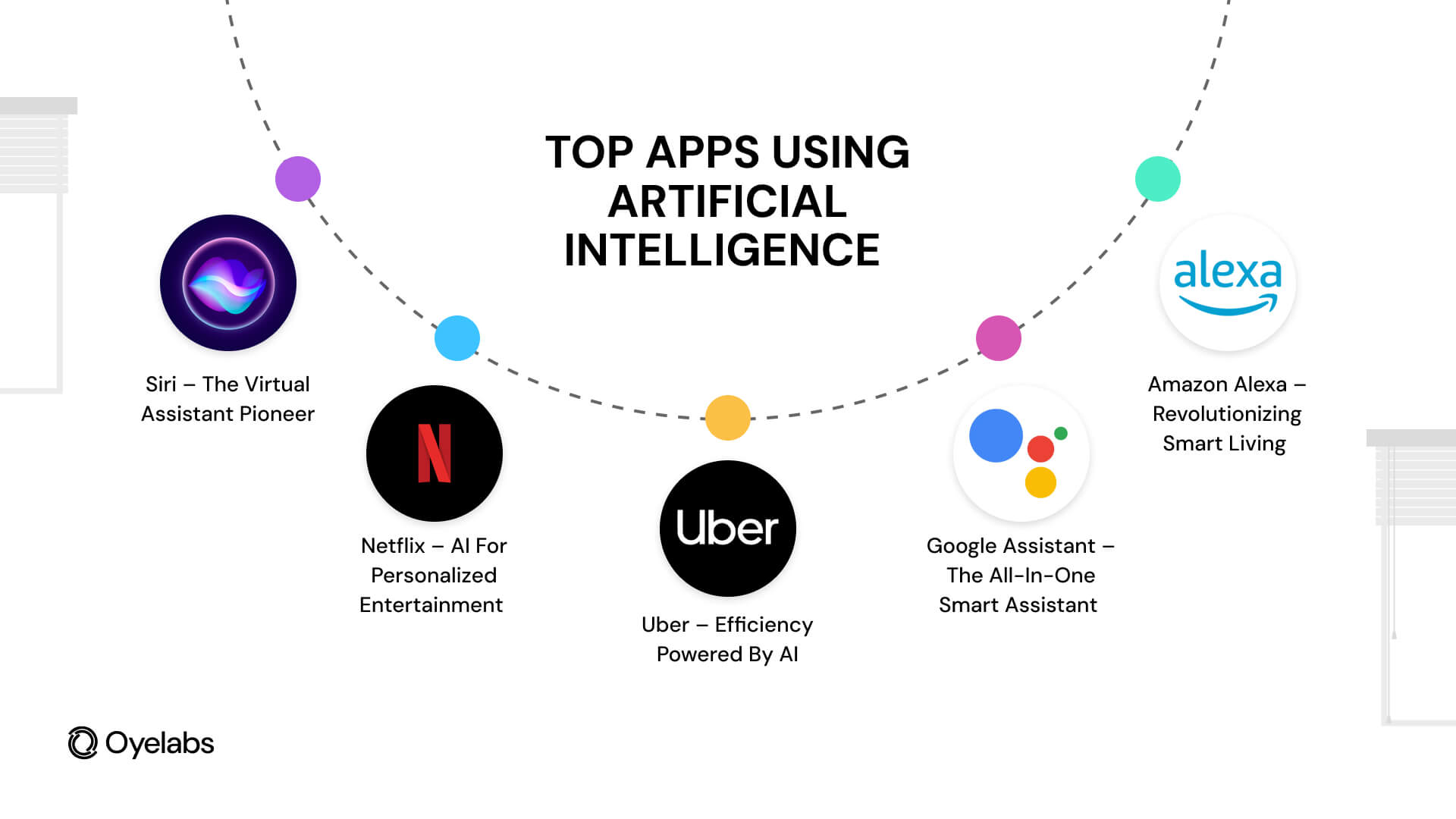
Several well-known AI services offer apps or mobile access in the U.S. Availability, features, and prices can change, so check the official listing before you install or pay.
| App or service | Main use | Common strengths | Watch for |
|---|---|---|---|
| ChatGPT | Questions, writing, analysis, images, and voice | Broad range of tasks | May produce incorrect answers |
| Google Gemini | Questions, writing, research, and Google-related tasks | Useful for people in the Google ecosystem | Features can vary by account and region |
| Microsoft Copilot | Writing, search, work, and Microsoft tools | Fits some Microsoft workflows | Business features may need a work plan |
| Claude | Writing, analysis, and document work | Strong focus on clear text and long documents | Access and features depend on plan |
| Perplexity | Search-style answers and research | Shows sources for many answers | Sources still need review |
| Apple Intelligence features | Writing, summaries, and device tasks | Built into some supported Apple devices | Requires supported hardware and software |
| Grammarly | Writing help and editing | Useful for grammar and tone | AI suggestions may change your meaning |
| Adobe Firefly | Image and design creation | Made for creative work | Commercial-use rules depend on the feature and plan |
These are examples, not a ranking. No single app is best for every person or task.
For official information, review the product pages for ChatGPT, Google Gemini, Microsoft Copilot, Claude, Perplexity, and Apple Intelligence.

What Can You Do With an AI App?
An AI app can help with many common tasks, but its output still needs human review.
Ask questions and explain hard topics
You can ask an AI assistant to explain a science term, outline a book, compare two ideas, or create a study plan. It can often adjust the answer for a child, beginner, student, or professional.
A better prompt gives the app:
- The task
- The audience
- The desired format
- Any limits or facts it must use
For example:
Explain compound interest to a high school student in five short steps. Use a simple example with dollars.
The clearer the request, the more useful the reply may be.
Write and edit text
AI apps can help draft:
- Emails
- Resumes
- Cover letters
- Reports
- Product descriptions
- Social media posts
- Meeting summaries
- Lesson plans
Use AI as a writing assistant rather than an automatic author. Check names, dates, numbers, quotes, and claims before you send or publish anything.
Create or edit images
Some AI apps can create an image from a written prompt. Others can remove objects, change backgrounds, improve lighting, or create alternate designs.
You should check the app’s terms before using generated images for business, advertising, or commercial products. Copyright and ownership rules can differ by country, tool, input, and use.
Transcribe and summarize speech
Many apps can turn a recording into text. They may also summarize meetings, interviews, or lectures.
Before recording another person, follow the consent rules that apply where you live. U.S. rules differ by state. A recording that is allowed in one state may create legal risk in another.
Translate languages
AI translation can help with travel, messages, and basic reading. It may struggle with slang, medical terms, legal language, names, and local meaning.
Do not rely on an AI translation alone for a contract, court document, immigration filing, or medical instruction.
Support work and business tasks
AI tools can sort information, create outlines, draft replies, analyze documents, and help write code. Some business apps connect to files, email, calendars, or customer records.
That access can be useful, but it also raises privacy and security concerns. A company should set rules before workers upload private customer, health, financial, or legal data.
How Do You Choose the Right AI App?
Start with the task, not the brand name. The best choice for writing may not be the best choice for image creation or research.
Use this simple process.
1. Define the job
Write one sentence that explains what you want to do.
Examples:
- “I want help writing clear emails.”
- “I want to remove objects from photos.”
- “I want to record and summarize meetings.”
- “I want a study tool for algebra.”
- “I want answers with links to source material.”
A clear job makes comparison easier.
2. Decide where you will use it
Check whether the app works on:
- iPhone or iPad
- Android phones and tablets
- Windows computers
- Mac computers
- A web browser
- A work or school account
Some apps offer a mobile app but place their best features on the web. Others need newer phones or operating systems.
3. Check the price
Many AI apps have a free plan, but free access may include limits on messages, speed, storage, file size, or advanced features.
Paid plans may use monthly or yearly billing. Review:
- The total price
- Automatic renewal
- Free trial terms
- Cancellation steps
- Refund rules
- Limits on usage
- Whether the plan covers one person or a team
Do not assume that a paid plan makes every answer accurate.
4. Review privacy controls
Read the privacy policy and app permissions. Look for answers to these questions:
- Does the app save your prompts?
- Can your data be used to improve the service?
- Can you turn off training or history?
- Does the app collect location data?
- Does it access contacts, photos, or a microphone?
- Can you delete your account and stored data?
- Does the company share data with service providers?
Privacy settings can change. Review them after major app updates.
5. Test it with low-risk information
Before sharing sensitive material, try a harmless task. Test whether the app follows instructions, gives useful results, and lets you control your data.
Do not use private medical records, passwords, Social Security numbers, bank details, confidential work files, or another person’s personal information as a test.

Are AI Apps Free?
Some AI apps are free, but free access often has limits. A company may restrict the number of requests, available models, file uploads, image creation, or response speed.
A paid plan may provide more features, but the value depends on how often you use them. If you only need occasional help, a free plan may be enough. If you use an app every day for work, a paid plan may save time.
Before subscribing, compare the plan’s actual limits. A low monthly price is not useful if the app lacks the feature you need.
Also watch for:
- In-app purchases
- Free trials that renew automatically
- Separate charges for teams
- Usage fees for advanced tools
- Annual plans that charge at once
- App store billing rules
Download the app from the official Apple App Store, Google Play Store, or the company’s verified website. Check the publisher name, reviews, permissions, and download history. A familiar logo does not prove that an app is genuine.

Are AI Apps Safe to Use?
AI apps can be useful, but they are not automatically accurate, private, or secure.
Check important answers
AI systems can make false statements. They may invent sources, misunderstand a question, use old information, or present a guess as a fact.
Verify information when the answer affects:
- Health
- Safety
- Money
- Law
- Employment
- School grades
- Immigration
- Personal identity
- Business decisions
For medical, legal, or financial decisions, use the AI app for general information only. A qualified professional should handle advice about your specific situation.
Protect private information
Do not paste sensitive information into an AI app unless you understand how the company handles it and your use is permitted.
Remove details that identify a person when possible. For example, replace a patient’s name with “Patient A” and remove account numbers before asking for a general summary.
Watch for scams
Criminals may use AI to create fake voices, messages, images, or videos. Treat urgent requests for money, gift cards, passwords, or account access with caution.
Verify the request through a separate channel. Do not trust a voice or video alone as proof of identity.
Check for bias
AI tools learn from data that can contain errors or unfair patterns. Their output may be less reliable for some languages, groups, names, or situations.
Review the result for unfair assumptions. In workplaces and schools, keep a human decision-maker involved.

Why Do AI Apps Give Wrong Answers?
An AI app may give a wrong answer because it predicts likely text instead of checking truth in the same way a person does. It may also lack current information or misunderstand the prompt.
Common causes include:
- A vague question
- Missing context
- Outdated data
- A flawed source
- A request for information the app cannot verify
- Confusion between similar names or events
- A made-up citation or quotation
You can improve results by asking the app to:
- State what it does not know
- Separate facts from assumptions
- Show the source for important claims
- Use only information you provide
- Explain its calculation
- Ask questions before answering
These steps may reduce errors, but they cannot guarantee a correct answer.
AI App Comparison: Which Type Fits Your Need?
The following guide can help you choose a category.
| Your main goal | App type to consider | What to check |
|---|---|---|
| General questions | AI chatbot | Accuracy, current information, privacy |
| School support | Education or general AI app | Age suitability, source quality, academic rules |
| Business writing | Writing assistant | Data controls, team access, export options |
| Photo editing | AI photo app | Image rights, output quality, device support |
| Research | Search-based AI tool | Linked sources and source quality |
| Meeting notes | Transcription app | Consent, speaker accuracy, storage |
| Coding help | Coding assistant | Security, licensing, code review |
| Health tracking | Health or fitness app | Device support, data handling, medical limits |
The key trade-off is usually convenience versus control. A simple app may be easy to use but offer fewer privacy settings. A professional tool may provide more controls but cost more and require setup.
Common Mistakes to Avoid
Avoid these mistakes when using an artificial intelligence app:
- Installing an unverified copy. Use official app stores and confirm the publisher.
- Sharing private data without checking the policy. Treat prompts like data sent to an outside service.
- Trusting a confident answer. Confidence is not proof.
- Using AI output without editing it. Check facts, tone, and originality.
- Ignoring school or workplace rules. Some organizations limit or require disclosure of AI use.
- Assuming an app is free forever. Read trial and renewal terms.
- Using one tool for every task. Specialized apps may handle certain jobs better.
- Uploading copyrighted or confidential material. Confirm that you have permission and understand how the app uses uploads.
- Letting an AI system make a high-stakes decision alone. Keep human review in place.

Frequently Asked Questions
Is there an AI app for my phone?
Yes. AI apps are available for many iPhones and Android phones. Some also work through a web browser, so you may not need to install an app. Check the required operating system, device model, account type, and region before downloading.
What is the best free AI app?
There is no single best free AI app for every user. A general chatbot may suit questions and writing. A search-focused tool may suit research. A photo editor may be better for images. Compare the task, privacy policy, limits, and source controls.
Can I use an AI app without an account?
Some tools allow limited use without an account, while others require registration. An account may be needed for saved history, file uploads, voice features, or paid plans. Check the company’s current access rules.
Can AI apps work offline?
Some device features can work partly or fully offline, but many large AI assistants need an internet connection. Offline access depends on the app, phone hardware, operating system, and feature. Do not assume that a mobile app works without internet.
Can an AI app replace a doctor, lawyer, teacher, or financial adviser?
No. AI can explain general ideas and help prepare questions, but it may miss key facts or give an incorrect answer. For decisions about your health, legal rights, taxes, investments, or safety, consult a qualified professional.
How do I delete my AI app data?
Look in the app’s account, privacy, or data settings for options to delete chats, files, history, or the account. Deleting an app from your phone may not delete data stored by the company. Follow the provider’s account deletion instructions.
Final Answer: Yes, AI Apps Are Widely Available
There are many artificial intelligence apps for U.S. users. General tools such as ChatGPT, Gemini, Copilot, Claude, and Perplexity can help with questions, writing, research, and file tasks. Other apps focus on images, transcription, education, health tracking, or business work.
Choose an app based on your task, device, budget, privacy needs, and the harm that could result from an error. Start with a low-risk test, check the app’s permissions and terms, and verify important answers before acting on them.

Everett Ashford is a tech reviewer at mytechgrid.com specializing in SSDs, cameras, TVs, earbuds, headphones, and other consumer electronics. He provides honest, data-driven reviews based on hands-on testing and real-world performance analysis. Everett simplifies complex tech details to help readers make smart, confident buying decisions.