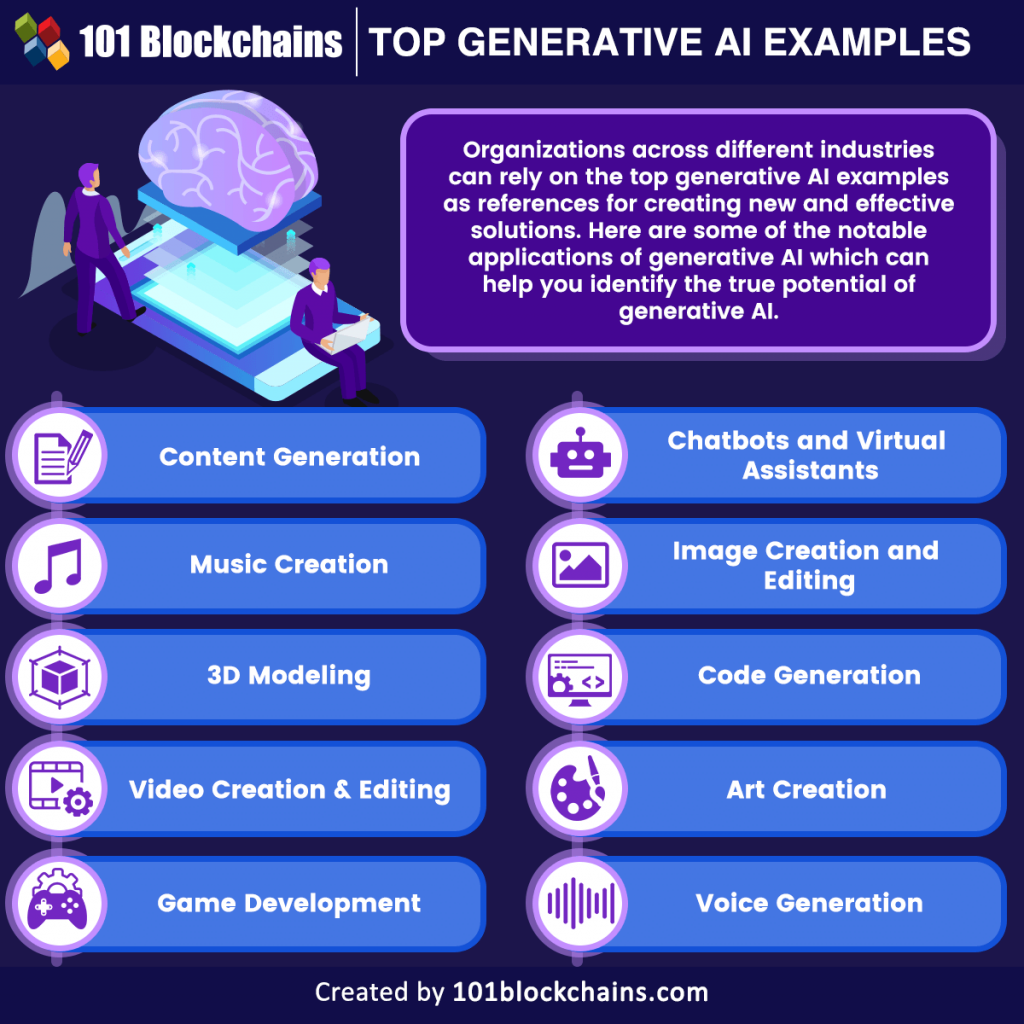
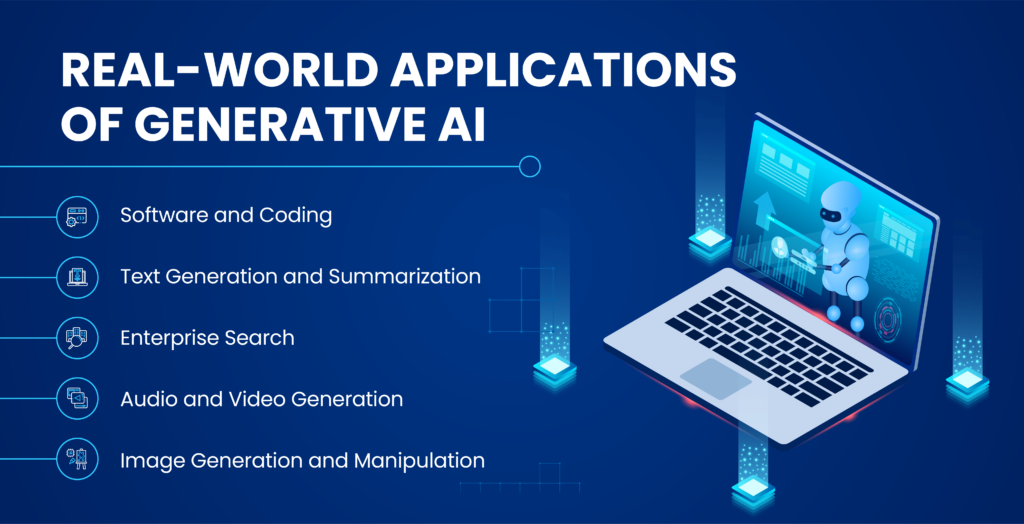
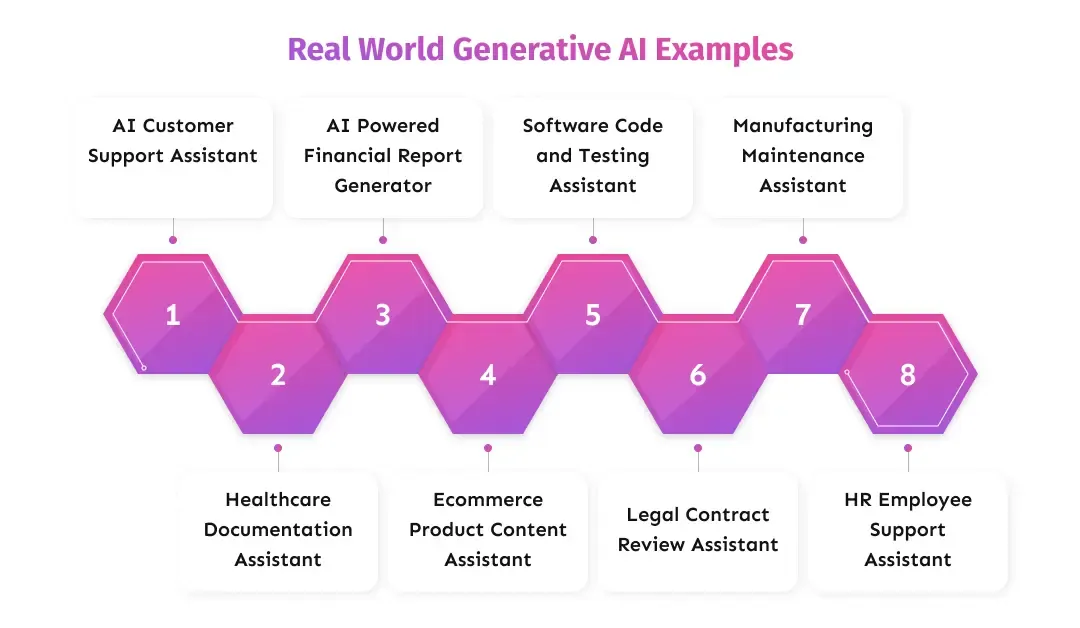
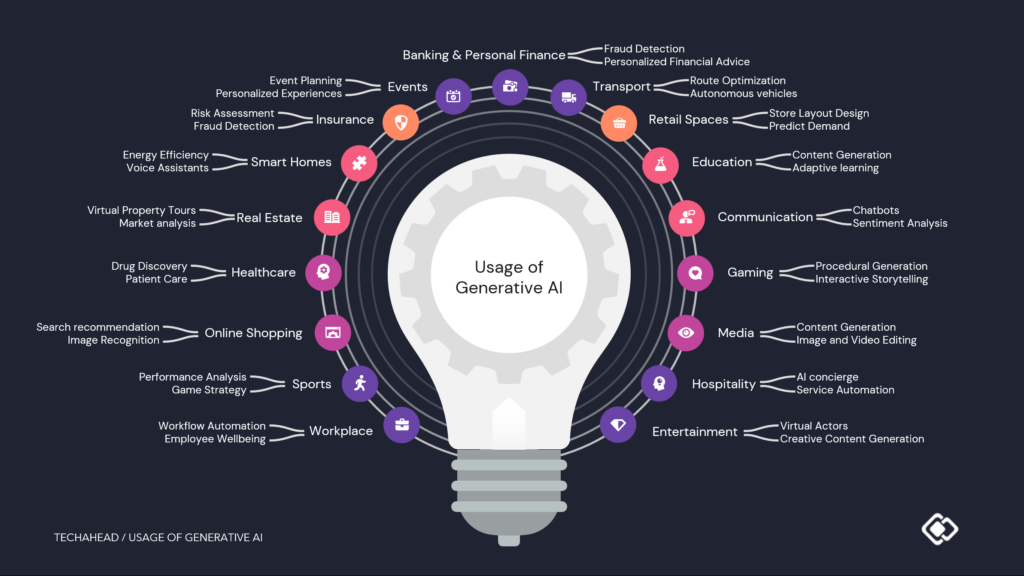
Generative AI is already used across the United States to create text, images, code, audio, video, designs, and summaries. Companies use it to answer customer questions, help doctors review records, support teachers, speed up software work, design products, and assist public agencies.
The best uses do not remove people from the process. They help people handle routine work, explore ideas, and find useful information faster. Human review still matters when an error could affect health, money, safety, privacy, or legal rights.

What is generative AI?
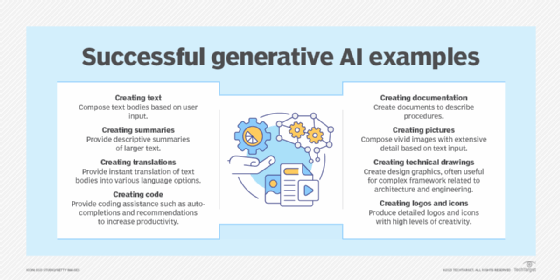
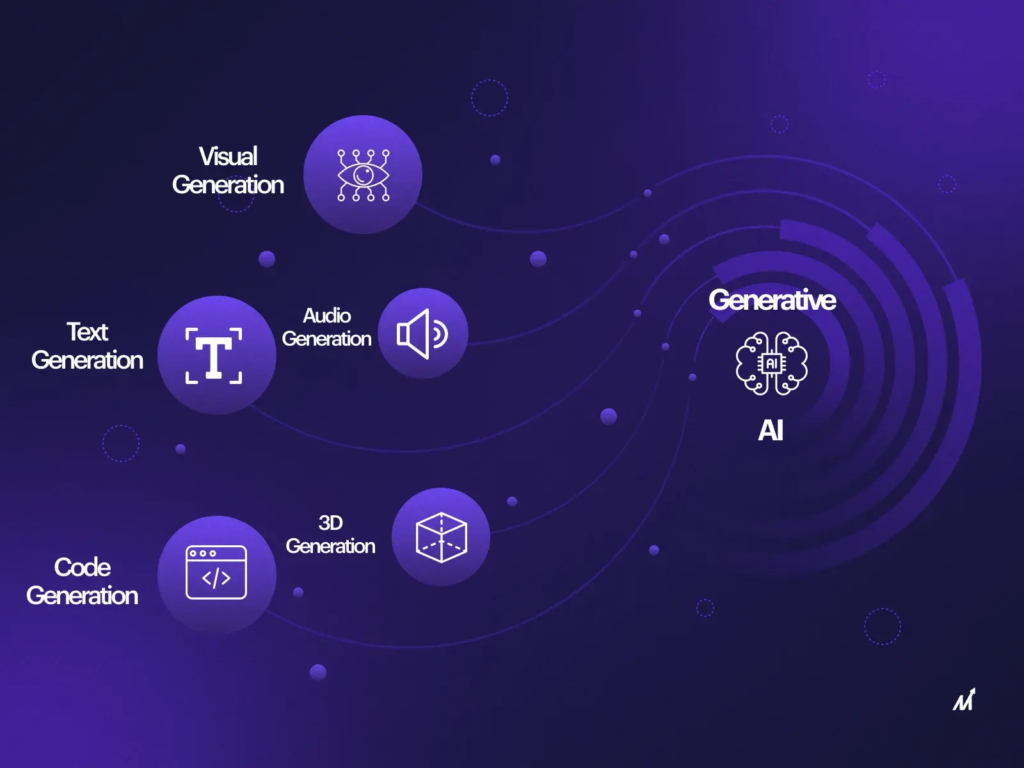
Generative AI is software that creates new content from a prompt or other input. The output may include:
- Written text
- Computer code
- Images and graphics
- Speech and music
- Video
- Product designs
- Data summaries
- Synthetic training data
Most generative AI systems learn patterns from large data sets. A language model, for example, predicts likely word sequences. An image model predicts visual patterns. These systems do not “think” like a person, even when their answers sound confident.
The National Institute of Standards and Technology describes risks such as inaccurate output, harmful bias, privacy loss, and security problems. These risks apply to business, government, education, and personal use.
A useful way to view generative AI is as a fast assistant. It can draft, summarize, classify, translate, or suggest. It may still need a person to check facts, context, tone, and compliance.
1. Customer service and support
Generative AI helps customer service teams answer common questions, draft replies, and search internal help files. A support tool can use a company’s approved documents to suggest an answer to a customer’s question.
For example, a U.S. internet provider might use AI to explain:
- How to reset a router
- Where to find a bill
- Which plan includes a service
- How to schedule a technician
- What a service outage means
The system can also summarize a long customer conversation before a human agent takes over. This can reduce the need for the customer to repeat the same details.
Where human review matters
A company should not let a chatbot make sensitive decisions without controls. Human staff may need to review:
- Refund disputes
- Identity or account changes
- Medical or financial questions
- Complaints about discrimination
- Contract terms
- Threats or safety concerns
AI can also provide an answer that sounds certain but is wrong. A company should connect the system to approved information and show the source when possible.

2. Healthcare and clinical administration
Healthcare organizations use generative AI mainly for administrative work and information support. It can draft visit notes, summarize records, create patient instructions, and help staff find information in large document sets.
A physician may use a secure tool to turn a conversation into a draft clinical note. The physician must then check the note before it becomes part of the patient record. This can reduce typing, but it does not remove the need for medical judgment.
Other uses include:
- Drafting appointment reminders
- Translating plain-language patient information
- Summarizing discharge instructions
- Preparing insurance documentation
- Creating staff training materials
- Helping researchers review published papers
The [U.S. Food and Drug Administration](https://www.fda.gov/medical-devices/software-medical-device-samd/artificial-intelligence-and-machine-learning-software-medical-device) separately regulates certain medical devices that use artificial intelligence or machine learning. A general writing tool is not the same as an approved medical device.
Key healthcare risks
Health data is sensitive. Organizations need strong controls for access, storage, vendor contracts, and data use. They also need to check for:
- Made-up medical facts
- Missing symptoms
- Wrong patient details
- Biased recommendations
- Poor translations
- Disclosure of private health information
Generative AI may support a licensed professional. It should not be treated as a substitute for a doctor, nurse, pharmacist, or emergency service.
3. Education and training
Schools, colleges, and training programs use generative AI to create lesson ideas, practice questions, reading support, and feedback. A teacher might ask for several versions of a short reading passage at different levels.
Useful applications include:
- Drafting lesson plans
- Creating quiz questions
- Generating examples for math or science
- Translating classroom material
- Giving feedback on a first draft
- Building role-play exercises
- Supporting students who need simpler language
For students, AI can act as a study partner. It can explain a topic in plain language, ask practice questions, or provide a new example.
The main challenge is learning integrity. If a student submits AI-written work as their own, the assignment may no longer measure the student’s skills. Schools also need rules for privacy, age limits, bias, and acceptable use.
A good classroom policy states when AI is allowed, when students must disclose its use, and which work must be completed without it.

4. Software development
Software teams use generative AI to write code, explain unfamiliar code, find possible bugs, and create tests. A developer may describe a function in plain English and ask for a first draft.
Common uses include:
- Creating code templates
- Converting code between languages
- Writing documentation
- Generating unit tests
- Explaining error messages
- Suggesting database queries
- Reviewing code for common problems
The developer remains responsible for the result. AI-generated code can include security flaws, outdated methods, licensing concerns, or logic errors.
A safe workflow is:
- Ask the system for a small, clear change.
- Review the code line by line.
- Run automated tests.
- Check security and access controls.
- Review licenses and data sources.
- Test the result in a safe environment.
AI can speed up routine work, but it does not replace system design, threat modeling, or code review.
5. Marketing, advertising, and content production
Marketing teams use generative AI to brainstorm campaign ideas, draft copy, adapt messages for different audiences, and create early design concepts.
A U.S. retailer might use it to prepare:
- Product descriptions
- Email subject lines
- Social media drafts
- Search ad variations
- Video scripts
- Customer survey summaries
- Translations for regional audiences
Generative AI is helpful during the first stage of creative work. It can produce many options quickly. A person should still verify product claims, prices, images, testimonials, and legal disclosures.
The Federal Trade Commission warns businesses to support claims about AI products and avoid deceptive marketing. The same principle applies to content created with AI. A company should not use false reviews, fake endorsements, or invented results.
AI-generated images also require care. A business should check ownership rights, likeness rights, brand rules, and disclosure requirements.
6. Manufacturing, engineering, and product design
Manufacturers use generative AI to explore designs, create maintenance instructions, and analyze production information. In engineering, a system may produce several design options after receiving limits such as weight, material, cost, and strength.
Applications include:
- Early product design
- Parts optimization
- Factory instruction manuals
- Maintenance summaries
- Quality-control reports
- Supply chain analysis
- Worker training simulations
- Digital prototypes
Generative design can help engineers compare more options than they could draw by hand. It does not prove that a design is safe. Engineers still need testing, simulations, inspections, and compliance checks.
This distinction is vital for products such as aircraft parts, vehicles, medical equipment, electrical systems, and structural components. A generated design is a proposal, not a safety certification.

7. Finance, banking, and insurance
Financial firms use generative AI for document review, customer support, report drafting, fraud investigation support, and internal research.
A system might summarize a long loan file or help an analyst compare company reports. It may also draft a response to a customer who asks about a transaction.
Possible uses include:
- Summarizing financial documents
- Extracting information from forms
- Drafting internal reports
- Supporting fraud analysts
- Answering routine account questions
- Preparing compliance documentation
- Creating training scenarios
Financial services involve strict duties around privacy, fairness, record keeping, and consumer protection. AI output should not quietly determine whether someone receives credit, insurance, housing, or another important service without appropriate review and controls.
The Consumer Financial Protection Bureau has discussed how existing consumer protection laws can apply when financial companies use AI. A company must still explain decisions and correct errors when required by law.
8. Government and public services
Federal, state, and local agencies use generative AI for internal work and public information services. Examples include summarizing policy documents, drafting plain-language notices, translating information, and helping staff search large records.
A public agency might use AI to:
- Draft a response to a public information request
- Summarize meeting comments
- Create accessible versions of a document
- Help residents find the right form
- Translate emergency information
- Organize case notes
- Prepare internal training material
Public agencies need extra care because an error can affect benefits, permits, taxes, immigration matters, public safety, or legal rights.
The White House Office of Management and Budget has issued federal guidance on managing AI risks and improving responsible use. Agencies also need clear records of how a system works, what data it uses, and when a human must review its output.
9. Accessibility and language support
Generative AI can make information easier to use for people with disabilities or limited English proficiency. It can turn complex text into plain language, create image descriptions, produce captions, and support translation.
Examples include:
- Automatic captions for meetings
- Descriptions of images for screen-reader users
- Plain-language versions of government forms
- Speech-to-text tools
- Text-to-speech responses
- Translation of public notices
- Reading support for people with cognitive disabilities
These tools can reduce barriers, but errors can also create new barriers. A wrong caption may change meaning. A poor translation may cause someone to miss a deadline or misunderstand an instruction.
For important information, organizations should have a qualified person review the output. Accessibility improves when AI is paired with established standards, user testing, and feedback from people who use assistive technology.
10. Science and research
Researchers use generative AI to help review literature, write code, summarize data, and suggest possible research questions. It can also help create synthetic data when real data is limited, provided the synthetic data is properly tested.
Examples include:
- Searching and summarizing research papers
- Drafting code for data analysis
- Creating experiment plans
- Generating molecular or material candidates
- Explaining technical terms
- Preparing grant drafts
- Creating simulated data sets
AI-generated research content can contain false citations or unsupported claims. Researchers should check every source and reproduce important results.
Synthetic data may protect privacy in some cases, but it is not automatically safe. It can still reveal information or fail to represent rare groups. Researchers should document how the data was made and what it cannot prove.
11. Media, entertainment, and game development
Film studios, publishers, game companies, and independent creators use generative AI for story ideas, concept art, sound design, localization, and production planning.
A game team might use AI to draft dialogue for a minor character. A film team might create early concept images before hiring an artist for final work. A publisher might use it to generate headlines or summarize an interview.
The main issues are consent, copyright, credit, and job impact. Creators should know whether their work was used to train a system and whether the output imitates a living artist, actor, writer, or musician.
The U.S. Copyright Office continues to examine copyright questions involving AI. The legal status of a particular work may depend on the human contribution, the source material, and the facts of the case.
12. Retail, travel, and personal services
Retail and service companies use generative AI to improve product search, personalize recommendations, draft offers, and answer questions about services.
A travel company might use AI to create an itinerary based on a person’s budget, dates, and interests. A retailer might let a customer describe a product in natural language instead of searching with exact keywords.
Other examples include:
- Virtual shopping assistants
- Restaurant menu descriptions
- Hotel support chat
- Travel itinerary drafts
- Personalized product comparisons
- Appointment scheduling support
- Inventory and demand summaries
These systems should not hide paid placement or make unsupported claims. They should also protect personal data such as location, travel dates, payment details, and purchase history.

A practical decision guide for using generative AI
The best use depends on the cost of an error and the sensitivity of the data. The table below gives a starting point.
| Use case | Likely value | Main risk | Recommended control |
|---|---|---|---|
| Brainstorming ideas | Faster first drafts | Repetitive or weak ideas | Human editing |
| Summarizing internal documents | Saves reading time | Missing key details | Source links and review |
| Customer support | Faster replies | Wrong or harmful advice | Approved knowledge base and escalation |
| Code generation | Speeds routine coding | Security defects | Testing and code review |
| Healthcare notes | Less administrative work | Patient record errors | Clinician approval |
| Financial documents | Faster analysis | Privacy or compliance errors | Access control and audit logs |
| Public information | Clearer explanations | Wrong legal or benefits guidance | Human review and official sources |
| Product design | More design options | Unsafe or impractical designs | Engineering validation |
A simple rule works well: the higher the possible harm, the more human oversight the workflow needs.
Before adopting a system, ask:
- What task will the AI perform?
- What data will it receive?
- Could the data identify a person?
- What happens if the output is wrong?
- Who checks the result?
- Can the organization explain the decision?
- How will users report an error?
- Can the process work without the AI if the system fails?
Common mistakes when using generative AI
Generative AI works poorly when people treat fluent writing as proof of truth. A polished answer can still contain false facts, missing context, or invented sources.
Avoid these mistakes:
- Entering private customer, patient, or employee data into an unapproved tool
- Accepting output without checking it
- Using AI for high-stakes decisions without human review
- Asking vague prompts and expecting precise results
- Treating generated citations as verified sources
- Copying code without security testing
- Publishing AI-generated images without checking rights
- Failing to tell users when they are interacting with a bot
- Measuring success only by speed
- Ignoring people who are affected by the system
A better process starts with a small, low-risk task. Keep a person in the loop. Record errors. Test the tool with normal, unusual, and adversarial inputs. Stop using it if the harm is greater than the time saved.
Key takeaways
- Generative AI creates text, code, images, audio, video, designs, and summaries.
- Its strongest uses often involve drafting, searching, summarizing, translation, and routine support.
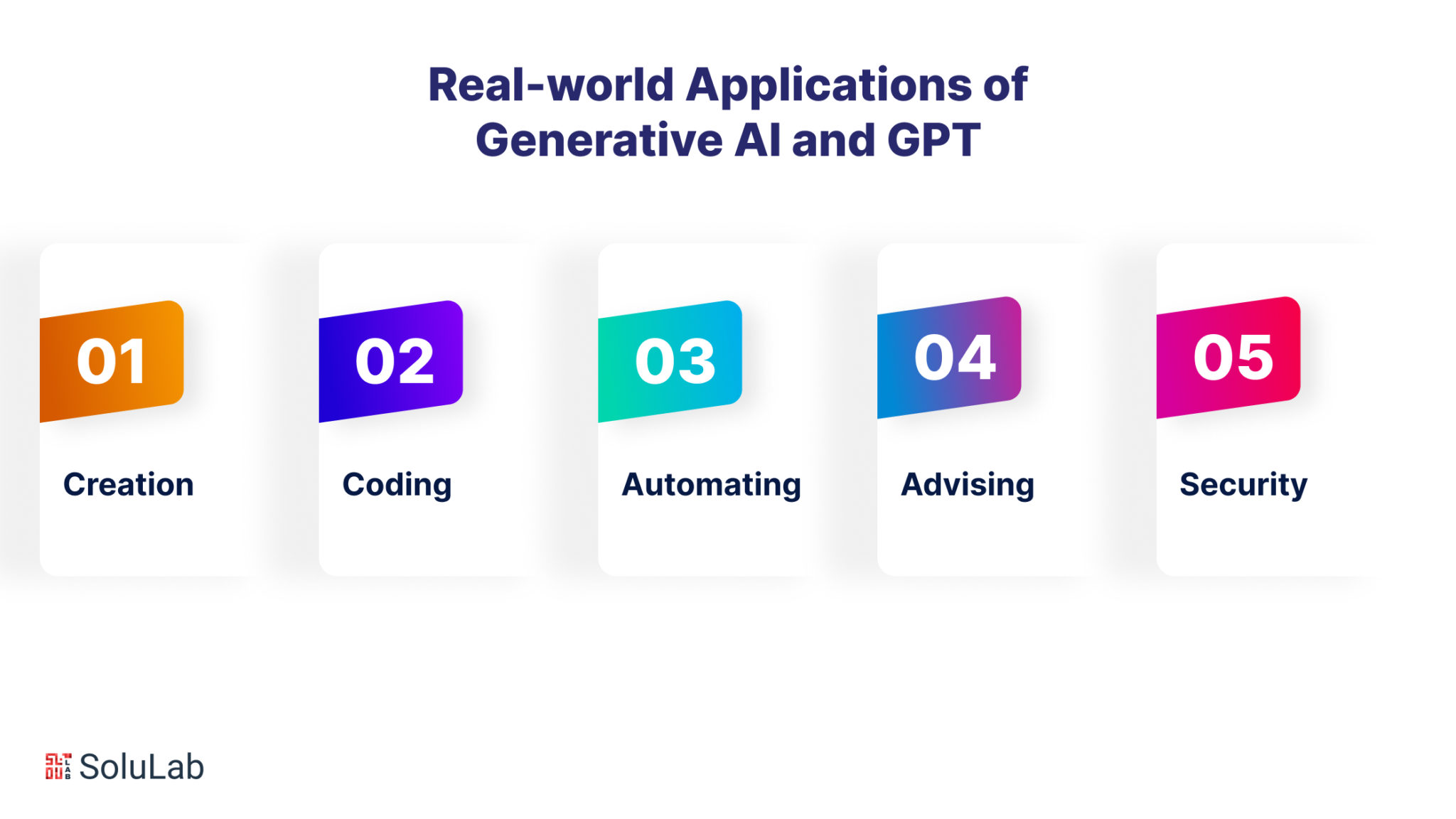
- Real-world applications include healthcare, education, finance, government, software, manufacturing, marketing, accessibility, and research.
- AI output is not automatically accurate, original, safe, or lawful.
- Human review is essential when an error could affect health, money, privacy, safety, education, employment, or legal rights.
- The safest starting point is a narrow task with approved data, clear review rules, and a way to correct mistakes.
Frequently asked questions
What is the most common real-world use of generative AI?
Common uses include drafting text, answering routine questions, summarizing documents, creating marketing content, and helping with software code. The most suitable use depends on the organization’s data, goals, and risk level.
Can generative AI replace employees?
It can automate parts of some jobs, but most real-world workflows still need people for judgment, communication, quality checks, and accountability. The effect varies by occupation and by how the employer designs the process.
Is generative AI always accurate?
No. It can make factual errors, omit important details, misread context, or invent sources. Users should verify important claims against reliable documents or qualified professionals.
Is it safe to put confidential information into an AI tool?
Not unless the tool is approved for that type of data and has suitable privacy and security controls. Do not enter medical records, financial details, passwords, trade secrets, or personal identifiers into an unapproved system.
How can a small business start using generative AI?
Start with a low-risk task, such as drafting internal notes or creating a first version of a customer email. Define what data may be used, require human review, test the results, and measure both time saved and errors created.
Conclusion
Generative AI has practical value when it helps people complete routine or creative work more quickly. Its real-world applications range from customer support and software development to healthcare administration, public services, research, and accessibility.
The safest approach is not to ask whether AI can do everything. Ask which small part of a workflow it can improve, what could go wrong, and who will check the result. Begin with a limited use case, protect sensitive data, verify important output, and expand only when the benefits are clear.

Everett Ashford is a tech reviewer at mytechgrid.com specializing in SSDs, cameras, TVs, earbuds, headphones, and other consumer electronics. He provides honest, data-driven reviews based on hands-on testing and real-world performance analysis. Everett simplifies complex tech details to help readers make smart, confident buying decisions.