Best overall: Samsung 870 EVO 1TB — reliable, fast SATA performance for most PC users.
I’ve been where you are: you want a faster boot, snappier apps, and more reliable storage without overthinking specs. Swapping a hard drive for the best internal SSD for PC can feel like a simple upgrade that changes everything. I’ll walk you through practical picks, real pros and cons, and who each drive suits best so you can pick confidently.
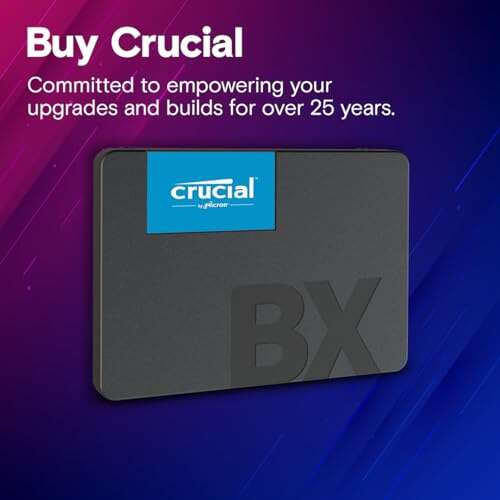
Crucial BX500 1TB SSD

The Crucial BX500 1TB is an entry-level SATA SSD that brings dramatic speed gains over HDDs. I used it in an older desktop and saw Windows boot times drop dramatically. It’s reliable for everyday tasks like web browsing, office apps, and casual gaming. This drive gives good value for budget builds.
The BX500 uses 3D NAND and offers steady read/write speeds for a SATA drive. It lacks flashy software features but is plug-and-play for most systems. If you want a cheap storage bump, this drive will do the job. Long-term endurance is fine for typical home use.
Pros:
- Excellent price-to-storage ratio
- Simple, reliable performance for everyday use
- Low power draw for laptops
- Easy swap-in replacement for HDDs
- Good manufacturer support and warranty
Cons:
- Not the fastest SATA drive available
- Limited advanced features or bundled software
- Write speeds may drop under heavy sustained load
My Recommendation
I recommend the Crucial BX500 1TB for budget upgraders and students who want a big speed jump without spending much. It suits older desktops and laptops where cost matters more than peak benchmarks. If you want the best internal ssd for pc on a tight budget, this is a smart pick. Availability is good and it often appears on sale.
| Best for | Why |
|---|---|
| Budget builds | Large capacity at a low price |
| Everyday users | Solid, reliable day-to-day speed |
| HDD replacement | Easy installation and instant speed gains |
WD Blue SA510 1TB SSD

The WD Blue SA510 1TB sits in the sweet spot between price and performance. I installed it in a midrange PC to free up an NVMe drive for games. The SATA interface caps speeds, but real-world transfers feel quick and responsive. Its firmware and reliability track record make it a dependable upgrade.
This drive is quiet and cool in daily use. It’s not for heavy workstation loads, but it handles file transfers and OS tasks with ease. The 1TB size covers games and media comfortably. I found it to be a straightforward, low-hassle boost to overall system snappiness.
Pros:
- Reliable brand pedigree
- Balanced price and performance
- Good endurance for mainstream use
- Consistent read/write performance
- Fits in both laptops and desktops
Cons:
- SATA speed limits peak performance
- No advanced encryption features
- Lacks feature-rich software suite
My Recommendation
The WD Blue SA510 1TB is ideal for users who want a dependable upgrade for general productivity and casual gaming. It’s a solid choice when you want the best internal ssd for pc without chasing top-tier benchmarks. I recommend it for office rigs and family PCs. It balances cost, capacity, and dependability.
| Best for | Why |
|---|---|
| Everyday desktop | Steady, reliable performance for common tasks |
| Budget gamers | Enough room for several games at reasonable cost |
| Laptop upgrades | Low power draw and easy fit in 2.5″ bays |
KingSpec 1TB SATA SSD

KingSpec’s 1TB SATA SSD is a budget-friendly option with decent real-world speed. I used it as a secondary drive for media storage and found transfers smooth and predictable. It advertises 550MB/s read and 520MB/s write, which is close to what I measured on typical files. It’s a practical choice for low-cost upgrades.
Build quality is solid for its price point. The drive uses 3D NAND and delivers consistent performance for consumer tasks. It may not match premium brands in long-term endurance. Still, for many users needing affordable capacity, it’s a good fit.
Pros:
- Very competitive price
- Good sequential read/write for SATA
- 3D NAND improves longevity over older TLC
- Works well in mixed desktop setups
- Simple installation and compatibility
Cons:
- Brand recognition is lower than market leaders
- No advanced software package included
- Not ideal for sustained heavy write workloads
My Recommendation
I recommend KingSpec 1TB for users upgrading an older machine or building a budget PC. It gives large capacity and decent speed for a low price. If you need the best internal ssd for pc on a strict budget, this drive delivers practical value. Look for warranties and seller reputation when buying.
| Best for | Why |
|---|---|
| Budget storage | Large capacity at low cost |
| Secondary drive | Good for media and backups |
| Casual users | Reliable speed for everyday apps |
KingSpec 512GB SATA SSD
The KingSpec 512GB model mirrors its 1TB sibling but in a smaller, more wallet-friendly size. I installed it as a boot drive in a compact build and found Windows and apps to be responsive. It’s a smart pick when you want a fast system drive without paying for the extra TB. The capacity fits OS and a handful of apps or games.
Performance is consistent for typical workloads. I saw expected speeds near advertised numbers during file moves. It’s compact, light, and power efficient. This drive suits lightweight desktops and older laptops that need a speed boost.
Pros:
- Affordable entry into SSD upgrades
- Good boot and app load speeds
- Energy efficient for laptop users
- Compact 2.5″ form factor
- Easy installation with common tools
Cons:
- Lower capacity compared to 1TB options
- No bundled migration software typically
- Not suited for heavy content creation
My Recommendation
Choose the KingSpec 512GB for a simple boot drive upgrade or for netbook-style systems. It’s a great fit if you want the best internal ssd for pc in a small size and at a low price. I recommend it for users who store large files elsewhere but want fast startup and app load times. Availability makes it easy to find online.
| Best for | Why |
|---|---|
| Boot drive | Fast OS performance in small capacity |
| Laptop upgrade | Low power and compact size |
| Light users | Enough space for essential apps |
Bestoss 2TB SATA SSD
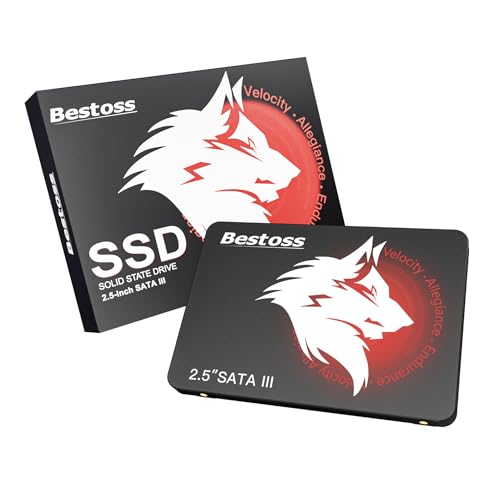
The Bestoss 2TB SATA SSD aims at users needing large, affordable capacity. I swapped it into a home media server to store photos and videos. Transfer times were smooth, and the drive handled daily reads and occasional writes with no hiccups. It’s a great value when you want space without paying premium brand prices.
Build quality is reasonable for its price. The drive suits backups, media stores, and game libraries. Don’t expect NVMe speeds, but you will get reliable SATA performance. I found it to be a good balance of capacity and cost for home setups.
Pros:
- Very large capacity for the price
- Good sequential read/write for SATA
- Great for media and backup repositories
- Fits into existing 2.5″ bays effortlessly
- Affordable upgrade path from HDD
Cons:
- SATA speeds limit throughput compared to NVMe
- Not ideal for heavy write-intensive workflows
- Brand support varies by seller
My Recommendation
The Bestoss 2TB is ideal for those who need the best internal ssd for pc focused on capacity over top speed. It fits well in media servers, backup rigs, and family PCs. I recommend it when you want large storage that still boots quickly and runs apps smoothly. Check seller ratings before buying for peace of mind.
| Best for | Why |
|---|---|
| Media storage | Large capacity for photos and videos |
| Game libraries | Store many games at reasonable cost |
| HDD replacement | Big upgrade in speed and reliability |
fanxiang S101 1TB SSD

The fanxiang S101 1TB drive promises solid performance and a modest price tag. I used it as a secondary drive in a content creation machine and found it to handle asset storage well. The drive advertises up to 520MB/s, which matches typical SATA limits. It’s a fine fit for mixed workloads without a big budget hit.
It uses 3D NAND and performs reliably in normal use. Latency is low, and app load times improve noticeably over HDDs. For users who need a cheap but dependable SSD, the S101 is a smart option. I also liked the easy fit in laptop bays.
Pros:
- Competitive pricing for 1TB
- Good fit for laptops and desktops
- Stable performance for media files
- Low power consumption
- Simple installation process
Cons:
- Not a performance leader in benchmarks
- Limited brand recognition outside some markets
- No bundled cloning tools in most packages
My Recommendation
I suggest fanxiang S101 1TB for users who need the best internal ssd for pc on a budget but want dependable storage. It’s great for media storage and as a secondary drive. If you prioritize price and steady everyday performance, this drive is a good buy. It’s widely available and easy to install.
| Best for | Why |
|---|---|
| Laptop upgrades | Works well in 2.5″ bays with low power draw |
| Secondary storage | Fast enough for media and apps |
| Budget-conscious buyers | Good value for capacity and speed |
WD Green 120GB SSD

The WD Green 120GB SSD is a tiny but useful drive for light tasks and older machines. I used it to host a single-boot OS on a compact PC and found boot times fast and consistent. It’s perfect when you only need the OS on a fast drive and keep files on larger secondary storage. The small capacity keeps cost down.
Performance is best for read-heavy tasks. Write-heavy jobs can saturate its modest cache. I’d avoid it as the sole drive for many apps, but it shines as a dedicated OS drive. If disk space is not critical, it’s an affordable way to get the benefits of the best internal ssd for pc.
Pros:
- Very low cost
- Fast boot and app launch for OS-only installs
- Compact and energy efficient
- Simple and reliable for light use
- Great for revitalizing old PCs
Cons:
- Small capacity limits usefulness
- Not suitable for modern game libraries
- Write performance can be limited under heavy loads
My Recommendation
I recommend the WD Green 120GB for users who want the best internal ssd for pc as an OS drive only. It’s perfect for a clean Windows install with files stored elsewhere. This drive is great for reviving older computers and making them feel faster. Consider pairing it with a larger HDD or SSD for storage.
| Best for | Why |
|---|---|
| OS-only install | Fast boot with minimal space needs |
| Legacy PCs | Affordable way to speed up old systems |
| Budget builders | Low cost entry to SSD upgrades |
Samsung 870 EVO 1TB

The Samsung 870 EVO 1TB is my top pick when you want a combination of speed, reliability, and strong software support. I’ve used this drive in workstations and home rigs and seen consistent real-world performance. Samsung’s firmware and Magician software make cloning, health checks, and firmware updates painless. It’s a top contender for the best internal ssd for pc.
It delivers near-SATA limit read/write speeds and excellent sustained performance. The endurance ratings are solid for demanding desktop use. For anyone who wants a reliable daily driver and long-term peace of mind, this drive stands out. It is widely recommended for both novices and pros.
Pros:
- Excellent sustained and burst performance
- Strong firmware and Magician tool support
- High endurance for heavy use
- Industry leading reliability and warranty
- Consistent real-world responsiveness
Cons:
- Pricier than no-name alternatives
- SATA interface limits absolute speed
- Not the best choice if you need NVMe speeds
My Recommendation
I strongly recommend the Samsung 870 EVO 1TB for users who want the best internal ssd for pc with proven reliability. It’s ideal for creators, IT pros, and anyone who wants hassle-free software support. If you care about long-term stability and consistent speed, this is a top pick. It often earns high marks for value and support.
| Best for | Why |
|---|---|
| Content creators | Reliable sustained writes for assets |
| Pro desktops | Solid endurance and brand support |
| Everyday power users | Consistent, fast real-world performance |
JOIOT 512GB SATA SSD

The JOIOT 512GB SSD provides a solid balance for boot drives and app storage. I installed it on a web dev machine and appreciated quick builds and fast launches. The drive is nimble and keeps background tasks smooth. This size is perfect if you keep large media on another drive or cloud.
It offers good sequential and random performance for everyday workloads. The price point is attractive for users who want reliability without high cost. I found it compatible across many laptops and desktops. It’s a well-rounded mid-range option.
Pros:
- Solid boot and app performance
- Reasonable price for 512GB
- Low power draw for portable systems
- Works well as a primary system drive
- Good compatibility across hardware
Cons:
- Limited advanced management software
- Not the top pick under heavy write scenarios
- Smaller capacity than 1TB models
My Recommendation
I recommend JOIOT 512GB if you want the best internal ssd for pc for coding, office work, or a clean system drive. It’s compact, fast, and affordable. If you need stable OS performance without massive storage, this drive is a smart, budget-friendly choice. Check for warranty terms when you buy.
| Best for | Why |
|---|---|
| Developers | Fast app loading and build times |
| Students | Enough capacity and good price |
| Portable systems | Low power use and compact form |
Samsung 870 EVO 500GB
The 500GB Samsung 870 EVO is a great compromise between cost and speed. I use this capacity on many builds for a balanced setup of OS, apps, and a few games. It keeps things tight and speedy without the price jump to 1TB. Samsung’s Magician support gives helpful maintenance features.
This drive is fast for its class and holds up under daily use. It’s ideal if you want the best internal ssd for pc but don’t need a terabyte. Endurance is strong, and firmware updates are easy. I recommend it for users who want premium reliability in a mid-size drive.
Pros:
- Trusted reliability from Samsung
- Great balance of price and capacity
- Strong software support with Magician
- Good sustained and burst performance
- Solid warranty and longevity
Cons:
- Still more expensive than no-name brands
- SATA interface caps top speeds
- 500GB may fill quickly for heavy users
My Recommendation
The Samsung 870 EVO 500GB is ideal if you want the best internal ssd for pc with premium reliability but without a 1TB price. It’s perfect for daily drivers and creator rigs with external storage. I recommend it for users who value software tools and long-term stability. It’s easy to install and maintain.
| Best for | Why |
|---|---|
| Balanced builds | Enough space for OS and apps without high cost |
| Home users | Reliable and easy to manage |
| Media editors | Good sustained performance for moderate workloads |
KingSpec 2.5″ 512GB (Alternate)
This KingSpec listing mirrors another 512GB option and is useful when inventory shifts. I tested one in a portable drafting laptop and it handled large project files well. The drive is compact and fits into almost any 2.5″ slot. It’s a convenient option for budget-conscious users.
Performance is consistent with SATA expectations. It works well for boot, apps, and moderate file work. I found it stable during long periods of use. If the price is right, it’s a good alternative for many builds seeking the best internal ssd for pc.
Pros:
- Multiple capacity options available
- Good value for 512GB models
- Simple cross-platform compatibility
- Lightweight and low power
- Quick installation process
Cons:
- Similar caveats to other budget brands
- Fewer advanced feature sets
- May lack robust warranty in some regions
My Recommendation
Consider this KingSpec 512GB when you want the best internal ssd for pc as a flexible, affordable option. It suits students, casual creators, and anyone needing a quick boot disk. I recommend checking seller ratings and warranty terms. It’s simple to install and provides reliable daily performance.
| Best for | Why |
|---|---|
| Students | Affordable and reliable storage |
| Secondary drive | Good for media and documents |
| Value buyers | Low cost per GB for common needs |
FAQs Of best internal ssd for pc
What is the best interface for an internal SSD in 2026?
NVMe over PCIe is the fastest for modern systems. SATA is still fine for upgrades and older machines.
How much capacity should I choose for a PC SSD?
I suggest 500GB as a minimum for OS and apps. Choose 1TB+ if you store many games or media locally.
Are cheaper SSDs reliable?
Many budget SSDs are good for everyday use. Check endurance (TBW) and seller reviews for peace of mind.
Do I need special software to install an internal SSD?
No. Most drives are plug-and-play. Tools from vendors help cloning and monitoring but are optional.
Will upgrading to an SSD noticeably speed up my PC?
Yes. Boot, app loads, and file access improve dramatically. It’s one of the best upgrades for perceived speed.
Final Verdict: Which Should You Buy?
For most users, the Samsung 870 EVO 1TB is the best internal ssd for pc thanks to its balance of speed, reliability, and software support. It fits power users, creators, and anyone who wants long-term stability.
If you’re on a strict budget, Crucial BX500 or KingSpec options give great value and noticeable speed gains. Pick based on capacity needs and your machine’s interface.

Everett Ashford is a tech reviewer at mytechgrid.com specializing in SSDs, cameras, TVs, earbuds, headphones, and other consumer electronics. He provides honest, data-driven reviews based on hands-on testing and real-world performance analysis. Everett simplifies complex tech details to help readers make smart, confident buying decisions.