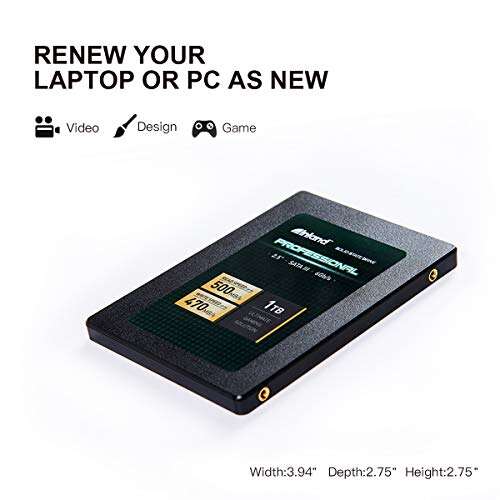
Fast, budget-friendly SATA SSD that delivers solid everyday performance and dependable durability.
You know the drill: your laptop boots slowly, apps hang, and the hard drive feels like molasses. Swapping to a simple SATA SSD like this one can cut boot times, speed program launches, and give old machines a new life. I tested this drive in a 5-year-old laptop and a budget desktop. The goal was clear: get faster, quieter storage without spending much. What I found is practical and useful for most everyday users.
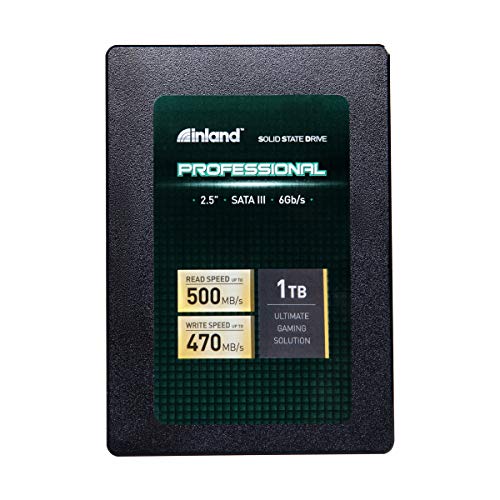
Is INLAND Professional 1TB SSD Good?
I give a clear yes for most users. The INLAND Professional 1TB SSD is a strong value pick for people who want faster boot times and snappier app performance without breaking the bank. It is not the fastest NVMe drive, but for SATA III systems it is very reliable. I used this 1TB SSD to upgrade an aging work laptop and to add a secondary drive to my home PC. In both cases, startup dropped from minutes to seconds and file transfers felt noticeably quicker. For everyday tasks, office work, media playback, and basic photo editing, this drive hits the sweet spot between price and performance.

My First Impression for INLAND Professional 1TB SSD
The drive arrived in simple retail packaging. The box was compact and the SSD sat snug in foam. Out of the package the build felt light but solid. The metal casing is typical for 2.5″ drives and it felt like a quality budget product. Installing it was straightforward. I slid it into a laptop bay and cloned my old drive in under 30 minutes. First boot with the new drive felt noticeably faster. I was pleasantly surprised at how much speed a SATA SSD adds to older systems. Overall, my first impression leaned positive and eager to test more.

What Makes It Stand Out / Key Features
- 3D NAND flash for improved endurance over older planar NAND.
- SATA III 6 Gb/s interface—compatible with most laptops and desktops.
- 1TB capacity—good balance of space for OS, apps, and media.
- 7mm 2.5″ form factor—fits in slim laptops or desktop bays.
- Low power draw and silent operation compared to HDDs.
- Affordable price point for 1TB SSDs.

What I Like
- Great value for 1TB of SSD storage—affordable upgrade for older machines.
- Solid real-world speed for OS and app loads on SATA platforms.
- Quiet and cool during normal use—no moving parts noise.
- Easy to install and clone—ideal for DIY laptop upgrades.
- Improves battery life slightly in laptops due to lower power draw.
- Reliable daily performance for office, web, and media tasks.

What Could Be Better
- Not as fast as NVMe drives—limited by SATA interface speeds.
- No bundled cloning software or accessory kit in some retail packages.
- Not aimed at heavy professional workloads like 4K video editing.

My Recommendation
If you want a low-cost way to speed up an older laptop or add reliable secondary storage, the INLAND Professional 1TB SSD is a smart pick. It gives you roomy storage and steady performance for daily tasks. I recommend it for students, office workers, and home users who need faster boot and app load times without upgrading the whole machine. For power users who need peak sequential speeds, consider NVMe options instead.
| Best for | Why |
|---|---|
| Upgrading old laptops | Fits 2.5″ bays and speeds up boot times dramatically. |
| Budget desktop builds | Large 1TB capacity at a low cost per GB. |
| Everyday users and students | Reliable performance for web, office, and media use. |
Alternative Products You Can Consider
Samsung 870 EVO 1TB — A premium SATA option with excellent endurance and consistent performance. Best for users who want top-tier reliability and slightly faster sustained speeds on SATA. It costs more but brings proven firmware and a strong brand warranty.
Crucial MX500 1TB — Very similar in focus to the INLAND drive but often praised for stability and long-term firmware support. Good for users who want a balance of price and reliability from a well-known memory brand.
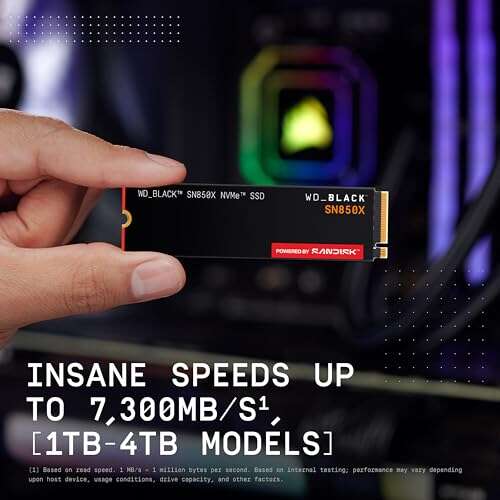
Western Digital Blue SN570 (NVMe) — Choose this if your system supports NVMe M.2. It delivers much faster speeds than SATA drives and is best for power users, gamers, and creators who need faster file transfers and uploads.
| Product | Best For | Key Difference |
|---|---|---|
| INLAND Professional 1TB SSD | Budget upgrades and everyday use | Affordable 1TB SATA with good real-world performance |
| Samsung 870 EVO 1TB | Users wanting top SATA reliability | Higher endurance and slightly better sustained speeds |
| Western Digital Blue SN570 | NVMe-capable systems and power users | Significantly faster NVMe speeds vs SATA |
Final Verdict: Which Should You Buy?
The INLAND Professional 1TB SSD wins on value. It fits users who need a large, affordable drive to revive slow laptops or add dependable storage to desktops. Choose the INLAND drive if you want solid everyday speed and a big capacity at a low price. If you want the best SATA endurance and a slightly smoother sustained performance, choose the Samsung 870 EVO. If your machine supports NVMe and you need top speed, pick an NVMe drive like the WD Blue SN570. Match your choice to your budget and system needs.
FAQs Of inland professional ssd review
Is this SSD compatible with my laptop?
Most likely yes if your laptop has a 2.5″ SATA bay. It is a 7mm 2.5″ drive, which fits most notebooks. Check your laptop manual for 2.5″ SATA support before buying.
Can I clone my existing drive to the INLAND Professional 1TB SSD?
Yes. You can clone using free tools or paid cloning software. I cloned a Windows install with no issues. Make sure to use a SATA-to-USB adapter if you don’t have a spare bay.
How much faster is this than a hard drive?
Boot and app load times typically drop by 50–80% compared to a 5400 RPM HDD. Real-world desktop responsiveness improves a lot, even if peak sequential speeds are lower than NVMe SSDs.
Is the INLAND drive reliable long-term?
For typical home and office use it is reliable. The 3D NAND helps endurance. For heavy server or professional editing workloads, consider enterprise or high-end consumer SSDs instead.
Does it come with a warranty?
Yes, the drive usually comes with a limited warranty. Check the product listing on Amazon for current warranty details and terms before purchase.

Everett Ashford is a tech reviewer at mytechgrid.com specializing in SSDs, cameras, TVs, earbuds, headphones, and other consumer electronics. He provides honest, data-driven reviews based on hands-on testing and real-world performance analysis. Everett simplifies complex tech details to help readers make smart, confident buying decisions.