Elicit is the best overall AI tool for many scientific research tasks, especially when you need to find academic papers, screen studies, extract key details, and compare evidence. However, no single tool is best for every part of research.
For researchers in the United States, the right choice depends on the job:
- Elicit for literature reviews and evidence extraction
- Consensus for quick answers grounded in research papers
- Semantic Scholar for free academic search and discovery
- Scite for checking how other papers cite a study
- NotebookLM for asking questions about your own uploaded sources
- ChatGPT or Claude for outlining, coding help, plain-language explanations, and draft editing
The safest approach is to use AI as a research assistant, not as the final authority. Verify every important claim against the original paper, dataset, protocol, or official source.
Editorial note: This guide compares documented tool functions and established research guidance. It does not present personal hands-on testing, paid rankings, or a claim that one tool is superior for every field.

Quick answer: Which AI research tool should you choose?
Choose the tool that matches your research stage. The table below gives a practical starting point.
| Research need | Best starting tool | Why it fits | Main limitation |
|---|---|---|---|
| Find papers on a focused question | Elicit | Helps search and organize research literature | May miss papers or misread study details |
| Ask whether research supports a claim | Consensus | Links answers to research papers | A short answer can hide study limits |
| Find papers for free | Semantic Scholar | Broad academic search with useful filters | It is not a complete database for every field |
| Check citation quality | Scite | Shows supporting, contrasting, and mentioning citations | Citation labels still need human review |
| Review your own PDFs | NotebookLM | Answers from files you provide and cites source locations | Output depends on the files and tool settings |
| Summarize or compare sources | ChatGPT or Claude | Flexible writing and analysis support | Can invent facts or citations |
| Help with research code | ChatGPT, Claude, or GitHub Copilot | Can explain and generate code | Code may contain errors or unsafe methods |
| Manage a systematic review | Rayyan or a similar review platform | Supports screening and review workflows | AI assistance does not replace review protocol decisions |
Best overall choice
Elicit is the strongest general starting point for a literature review. It is designed around academic papers rather than general web content. It can help researchers form questions, locate studies, summarize papers, and extract information into structured tables.
That does not make Elicit a replacement for PubMed, Web of Science, Scopus, Google Scholar, or a university library. Database coverage varies by field, and an AI search result should not be treated as a complete search strategy.
Best free option
Semantic Scholar is one of the best free tools for finding scholarly papers. It can help you discover related work, follow citation links, and identify influential papers. It works well as a discovery tool, but you should use field-specific databases when your review must be complete and reproducible.
Best tool for citation context
Scite is the best fit when you need to understand how later papers used a source. Its citation context can help you see whether a paper was supported, challenged, or simply mentioned.
A citation label is not proof that the cited paper agrees with the claim. Open the citing paper and read the surrounding passage.
What makes an AI tool useful for scientific research?
A useful research AI tool should do more than produce fluent text. It should help you find traceable evidence, show its sources, preserve context, and make uncertainty clear.
Look for these features:
-
Source traceability
The tool should link to a paper, dataset, record, or file. You should be able to check the original text. -
Strong search coverage
The tool should search sources that matter in your field. A general web index may not be enough for biomedical, engineering, social science, or clinical research. -
Evidence extraction
A good tool can pull out study design, sample size, population, intervention, comparison, outcome, and limitations. -
Citation context
The tool should help you see whether a source supports, disputes, or merely mentions a claim. -
Clear limits
The system should not imply certainty when the evidence is weak, mixed, outdated, or indirect. -
Privacy controls
You need to know how uploaded manuscripts, patient data, unpublished results, and grant materials are handled. -
Reproducible use
For formal research, you should be able to record the tool, version, date, prompt, source set, and human decisions.
A polished paragraph is not evidence. In research, the trail from claim to source matters more than the style of the summary.
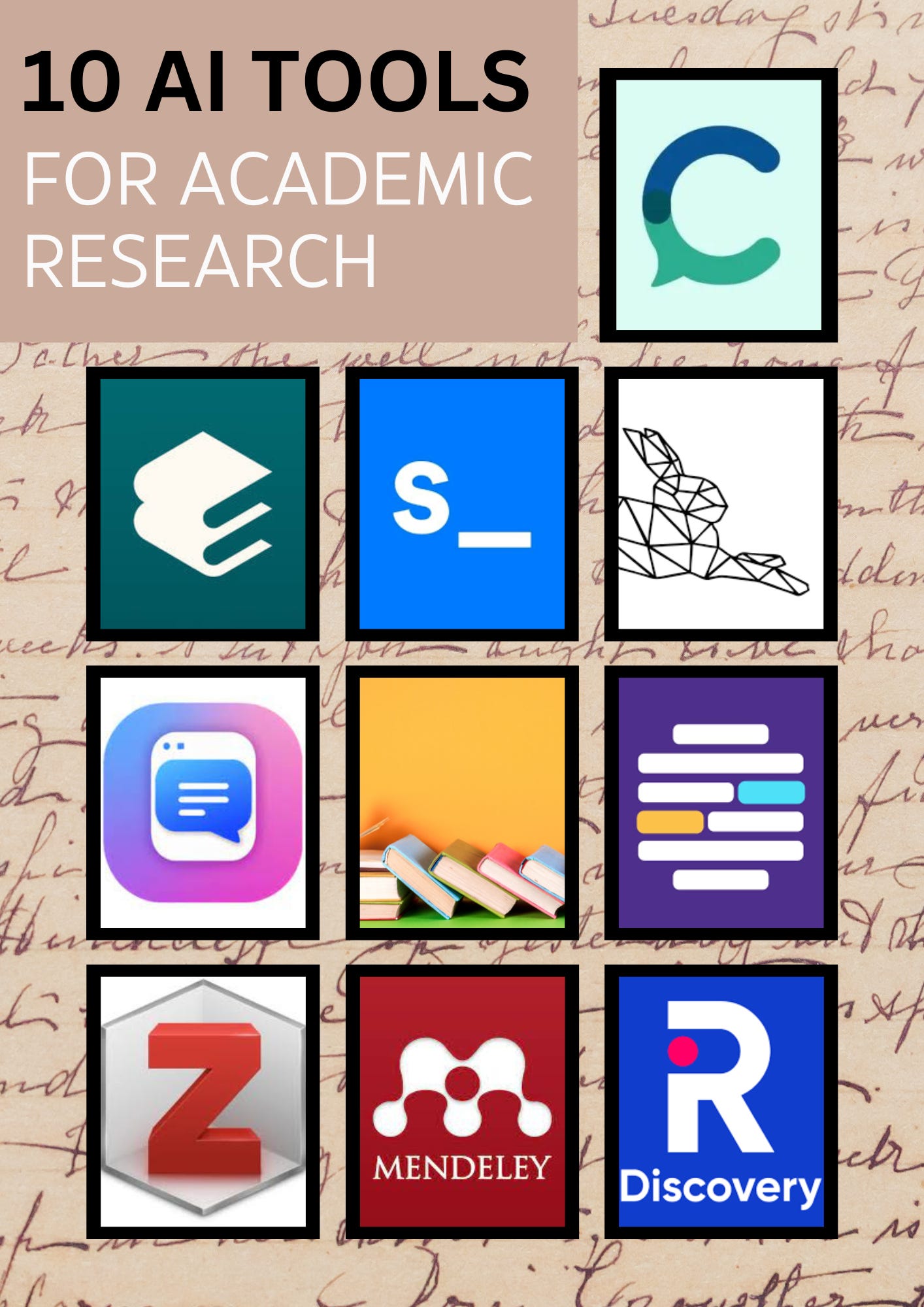
The best AI tools for each scientific research task
Elicit: best overall for literature reviews
Elicit is built for research questions and academic literature. It can help you search for papers, summarize findings, compare studies, and extract details into tables.
It is most useful when you need to move from a broad question to a structured evidence set. For example, a graduate student studying sleep and memory could use it to identify study populations, methods, outcomes, and reported limitations.
Use Elicit when you need to:
- Explore an unfamiliar research topic
- Find papers related to a specific question
- Build an initial literature matrix
- Compare methods across studies
- Identify gaps that require manual investigation
- Prepare background material for a review
Important limits:
- It may miss relevant papers.
- It may simplify complex methods.
- It does not automatically create a complete systematic review.
- Extracted data must be checked against the full paper.
- Access to full text may depend on publisher rights or your institution.
Use Elicit to accelerate discovery and organization. Do not use it as the only database in a review that claims comprehensive coverage.
Consensus: best for evidence-based questions
Consensus is designed to answer research questions by searching academic papers and presenting findings with source links. It can be useful when you want a quick view of whether the literature tends to support a claim.
For example, you might ask whether a specific learning method improves exam performance or whether a type of intervention is associated with a health outcome.
Consensus is useful for:
- Early-stage topic exploration
- Finding papers related to a focused question
- Seeing whether findings are mixed
- Identifying sources for further reading
- Turning a plain-language question into research leads
The main risk is over-compression. A result such as “research suggests” can conceal differences in study design, population, dose, time frame, and outcome measurement.
Before relying on an answer, check:
- Was the evidence observational or experimental?
- Was the population similar to yours?
- How large were the studies?
- Were the results statistically and practically meaningful?
- Did the tool include negative or null findings?
- Does the original paper support the exact wording?
Semantic Scholar: best for free paper discovery
Semantic Scholar is a strong starting point for finding academic literature without a paid subscription. It offers paper search, citation links, related research, author pages, and topic discovery.
It is especially helpful at the beginning of a project, when you need to learn the vocabulary of a field. Search results can reveal alternate terms, landmark papers, newer studies, and competing lines of research.
Use it alongside:
- PubMed for biomedical research
- IEEE Xplore for many engineering and computing topics
- ERIC for education research
- PsycINFO for psychology
- Web of Science or Scopus for citation indexing
- Your university library for full-text access
No single search tool covers all journals, conference papers, books, preprints, dissertations, and regional publications equally well.
Scite: best for checking citation context
Scite helps researchers inspect how later publications cite a paper. Its citation categories can point to papers that support, contrast with, or mention a cited claim.
This is useful because a highly cited paper is not necessarily widely accepted. A citation count does not show whether later work confirmed the result.
Use Scite to ask:
- Do later studies support the original finding?
- Has the result been challenged?
- Is the paper cited for its method rather than its conclusion?
- Are there corrections, retractions, or major criticisms?
- Does the citing paper accurately represent the source?
Treat Scite’s classification as a lead, not a final judgment. Read the original and citing passages, especially when the result affects a clinical, policy, or safety decision.
NotebookLM: best for your own source collection
NotebookLM is useful when you already have a set of documents, such as papers, reports, protocols, lecture notes, or technical manuals. It can answer questions based on those uploaded sources and point you toward relevant passages.
This source-grounded design can reduce the risk of an answer drifting into unrelated web material. It can also help you compare documents or create a study guide.
Use it for:
- Comparing several papers
- Finding repeated themes
- Asking questions about a research protocol
- Locating definitions or methods
- Creating a plain-language briefing
- Preparing questions for a lab meeting
Its accuracy depends on the files you provide. If your source set omits a key paper, NotebookLM cannot correct that omission. It may also misread tables, figures, scanned pages, equations, or specialized notation.
ChatGPT and Claude: best for flexible research support
General-purpose language models are useful for tasks that require explanation, transformation, or structured thinking. They can help you:
- Turn a research question into search concepts
- Draft inclusion and exclusion criteria
- Explain a statistical method
- Create a data-extraction template
- Review code for obvious errors
- Convert notes into an outline
- Improve clarity and grammar
- Generate interview or survey question drafts
- Suggest alternative explanations for a result
They are less reliable as independent literature databases. Unless a tool provides verifiable source links and you check them, do not trust generated citations, quotations, article titles, or numerical claims.
A good prompt asks the model to separate:
- What the source directly reports
- What can reasonably be inferred
- What remains uncertain
- What needs verification
Rayyan and similar review platforms: best for systematic review workflows
A systematic review requires more than summaries. It involves a planned search, clear eligibility rules, duplicate removal, screening, data extraction, risk-of-bias assessment, and transparent reporting.
Tools such as Rayyan can support screening and collaboration. They may help organize records and speed up decisions, but the research team remains responsible for the protocol and final judgments.
If your review will inform clinical practice, policy, or a formal publication, follow an appropriate reporting standard such as PRISMA where applicable. Record changes to the protocol and explain disagreements between reviewers.
How to choose the right AI tool
Start with the research task, not the brand name. The best tool changes when the goal changes.
Choose by workflow stage
| Stage | Recommended approach | Human check |
|---|---|---|
| Define the question | Use ChatGPT, Claude, or a writing tool to suggest terms | Confirm the question is testable and not too broad |
| Find literature | Use field databases, Semantic Scholar, Elicit, or Consensus | Check coverage, dates, study types, and duplicates |
| Screen papers | Use a review platform with human reviewers | Apply inclusion rules consistently |
| Extract data | Use Elicit, NotebookLM, or a structured spreadsheet | Compare every important field with the full paper |
| Assess evidence | Use Scite and the original papers | Inspect methods, bias, uncertainty, and conflicting results |
| Analyze data | Use verified code and standard statistical tools | Test assumptions and review outputs |
| Write the paper | Use an AI editor for structure and clarity | Keep source ownership, citations, and interpretation accurate |
| Prepare submission | Check journal and funder rules | Disclose AI use when required |
Match the tool to the type of evidence
A tool that works well for empirical papers may work poorly for:
- Legal or regulatory documents
- Standards
- Patents
- Technical specifications
- Qualitative interviews
- Historical archives
- Clinical guidelines
- Preprints
- Conference proceedings
- Datasets and code repositories
For example, a medical researcher may need PubMed and clinical guidelines, while an electrical engineer may need IEEE Xplore and standards databases. AI can help connect these sources, but it does not remove the need to search the right source class.
Check access and cost
Some tools offer free search but restrict full-text analysis, exports, advanced filters, or usage volume. Before choosing one, check:
- Whether your institution already provides access
- Whether you can export records
- Whether the tool searches full text or only abstracts
- Whether it supports your file types
- Whether team collaboration is included
- Whether uploaded files are used for model training
- Whether the terms allow confidential research data
Prices and features change often. Check the vendor’s current pricing, privacy policy, and documentation before subscribing.

A safe workflow for using AI in scientific research
AI works best when it reduces repetitive work while leaving evidence decisions to a researcher.
Step 1: Write a precise research question
Start with a question that states the population, exposure or intervention, comparison, outcome, and time frame when relevant.
For example:
Among U.S. college students, does a four-week sleep education program improve self-reported sleep quality compared with usual study advice?
A specific question gives the tool better search terms and makes it easier to judge whether a paper is relevant.
Step 2: Build a search vocabulary
Ask an AI tool to suggest:
- Synonyms
- Older terms
- Technical terms
- Controlled vocabulary
- Related outcomes
- Common abbreviations
- Alternative spellings
Then verify those terms with a librarian, database thesaurus, or papers in the field. Do not paste the AI’s search string into every database without adjustment.
Step 3: Search more than one source
Use at least one broad discovery tool and one field-specific database when the project matters.
Save:
- Database name
- Search date
- Exact search string
- Filters
- Number of results
- Exported records
- Deduplication method
This record makes the process easier to repeat and defend.
Step 4: Verify each key paper
Open the original paper. Confirm:
- Title and authors
- Publication year
- Study design
- Sample size
- Population
- Methods
- Main outcome
- Effect estimate
- Confidence interval, when reported
- Limitations
- Conflicts of interest
- Retraction or correction status
An AI summary can point you to a paper. It cannot replace the paper.
Step 5: Extract data into a fixed template
A structured table reduces selective reading. Useful fields include:
| Field | Example entry |
|---|---|
| Citation | Author, year, journal, DOI |
| Study design | Randomized trial, cohort, qualitative study |
| Population | Eligibility and sample size |
| Intervention or exposure | Exact definition and dose |
| Comparison | Control, baseline, or alternative |
| Outcome | Measurement method and time point |
| Main result | Effect size and uncertainty |
| Limitations | Bias, missing data, small sample |
| Relevance | Direct, indirect, or not relevant |
Ask the AI to fill the table only when it can cite the source location. Mark uncertain fields for manual review.
Step 6: Compare findings, not just conclusions
Two papers may appear to disagree while using different populations, measures, or time periods. Compare:
- Research question
- Study design
- Sample
- Intervention or exposure
- Outcome definition
- Follow-up period
- Statistical model
- Missing data
- Risk of bias
This is where human scientific judgment matters most.
Step 7: Use AI to challenge your interpretation
Ask the tool to identify:
- Alternative explanations
- Confounding variables
- Unsupported causal claims
- Missing comparison groups
- Weak generalizations
- Conflicts between papers
- Results that depend on one assumption
Treat the output as a critique checklist. Do not assume every suggested criticism is valid.
Step 8: Write from verified notes
Draft from your checked evidence table, not from an unverified AI summary. Keep a clear link between each important sentence and its source.
If AI helped with writing, analysis, coding, translation, or figure creation, follow the disclosure rules of the journal, university, employer, funder, or conference.

AI research mistakes that can damage a paper
Trusting invented citations
Language models can produce plausible but false references. A title may sound real, and a DOI may look correct, yet the paper may not exist.
Fix: Check every citation in Crossref, PubMed, the publisher page, a library database, or the original journal.
Treating abstracts as complete evidence
Abstracts often omit important details about bias, missing data, subgroup analysis, and adverse events.
Fix: Read the methods, results, tables, figures, and limitations for every source that supports a major claim.
Confusing association with causation
An observational study may show that two variables are related. It does not automatically show that one caused the other.
Fix: Preserve the original study’s language. Use “associated with” when the design does not support a causal claim.
Letting AI remove uncertainty
AI summaries often sound more certain than the paper. This can turn “may be associated with” into “causes.”
Fix: Keep qualifiers such as “may,” “suggests,” “was linked to,” and “the evidence is mixed” when they reflect the source.
Uploading sensitive data without checking terms
Unpublished findings, patient records, human-subject data, and confidential grant material may require strict controls.
Fix: Remove identifying information, follow your institution’s data policy, and use an approved environment when required. Do not upload protected data to a consumer tool without authorization.
Using AI-generated code without testing it
AI can write code that runs but produces an incorrect result. It may use the wrong statistical test, mishandle missing values, or create data leakage.
Fix: Test code with known examples, inspect intermediate outputs, document assumptions, and have a qualified analyst review important work.
Assuming a tool searched everything
A tool may search a limited index, selected full text, or only documents available to it. Its results may not represent the whole field.
Fix: Report the databases and search methods used. Do not call a search comprehensive unless the method supports that claim.

How to check whether an AI-generated research answer is reliable
Use a five-part check before citing or acting on an answer.
1. Source check
Does the answer provide a real source? Can you open it? Does the source contain the claimed information?
2. Scope check
Does the evidence apply to the same population, setting, intervention, and outcome?
3. Method check
What design produced the result? A randomized trial, observational study, review, simulation, and expert opinion answer different questions.
4. Numbers check
Verify sample size, effect size, units, confidence intervals, and dates. Ask whether the tool confused relative and absolute risk.
5. Conflict check
Look for corrections, retractions, contradictory studies, and known limitations. A single paper rarely settles a complex question.
For high-stakes research, create an audit trail with the original source, the AI output, your corrections, and the final interpretation.
AI tools and research integrity
AI use does not remove the duties of authorship, attribution, data protection, or reproducibility.
The researcher remains responsible for:
- The accuracy of the manuscript
- The integrity of the data
- The validity of the analysis
- The originality of the work
- Proper source attribution
- Disclosure of relevant AI use
- Protection of confidential information
Journal rules vary. Some publishers permit AI-assisted editing but do not allow AI systems to be listed as authors. Universities, federal agencies, and funders may also have their own policies.
Check the current instructions from:
- The target journal
- Your university or research institution
- Your institutional review board, when relevant
- Your funder
- The conference or publisher
- The data owner or project sponsor
The U.S. National Institute of Standards and Technology’s AI Risk Management Framework is a useful general reference for thinking about validity, reliability, privacy, transparency, and accountability. It is not a substitute for field-specific research rules.
Key takeaways
- Elicit is the best overall starting point for many literature-review tasks.
- Semantic Scholar is a strong free option for discovering papers.
- Consensus helps answer focused questions using linked research.
- Scite is useful for examining citation context and disagreement.
- NotebookLM works well for questions about your own source files.
- ChatGPT and Claude are helpful for drafting, explanation, coding support, and critique.
- No AI tool guarantees a complete search or a correct interpretation.
- Verify important claims against original papers, datasets, protocols, or official records.
- Do not upload confidential or protected data unless your approved policy allows it.
Frequently asked questions
Is ChatGPT the best AI tool for scientific research?
ChatGPT is one of the most flexible tools, but it is not automatically the best research database. It works well for outlining, explaining methods, generating code drafts, and editing text. For literature discovery and source tracking, a research-focused tool such as Elicit, Semantic Scholar, Consensus, or a field-specific database may be more suitable.
Can AI write a scientific paper?
AI can help organize notes, improve language, suggest an outline, and explain technical ideas. It should not invent data, citations, methods, or results. The researchers must verify the content, meet authorship rules, protect confidential information, and disclose AI use when required.
Which AI tool is best for systematic reviews?
No AI tool can replace a systematic review protocol or trained reviewers. A practical workflow may combine a field database, a review platform such as Rayyan, a citation manager, and an AI tool for carefully checked extraction or summarization. The review team must still screen studies, assess bias, and report the method transparently.
Can AI find every relevant scientific paper?
No. Coverage depends on the tool’s index, database access, language, publication type, date range, and search method. Use more than one source when completeness matters, and record the search process.
Is AI-generated citation information reliable?
It can be wrong. AI may invent papers, alter titles, assign the wrong authors, or attach a real DOI to a different claim. Verify each citation through a trusted database, publisher, library record, or the original paper.
Final recommendation
For most U.S. students, researchers, and research teams, start with Elicit for literature discovery and structured review support. Add Semantic Scholar for broad free search and Scite when you need to inspect citation context. Use NotebookLM for your own document set, and use ChatGPT or Claude for writing, explanation, coding support, and critical questions.
The best scientific research workflow is not built around one AI tool. It combines the right database, a clear question, a documented method, source verification, and human judgment. AI can shorten the path to evidence, but the researcher must still decide whether that evidence is sound.
Sources and further reading
- Elicit
- Consensus
- Semantic Scholar
- Scite
- NotebookLM
- Rayyan
- NIST AI Risk Management Framework
- PRISMA Statement
- PubMed
- Crossref

Everett Ashford is a tech reviewer at mytechgrid.com specializing in SSDs, cameras, TVs, earbuds, headphones, and other consumer electronics. He provides honest, data-driven reviews based on hands-on testing and real-world performance analysis. Everett simplifies complex tech details to help readers make smart, confident buying decisions.