Introduction
If you bought or received a Canon camera in the United States, you can usually find the exact model in less than two minutes. Check the name printed on the front or top of the camera first. If the label is missing, open the camera menu, inspect the battery compartment, or read the photo’s metadata on a computer.
The model name matters when you need a manual, a charger, a battery, a lens, a firmware update, or repair help. A name such as Canon EOS Rebel T7, Canon EOS R50, or Canon PowerShot SX740 HS identifies a specific camera. The serial number does not replace the model name.
Check the Camera Body First
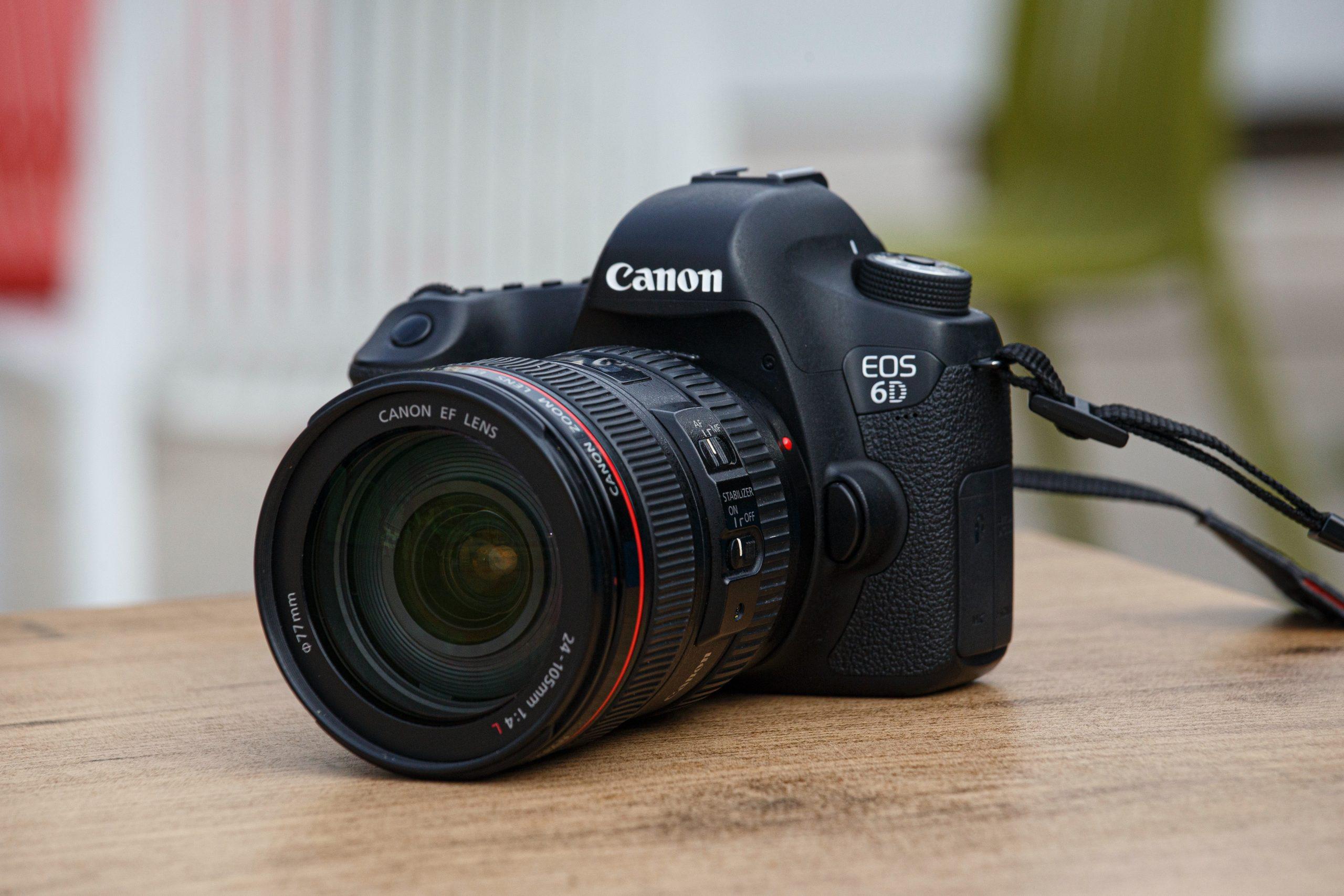
The fastest method is to look for the model name printed on the camera body. Canon places the name in different spots based on the camera type.


Look in these areas:
- The front near the lens mount
- The top near the shutter button
- The front-right or front-left corner
- The back near the screen
- The bottom beside the tripod socket
- The original camera box or receipt
The printed name may include several parts. For example:
- EOS identifies Canon’s interchangeable-lens camera system.
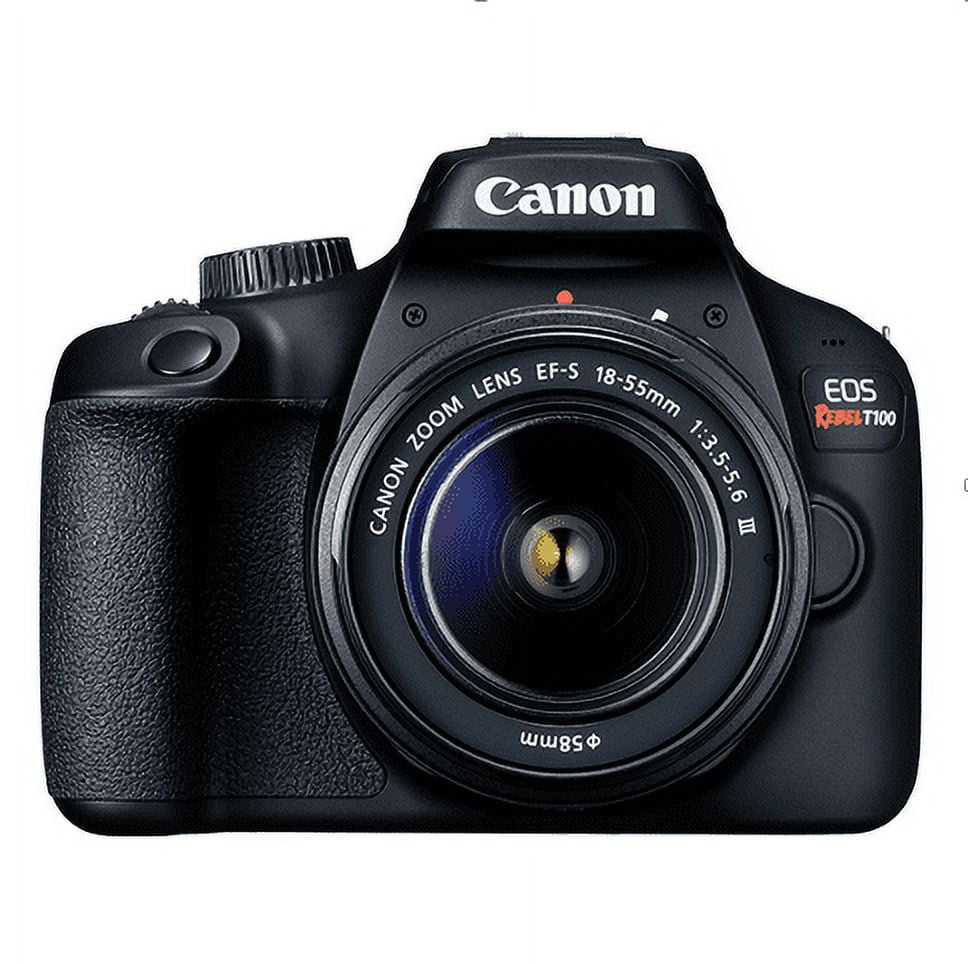
- Rebel is used on many Canon DSLR models sold in the United States.
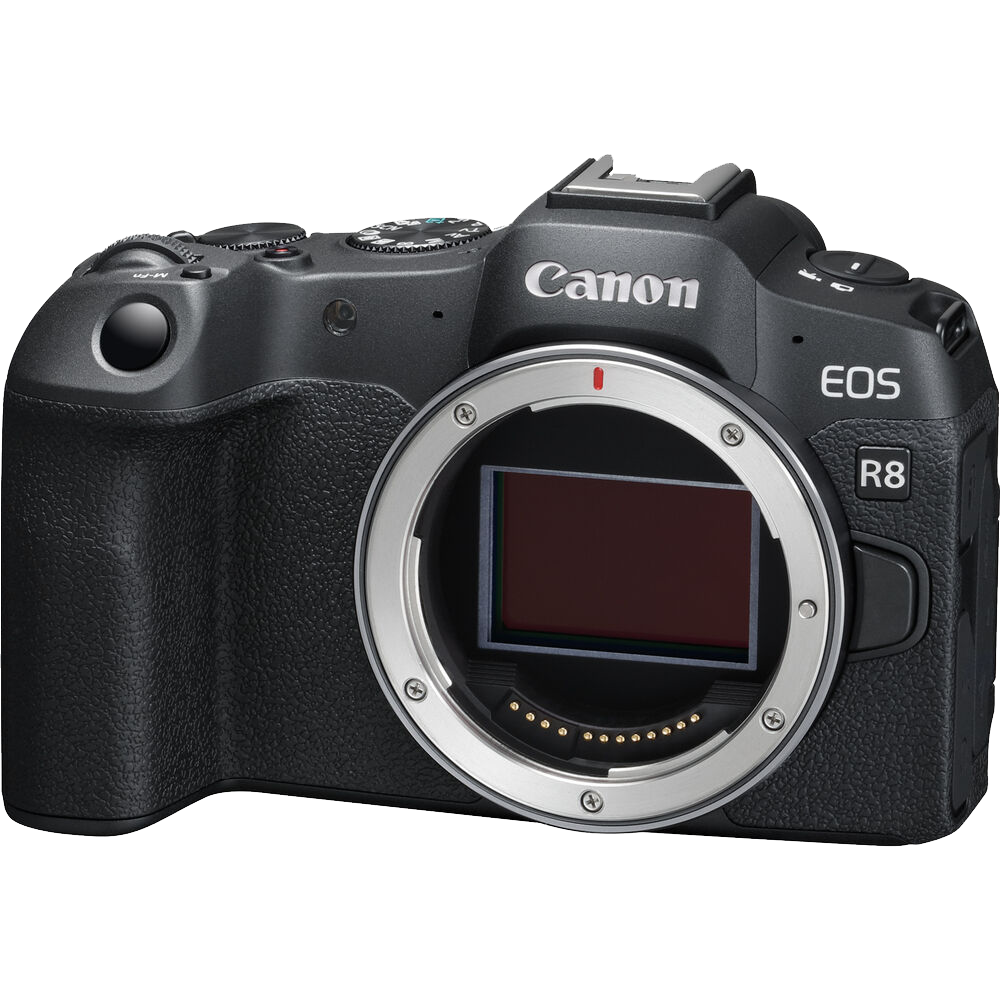
- R usually identifies Canon’s newer mirrorless EOS R system.
- M identifies Canon’s EOS M mirrorless line.
- PowerShot identifies Canon’s fixed-lens compact camera line.
- IXUS and IXY are names used in some markets, but they are less common on cameras sold in the United States.
Common examples
| Camera label | Camera type | What it tells you |
|---|---|---|
| Canon EOS Rebel T7 | DSLR | A Rebel-series DSLR sold in the U.S. |
| Canon EOS 90D | DSLR | An EOS DSLR with an APS-C sensor |
| Canon EOS R50 | Mirrorless | An EOS R mirrorless camera |
| Canon EOS R6 Mark II | Mirrorless | A higher-end full-frame EOS R model |
| Canon EOS M50 Mark II | Mirrorless | An EOS M mirrorless camera |
| Canon PowerShot G7 X Mark III | Compact | A fixed-lens PowerShot camera |
| Canon PowerShot SX740 HS | Compact | A compact camera with a built-in zoom lens |
Do not rely on the lens name alone. A Canon EF-S 18–55mm lens can work with several different camera bodies. The lens tells you about the lens, not the exact camera model.
Find the Model in the Camera Menu
If the outside label is hard to read, the camera menu may show the model name or a related identification code.
Turn the camera on and try these steps:


- Press Menu.
- Look for a tab called Set-up, Tools, or Configuration.
- Check for Firmware, System Information, Communication Settings, or Certification Logo Display.
- Write down any model name or identification code shown.
- Compare that information with Canon’s official support site or the camera manual.
The menu layout varies by model. Older Canon cameras may not display the full retail name. Some menus show only a code, firmware version, or regulatory information.
Do not change firmware settings while trying to identify the camera. Reading the information is safe, but installing the wrong firmware can cause problems. Use the exact model shown by Canon before downloading an update.
If the menu shows only a code
A code may look less useful than a name, but it can still help. Write down the full code, including letters, numbers, and punctuation. Then search that code on Canon U.S. Support.
Use a search format such as:
Canon [full code]
Avoid removing letters or changing numbers. Small differences can identify different cameras, batteries, or regional versions.

Use a Photo’s Metadata
A photo taken with the camera often stores the model name in its metadata. Metadata is technical information saved inside the image file. It can include the camera model, lens, focal length, shutter speed, aperture, ISO, and date.
On a Windows PC
- Copy the original photo to your computer.
- Right-click the file.
- Select Properties.
- Open the Details tab.
- Look for Camera model or Equipment model.
On a Mac
- Open the original image in Preview.
- Select Tools.
- Choose Show Inspector.
- Open the information tab.
- Look for camera or equipment details.
Photo apps such as Apple Photos, Adobe Lightroom, and other image managers may also show the camera model.
Use the original file when possible. Social media sites, messaging apps, and some editing programs may remove metadata during export. A screenshot usually does not contain the original camera information.
What if the photo says only “Canon”?
That usually means the file has limited metadata or that an app removed part of it. Try another original photo straight from the camera card. JPEG, RAW, and some video files may store different levels of information.
Metadata is helpful, but it is not perfect proof. A file may have been edited, renamed, or copied from another camera. Use metadata with the body label or Canon support database when the model matters.

Check the Battery Door, Bottom, and Serial Label
Canon often places identification labels on the bottom of the camera or inside the battery compartment. Remove the battery only when the camera is switched off and the camera is not connected to power.
Look for:


- A model name
- A regulatory label
- A product number
- A serial number
- A barcode sticker
- A country or region mark
The model name and serial number serve different purposes.
| Identifier | Main use |
|---|---|
| Model name | Finds manuals, features, parts, and accessories |
| Serial number | Identifies one individual camera |
| Firmware version | Shows the software installed on the camera |
| Lens model | Identifies the attached lens |
| Battery model | Identifies the battery type |
Do not post your full serial number in a public forum or social media post. A serial number can be useful for warranty or repair service, but strangers usually do not need to see it.
The label may be worn or hidden by a grip. Use a flashlight and take a clear phone photo of the label. Do not scrape the sticker or use harsh cleaners.
Identify the Camera From the Original Box or Documents
The retail box, manual, receipt, and warranty paperwork may show the exact model. Check the barcode label and the first page of the manual.
A box may list a kit rather than only the camera body. For example, it may say:
Canon EOS Rebel T8i with EF-S 18–55mm lens
In that example, EOS Rebel T8i is the camera model. EF-S 18–55mm is the lens included in the kit.
Be careful with bundle names. A store may create a bundle with a camera, lens, memory card, bag, and spare battery. The bundle name is not always the official camera model.
A receipt can also show a shortened name. Search the full product code on Canon’s U.S. website if the receipt uses an abbreviation.

Use Canon’s Support Site to Confirm the Model
After you find a possible model name, confirm it with Canon’s official U.S. support pages. This is the best way to separate similar models.
For example, EOS Rebel T7, EOS Rebel T7i, and EOS Rebel T8i are different cameras. They may use related lenses, but their batteries, menus, wireless features, and manuals can differ.
Search Canon support for:
- The full model name
- The model name without spaces
- The identification code from the label
- The name shown in photo metadata
Then compare:


- The camera’s shape
- Button locations
- Screen type
- Battery model
- Memory card type
- Viewfinder design
- Lens mount
- Manual title
- Firmware page
Use Canon’s U.S. site when the camera was purchased in the United States. Names and product pages can differ by region. A model sold under one name in Europe or Asia may use another name in the United States.
If Canon’s search returns several close matches, do not guess. Compare the body label and battery type before downloading a manual or accessory.
Know Which Canon Camera Family You Have
The camera family gives you a useful first clue, but it does not identify the exact model.
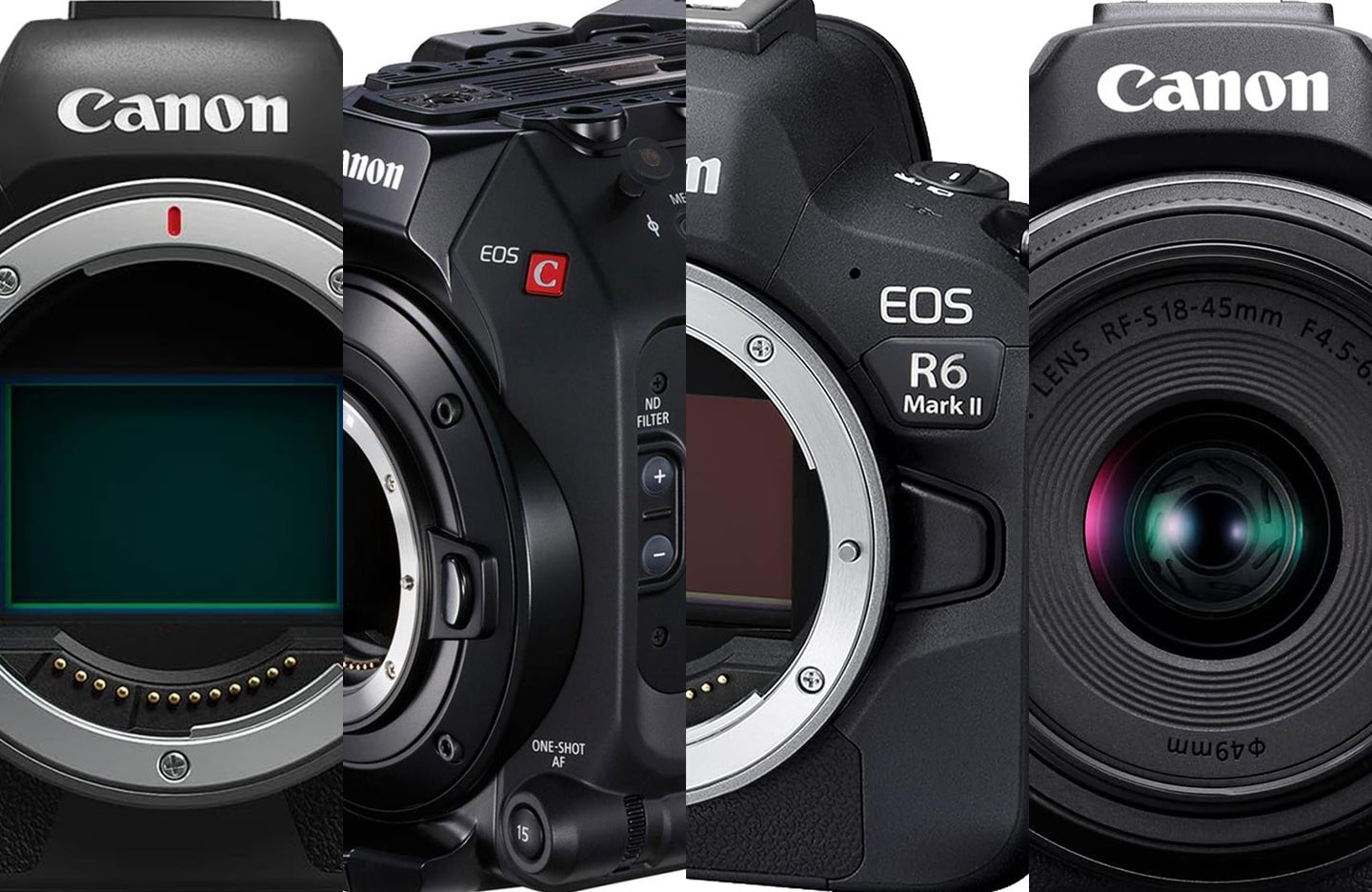
Canon EOS DSLR
A DSLR has a raised viewfinder housing and a mirror inside the body. Common U.S. examples include:
- EOS Rebel T-series cameras
- EOS 90D
- EOS 7D Mark II
- EOS 6D Mark II
- EOS 5D-series cameras
Many Canon DSLRs use EF or EF-S lenses. That does not mean every EF or EF-S lens works on every Canon body in the same way.
Canon EOS R mirrorless
EOS R cameras do not use a DSLR mirror box. Examples include:
- EOS R50
- EOS R10
- EOS R7
- EOS R8
- EOS R6 Mark II
- EOS R5
These cameras use the RF lens mount. Canon also makes adapters that can allow many EF and EF-S lenses to work with EOS R bodies. The adapter does not turn an EOS R camera into a DSLR.
Canon EOS M mirrorless
EOS M cameras are compact mirrorless cameras that use the EF-M lens mount. Examples include:
- EOS M50
- EOS M50 Mark II
- EOS M6 Mark II
- EOS M200
The EOS M name is not the same as EOS R. Check the exact model before buying lenses or adapters.
Canon PowerShot
PowerShot cameras have a built-in lens that does not normally detach. Common series include:
- PowerShot G
- PowerShot SX
- PowerShot ELPH
- PowerShot S
The name may appear on the front or top of the camera. Since several PowerShot models look alike, the number and letters after “PowerShot” are essential.
Do Not Confuse the Camera Model With the Lens
The lens may carry a larger or clearer label than the camera body. That can cause confusion.
A label such as Canon EF 50mm f/1.8 STM identifies the lens. It does not identify the camera. The body may be an EOS Rebel T7, EOS 90D, EOS 6D Mark II, or another compatible model.


Read the camera body near the lens mount. On a DSLR, the model name is often on the front-right side when you hold the camera normally. On a mirrorless camera, it may be on the top or front.
If the lens is stuck on the body, do not force it off just to read a label. You can identify most cameras from the top, back, bottom, menu, or a photo file.

What to Do When You Still Cannot Identify It
Use this order if the model remains unclear:
- Photograph the front, top, back, and bottom of the camera.
- Photograph the battery and any label inside the battery compartment.
- Check an original photo for metadata.
- Search Canon U.S. Support using every visible code.
- Compare the camera with official manual images.
- Contact Canon support or a qualified camera shop.
When asking for help, include clear photos of the camera but hide the full serial number. Show the lens mount, controls, screen, and labels. Tell the helper whether the lens is removable.
Do not buy a battery, charger, lens, or firmware file based only on appearance. Similar Canon cameras can use different accessories. Confirm the model first.

Common Mistakes When Identifying a Canon Camera
Mistaking the lens for the camera
This is the most common error. Read the name on the camera body, not only the lens barrel.
Ignoring the letters
The letters T7, T7i, and T8i are not interchangeable model names. The same applies to R50, R10, and R7.
Confusing a kit name with a body name
A kit may include a camera and lens. Separate the body model from the lens model.
Using a regional name
Some Canon models have different names outside the United States. Use Canon U.S. Support if the camera is for the U.S. market.
Searching by color alone
Black, silver, and white versions may share a model name. Color is not a reliable identifier.
Posting the serial number publicly
The serial number can help with service, but it is not needed for most identification questions. Share only the part that Canon or a repair provider requests.
Key Takeaways
- Read the model name on the camera body first.
- Use the menu or photo metadata when the label is hard to see.
- The lens name is not the camera name.
- The model name and serial number have different purposes.
- Confirm the result on Canon U.S. Support before buying accessories or installing firmware.
- Hide your full serial number when asking for help online.
FAQs
How can I tell if my Canon camera is a DSLR or mirrorless?
A DSLR usually has a raised optical viewfinder and uses a mirror inside the body. A mirrorless camera may have an electronic viewfinder or only a rear screen. The model name is the most reliable way to confirm the camera type.
Where is the model number on a Canon camera?
Check the front, top, bottom, rear, and battery compartment. The model may also appear in the camera menu, on the original box, or in the metadata of an original photo.
Is “EOS” the model of my Canon camera?
No. EOS identifies a Canon camera system. The full model may be EOS Rebel T7, EOS R50, EOS 90D, or another name.
Can I identify a Canon camera from its serial number?
Often, Canon support can use a serial number to help with service records, but the serial number alone may not be enough for a public identification. Use the full model name or product code whenever possible.
How do I know which Canon battery or charger I need?
First identify the exact camera model. Then check the official Canon manual or accessory information for that model. Do not choose a battery based only on the camera’s shape.
Conclusion
To find out what Canon camera you have, start with the name printed on the body. If you cannot read it, check the menu, battery compartment, original documents, and metadata from an untouched photo. Then confirm the result through Canon’s U.S. support pages.
The exact model is more useful than a broad label such as “Canon DSLR” or “Canon EOS.” It helps you choose the right manual, battery, charger, lens, firmware, and repair path without guessing.

Everett Ashford is a tech reviewer at mytechgrid.com specializing in SSDs, cameras, TVs, earbuds, headphones, and other consumer electronics. He provides honest, data-driven reviews based on hands-on testing and real-world performance analysis. Everett simplifies complex tech details to help readers make smart, confident buying decisions.