Introduction
Yes—most true wireless earbuds charge inside their case while the case itself is charging. This is the normal design for many popular earbuds sold in the United States, including Apple AirPods, Samsung Galaxy Buds, Google Pixel Buds, and other models.
The earbuds must sit correctly in the charging slots, and the case must have power through a USB cable, wireless charging pad, or another approved method. Some models may pause or limit charging when the earbuds or case are nearly full.
For the safest result, use the charging cable, adapter, and instructions made for your earbuds. Avoid damaged cables, wet charging ports, and low-quality charging accessories.


How Earbud and Case Charging Works
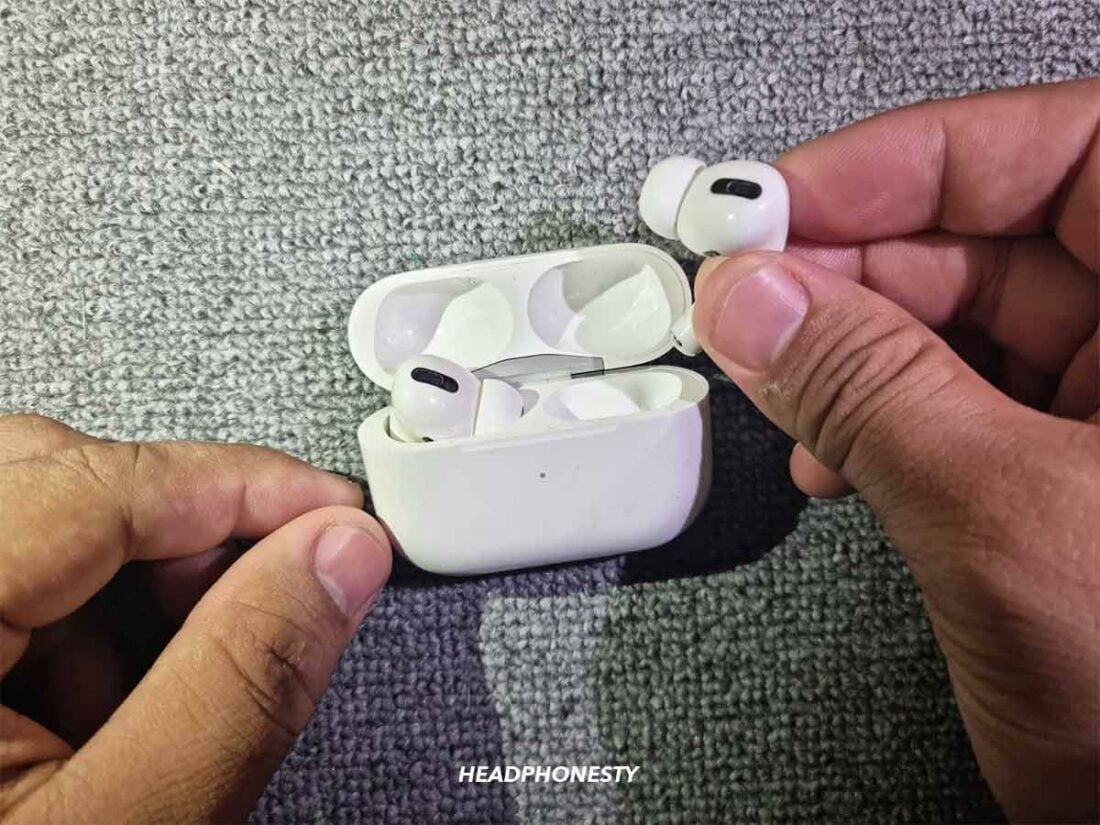
A charging case contains its own battery. When you plug the case into power, that battery begins to charge. At the same time, small metal contacts inside the case can send power to the earbuds.
The process usually works like this:
- The wall adapter or charging pad sends power to the case.
- The case manages that incoming power.
- The case charges its internal battery.
- The charging contacts send power to each earbud.
- The earbuds charge until they reach their set limit.
Think of the case as both a battery pack and a small charging station. It can store power for later use and pass power to the earbuds while connected to a charger.
Does the case charge first?
Usually, no. Many cases can charge the case battery and the earbuds at the same time. However, the exact power pattern depends on the model.
Some cases may:
- Charge the earbuds first.
- Charge the case battery first.
- Split power between both.
- Reduce charging speed when several batteries are nearly full.
- Stop charging one or both devices at a high battery level.
These choices are controlled by the case’s charging system. A short delay does not always mean there is a fault.


Apple documents charging AirPods in their case while the case receives power. Samsung and Google also provide charging instructions for cases that charge through USB-C or wireless charging, though features vary by model.

How to Charge Earbuds and the Case at the Same Time
To charge both devices, place the earbuds in the case, close the lid, and connect the case to a compatible power source.
With a USB cable
- Put both earbuds into their matching slots.
- Press each earbud down gently so it touches the metal contacts.
- Check for a charging light or battery status on the connected phone.
- Close the case.
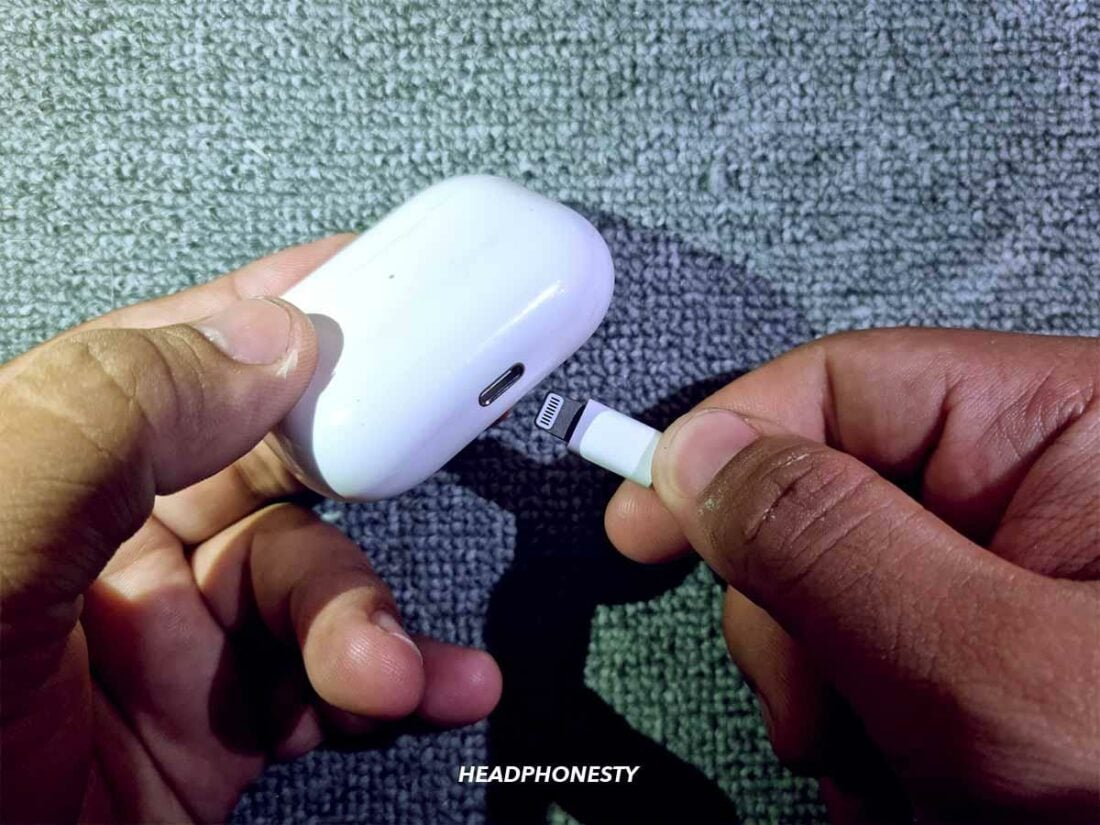
- Connect the case to the correct USB cable.
- Plug the cable into a safe wall adapter or powered USB port.
- Leave the earbuds in the case until they reach the desired charge.
A wall adapter made for phones is usually suitable when the earbud maker allows USB charging. The case controls how much power it accepts, so a higher-rated adapter does not automatically force too much power into the earbuds.
With a wireless charging pad
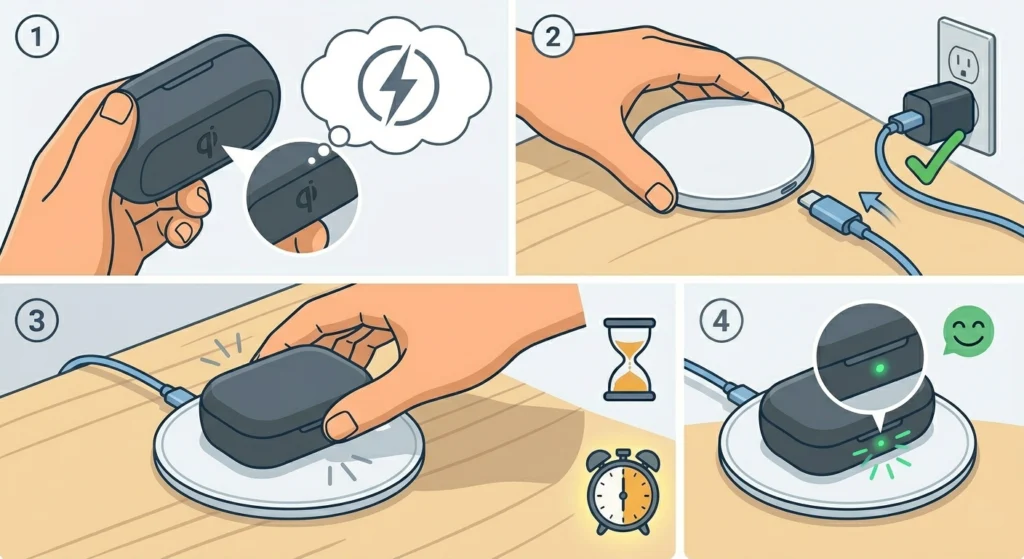
Wireless charging only works if the case supports it. If it does:
- Place the earbuds in the case.
- Close the lid.
- Center the case on the charging pad.
- Look for the charging indicator.
- Move the case slightly if charging does not begin.
Thick cases, metal objects, poor alignment, or a pad that does not support the right wireless standard can stop charging. Some earbuds support Qi charging, while others support a brand-specific system or a compatible phone feature.
Signs that charging is working
Look for one or more of these signs:
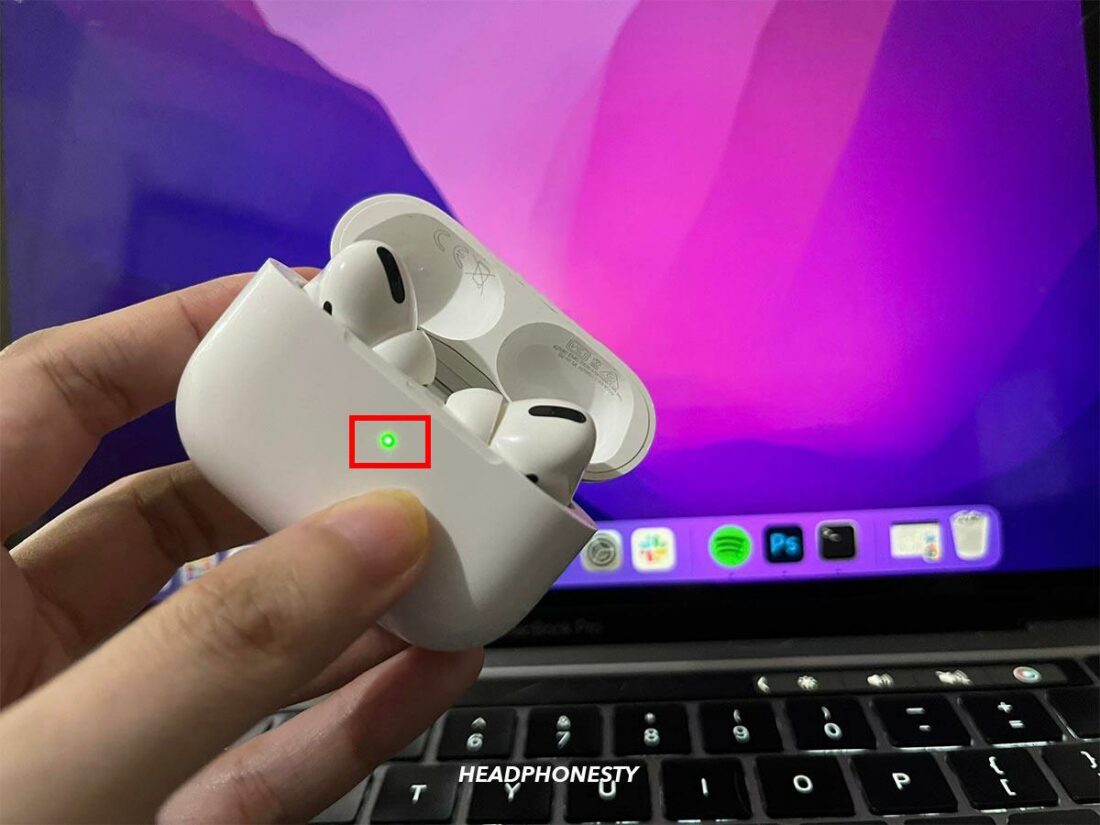
- A case LED turns on or pulses.
- The phone shows a charging symbol.
- The earbud battery percentage rises in the companion app.
- The case battery percentage rises.
- The earbuds feel slightly warm, but not hot.
The most reliable check is to view both earbud and case levels after 10 to 15 minutes. Battery percentages may update slowly, so do not judge charging from the light alone.

What to Do If the Earbuds Do Not Charge While the Case Is Charging
If the case charges but the earbuds do not, check the earbud connection first. Most failures come from poor contact, dirt, an empty case, or a software issue.
1. Confirm that the earbuds are seated
Remove and replace each earbud. Make sure the left earbud is in the left slot and the right earbud is in the right slot.
The earbud should sit fully inside the case. If the earbud tip, wing, or protective cover blocks the lid or contact area, the charging pins may not touch.
2. Clean the charging contacts
Turn off or disconnect the charger before cleaning. Use a dry, soft cotton swab or a clean, dry microfiber cloth.
Clean:
- The metal contacts on each earbud.
- The pins or pads inside the case.
- Dust around the charging wells.
Do not pour liquid into the case. Do not scrape the contacts with a pin, knife, or other metal tool. If the contacts are wet, let everything dry fully before charging.


3. Check the case battery level
A case can show a charging light while still lacking enough stored power to charge the earbuds. Leave the case connected for at least a short period, then check again.
If the case battery remains at zero or does not rise, the issue may involve the cable, adapter, port, battery, or charging circuit.
4. Try another approved cable or power source
Test a different cable that fits the case. If possible, use a known-good wall adapter and a different outlet.
Avoid assuming that a cable is safe because it fits. A damaged cable can cause slow, unstable, or interrupted charging.
5. Restart or reset the earbuds
A temporary software error can prevent the case from reporting the correct battery state. Follow the reset process in the product manual or the manufacturer’s support app.
Resetting may remove pairing information, so you may need to connect the earbuds to your phone again.
6. Check for temperature problems
Lithium-ion batteries may pause charging when they are too hot or too cold. Move the case to a dry room-temperature location and let it return to normal temperature.
Do not cool hot earbuds in a refrigerator or heat them with a hair dryer.
Why One Earbud Charges but the Other Does Not
When one earbud charges and the other does not, the problem is often physical contact rather than the main case battery.
Possible causes include:
- The noncharging earbud is not seated correctly.
- Dirt covers one contact.
- A spring-loaded pin is stuck.
- The earbud battery is deeply discharged.
- A silicone tip or wing prevents a full fit.
- The case or earbud has a hardware fault.
Remove both earbuds and inspect the slots. Compare the charging contacts on the working and nonworking sides. If one contact pin looks lower, stuck, bent, or damaged, stop pressing the earbud into the case.
If cleaning and reseating do not help, check the manufacturer’s warranty or repair options. Do not open the earbud or case. Small lithium batteries can be damaged by puncture, crushing, heat, or incorrect repair.
How Long Does It Take to Charge Earbuds and the Case?
Charging time varies by model, battery size, charger type, temperature, and battery condition. A quick charge feature may provide extra listening time after a short period, but the exact result is model-specific.


Use the manual or support page for the official time. Do not treat a charging light as proof that the battery is full.
A simple way to check performance is to record the battery levels:
| Check | What to record |
|---|---|
| Before charging | Left earbud, right earbud, and case percentages |
| After 15 minutes | Whether all three levels changed |
| After 30 minutes | Whether charging continued |
| At full charge | Whether the light or app shows completion |
This test helps separate slow charging from a battery that is not charging at all.
Does fast charging damage earbuds?
Normal fast charging supported by the manufacturer should include controls that limit current and heat. The case and earbuds are designed to stop or reduce charging when the batteries are full.
Still, heat can shorten battery life over time. Keep the case out of direct sunlight, cars on hot days, and enclosed spaces with poor airflow. Use the approved charger and stop using the product if it becomes unusually hot, swells, smells strange, smokes, or shows damage.

Can You Use the Earbuds While the Case Is Charging?
Usually, yes, if the earbuds are removed from the case and have enough battery power. The case can remain connected to its charger while you use the earbuds.
However, the earbuds will not charge while they are outside the case. They must be returned to the charging slots for the case to send them power.
Some models may behave differently when the lid is open, when they are connected to a phone, or when the case is in a low-power state. The main rule remains the same: the case charges the earbuds only when the earbuds are properly seated inside it.

Does Wireless Charging Work While the Earbuds Are in the Case?
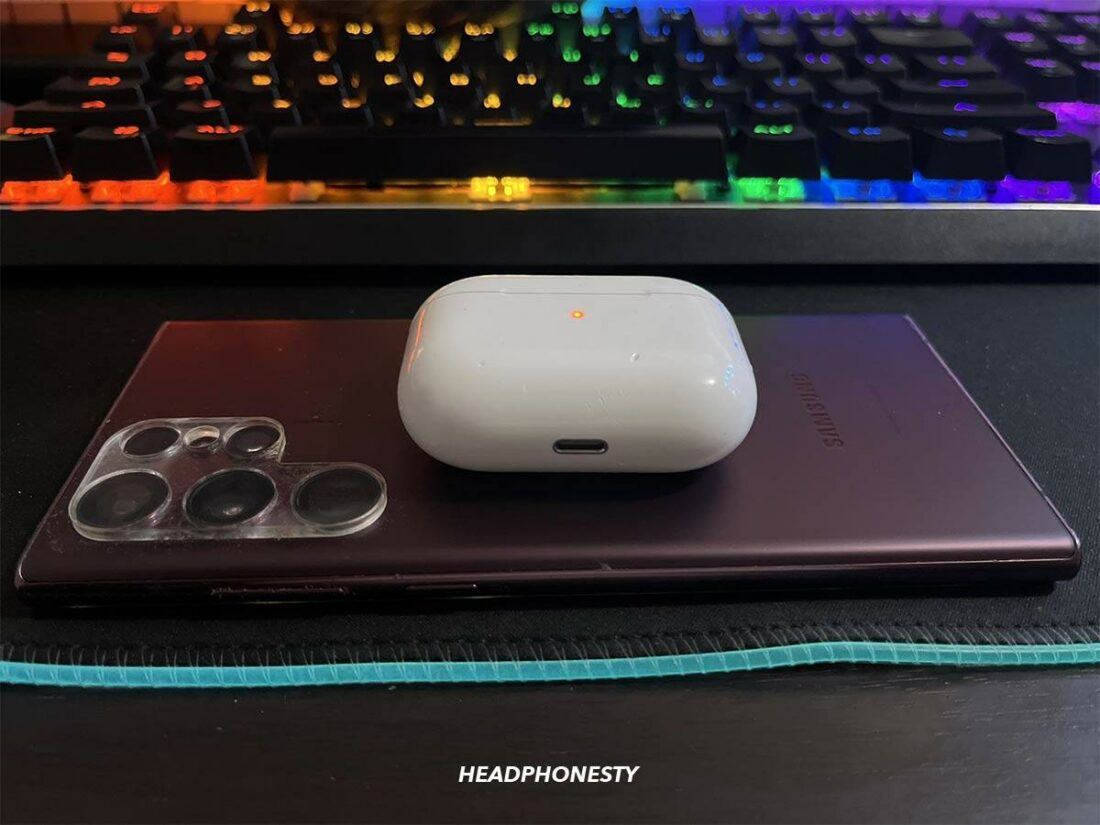
Yes, a compatible wireless charging case can usually charge the earbuds while sitting on a supported charging pad.
The important word is compatible. Not every case supports wireless charging, even if the earbuds themselves look similar to a model that does.
Before using a wireless pad, check:
- The exact earbud model.
- Whether the case supports Qi or another stated standard.
- Whether the charging pad is approved or recommended.
- Whether the case is centered on the pad.
- Whether a protective case blocks wireless charging.
If the case becomes very warm, remove it from the pad and let it cool. Wireless charging can create more heat than wired charging, especially when alignment is poor.


Common Charging Mistakes to Avoid
Avoid these habits because they can cause slow charging, false charging indicators, or damage:
- Leaving earbuds partly outside their charging slots.
- Charging a wet case or wet earbuds.
- Using sharp tools to clean contacts.
- Forcing the lid closed over oversized ear tips.
- Using visibly damaged cables.
- Charging on a hot surface or in direct sun.
- Ignoring swelling, smoke, burning smells, or repeated overheating.
- Assuming every USB-C cable or wireless pad offers the same result.
- Storing the earbuds outside the case for long periods when they are not in use.
If the case or earbuds show physical damage, unplug the charger. Do not continue testing a battery that is swollen, cracked, leaking, or unusually hot.
Key Takeaways
- Most wireless earbuds charge while their case is charging.
- The earbuds must sit correctly on the case contacts.
- The exact charging order depends on the model.
- A charging light may show case power without proving that both earbuds are charging.
- Clean, dry contacts and a compatible cable solve many charging problems.
- Use the manufacturer’s manual for exact charging times and wireless charging support.
- Stop using the device if it becomes very hot, swells, smokes, or smells unusual.
Frequently Asked Questions
Do earbuds charge faster when the case is plugged in?
Often, the case can supply power to the earbuds while it receives power from the charger. Charging speed still depends on the model, battery level, temperature, and charging method. The earbuds may charge more slowly if the case is also charging its own battery.
Should I leave earbuds in the case while the case charges?
Yes. Leaving the earbuds in the case is the normal way to charge both at once. Make sure the earbuds are seated correctly and that the case shows a charging signal.
Can I charge the case without the earbuds inside?
Yes. The case can normally charge by itself. Removing the earbuds may let the case charge faster because it does not need to send power to the earbud batteries.
Why does the case say it is charging but the earbuds stay at the same percentage?
The earbuds may not be touching the charging contacts. Dirt, a poor fit, a stuck contact pin, extreme temperature, or a software error can also cause this problem. Clean and reseat the earbuds, then test with another approved cable or adapter.
Is it safe to charge earbuds overnight?
For most modern products, the built-in charging system is designed to stop or reduce charging when the batteries reach their limit. Even so, follow the manufacturer’s instructions and charge the case on a hard, cool, dry surface. Do not charge damaged or swollen earbuds overnight.
Conclusion
For most wireless earbuds, the answer is yes: the earbuds can charge inside the case while the case is plugged in or placed on a compatible wireless charger. The case manages power for both batteries, but charging behavior differs by model.
If the case charges but the earbuds do not, start with the simple checks: reseat the earbuds, clean the contacts, confirm the case has power, and try an approved cable or charger. If the problem continues—or the device becomes hot, swollen, or damaged—stop charging and contact the manufacturer or a qualified repair service.

Everett Ashford is a tech reviewer at mytechgrid.com specializing in SSDs, cameras, TVs, earbuds, headphones, and other consumer electronics. He provides honest, data-driven reviews based on hands-on testing and real-world performance analysis. Everett simplifies complex tech details to help readers make smart, confident buying decisions.