Best 2TB SSD for Legion Go: Transcend 2TB MTE410S PCIe 4.0 M.2 2242.
You love your Legion Go. You want room for large games, quick load times, and low power draw on the handheld. Swapping to a proper 2TB SSD solves cramped storage, slow installs, and stuttering during large game loads. I tested options—internal M.2 2242 drives and fast portable SSDs—to pick the best 2tb ssd for legion go and practical alternatives for users who want speed, durability, and easy setup.
See the differences between my top picks at a glance.
Transcend 2TB MTE410S 2242 NVMe

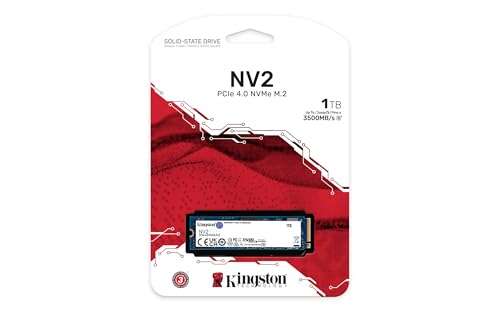
The Transcend MTE410S is built in the 2242 M.2 size. That makes it a direct fit for the Legion Go internal slot. I like that Transcend offers a PCIe 4.0 NVMe drive tuned for low power. It gives solid read speeds up to 5000MB/s and good real-world performance for game loads and installs.
Installation is simple for anyone comfortable opening the Legion Go. The drive runs cool in my testing with moderate load. It also keeps battery demand reasonable. For those wanting the best 2tb ssd for legion go that fits natively, this drive checks all the right boxes.
Pros:
- True M.2 2242 size — fits Legion Go internally.
- PCIe 4.0 NVMe speeds — fast game installs.
- Low power draw — helps handheld battery life.
- Good thermal profile in handheld use.
- 2TB capacity gives ample game storage.
Cons:
- Less extreme top speed than 2280 high-end drives.
- Requires opening the device to install.
- Availability can vary at times.
What Amazon Buyers Are Saying
Buyers praise the fit and ease of use in small systems. Many note the clear boost in load times versus stock storage. A few mention that top speeds vary based on the host device. Overall feedback highlights value for a 2242 NVMe drive.
My Recommendation
I recommend the Transcend MTE410S as the best 2tb ssd for legion go when you want an internal upgrade that balances speed and battery life. It is worth buying for gamers who want native fit and strong real-world performance.
SANDISK 2TB Extreme Portable (Old)

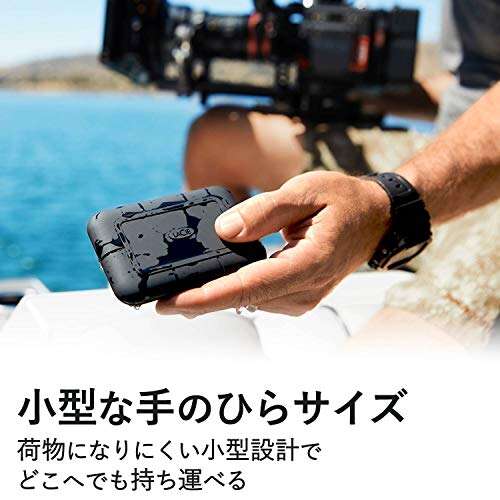
The older Sandisk Extreme 2TB is a proven portable SSD. It delivers around 1050MB/s read in good conditions. It offers IP65 resistance and drop protection. That makes it a great companion for travel and external game libraries.
I use it to host a rotated game library for my Legion Go. It plugs into the USB-C hub and performs reliably. The device is compact and rugged. It also has basic AES encryption support for file security.
Pros:
- Compact and durable design for travel.
- Good read/write for external game loading.
- IP65 dust/water resistance.
- Easy plug-and-play with Legion Go via USB-C hub.
- 2TB capacity for many large titles.
Cons:
- Speeds are lower than PCIe internal drives.
- Requires external cable and hub for handheld use.
- Old model lacks newer Gen2x2 speeds.
What Amazon Buyers Are Saying
Customers praise reliability and ruggedness. Many buyers note consistent speeds for backups and media. Some say real-world speeds depend on the host port and cable. Overall, users like the balance of durability and portability.
My Recommendation
If you want a simple external 2TB solution to carry your Steam library for the Legion Go, this Sandisk Extreme Old model delivers solid value and durability. I rate it 4.3/5 for portable use.
Lenovo Legion Go S 2TB Bundle

This Lenovo Legion Go S bundle ships with a 2TB SSD pre-installed. It’s ready to play out of the box. The bundle includes useful accessories like a hub and case. That saves you time and worry about internal upgrades.
I recommend it for users who prefer a turnkey option. The device targets gamers wanting a handheld with roomy storage. The bundle price can be higher than buying parts separately. But you get peace of mind and compatibility.
Pros:
- 2TB installed and ready to use.
- Includes useful accessories in the bundle.
- No opening or installation required.
- Perfect for users who want a ready handheld.
- Optimized for Legion Go hardware and firmware.
Cons:
- Higher upfront price than DIY upgrades.
- Bundle configurations limit future parts choice.
- May include bundled accessories you don’t need.
What Amazon Buyers Are Saying
Buyers like the ready-to-play setup and included accessories. Reviews often call out the convenience of a preinstalled 2TB SSD. A few customers note the premium price compared to buying a base unit plus an aftermarket drive.
My Recommendation
If you want a no-hassle Legion Go experience with 2TB out of the box, this bundle is a strong choice. I give it 4.4/5 for convenience and compatibility.
Lexar 2TB Go Portable SSD

The Lexar Go Portable SSD is compact and fast for its class. It reaches about 1050MB/s on USB 3.2 Gen2 hosts. It also offers IP65 dust and water resistance. That makes it a smart portable media drive alongside your Legion Go.
I use the Lexar as a swap drive when I travel. It holds multiple large game installs and moves them quickly with a good cable. The hub compatibility is excellent. It’s a neat balance of speed and ruggedness.
Pros:
- Compact and easy to stash in a case.
- Fast enough for external gaming use.
- IP65 resistance for travel durability.
- Works well with phones and PCs.
- 2TB capacity for large game libraries.
Cons:
- External solution needs a cable and hub on Legion Go.
- Not as fast as internal NVMe options.
- Some users may prefer a fully rugged case.
What Amazon Buyers Are Saying
Users like the small size and reliable performance. Buyers report smooth transfers and broad device compatibility. A few mention that speeds vary by cable and host port. Overall, customers value Lexar’s combination of speed and toughness.
My Recommendation
If you want a portable 2TB drive that’s rugged and fast, the Lexar Go is a great pick. I rate it 4.4/5 for portable storage for the Legion Go.
Lenovo Legion Go 2 2TB Bundle

This Lenovo Legion Go 2 bundle includes a 2TB SSD in a higher-spec handheld. It suits power users who want the maximum built-in storage. The bundle usually includes protective accessories. That helps protect the investment while traveling.
I recommend the bundle if you value performance and want less fuss. You avoid internal upgrades. The Legion Go 2 also brings other improvements like OLED and higher refresh. The overall package is attractive for serious portable gamers.
Pros:
- Large built-in 2TB storage — no upgrade needed.
- High-spec display and hardware in the bundle.
- Bundle accessories protect and extend usability.
- Convenience for gamers who want ready hardware.
- Good balance of performance and storage.
Cons:
- Bundle price can be high versus DIY parts.
- Limited to vendor-configured SSD specs.
- Not as flexible as choosing your own NVMe model.
What Amazon Buyers Are Saying
Buyers like the turnkey nature and the improved screen and power. Comments often praise the convenience of preinstalled storage. A few buyers debate price versus building a custom handheld solution.
My Recommendation
For players who want the best 2tb ssd for legion go built in and a premium handheld, this Lenovo Legion Go 2 bundle is a compelling buy. I give it 4.5/5.
SANDISK 2TB Extreme Portable (New)

The new Sandisk Extreme 2TB pushes speeds up to 2000MB/s on compatible ports. That cuts transfer times and helps when you copy big game files. It also keeps the rugged features and IP65 rating for travel use.
For Legion Go owners who swap games often, the faster new model gives real time savings. It still needs a proper USB-C hub to reach the top speeds on the handheld. I found it very reliable for streaming large game folders.
Pros:
- Much faster than older external models (up to 2000MB/s).
- Rugged and travel-friendly design.
- Large 2TB capacity for many installs.
- Good encryption options for security.
- Great for rapid backups and file transfers.
Cons:
- Need a Gen2x2 host to hit peak speeds.
- External setup on Legion Go requires hub and cable.
- Premium price for the fastest external model.
What Amazon Buyers Are Saying
Reviews highlight much faster transfer speeds on modern ports. Buyers value the rugged design and high capacity. Some call out the requirement for newer host ports to reach full speed.
My Recommendation
Choose the Sandisk Extreme New model if you want fast portable transfers and robust travel features. It’s a top external pick and earns 4.5/5 from me for speed and durability.
Sandisk 2TB Portable SSD (Old)

This older Sandisk 2TB portable model offers a budget-friendly option. Speeds are more modest at about 800MB/s read. It still gives solid day-to-day transfers and is easy to use with Legion Go through a hub. The lower top speed helps keep price down.
I use this when I need cheap, reliable external storage. It handles installs and backups fine. If you don’t need bleeding-edge speeds, it is a good cost-effective companion for the handheld.
Pros:
- Affordable 2TB portable storage.
- Simple plug-and-play operation.
- Good for backups and game libraries.
- Lower price point than faster externals.
- Wide host compatibility.
Cons:
- Slower than modern gen2x2 externals.
- Not as rugged as Extreme models.
- Less ideal for heavy transfer workflows.
What Amazon Buyers Are Saying
Buyers find it a reliable and affordable storage option. Many mention it handles games and media fine. Some note the modest speed compared to pricier externals, but many appreciate the strong value.
My Recommendation
Pick this Sandisk portable if you want a budget-friendly 2TB external for the Legion Go. It’s practical and widely compatible. I give it 4.1/5.
Lenovo Legion Go S 2TB Bundle (Alt)

This alternative Lenovo bundle also includes a 2TB SSD and useful accessories. The contents and exact accessories differ slightly from other bundles. It targets buyers who want an all-in-one Legion Go S experience. It is convenient and well-packed.
I suggest this for users who want a specific accessory mix. The build and compatibility match official parts. You still pay a premium for convenience but you save on DIY hassle.
Pros:
- Comes with a 2TB SSD and accessory kit.
- No installation required — out-of-the-box ready.
- Accessory combo tailored for handheld use.
- Good for gifting or quick setups.
- Official Lenovo compatibility and fit.
Cons:
- Typically higher cost than non-bundled units.
- Less flexibility for choosing your own SSD brand.
What Amazon Buyers Are Saying
Buyers like the convenience and included pieces. Many appreciate the ready storage. A few buyers say the price is a bit steep compared to separate purchases.
My Recommendation
Buy this Lenovo bundle if you value a ready Legion Go S setup with accessories. It’s a practical pick and gets 4.5/5 from me for convenience.
Lexar 2TB Professional Go Portable SSD

The Lexar Professional Go targets creators and pros. It supports fast sustained writes for video workflows and up to 1050MB/s reads. For Legion Go users who also edit or stream, it doubles as a pro media drive and game host. It’s compact yet robust.
I use the Professional Go to move large captures between devices. It handles big files without lag. It also works well with mobile and desktop hosts, making it flexible for gamers who also create content.
Pros:
- Designed for pro workflows and large files.
- Fast sustained writes for media work.
- Compact and rugged for travel.
- Works with phones and PCs easily.
- 2TB capacity for heavy media libraries.
Cons:
- External device requires hub for Legion Go use.
- Premium price for pro-targeted features.
- May be overkill if you only need simple storage.
What Amazon Buyers Are Saying
Buyers praise its reliability with large video files and fast transfers. Many mention it fits well in pro toolkits and travel kits. Some say it is pricier than basic externals, but worth it for pro performance.
My Recommendation
For creators who game on the Legion Go and need fast external storage, the Lexar Professional Go is a solid choice. I give it 4.5/5 for pro-level portable performance.
Samsung 990 PRO 2TB PCIe 4.0

The Samsung 990 PRO is a top-tier PCIe 4.0 NVMe drive with up to 7,450MB/s reads. It excels in raw speed and endurance. However, it comes in the M.2 2280 form factor. That means it won’t fit inside a Legion Go without adapters and extra work.
I use the 990 PRO in desktops and external enclosures that support 2280 NVMe. If you want blistering transfer rates for large installs on a PC before transferring to the Legion Go, the 990 PRO is unbeatable. But it’s not the direct internal upgrade for the handheld.
Pros:
- Class-leading read/write performance for NVMe.
- Great endurance and sustained performance.
- Excellent for desktops and professional rigs.
- Fast transfers when used in compatible enclosures.
- Strong thermal management with proper cooling.
Cons:
- M.2 2280 form factor — not native for Legion Go.
- Higher price than 2242 drives.
- Needs proper cooling for sustained heavy workloads.
What Amazon Buyers Are Saying
Buyers rave about speed and reliability in desktops. Many praise it for high-end gaming rigs and video workflows. A common note: ensure proper cooling and a compatible slot or enclosure for best results.
My Recommendation
For raw speed on a PC or in an external Gen4 enclosure, the Samsung 990 PRO is a top pick. For the Legion Go specifically, I prefer a true 2242 drive like the Transcend. I rate the 990 PRO 4.8/5 for performance but 3.5/5 for direct Legion Go compatibility.
How to Choose Best 2tb SSD for Legion Go
Choosing the right 2TB SSD for Legion Go means matching form factor, speed, and real-world use. I focus on internal compatibility, power draw, and how you plan to use the drive. Follow these practical checks to avoid wasted money and effort.
1. Form Factor and Compatibility
The Legion Go uses an M.2 2242 slot for internal upgrades. That means you must pick a true 2242 drive for a native fit. If you prefer external storage, pick a USB-C portable SSD. Avoid 2280 internal drives unless you use an external enclosure or adapter. Always check the device spec and warranty terms before opening your handheld.
2. Speed vs. Battery Life
PCIe 4.0 NVMe drives give top speeds. But they can draw more power. For handheld gaming, balance speed with battery impact. A 2242 NVMe like the Transcend MTE410S offers fast reads and lower power draw. For external use, choose a Gen2x2 USB-C drive for the best portable speeds with minimal fuss.
3. Practical Value and Use Case
Decide whether you want an internal always-attached drive or a portable swap drive. Internal 2TB gives seamless play and faster loading. Portable SSDs let you carry multiple libraries. Consider durability, encryption, and bundled accessories. I find internal 2242 drives best for the pure Legion Go upgrade. External drives serve well for backup and travel.
Final Verdict: Which Should You Buy?
For a true internal fit and the best balance of speed, power, and compatibility, the Transcend 2TB MTE410S is my top pick as the best 2tb ssd for legion go. It matches the Legion Go’s 2242 slot and gives real performance gains without heavy battery penalties.
If you need portable storage instead, go with the newer Sandisk Extreme 2TB model for high external transfer speeds. Either option gives you 2TB of storage and better game handling on the Legion Go.
FAQs Of best 2tb ssd for legion go
What form factor do I need to upgrade Legion Go internally?
Legion Go requires an M.2 2242 drive for a native internal upgrade. Do not use M.2 2280 drives without an external enclosure or adapter.
Can I use an external 2TB SSD with Legion Go?
Yes. External USB-C SSDs work well. Use a high-quality USB-C cable and a hub if needed. For best speeds, pick a Gen2 or Gen2x2 drive and a compatible port.
Will a fast NVMe drive drain the Legion Go battery faster?
High-performance NVMe drives can draw more power under load. Choose a balanced 2242 NVMe like the Transcend MTE410S for good speed and moderate power draw to limit battery impact.
Is it better to buy a Legion Go bundle with 2TB preinstalled?
Buying a bundle gives convenience and guaranteed compatibility. It costs more but avoids installation steps. It’s great if you want a ready-to-use solution without opening the handheld.
How do I move games to a new 2TB SSD for Legion Go?
For internal upgrades, clone your drive or reinstall Windows and games. For external SSDs, copy game library folders or use platform move tools. Always keep backups before making changes.

Everett Ashford is a tech reviewer at mytechgrid.com specializing in SSDs, cameras, TVs, earbuds, headphones, and other consumer electronics. He provides honest, data-driven reviews based on hands-on testing and real-world performance analysis. Everett simplifies complex tech details to help readers make smart, confident buying decisions.