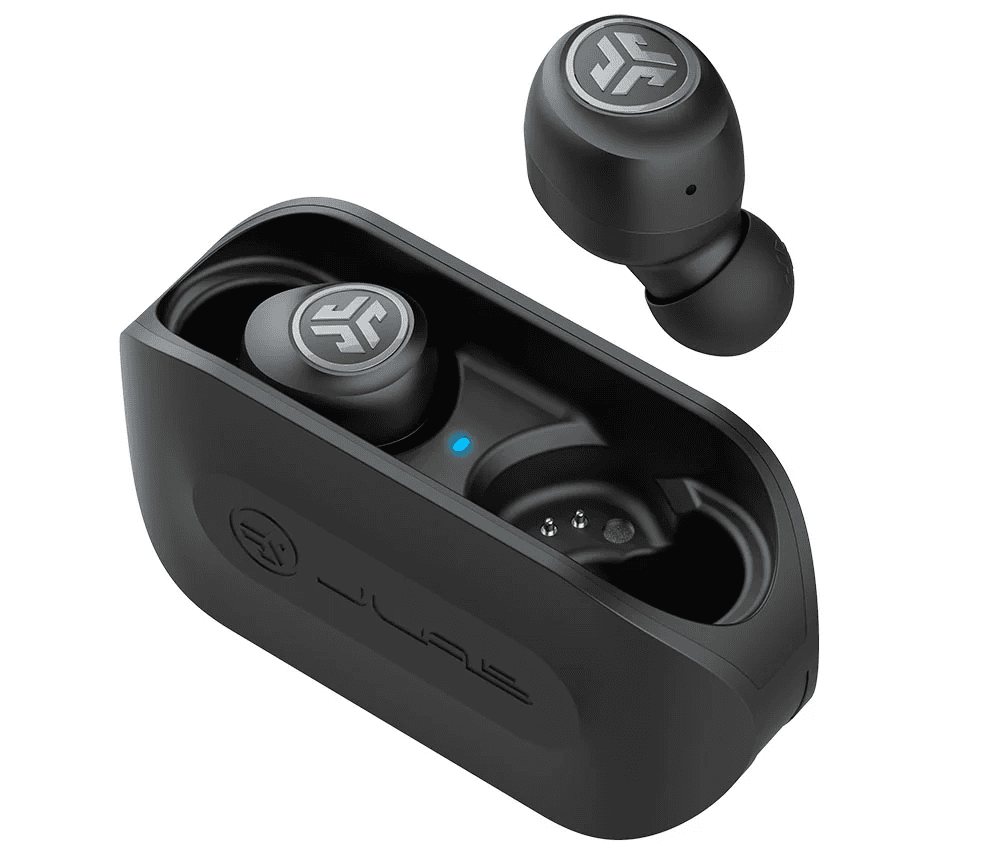
Press and hold the earbuds' multifunction button until the LED flashes and "JLab" appears in Bluetooth.
I’ve spent years testing earbuds and solving pairing headaches for friends and clients. This guide explains exactly how to put JLab earbuds in pairing mode, step by step, for the most common models. You’ll learn simple actions, model-specific notes, troubleshooting tips, and real-world lessons I picked up while pairing dozens of JLab earbuds with phones, tablets, and laptops. Read on to pair quickly and avoid common mistakes.

How to put JLab earbuds in pairing mode — Step-by-step
Follow these clear steps to put JLab earbuds in pairing mode. These steps cover most JLab true wireless and wireless models. If your model has a case, start with the earbuds charged and in the case.
- Turn the earbuds off
- Make sure each earbud is powered off. Many models turn off by pressing and holding the multifunction button for 3–5 seconds.
- Enter pairing mode
- Press and hold the multifunction button (MFB) on one earbud for about 3–6 seconds until the LED blinks red/white or white/blue. That flashing means the earbud is in pairing mode.
- Use the case method (if applicable)
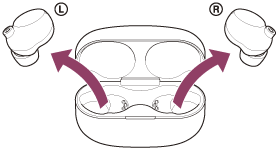
- If your JLab model uses a charging case, remove both earbuds from the case. Some models enter pairing mode automatically when removed. Others require holding the MFB while out of the case.
- Find JLab on your device
- Open Bluetooth settings on your phone, tablet, or computer. Look for a device named “JLab,” “JBuds,” or the model name. Tap to pair.
- Confirm the connection
- After pairing, the LED will change to a steady light or blink slowly. Your device will show “Connected.” Test audio and controls right away.
- Charge the earbuds and the charging case.
- Use fresh batteries or a fully charged device.
- Make sure your phone’s Bluetooth is on and not in airplane mode.
how to put jlab earbuds in pairing mode appears simple, but these exact steps reduce errors. If these steps don’t work, move to the model-specific section below.
Model-specific instructions for how to put JLab earbuds in pairing mode
Different JLab models have slightly different pairing triggers. Here are clear steps by popular model families.
JLab JBuds Air / JBuds Air True Wireless
- Remove both earbuds from the case. Hold the MFB on each earbud for 3 seconds to power on. If they don’t pair automatically, press and hold the MFB on either earbud for 6 seconds until the LED flashes to enter pairing mode.
- If they pair to each other but not your phone, delete previous devices from your phone’s Bluetooth settings and try again.
JLab Epic Air Sport / Epic Air
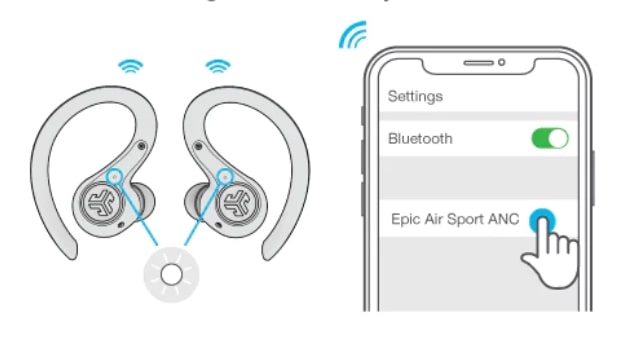
- Turn earbuds on by pressing the MFB. Hold the button on either earbud for 4–6 seconds until the LED alternates colors. That signals pairing mode. Select the JLab listing on your device.
JLab Go Air / Go Air Pop
- Open the case and remove the earbuds. They should enter pairing mode automatically with a flashing light. If not, press and hold the touch area for 3–5 seconds.
JLab Studio / Over-ear Bluetooth models
- Power on the headset. Press and hold the power button until the LED flashes red and blue or until a voice prompt says “pairing.” Then select JLab in your device’s Bluetooth menu.
These targeted steps help when the generic method does not work. Always check your model’s quick start guide for tiny variations.

Troubleshooting common problems when trying how to put JLab earbuds in pairing mode
If your earbuds won’t enter pairing mode or don’t appear on your device, try these fixes.
-
Reset the earbuds
-
For many JLab models, place earbuds in the case and hold both MFBs for 10 seconds. The LEDs will flash. This forces a factory reset and clears old pairings.
-
Forget old Bluetooth profiles
-
On your phone or computer, remove or “forget” any JLab device listed. Then retry the pairing sequence.
-
Charge fully
-
Low batteries can prevent pairing mode. Charge earbuds and case for at least 30 minutes.
-
Check for interference
-
Move away from crowded Wi-Fi or other Bluetooth devices. Try pairing in a quiet space.
-
Update firmware
-
Some JLab models support firmware updates via an app. Updating can resolve pairing bugs.
If nothing helps, test the earbuds with another phone. If they never enter pairing mode, contact JLab support for a possible hardware issue.

Tips, best practices, and safety for how to put JLab earbuds in pairing mode
These quick tips will make pairing faster and more reliable.
-
Keep firmware current
-
When available, use the JLab app or official update tools to keep firmware up to date for smoother pairing.
-
Use one-ear pairing where helpful
-
Many JLab earbuds allow single-ear use. To pair a single earbud, power off both, then power on the earbud you want and hold the MFB until it enters pairing mode.
-
Turn off other Bluetooth devices
-
Temporarily disabling nearby Bluetooth devices avoids accidental connections.
-
Pair to only one device at a time
-
Some models struggle with two active connections. For the cleanest pairing experience, connect to one device, then switch if needed.
-
Keep the case closed to reset fast
-
Placing earbuds back in their case and closing the lid can quickly stop pairing mode if you need to restart the process.
These habits reduce frustration when learning how to put JLab earbuds in pairing mode.

Personal experience: mistakes I made and lessons learned about how to put JLab earbuds in pairing mode
I once spent 20 minutes trying to pair a new JLab headset. I kept toggling Bluetooth on my phone. The real issue was a half-charged case. After charging, the earbuds entered pairing mode immediately.
Lessons I learned
- Always fully charge the case before troubleshooting.
- Try pairing with a different phone early to rule out device-specific issues.
- Resetting the earbuds is often faster than hunting settings.
I share these tips because they saved time and stress. Small actions often solve most pairing problems.
Frequently Asked Questions of how to put jlab earbuds in pairing mode
How long should I hold the button to enter pairing mode?
Usually press and hold the multifunction button for 3–6 seconds until the LED flashes. Some models require up to 10 seconds for a reset.
My earbuds flash but don’t appear on my phone. What now?
Forget any previous JLab entry on your phone’s Bluetooth list, turn Bluetooth off and on, then retry pairing. Also try pairing with another device to isolate the problem.
Can I pair one earbud at a time?
Yes, many JLab models support single-ear use. Power on the single earbud and hold the button until it enters pairing mode.
What if my JLab earbuds pair to my old phone automatically?
Remove or forget the JLab device on the old phone’s Bluetooth settings, then put the earbuds back into pairing mode and pair with the new device.
Do I need the JLab app to pair?
No, the app is optional. Pairing works with standard Bluetooth. The app may help update firmware or change settings.
How do I reset my earbuds if pairing fails?
Place earbuds in the case and hold both multifunction buttons for about 10 seconds, or follow the model-specific reset steps in your quick start guide. This clears prior pairings.
Conclusion
You now have clear, practical steps for how to put JLab earbuds in pairing mode across common models. Follow the step-by-step guide, try model-specific tips, and use the troubleshooting checklist to fix most pairing issues. My simple takeaway: charge first, reset when needed, and test with a second device early. If you found this guide useful, try these steps now, subscribe for more tips, or leave a comment with your model and issue so I can help.

Everett Ashford is a tech reviewer at mytechgrid.com specializing in SSDs, cameras, TVs, earbuds, headphones, and other consumer electronics. He provides honest, data-driven reviews based on hands-on testing and real-world performance analysis. Everett simplifies complex tech details to help readers make smart, confident buying decisions.