Use SmartThings Find or the Galaxy Wearable app to locate your earbuds fast.
I have tracked and recovered many lost earbuds over the years. I will show clear, tested steps on how to find samsung earbuds. You will learn which apps to use, how to search near or far, and what to do if tech fails. Read on to save time and stress.
Why you might need to find Samsung earbuds
Earbuds are tiny and easy to misplace. Knowing how to find samsung earbuds saves time and money. This guide uses real steps and tested tools to help you locate them fast. You will get practical tips you can use right away.

What to prepare before you search
Be ready. Gather these items and info before you start looking for your earbuds.
- Your phone with the Galaxy Wearable app installed.
- Your Samsung account signed in for SmartThings Find access.
- Bluetooth enabled on the phone.
- Last known place and time you used the earbuds.
If you prepare these items, how to find samsung earbuds becomes simple and fast. A little prep cuts search time a lot.
Primary methods to find Samsung earbuds
There are several proven methods. I list them below in order of speed and accuracy.
SmartThings Find (best for Galaxy users)
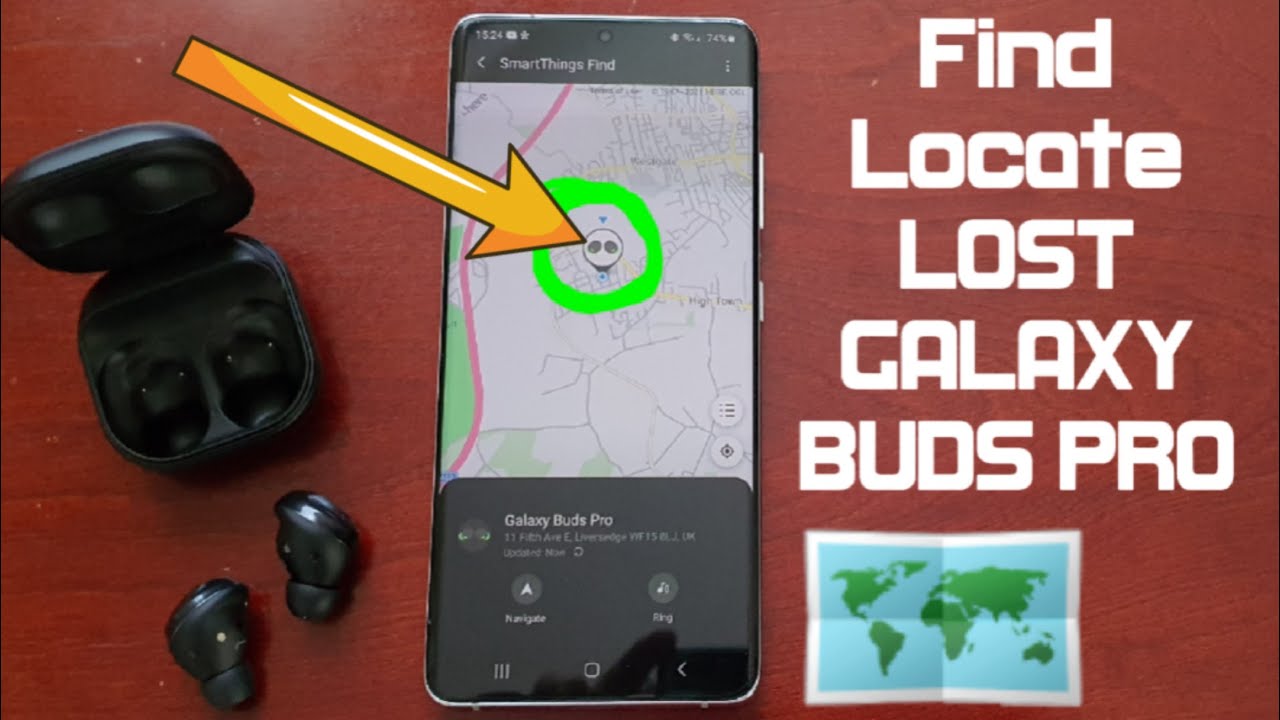
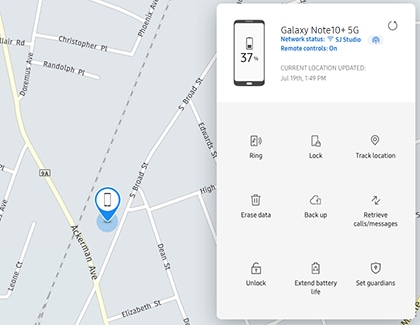
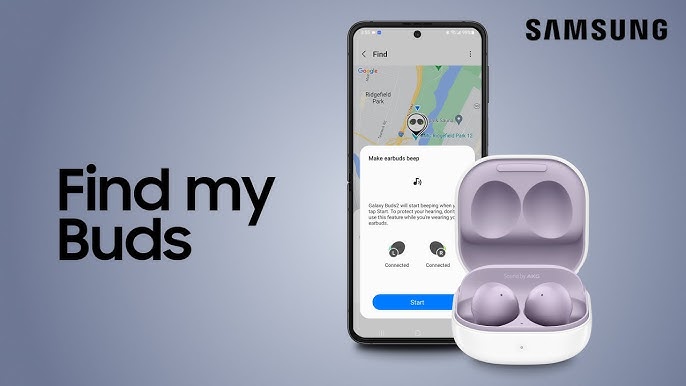
SmartThings Find can show the last location of compatible Samsung earbuds on a map. Open the SmartThings app and tap SmartThings Find to see your device. Use the map and sound features to locate them. This method is the top step for how to find samsung earbuds.
Galaxy Wearable app and Find My Earbuds
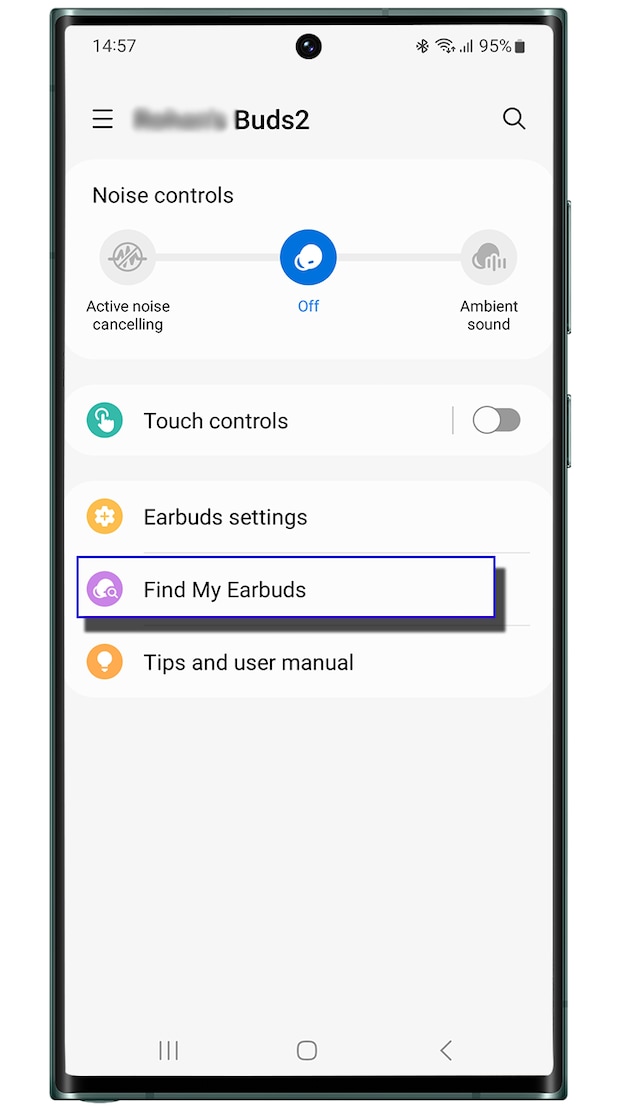
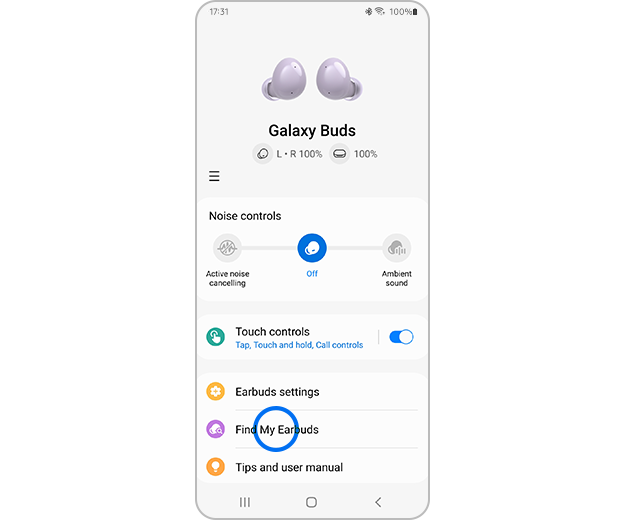
Open the Galaxy Wearable app. Tap Find My Earbuds to ring them if they are nearby and connected. The app shows the last connected location too. This is a quick way to learn how to find samsung earbuds when close by.
Bluetooth scanning and range search
Use your phone to scan for Bluetooth devices. Walk slowly around your home while watching the device list. If the earbuds appear, use sound or movement to narrow their position. This direct scan often helps when you want to know how to find samsung earbuds in a room.
Use a last-known location on a map
If earbuds are offline, check the last known location in SmartThings Find or Galaxy Wearable. Visit that place if possible. This often leads to quick recovery. It is a core step in how to find samsung earbuds that are not currently connected.
Ask nearby people and check lost-and-found
Call or ask people who were near you. Check local lost-and-found desks such as cafe counters, trains, or gyms. Many earbuds are turned in. This social step complements tech methods for how to find samsung earbuds.
Physical search tips that work
A careful search beats panic. Use these simple steps to find earbuds by sight and feel.
- Start at the last place you used them and expand outward in a grid.
- Check pockets, bags, couch cushions, and bed sheets carefully.
- Turn lights on and use a flashlight at low angles to spot reflections.
- Shake cushions gently over a towel or soft cloth to hear small falls.
- Retrace your steps and imagine where you removed them.
These physical steps are part of learning how to find samsung earbuds. They often finish the job when tech options fail.
What to do if find features fail
Sometimes tech does not work. Here are safe backups to try.
- Replace the earbuds in their case and charge them, then try the app again.
- Restart your phone and toggle Bluetooth to refresh connections.
- Check for app updates for SmartThings and Galaxy Wearable.
- Look in recent places you visited within the last 24 hours.
If these fail, report the loss and check local online marketplaces. These steps help when standard tips for how to find samsung earbuds do not work.
Prevent losing earbuds: Best practices
Small habits stop big headaches. Use these tips to avoid future loss.
- Always store earbuds in their case after use.
- Assign a dedicated pocket or pouch for the case.
- Enable SmartThings Find on your Samsung account right away.
- Add labels or stickers that make the case easier to spot.
- Set a daily routine check for earbuds after leaving places.
These habits make it easy to know how to find samsung earbuds before they go missing.

Frequently Asked Questions of how to find samsung earbuds
How does SmartThings Find work for earbuds?
SmartThings Find uses Bluetooth and Samsung cloud data to show the last known location on a map. It can also make earbuds ring if they are in range and connected.
Can I find Galaxy Buds if they are out of battery?
If earbuds are out of battery, SmartThings Find shows the last known location. Visit that spot and look carefully; the earbuds will not ring until charged.
Is there a phone feature that finds earbuds without apps?
You can use Bluetooth scanning in phone settings to detect nearby earbuds. For mapping and history, the Galaxy Wearable app and SmartThings Find give better details.
What should I do first when earbuds are missing?
First, open SmartThings Find or the Galaxy Wearable app and check the map and ring feature. Then do a quick physical search at the last used place.
Can someone else track my earbuds?
Only accounts signed into your Samsung account and granted permission can track your earbuds. Keep your account secure and avoid sharing login details.
Will Apple or Android devices help find Samsung earbuds?
Bluetooth scanning works across devices, but SmartThings Find and Galaxy Wearable give better features on Samsung phones. Use available tools on any phone to locate them nearby.
Conclusion
You now have clear steps on how to find samsung earbuds. Start with SmartThings Find and the Galaxy Wearable app. Use Bluetooth scans and careful physical search to close the loop. Set small habits to prevent future loss. Try these steps today and leave a note below with your success or questions.

Everett Ashford is a tech reviewer at mytechgrid.com specializing in SSDs, cameras, TVs, earbuds, headphones, and other consumer electronics. He provides honest, data-driven reviews based on hands-on testing and real-world performance analysis. Everett simplifies complex tech details to help readers make smart, confident buying decisions.