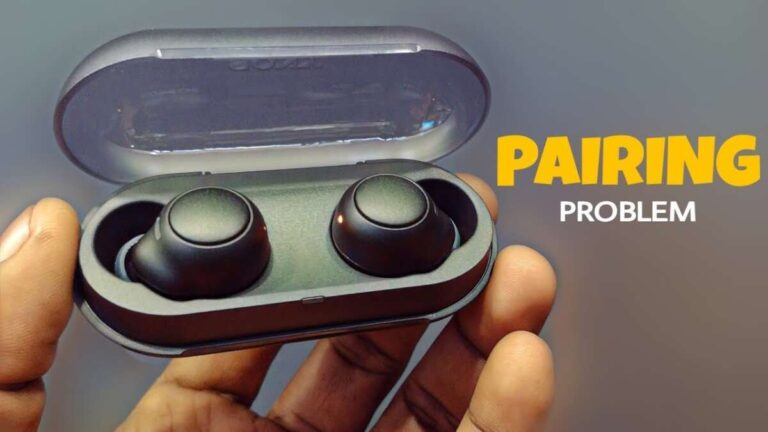
Put both earbuds in the case, open the lid, then enable Bluetooth on your device and select “Raycon Everyday.”
I’ve paired and tested Raycon Everyday earbuds many times across phones, tablets, and laptops, and this guide walks you through every step. You’ll get clear, practical instructions for how to pair Raycon Everyday earbuds, plus troubleshooting tips, settings to check, and simple fixes for common problems. Read on and you’ll be listening in minutes.

Step-by-step: how to pair raycon everyday earbuds
Follow these simple steps to pair Raycon Everyday earbuds quickly and reliably.
- Charge the case and earbuds for at least 20 minutes.
- Remove both earbuds from the case. They power on automatically and enter pairing mode if not previously paired.
- Open Bluetooth settings on your phone, tablet, or computer.
- Look for “Raycon Everyday” in the available devices list and tap to connect.
- Wait for the confirmation tone or message. The earbuds should indicate a successful connection.
If the earbuds do not show up, place them back in the case, close the lid for 5 seconds, then remove them again to restart pairing. This method solves most pairing glitches and speeds up the process for how to pair Raycon Everyday earbuds.

Preparing your device and settings before pairing
A few quick checks will save time and frustration when you pair Raycon Everyday earbuds.
- Ensure Bluetooth is turned on in your device’s settings.
- Turn off Bluetooth on nearby devices to avoid accidental connections.
- Remove any old Raycon or similar Bluetooth pairings from your device for a clean connection.
- Update your phone or tablet to the latest OS build if pairing issues persist.
- Make sure the earbuds and case have enough battery—low power can block pairing.
These prep steps are small but crucial for how to pair Raycon Everyday earbuds without hiccups. I’ve found that clearing old pairings is the number one fix when a device won’t connect.

Troubleshooting: fixes for common pairing problems
If pairing fails, try these fixes in order. They are fast and work for most issues with Raycon Everyday earbuds.
- Restart your phone or device and try again.
- Reset the earbuds by placing them in the case and holding the button (if your model has one) for 10 seconds, or follow the reset sequence in the manual.
- Forget the device entry named “Raycon Everyday” in your Bluetooth settings, then re-scan and pair again.
- Move closer to the device and remove obstructions like walls or other electronics.
- Update firmware if Raycon provides an update tool—manufacturer updates can fix Bluetooth bugs.
For persistent problems, test the earbuds with a second device. If they pair with another phone but not your primary device, focus on that device’s Bluetooth settings or software updates. That troubleshooting approach has helped me isolate whether the issue is the earbuds, the phone, or interference.

Tips, best practices, and maintenance
These practical tips make pairing smoother and keep your earbuds working well over time.
- Keep the case contacts clean with a soft, dry cloth to ensure reliable charging and pairing.
- Pair one device at a time or use a device’s multi-point feature carefully, because multiple connections can confuse the earbuds.
- Charge regularly. Fully charged earbuds pair faster and avoid intermittent connection drops.
- Store earbuds in the case when not in use to prevent accidental power cycles that might interfere with pairing.
- If you travel, note that airplane mode might block Bluetooth pairing until fully toggled off or restarted.
Personal note: I used to rush and try pairing with a low battery. That caused repeated drops. Charging first made pairing smooth every time. These small habits improve your experience with how to pair Raycon Everyday earbuds and keep them reliable.

PAA-style quick questions (common user intent)
What should I do if my phone won’t find Raycon Everyday earbuds?
Try closing the case for 5 seconds and reopening it, then reset Bluetooth on your phone. If that fails, forget any previous Raycon entries and re-scan.
Can I pair Raycon Everyday earbuds to more than one device?
Some models support multi-point, but performance varies. For best stability, pair to one device at a time and reconnect as needed.
Why do my Raycon earbuds keep disconnecting?
Low battery, interference, or outdated firmware often cause drops. Charge fully, move closer to the device, and check for software updates.
How long does pairing usually take?
Pairing normally takes 5–15 seconds once the earbuds are in pairing mode and your device’s Bluetooth is on. If it takes longer, try restarting both devices.
Are Raycon Everyday earbuds automatic to pair after first time?
Yes. After initial pairing, they should auto-connect when removed from the case if Bluetooth is enabled on the paired device.

Frequently Asked Questions of how to pair raycon everyday earbuds
How do I put Raycon Everyday earbuds into pairing mode?
Remove both earbuds from the case; they usually enter pairing mode automatically. If not, follow the reset instructions in the manual to force pairing mode.
My device shows “paired” but there’s no sound. What now?
Check the audio output in your device and ensure it’s set to Raycon Everyday. Also verify volume and that media is playing.
Can I pair Raycon Everyday earbuds with a laptop?
Yes. Open your laptop’s Bluetooth settings, enable Bluetooth, and select Raycon Everyday from the device list to connect.
How do I reset my Raycon Everyday earbuds for a fresh start?
Place the earbuds in the case, then follow the specific reset button or hold method described in the manual. This clears old pairings and resolves most issues.
What to do if only one earbud connects?
Place both earbuds back in the case for 10 seconds, then remove them together. If the problem continues, reset the earbuds to re-sync both sides.
Will firmware updates affect pairing?
Yes. Firmware updates can improve Bluetooth stability and fix pairing bugs. Install updates if available through the official app or support channel.
Are there distance limits for pairing?
Bluetooth typically works best within 30 feet (10 meters) with no obstacles. Walls and interference can reduce range, causing drops.
Conclusion
Pairing Raycon Everyday earbuds is quick when you follow the right steps: charge, reset if needed, open Bluetooth on your device, and select “Raycon Everyday.” Keep your device updated, clear old pairings, and use the simple troubleshooting steps here to solve most issues. Try these tips next time you pair Raycon Everyday earbuds and you’ll save time and frustration. If you found this guide useful, leave a comment, share your experience, or subscribe for more quick tech guides.

Everett Ashford is a tech reviewer at mytechgrid.com specializing in SSDs, cameras, TVs, earbuds, headphones, and other consumer electronics. He provides honest, data-driven reviews based on hands-on testing and real-world performance analysis. Everett simplifies complex tech details to help readers make smart, confident buying decisions.