For most people in the United States, bone vibration headphones are safe when used at a moderate volume for reasonable periods. They do not sit inside the ear canal, but they still send sound vibrations to the inner ear. That means they can still contribute to noise-related hearing loss, ringing in the ears, headaches, or listening fatigue if the volume is too high.
Bone conduction headphones may also help some people hear audio while keeping their ears open to traffic, coworkers, or nearby warnings. However, they are not hearing protection, and they are not automatically safer than regular headphones.

How bone vibration headphones work
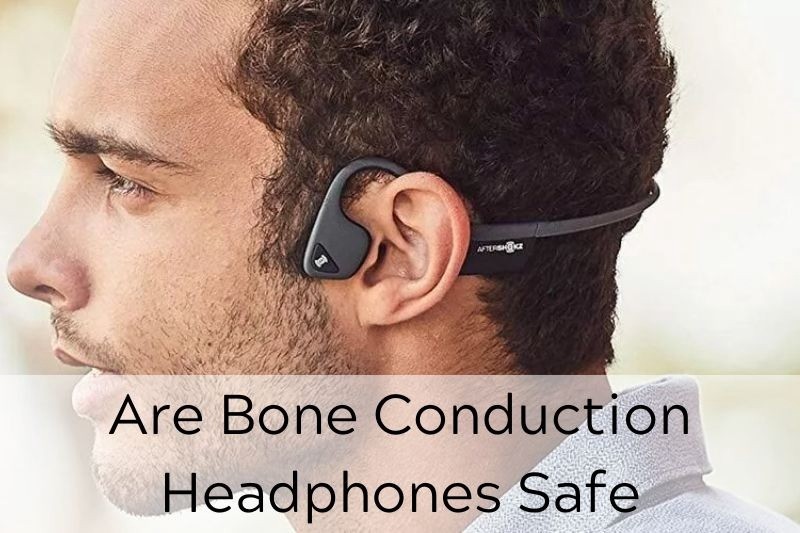
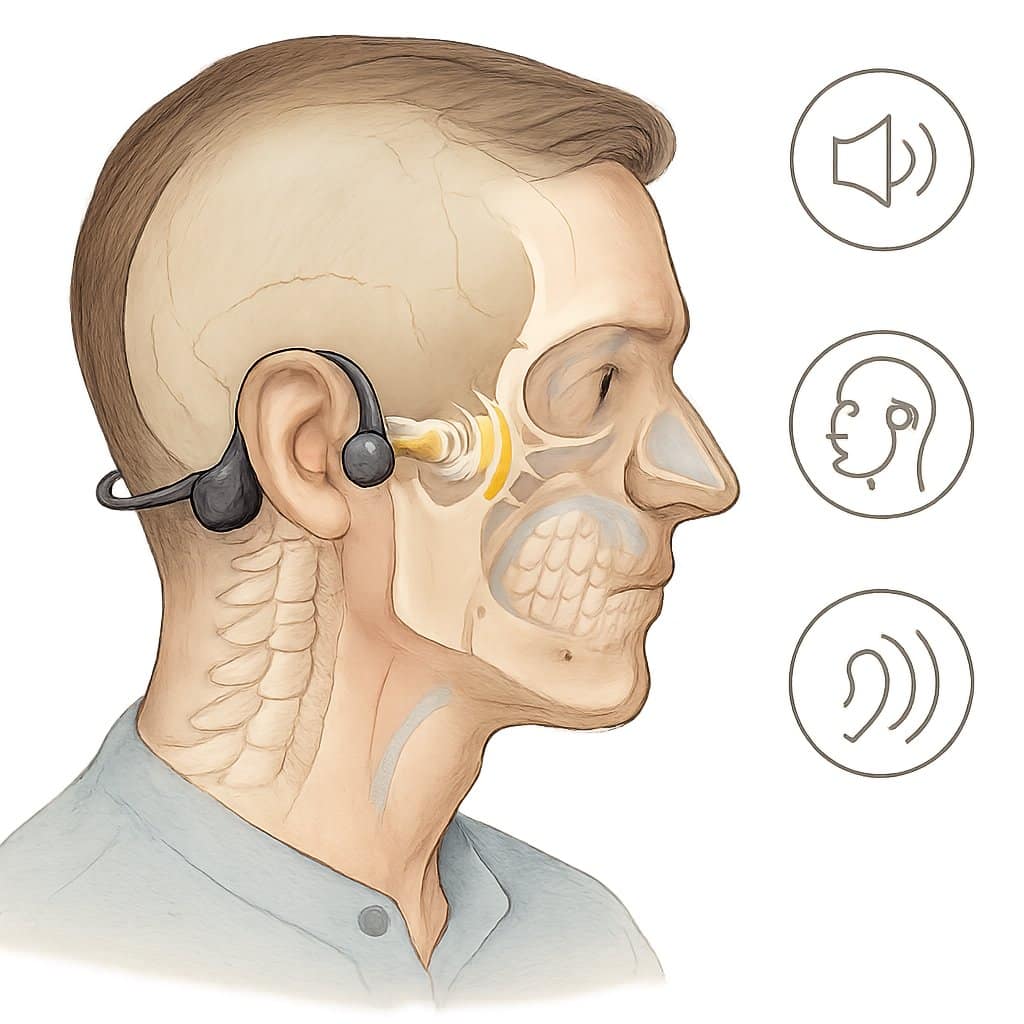
Bone vibration headphones, also called bone conduction headphones, send small vibrations through the bones near the cheek and ear. These vibrations reach the cochlea, the hearing organ in the inner ear. The cochlea then changes the vibrations into nerve signals that the brain hears as sound.
Regular headphones send sound through this path:
Speaker → ear canal → eardrum → middle ear → cochlea
Bone conduction headphones use this path:
Transducer → skull bones → cochlea
The key point is simple: both types still stimulate the cochlea. Bone conduction does not remove the main risk from loud sound.
Some people confuse consumer bone conduction headphones with bone-anchored hearing systems. They are not the same.
- Consumer bone conduction headphones usually rest against the skin near the ears.
- Bone-anchored hearing devices are medical hearing systems. Some use an implant placed in the skull.
- A medical hearing device should be fitted and managed by a hearing professional.
Consumer headphones should not be used to treat hearing loss unless a qualified clinician advises it.
Why the ears may feel more comfortable
Bone conduction headphones do not fill the ear canal. This can help people who dislike ear tips, feel pressure from earbuds, or need to hear nearby sounds.
They may also reduce some outer-ear problems linked to in-ear devices, such as:
- Ear-canal pressure
- Moisture trapped in the ear
- Irritation from ear tips
- Discomfort from a poor seal
That does not mean they carry no health risks. They can still expose the inner ear to loud sound, and the band or contact points may cause skin pressure.
What are the main safety risks?
The main risk is excessive sound exposure. Other risks include poor awareness in loud places, skin discomfort, and the false belief that open-ear audio cannot harm hearing.
Loud sound can still damage hearing
The National Institute for Occupational Safety and Health, or NIOSH, identifies noise as a major cause of hearing loss. Loud sound can damage delicate hair cells in the cochlea. Once these cells are damaged, the body cannot reliably replace them.
The risk depends on several factors:
- Volume
- Listening time
- How often you listen
- Background noise
- The fit and output of the device
- Your personal hearing health
A useful rule is the 60/60 approach: keep the volume near 60% or lower and take a break after about 60 minutes. This is only a simple guide, not a guarantee of safety. Some devices may produce unsafe sound at a setting below 60%.
The World Health organization recommends keeping personal listening devices at no more than about 60% of maximum volume and taking regular breaks. Its safe-listening guidance also supports using volume-limiting features and monitoring total exposure.
Ringing or muffled hearing is a warning
Stop or reduce listening if you notice:
- Ringing or buzzing in the ears
- Muffled hearing after use
- A feeling of ear fullness
- Ear pain
- Sound sensitivity
- Headaches
- Trouble understanding speech afterward
Temporary symptoms can improve after rest, but they are still a sign that the sound level or listening time may be too high. Persistent ringing, sudden hearing loss, severe dizziness, drainage, or pain needs prompt medical care.
Sudden hearing loss in one ear is urgent. Contact a health professional or urgent care service rather than waiting to see if it clears.
Open ears do not guarantee awareness
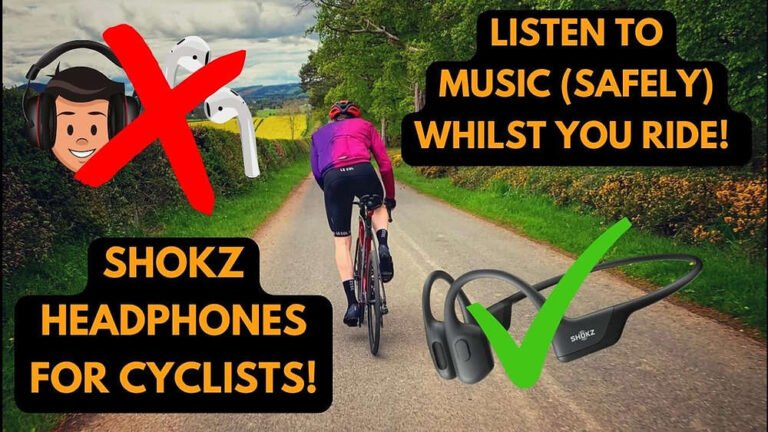
Bone conduction headphones leave the ear canals open, but loud audio can still mask important sounds. Traffic, construction noise, alarms, and other hazards may be hard to hear.
Do not assume you can safely use them while:
- Driving
- Cycling in traffic
- Crossing busy roads
- Operating machinery
- Working near aircraft or heavy equipment
Follow state and local laws. In the United States, rules for headphones while driving or cycling vary by state and situation. Open-ear headphones may also reduce awareness even when their use is legal.

Are bone conduction headphones safer than earbuds?
They may be safer for some specific problems, but current evidence does not support calling them universally safer for hearing.
Where they may have an advantage
Bone conduction headphones can be a better fit when you want to:
- Avoid putting a device into the ear canal
- Reduce earbud pressure
- Keep the ears physically open
- Hear an audio prompt while also hearing some surroundings
- Avoid sharing earbuds
- Reduce moisture buildup in the ear canal
These benefits relate mostly to comfort, ear-canal contact, and situational awareness.
Where the safety advantage ends
Bone conduction headphones still send energy to the cochlea. If the sound is loud enough, they can still stress or damage hearing.
In a noisy place, users may also turn up the volume to compete with traffic, gym music, or workplace noise. That can cancel out the benefit of keeping the ears open.
A sealed earbud with effective noise cancellation may let someone listen at a lower volume in some settings. But noise cancellation is not hearing protection, and it does not make unsafe volume safe.
The safer choice depends on the setting:
| Situation | Potentially better choice | Safety limit |
|---|---|---|
| Quiet home or office | Either type at a low volume | Keep listening comfortable |
| Busy street | Open-ear audio may preserve some awareness | Do not use it as a substitute for looking and listening |
| Airplane | Noise-canceling headphones may reduce the need to raise volume | Take breaks and keep volume moderate |
| Construction or industrial work | Certified hearing protection | Consumer headphones are not protective equipment |
| Exercise outdoors | Open-ear audio may feel more aware | Follow local traffic laws |
| Ear-canal irritation | Bone conduction may reduce contact | Stop if skin pressure or pain develops |
The deciding factor is not just the headphone style. It is how loud, how long, and where you use it.

How to use bone vibration headphones more safely
Safe use starts with volume control, breaks, and the right setting. These steps can lower risk without requiring you to stop using the headphones.
1. Start at the lowest useful volume
Set the device low before pressing play. Raise it only enough to understand the content.
If another person standing nearby can clearly hear your audio, the volume may be higher than needed. This is not a precise test, but it is a useful warning sign.
2. Use a volume limit
Many phones have built-in headphone safety controls. On an iPhone, check Settings > Sounds & Haptics > Headphone Safety. Android menu names vary by phone maker and software version.
Some headphone brands also offer a companion app with volume controls. Use the lower limit when both the phone and app provide one.
Do not rely only on the volume percentage shown on the screen. Different headphones and recordings can produce different sound levels at the same setting.
3. Take quiet breaks
Give your ears regular rest. A short break can reduce listening fatigue and help you notice early warning signs.
Avoid wearing headphones continuously for many hours, even when the volume feels comfortable. Long exposure adds up.
4. Avoid turning up the sound in noisy places
If you cannot hear clearly at a safe volume, move to a quieter location or pause the audio. Do not keep raising the volume to overcome traffic, gym speakers, or workplace noise.
For loud work areas, use hearing protection selected for that work. Bone conduction headphones do not replace earplugs or earmuffs.
5. Fit the device correctly
Follow the manufacturer’s instructions for placement. The transducers usually rest near the cheekbones in front of the ears.
A poor fit may sound weak and tempt you to raise the volume. A band that is too tight may cause pressure, skin soreness, or a headache.
Clean the contact areas as directed. Do not share headphones without cleaning them first.
6. Keep children’s listening more limited
Children may not notice early signs of overexposure. Use parental volume controls when available, choose short listening periods, and check whether the child reports ringing, pain, or muffled hearing.
Children with hearing loss, ear disease, cochlear implants, or other ear conditions should use these devices only with guidance from an audiologist or physician.
Who should ask a health professional first?
Most healthy adults can try consumer bone conduction headphones with normal listening precautions. Some people should get medical advice before using them.
Ask an audiologist, ear-nose-and-throat physician, or other qualified health professional if you have:
- Known hearing loss
- One-sided hearing
- Tinnitus
- Hyperacusis or strong sound sensitivity
- Frequent ear infections
- Ear surgery or an implant
- Chronic dizziness or balance problems
- Ear pain or drainage
- A child who needs a hearing device
- A job with high noise exposure
A professional can check hearing and help determine whether a consumer product is appropriate. Bone conduction headphones may make speech easier to hear for some people, but they are not a replacement for hearing aids or medical treatment.
What about people with hearing aids?
Compatibility varies. Bone conduction headphones may work around some hearing aids, but they can also cause feedback, interference, or poor sound balance.
Ask the hearing aid provider before combining the devices. Do not change hearing aid settings based only on how a headphone demo sounds.
What about implants?
People with cochlear implants or bone-anchored hearing implants should follow the implant maker’s instructions and their medical team’s advice. The safe distance, placement, and compatibility can vary by device.
Do not place a consumer transducer directly over an implant unless the manufacturer and clinician say it is safe.

Common myths about bone conduction safety
Myth: Bone conduction cannot damage hearing
False. The vibrations still reach the cochlea. Excessive sound exposure can still harm hearing.
Myth: Open-ear headphones are hearing protection
False. They do not block hazardous noise and do not provide a certified noise reduction rating. Use approved earplugs or earmuffs for loud work.
Myth: If the headphones do not hurt, the volume is safe
Not always. Hearing damage can occur without pain. Ringing, muffled hearing, or sound fatigue are more useful warning signs.
Myth: Bone conduction headphones are safe at any volume
False. No consumer headphone is safe at every volume and for unlimited time.
Myth: A phone’s 50% setting means the same thing on every device
False. Output varies by phone, headphone, software, recording, and connection. Use the lowest clear level and take breaks.
How to choose a safer pair
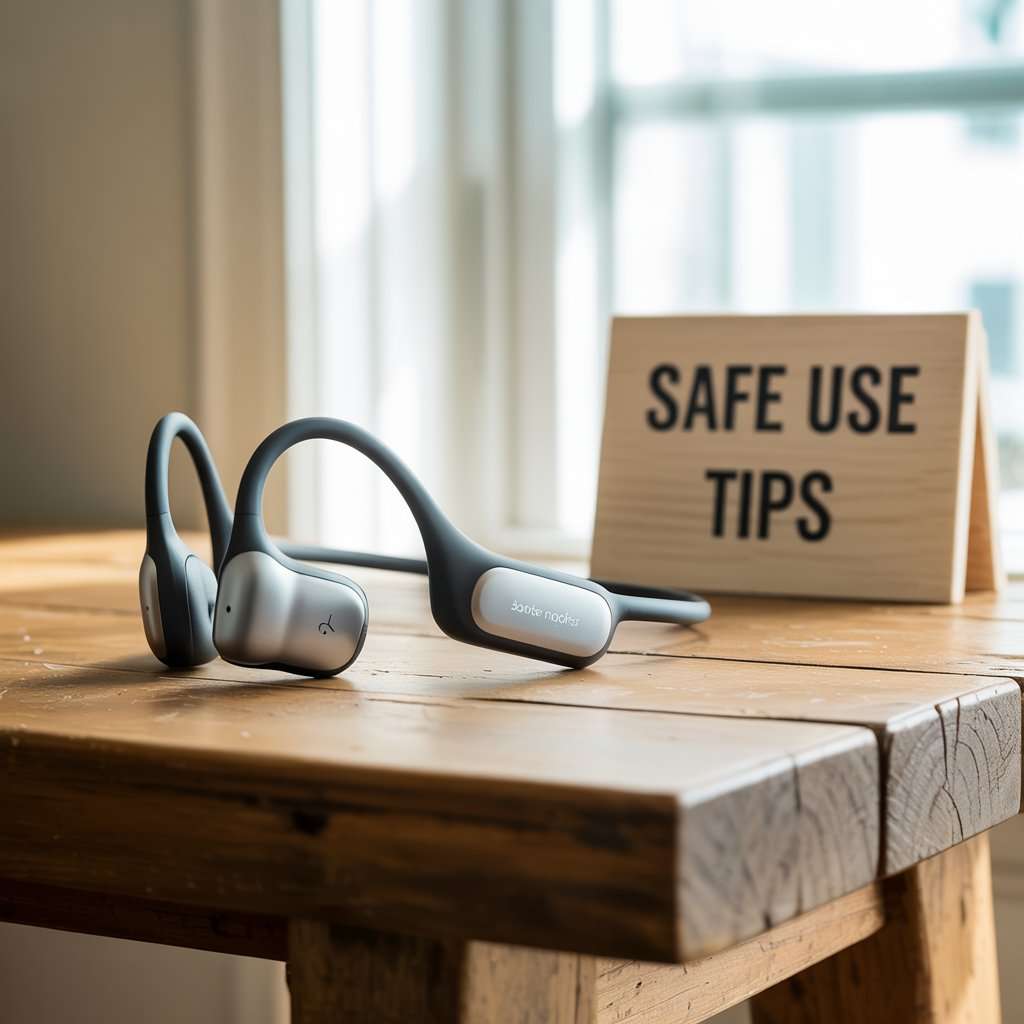
Safety starts with control, not with a certain brand. Look for features that make moderate listening easier:
- A clear volume-control system
- A reliable volume limiter
- A comfortable fit that does not press hard on the skin
- A stable connection, so you do not need to increase volume for dropouts
- Clear manufacturer instructions
- Water resistance that matches your intended use
- A return policy that lets you stop if the fit causes pain
Treat very high maximum-volume claims as a warning, not a benefit. A device that can play louder is not automatically better.
For sports or travel, also consider whether the headphones stay secure without requiring a tight fit. For work, check whether the product is allowed by your employer’s safety policy.
Frequently asked questions
Can bone conduction headphones cause tinnitus?
They can contribute to tinnitus if they are used loudly or for long periods, just as other headphones can. Tinnitus may also have other causes. Stop loud listening and seek medical advice if ringing continues, affects sleep, or occurs with hearing loss or dizziness.
Are bone conduction headphones safe for people with hearing loss?
They may be useful for some people, but the right choice depends on the type and cause of the hearing loss. Ask an audiologist before relying on them. They should not replace prescribed hearing aids or treatment.
Can I sleep while wearing bone conduction headphones?
It is not a good routine. Long listening can increase exposure, and the band may cause pressure or skin irritation. The headphones can also interfere with awareness of alarms or other problems during sleep.
Are they safe in the rain or while swimming?
Only use them in water if the exact model is rated for that use. Water resistance ratings differ, and many products are not designed for swimming. Follow the manufacturer’s limits.
How long can I wear bone conduction headphones?
There is no single safe time for every person or device. Keep volume low, take regular breaks, and stop when you notice fatigue, ringing, pain, or muffled hearing. Lower volume allows longer listening than high volume, but it does not make unlimited use risk-free.
Bottom line
Bone vibration headphones are generally safe for most U.S. users when the volume stays moderate, listening time is limited, and the device is used in an appropriate setting. Their open-ear design may improve comfort and help you hear some surrounding sound, but it does not protect the cochlea from loud audio.
Use the lowest clear volume, take breaks, avoid noisy environments, and treat ringing or muffled hearing as a warning. If you have hearing loss, tinnitus, an implant, ear disease, or ongoing symptoms, ask an audiologist or physician before using them.
For additional U.S. guidance, consult the CDC’s information on noise and hearing loss, NIOSH noise and hearing-loss resources, and the FDA’s hearing health information.

Everett Ashford is a tech reviewer at mytechgrid.com specializing in SSDs, cameras, TVs, earbuds, headphones, and other consumer electronics. He provides honest, data-driven reviews based on hands-on testing and real-world performance analysis. Everett simplifies complex tech details to help readers make smart, confident buying decisions.