Quick answer
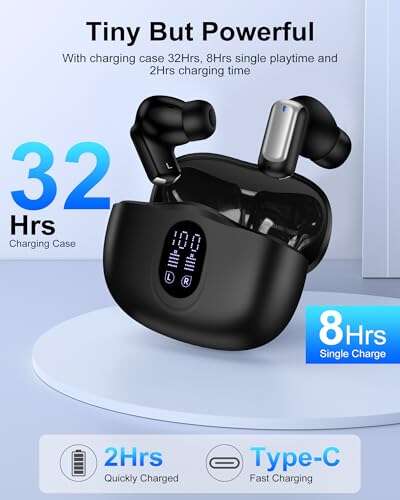
Usually, no. Most true wireless Bluetooth earbuds do not have their own USB port or charging coil. They charge through metal contacts inside the charging case. The case holds the battery, controls the charging current, and transfers power to each earbud.
If you lost or forgot the case, you generally need a compatible replacement case. Do not connect a charger, loose wires, or a power bank directly to the earbud contacts. That can damage the battery or create a fire risk.
This guide applies to users in the United States who want to charge AirPods, Galaxy Buds, JBL earbuds, Sony earbuds, Beats earbuds, and similar true wireless models.
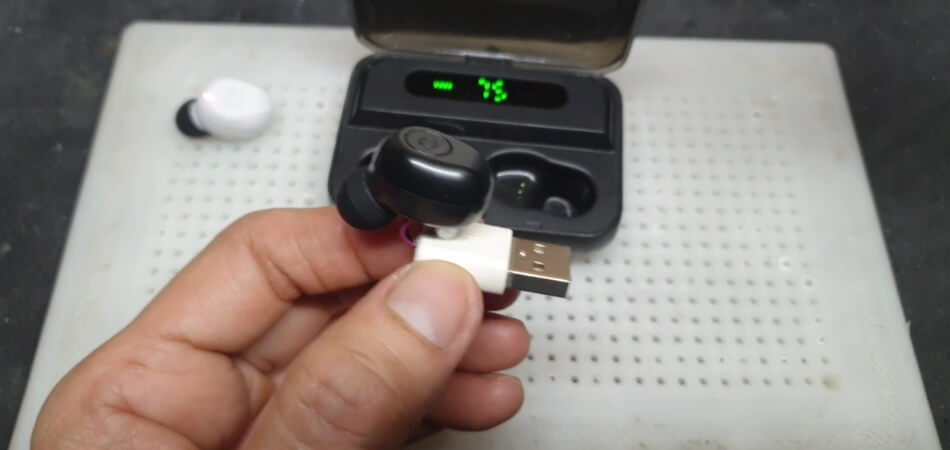
Why most Bluetooth earbuds need the case
The charging case is more than a storage box. It is a small battery system and charging dock in one.
Most earbuds contain:
- A small rechargeable lithium-ion battery
- Charging contacts
- Bluetooth electronics
- A charging control circuit
- A speaker driver and microphone
The case usually contains:
- A larger rechargeable battery
- Charging pins that touch the earbuds
- A USB-C or Lightning input
- Charging control hardware
- Magnets that align the earbuds
- A lid sensor or pairing control system
When you place the earbuds inside, the case sends a controlled amount of power through the contacts. The earbud battery then charges at the rate set by its internal charging circuit.
Apple’s support instructions, for example, direct users to charge AirPods by placing them in the charging case. Samsung gives similar instructions for Galaxy Buds. These designs do not provide a normal USB charging port on each earbud.
This is why a standard USB-C cable cannot charge most wireless earbuds directly. The USB-C port on the case charges the case battery, not the earbuds themselves.

Can you charge earbuds with a USB cable without the case?
For most models, you cannot safely charge the earbuds with a USB cable alone.
A USB cable provides power through its connector. Your earbuds must have a matching port and a charging circuit that can accept that power. Most true wireless earbuds do not include either feature.
The small metal pads on the bottom of an earbud are not USB ports. They are charging contacts designed to meet the spring-loaded pins in the original case.
What happens if you touch wires to the contacts?
Avoid this method. It is unsafe and may cause:
- A short circuit
- Battery damage
- Excess heat
- Permanent loss of battery life
- Melting or burning
- A lithium-ion battery fire
The earbud contacts do not tell you which voltage or current is safe. A USB power source may deliver more power than the tiny earbud battery can accept. The charging case normally manages this process.
A battery’s voltage also changes as it charges. Safe charging requires more than simply connecting positive and negative wires. It requires a suitable charging controller, correct polarity, current limits, and protection against overcharging.
Can a power bank charge earbuds without the case?
A power bank can charge the case if the case has a compatible charging port. It normally cannot charge the earbuds on their own.
Some power banks include wireless charging pads. These pads may charge a case that supports Qi wireless charging. They usually cannot charge individual earbuds because the earbuds do not contain a large enough wireless charging coil or the required charging circuit.

What to do if you lost the charging case
The safest solution is to buy a replacement case made for your exact earbud model.
Follow these steps:
-
Identify the exact model.
Check the original box, receipt, companion app, Bluetooth settings, or the label inside the old case. -
Check the manufacturer’s support page.
Look for replacement charging cases, service parts, or an authorized repair option. -
Confirm the generation.
Similar earbuds may use different cases. For example, a case for one AirPods generation may not work correctly with another generation. -
Check whether the case must be paired.
Some models pair automatically. Others need a reset or setup process through the brand’s app. -
Use the correct cable and power source.
Follow the manual for USB-C, Lightning, or wireless charging. A basic certified USB power adapter is usually suitable when it matches the manufacturer’s instructions. -
Test both earbuds.
Put them in the replacement case and check whether the case shows charging lights or whether the app displays battery status.
A generic case is risky unless the manufacturer specifically lists it as compatible. The shape may look right while the charging pins, firmware, battery system, or pairing process differ.
What if only one earbud needs charging?
The case normally charges each earbud separately. If one earbud is dead, clean its charging contacts and place it firmly in the case.
Check for:
- Dust or earwax on the metal contacts
- A silicone tip blocking the earbud from sitting fully
- A stuck charging pin
- A damaged contact
- A case battery that is empty
Use a dry, soft cotton swab or a clean, dry microfiber cloth. Do not pour liquid into the case or scrape the contacts with a sharp metal tool.
Are there exceptions?
A few wireless audio products can charge without a traditional earbud case, but they are not typical true wireless earbuds.
Earbuds with a built-in charging port
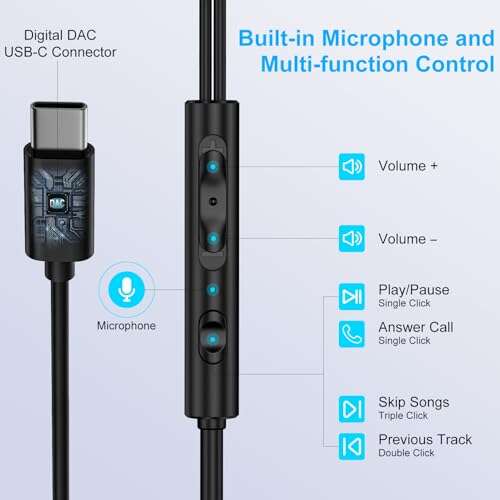
Some models may have a USB-C port on the earbud or on a connected neckband. If the product has a clearly labeled charging port, use the supplied cable and manual.
Do not assume that every USB-C-shaped opening is a charging port. Some ports are used for service, firmware updates, or another function.
Neckband-style Bluetooth earbuds
Neckband earbuds connect the two earpieces with a cable or flexible band. Many have a USB charging port on the neckband. They do not need a charging case because the battery sits in the band.
This design is different from true wireless earbuds, where each earbud works as a separate unit.
Headsets with direct USB charging
Some larger Bluetooth headphones and gaming headsets charge directly through USB-C or micro-USB. Their larger housings have room for a charging port and battery control system.
They are not the same as small, case-charged earbuds.
Wireless charging
Wireless charging does not usually remove the need for the case. With supported products, you place the case on a Qi charging pad. The case then charges the earbuds through its internal contacts.
For example, Apple documents wireless charging for compatible AirPods charging cases. Compatibility depends on the exact model and case version.
Charging options compared
| Charging method | Charges earbuds without the case? | When it works |
|---|---|---|
| USB cable connected to the case | No, not directly | Charges the case, which then charges the earbuds |
| Qi wireless pad | Usually no | Charges a compatible charging case |
| Power bank | Usually no | Powers the case through USB or wireless charging |
| Replacement case | Yes | Must match the exact earbud model |
| Loose wires on earbud contacts | Unsafe | Do not attempt |
| Built-in earbud USB port | Yes | Only on models designed with that port |
| Neckband USB port | Yes | Charges the neckband battery |
The key difference is whether the earbud has a built-in charging circuit and charging port. If it only has contact pads, it was designed to use a case.
How to tell whether your earbuds are charging
When the correct case is available, use these checks:
- Charge the case first.
- Remove dirt from the contacts.
- Place each earbud in its matching slot.
- Check for a charging light.
- Open the brand’s app, if available.
- Leave the earbuds in the case for 10 to 30 minutes.
- Test them again.
A charging icon, case light, or battery increase confirms that the connection is working. Some models show different colors for charging, full charge, or a low case battery. Check the manual because light colors vary by brand.
If nothing happens, try the following:
- Reseat the earbud.
- Charge the case with another known-good cable.
- Try a different power adapter.
- Clean the contacts.
- Restart or reset the earbuds.
- Check the manufacturer’s app for a firmware or connection issue.
- Inspect the case for bent pins or liquid damage.
Stop using the equipment if the earbud or case becomes unusually hot, swells, smells strange, leaks, or shows signs of burning. Move it away from flammable items and contact the manufacturer or a qualified electronics service provider.

Common mistakes to avoid
Using the wrong replacement case
Cases can look nearly identical while using different pin layouts or firmware. Confirm the exact model number before buying.
Charging a wet earbud
Moisture can cause corrosion or a short circuit. Let the earbud dry fully before placing it in the case. Do not use a hair dryer or direct high heat.
Scraping the contacts
Metal tools can scratch the contacts or bridge them together. Use a dry cloth or soft brush instead.
Assuming the case has power
A case may show a light but still have too little battery to charge both earbuds. Charge the case for a while before troubleshooting the earbuds.
Buying a cheap unverified case
An unapproved case may use poor-quality batteries or fail to regulate power correctly. A manufacturer replacement or reputable authorized part is the safer choice.
Leaving damaged lithium batteries in use
A swollen, cracked, hot, or leaking earbud should not be charged. Lithium-ion battery damage can become hazardous during charging.
Key takeaways
- Most Bluetooth earbuds cannot be charged without their case.
- The case supplies controlled power through the earbud contacts.
- A USB cable or power bank normally charges only the case.
- A compatible replacement case is the safest solution.
- Do not connect loose wires directly to the earbud contacts.
- Some neckband earbuds, headphones, and special models have built-in charging ports.
- Check the exact model and manual before using a replacement accessory.
FAQs
Can I charge AirPods without the case?
Usually, no. Standard AirPods charge through a compatible AirPods charging case. The earbuds do not have a normal USB charging port. Use an Apple replacement case or a compatible authorized case for the correct generation.
Can I charge Samsung Galaxy Buds without the case?
Usually, no. Galaxy Buds normally charge through the charging case. A compatible replacement case is the practical option. The exact case must match the Galaxy Buds model.
Can I charge one earbud without charging the other?
Not with most models. The earbuds sit in separate case slots, so you can place only the earbud that needs power inside. The case still acts as the charger.
Can I use another brand’s charging case?
Usually, no. Charging cases are made for specific physical layouts and electronic systems. A case from another brand may not fit, charge, or pair correctly.
How much does a replacement charging case cost?
The price varies by brand, model, generation, condition, and seller. Check the manufacturer first. A used or third-party case may cost less, but confirm compatibility and battery condition before buying.
What should I do if I cannot find a replacement case?
Contact the manufacturer or an authorized service center. If the earbuds are older, compare the replacement-case cost with the price of a new set. Avoid improvised charging methods, since the possible damage and fire risk outweigh the convenience.
Conclusion
Most true wireless Bluetooth earbuds cannot be charged without their charging case. The case provides the battery, contact alignment, and charging control that the earbuds need.
If the case is missing, identify the exact earbud model and buy a compatible replacement from the manufacturer or a trusted seller. If the earbuds have a built-in USB port or belong to a neckband design, follow that product’s manual instead. Never use loose wires or an unknown power source on the earbud contacts.

Everett Ashford is a tech reviewer at mytechgrid.com specializing in SSDs, cameras, TVs, earbuds, headphones, and other consumer electronics. He provides honest, data-driven reviews based on hands-on testing and real-world performance analysis. Everett simplifies complex tech details to help readers make smart, confident buying decisions.