Introduction
For listeners in the United States, the short answer is no—most headphones do not create true 3D audio on their own. However, almost any working pair of headphones can play a 3D or spatial audio signal when a phone, computer, game console, app, or streaming service processes the sound first.
The key difference is simple: headphones provide the speakers, while software often creates the 3D effect. Some headphones include extra features, such as head tracking or built-in sound processing, but these are not found in every model.
This guide explains how 3D audio works, what equipment you need, and how to tell whether your headphones support spatial sound.


What Is 3D Audio?
3D audio is sound designed to seem as if it comes from different points around you. A sound may appear to come from the front, rear, side, above, or below.
Traditional stereo uses two main channels:
- Left
- Right
Stereo can make sound seem wide. It can place a guitar on the left and a vocal near the center. But standard stereo does not always create a convincing sense of height or sound behind you.
3D audio uses extra processing to imitate how people hear sound in real life. This may include:
- Direction
- Distance
- Height
- Room size
- Sound reflections
- Movement around the listener
- Changes caused by head movement
You may also see several related terms:
- Spatial audio: A broad term for sound that feels placed around the listener.
- Binaural audio: Two-channel audio made to mimic human hearing.
- Virtual surround sound: Software that makes stereo headphones seem like they have several speakers around you.
- Object-based audio: Sound elements, such as voices or effects, are placed in a 3D space instead of being fixed to left and right channels.
- Head tracking: The sound field changes when you turn your head.
These terms overlap, but they do not mean the same thing. A product labeled “3D sound” may offer only a basic surround effect.


Do All Headphones Support 3D Audio?
Nearly all headphones can reproduce some form of processed 3D audio, but not all headphones support every 3D audio feature.
A normal pair of wired headphones has two drivers: one for the left ear and one for the right ear. That is enough for many software-based spatial audio systems. The computer, phone, console, or app changes the signal before sending it to the headphones.
The headphones do not need separate speakers above, behind, or in front of your head. The system creates those virtual positions through timing, volume, frequency changes, and other audio cues.
Still, compatibility can vary. A pair of headphones may not support:
- Built-in spatial processing
- Head tracking
- A specific wireless audio mode
- A specific console feature
- Dolby Atmos for Headphones
- Apple Spatial Audio features
- A manufacturer’s companion app
- Low-latency gaming audio
So the better question is not, “Do these headphones have 3D audio?” Ask instead:
Which device or app creates the 3D effect, and which features do the headphones support?
How 3D Audio Works With Ordinary Headphones
3D audio software changes the sound before it reaches your ears. It uses audio cues that your brain normally uses to locate real sounds.
For example, a sound from your right side may reach your right ear slightly sooner and louder than your left ear. Software can copy that difference. It may also adjust the tone to imitate the way your head and ears affect sound.
This process is often called a head-related transfer function, or HRTF. An HRTF is a model of how sound changes as it travels around a person’s head, ears, and upper body.
A typical signal path looks like this:
- A game, movie, or music app sends an audio signal.
- The device or software analyzes the signal.
- Spatial processing places sounds in a virtual room.
- The processed signal is sent to the headphones.
- Your brain interprets the changes as direction and distance.
This is why regular stereo headphones can work with spatial audio. The headphones only need to reproduce the processed left and right signals accurately.
Why Results Differ Between People
3D audio does not sound the same to everyone. Your ears and head have a unique shape. A system designed around one HRTF may sound natural to one person but less convincing to another.
Results can also change based on:
- Headphone fit
- Ear-cup seal
- Driver quality
- Audio codec
- Software settings
- Room correction
- The quality of the original recording
- Whether the content was mixed for spatial playback
A good seal matters most with closed-back headphones and earbuds. If outside sound leaks in, the virtual effect may seem weaker.


Which Headphones Work With 3D Audio?
Wired Headphones
Wired headphones often work very well with software-based 3D audio. They send the processed signal directly from the source device to the headphone drivers.
Advantages include:
- Low delay
- No battery needed
- Wide device compatibility
- No Bluetooth compression
- Easy use with computers and game consoles
A basic wired headset can work with virtual surround sound. It does not need a special “3D” label.
Bluetooth Headphones
Bluetooth headphones can also work with spatial audio, but the device and connection must support the required feature.
Potential limits include:
- Wireless audio delay
- Bluetooth codec support
- Device-specific restrictions
- App requirements
- Head-tracking support
- Battery use
Some Bluetooth headphones can receive spatial audio but cannot provide head tracking. Others may support head tracking only with a certain phone, operating system, or app.
Gaming Headsets
Gaming headsets often advertise virtual 7.1, surround sound, or 3D audio. These features may come from:
- A console
- A computer setting
- A USB sound card
- Headset software
- The game itself
A headset’s “7.1” label does not mean it contains seven physical speakers in each ear cup. In many cases, it refers to virtual processing.
For competitive games, spatial audio may help you judge direction. It can also make sounds less clear if the processing adds too much echo or changes the mix in an unwanted way.
Earbuds
Many earbuds support spatial audio through a phone or streaming app. Some premium models also include head tracking.
Earbuds may deliver a strong spatial effect because they sit close to the ear canal. However, their fit has a large effect on sound. A loose earbud can weaken bass and reduce the sense of immersion.
| Headphone type | Can it play processed 3D audio? | Common limitation |
|---|---|---|
| Wired headphones | Yes, in most cases | The source device must process the sound |
| Bluetooth headphones | Often | Device, codec, and app compatibility |
| Gaming headsets | Often | Surround mode may be software-based |
| Basic earbuds | Often | Fit and seal affect the result |
| Head-tracking headphones | Yes, with supported software | Requires compatible hardware and apps |
The important point is that headphone type alone does not prove 3D audio support. Check the complete system: content, device, operating system, app, and headphones.
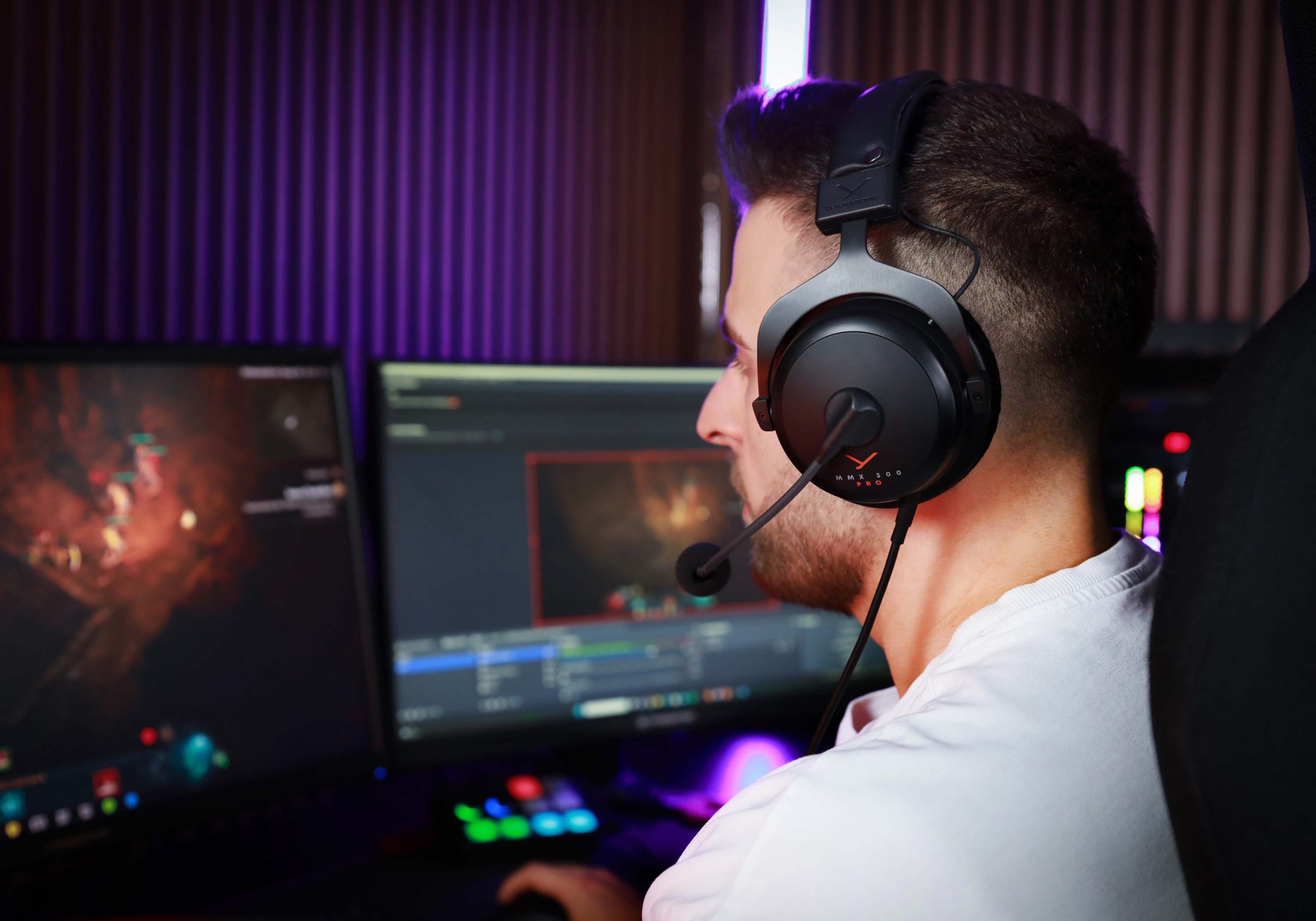
Do You Need Special Headphones for Spatial Audio?
You usually do not need special headphones for basic spatial audio. You may need special hardware for advanced features such as head tracking or personalized sound profiles.
A standard pair of headphones is often enough for:


- Virtual surround sound
- Binaural recordings
- Software-based 3D audio
- Many movie and game spatial modes
- Some Dolby Atmos headphone modes
- Some console spatial audio settings
Special headphones may be useful when you want:
- Automatic head tracking
- A built-in spatial audio processor
- Wireless spatial audio with fewer setup steps
- Personalized ear measurements
- Manufacturer-specific 3D features
- Motion-based sound effects
Do not assume that a higher price guarantees better 3D audio. A costly pair may have excellent sound but no head tracking. A less expensive wired headset may work well with a computer’s spatial audio setting.
The source and software often matter more than the headphone label.
What Is the Difference Between 3D Audio and Surround Sound?
Surround sound traditionally describes multiple audio channels placed around a listener. A common home theater setup may use speakers at the front, sides, and rear.
Virtual 3D audio tries to create a similar effect through headphones. It converts a multichannel or object-based mix into two channels that your ears can interpret as coming from different locations.
The main difference is scope:
- Stereo: Left and right sound.
- Surround sound: Several fixed speaker channels.
- Virtual surround: Software simulates multiple speaker positions.
- 3D or spatial audio: May include direction, height, distance, movement, and head tracking.
These labels are not used in exactly the same way by every company. Read the product or platform description carefully.
A pair of headphones labeled “surround” may not support height effects. A product labeled “3D” may use a simple equalizer preset. The name alone does not tell you how advanced the feature is.

How to Turn On 3D Audio
The setup depends on your device. Start with the simplest path: enable the spatial setting on the source device, then test supported content.
On a Windows PC
Windows may offer spatial sound options such as Windows Sonic for Headphones. Some systems also support Dolby Atmos for Headphones or other licensed options.
General steps:
- Connect your headphones.
- Open the sound settings.
- Select the active playback device.
- Find the spatial sound option.
- Choose the available headphone mode.
- Test the setting with a game or movie known to support spatial sound.
The exact menu names can change between Windows versions and manufacturer software. If the spatial option does not appear, update the audio driver and check whether another program controls the sound output.
On an Apple Device
Apple devices may support spatial audio through compatible operating systems, apps, and content. Some Apple headphones and Beats models add dynamic head tracking.
To use it:


- Connect compatible headphones or earbuds.
- Open the audio or Control Center settings.
- Check whether Spatial Audio is available.
- Choose the preferred mode.
- Test supported music or video content.
The available choices may include fixed spatial audio or head-tracked spatial audio. Head tracking requires compatible hardware. Regular headphones may still play the processed signal without tracking your head.
On a PlayStation Console
PlayStation consoles support headphone-based 3D audio through system settings and compatible games. The console creates much of the effect, so many wired or wireless headsets can work.
General steps:
- Connect the headset.
- Open the console sound settings.
- Select the headphone audio option.
- Enable the 3D audio feature.
- Adjust the profile if the console offers a listening test.
- Test the setting in a game with directional sound.
Use the game’s own audio settings as well. Some games offer separate modes for headphones, home theater, or night listening.
In Movies and Music Apps
The app and subscription level may affect whether spatial content is available. Look for terms such as:
- Spatial audio
- Dolby Atmos
- Immersive audio
- Binaural
- 360 Reality Audio
- Head-tracked audio
A normal stereo track may not become truly object-based 3D audio just because a “3D” effect is switched on. Software can widen or reshape stereo, but it cannot recover directional information that was never included in the recording.

How to Tell Whether Your Headphones Support 3D Audio
Use this check before buying new headphones.
1. Identify the Source Device
Find out whether the audio comes from:
- An iPhone or Android phone
- A Windows or Mac computer
- A PlayStation or Xbox console
- A television
- A streaming box
- A music or movie app
The source device usually controls the spatial audio feature.
2. Check the Headphone Connection
Note whether the headphones use:
- A 3.5-millimeter cable
- USB
- USB-C
- Bluetooth
- A wireless gaming receiver
Wired headphones tend to have fewer compatibility problems. Wireless models may need a specific codec, app, or device.
3. Read the Official Specifications
Look for clear terms such as:
- Spatial audio support
- Dolby Atmos support
- Head tracking
- Compatible devices
- Supported operating systems
- Required app
- Firmware requirements
Avoid treating vague phrases such as “3D bass” or “immersive sound” as proof of true spatial audio.
4. Check Whether Head Tracking Is Included
Head tracking is a separate feature. It uses motion sensors to keep sounds fixed in a virtual room as you move your head.
For example, a singer may seem to remain in front of you while you turn to the side. Without head tracking, the spatial effect normally moves with the audio signal instead.
5. Test Known Spatial Content
Use content that clearly identifies its audio format. Compare:
- Spatial audio on
- Spatial audio off
- Head tracking on
- Head tracking off
The change should be easy to hear in a well-made movie scene, game, or spatial music track.
Common Problems With 3D Audio
The Sound Feels Like Echo
Possible causes include multiple surround systems running at once. For example, your headset software and game console may both process the signal.
Try this:
- Turn off the headset’s virtual surround mode.
- Keep only the console or computer spatial mode enabled.
- Test the sound again.
- Reverse the settings if the first option sounds worse.
Using two spatial processors can create an artificial or hollow sound.
The Effect Sounds Weak
Check the fit, seal, source content, and volume. Spatial audio may be subtle by design. Some systems focus on accurate placement rather than a dramatic effect.
Also check whether the content is actually mixed for spatial playback. A basic stereo track may produce only a widened image.
The Direction Sounds Wrong
The selected HRTF profile may not fit your ears well. If the device offers several profiles or a calibration test, try another one.
Headphone position also matters. Ear cups that sit unevenly can change the left-right balance and weaken the virtual image.
There Is Too Much Delay
Wireless headphones may add latency. This is most noticeable when playing games, watching video, or using an instrument.
Try:
- A wired connection
- A low-latency wireless mode
- The device’s gaming mode
- A supported USB receiver
- Updated firmware
Do not use a setting that reduces delay if it causes dropouts or major sound loss.
Head Tracking Does Not Work
Check these conditions:
- The headphones include motion sensors.
- The source device supports the feature.
- The app supports head tracking.
- Bluetooth or USB is connected in the required mode.
- Firmware is current.
- Motion access is allowed where required.
A headphone can support spatial audio but not head tracking. These features should not be treated as identical.

Is 3D Audio Better Than Stereo?
3D audio is not always better than stereo. It depends on the content and your goal.
Spatial audio can help when you want:
- Clear direction in a game
- A theater-like movie experience
- A sense of sound around you
- A fixed soundstage with head tracking
- A more natural presentation of a binaural recording
Stereo may be better when you want:
- A simple music mix
- Accurate competitive-game cues
- Lower processing
- Fewer compatibility problems
- A familiar sound
Some spatial modes make music sound distant or processed. Others place vocals and instruments in a way that you enjoy. The best choice is the one that sounds clear and natural to you.
For competitive gaming, test both modes. A wider effect is not automatically more accurate. Clear footsteps and stable left-right placement may matter more than a dramatic surround effect.
Is 3D Audio Safe for Your Hearing?
3D audio itself is not known to create a special hearing risk. The main risk comes from listening too loudly or for too long.
Follow practical volume habits:
- Keep the volume at the lowest level that lets you hear clearly.
- Take breaks during long sessions.
- Avoid increasing the volume to cover outside noise.
- Use noise cancellation when it helps you listen at a lower level.
- Stop if you notice ringing, pain, muffled hearing, or unusual sensitivity.
If symptoms continue after listening, contact a qualified health professional. Headphones do not need to be loud to make spatial audio work.
Best Buying Advice: Choose the Feature You Actually Need
If you want broad compatibility, choose comfortable wired headphones or a headset with a standard connection. They can work with many software-based spatial systems.
If you want wireless convenience, check the exact phone, computer, console, and app support. Do not assume that Bluetooth spatial audio works the same way across all devices.
If you want head tracking, confirm all three parts:
- The headphones have motion sensors.
- The source device supports head tracking.
- The app or content supports the feature.
If you mainly listen to music, focus first on comfort, sound balance, fit, and battery life. Spatial audio is useful only when you enjoy the way it changes the music.
If you play games, check latency and platform support before choosing a headset. A reliable connection can matter more than a “3D” badge.

Key Takeaways
- No, not all headphones have built-in 3D audio.
- Most headphones can play software-based spatial audio.
- The phone, computer, console, or app often creates the 3D effect.
- Head tracking requires compatible motion-sensing headphones and supported software.
- A “3D” or “surround” label does not prove advanced spatial audio.
- Wired headphones usually offer the simplest compatibility.
- Fit, content quality, software settings, and personal hearing all affect the result.
- Spatial audio is not automatically better than stereo.
FAQs
Can cheap headphones play 3D audio?
Yes. Many inexpensive headphones can play software-based spatial audio. The source device performs much of the processing. The main limits may be comfort, sound quality, fit, delay, and build quality.
Do I need Dolby Atmos headphones?
No. Dolby Atmos for headphones is usually a software feature or licensed processing mode. Many standard wired or wireless headphones can reproduce the processed signal if the device supports it.
Do AirPods have 3D audio?
Some AirPods models support Apple Spatial Audio, and selected models also support dynamic head tracking. Compatibility depends on the AirPods model, Apple device, operating system, app, and content.
Can any headphones work with PS5 3D audio?
Many wired and wireless headsets can work with the PS5’s headphone-based 3D audio. The connection method and headset compatibility still matter. Check the headset maker’s specifications for wireless receiver support and console compatibility.
Does 3D audio work with music?
Yes, if the music service and recording support spatial or immersive audio. A normal stereo song can receive virtual processing, but that does not add the same directional detail as a recording mixed for spatial playback.
Can 3D audio work without head tracking?
Yes. Spatial audio can place sounds around you without tracking your head. Head tracking is an added feature that helps keep virtual sounds fixed in a simulated room as you move.
Conclusion
Not all headphones have built-in 3D audio, but most modern headphones can play some form of software-based spatial sound. The source device and app often do more work than the headphones themselves.
Before buying new headphones, check the feature you want: basic virtual surround, spatial audio, Dolby Atmos playback, or head tracking. Then confirm that the headphones, source device, and content support the same system. That approach is more reliable than trusting a “3D audio” label alone.
Sources for Further Checking
- Dolby Atmos for Headphones
- Microsoft spatial sound support
- Apple Spatial Audio support
- PlayStation 3D Audio support

Everett Ashford is a tech reviewer at mytechgrid.com specializing in SSDs, cameras, TVs, earbuds, headphones, and other consumer electronics. He provides honest, data-driven reviews based on hands-on testing and real-world performance analysis. Everett simplifies complex tech details to help readers make smart, confident buying decisions.