For professional photography, 24 to 45 megapixels is enough for most jobs, while specialized work may need more.
Choosing how many megapixels for professional photography depends on your subject, print size, cropping needs, and delivery platform. A wedding photographer, commercial shooter, and wildlife specialist may need very different cameras.
After years of comparing files for portraits, events, products, and large prints, one lesson stands out: megapixels matter, but they are only one part of image quality. This guide explains how to choose the right resolution without paying for pixels you may never use.
What Are Megapixels?
A megapixel equals one million pixels. Pixels are the tiny points of color that form a digital image.
A 24-megapixel camera creates an image with about 24 million pixels. For example, a full-frame camera may produce a file around 6,000 × 4,000 pixels.
More pixels can provide:
- Greater detail
- More room to crop
- Larger print sizes
- Better flexibility for commercial layouts
- Improved ability to straighten or reframe an image
However, more megapixels do not always mean better photos. Image quality also depends on lens sharpness, sensor design, focus accuracy, lighting, camera shake, and editing skill.
Think of megapixels as the size of a canvas. A larger canvas gives you more room to work, but it does not make the painting better by itself.

How Many Megapixels Do Professional Photographers Need?
For most professional photography, 24 to 36 megapixels provides an excellent balance of detail, file size, speed, and cost.
Here is a practical guide:
- 20 to 24 megapixels: Suitable for weddings, events, portraits, news, social media, and general commercial work.
- 26 to 36 megapixels: Ideal for professional portraits, editorial work, landscapes, real estate, and studio photography.
- 40 to 50 megapixels: Useful for fashion, product photography, fine art prints, architecture, and detailed commercial work.
- 60 megapixels or more: Best for high-end advertising, artwork reproduction, museum work, and demanding studio projects.
The answer to how many megapixels for professional photography is usually not “the most possible.” It is the resolution that fits your actual workflow.
A 24-megapixel file is already large enough for a high-quality 20 × 13-inch print at about 300 pixels per inch. It can also produce larger prints when viewed from a normal distance.
A 45-megapixel file gives you more cropping power. This can help when a bird is far away, a model moves quickly, or the final image must fit several layout sizes.
Recommended Megapixels by Photography Genre
Different types of professional photography place different demands on a camera.
Wedding and Event Photography
A 24 to 36-megapixel camera is usually enough for wedding photography. You can make sharp albums, wall prints, and online galleries while keeping file sizes manageable.
Wedding photographers often shoot thousands of images in one day. Smaller files help with:
- Faster memory card performance
- Quicker backups
- Easier cloud storage
- Faster editing
- Longer burst shooting
A camera with strong autofocus, good low-light performance, and reliable battery life may be more valuable than a 60-megapixel sensor.
Portrait Photography
Portrait photographers can work very well with 24 to 50 megapixels. Higher resolution can show fine hair, fabric, jewelry, and skin texture.
Still, extreme resolution can reveal every pore and blemish. Good lighting and careful retouching become even more important. For many portrait sessions, a sharp 33 or 45-megapixel camera offers plenty of detail without making files unnecessarily heavy.
Landscape Photography
Landscape photographers often benefit from 36 to 61 megapixels. Extra resolution helps capture distant textures, small branches, rocks, and fine details in large scenes.
A high-resolution camera is most useful when paired with:
- A sharp lens
- A sturdy tripod
- Careful focusing
- Low ISO settings
- Good weather and light
- Precise post-processing
A high-megapixel camera cannot rescue a soft image caused by wind or camera movement.
Wildlife Photography
Wildlife photographers may prefer 24 to 50 megapixels. More pixels can help crop distant animals, especially when long lenses cannot fill the frame.
However, wildlife work also demands fast autofocus, high burst rates, buffer capacity, and strong high-ISO performance. A 24-megapixel camera that captures the decisive moment may beat a slower 60-megapixel camera.
Product and Commercial Photography
Product photographers often use 40 to 100 megapixels, especially for advertising, catalogs, packaging, and large displays.
In controlled studio work, high resolution is easier to use because the photographer can manage:
- Lighting
- Camera stability
- Focus
- Exposure
- Subject movement
- File storage
For everyday product listings, though, 24 megapixels is often more than enough.
Real Estate Photography
Real estate photographers usually do not need extreme resolution. A 20 to 36-megapixel camera can produce excellent images for websites, brochures, and printed listings.
Dynamic range, wide-angle lens quality, and distortion control often matter more than megapixels. A well-lit 24-megapixel interior image will look better than a poorly exposed 60-megapixel image.
Megapixels and Print Size
Print size is one of the clearest ways to understand how many megapixels for professional photography.
A common professional print target is 300 pixels per inch, or PPI. You can estimate the needed resolution with this formula:
Image width in inches × 300 = required pixel width
Image height in inches × 300 = required pixel height
For example, a 12 × 18-inch print at 300 PPI needs about 3,600 × 5,400 pixels. That equals roughly 19.4 megapixels.
Here are useful examples:
- 8 × 10 inches: About 7.2 megapixels at 300 PPI
- 12 × 18 inches: About 19.4 megapixels at 300 PPI
- 16 × 24 inches: About 34.6 megapixels at 300 PPI
- 20 × 30 inches: About 54 megapixels at 300 PPI
- 24 × 36 inches: About 78 megapixels at 300 PPI
These numbers are guidelines, not strict rules. Large prints are often viewed from farther away, so they can look sharp at a lower pixel density.
A billboard does not need the same pixel density as a photo book. The viewing distance changes the practical resolution requirement.
Cropping Can Change the Right Megapixel Choice
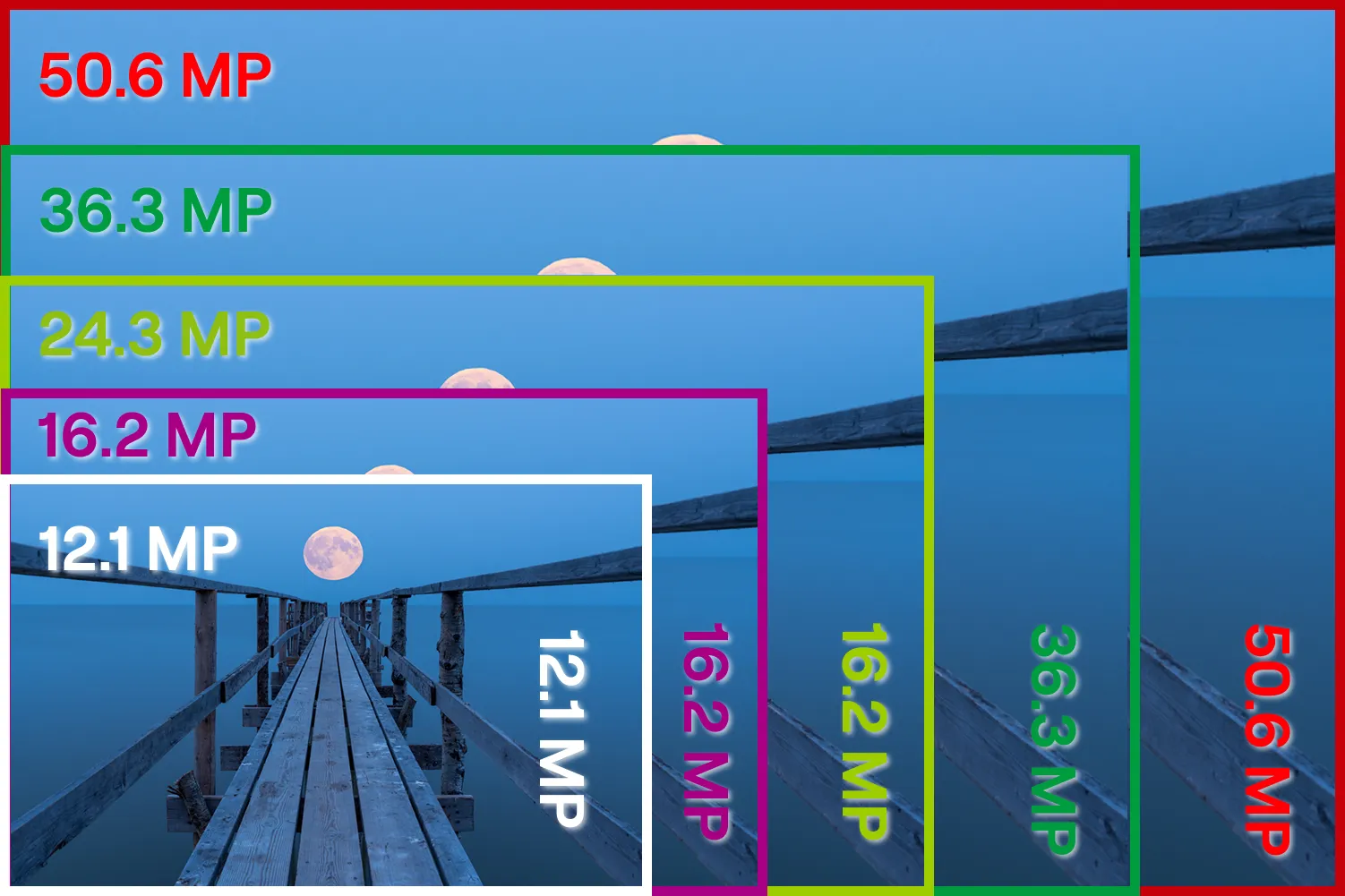
Cropping is a major reason professionals choose higher-resolution cameras.
Suppose you crop a 45-megapixel image to half its width and half its height. You keep about one-quarter of the original pixels, leaving roughly 11 megapixels.
That may still work for a web image, but it gives you less flexibility for a large print.
This is why how many megapixels for professional photography depends on how often you crop. A studio photographer who fills the frame may need fewer pixels than a wildlife photographer who regularly crops distant subjects.
Before buying a high-resolution camera, ask yourself:
- Do I often crop more than 30 percent?
- Do I print larger than 16 × 20 inches?
- Do clients request large wall art?
- Do I need several compositions from one original file?
- Do I photograph subjects that are hard to approach?
If the answer is yes to several questions, 40 megapixels or more may be a sensible choice.
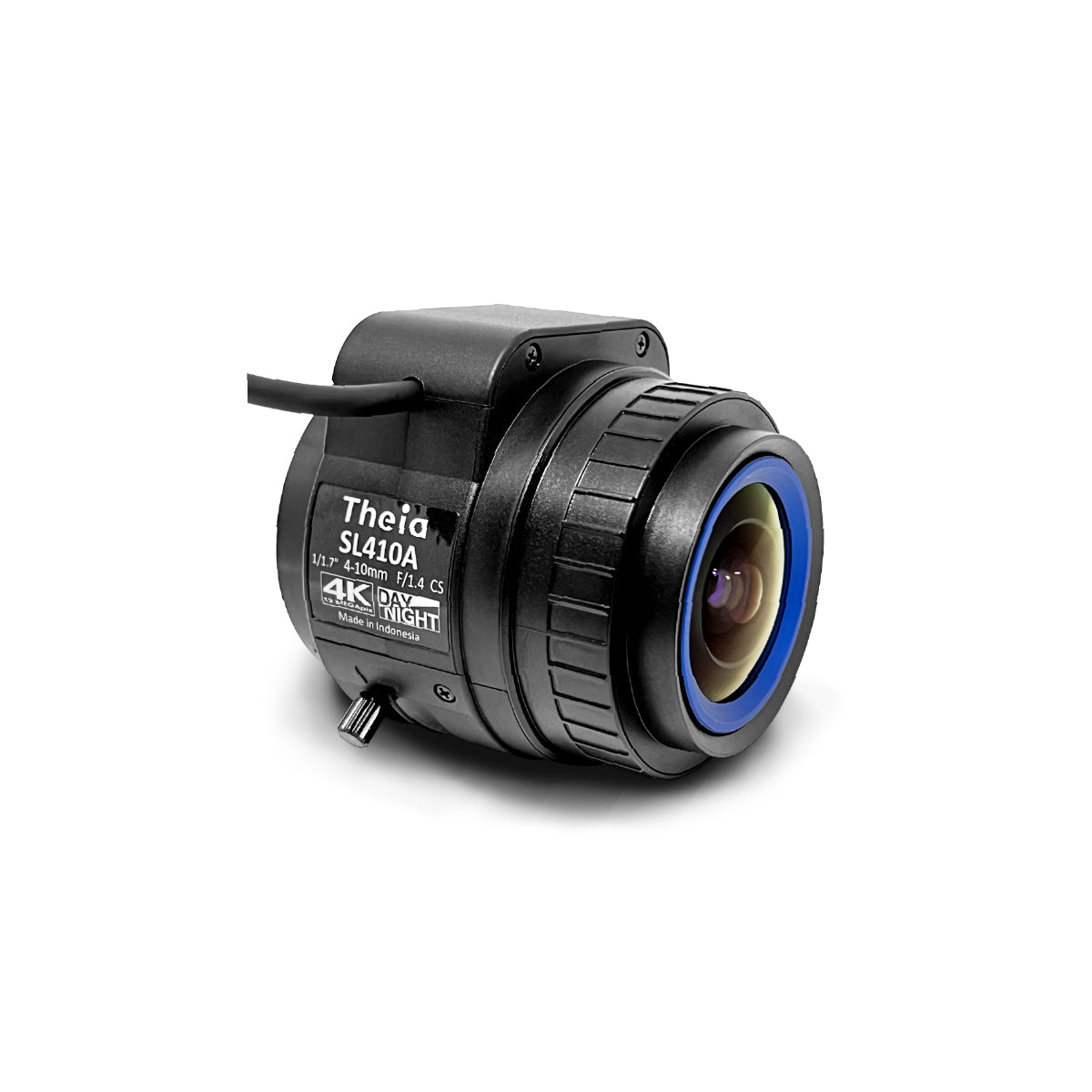
More Megapixels Do Not Always Mean Better Image Quality
Higher resolution has real advantages, but it also creates trade-offs.
Larger File Sizes
A 60-megapixel RAW file can take much more storage than a 24-megapixel file. This affects memory cards, hard drives, backups, and cloud plans.
Professional photographers should maintain at least two backups of important client files. High-resolution work makes this more expensive and time-consuming.
Slower Workflows
Large files take longer to copy, preview, edit, export, and deliver. Older computers may struggle with large RAW images.
If you photograph 2,000 images at an event, the difference between 24 and 60 megapixels can become noticeable very quickly.
Greater Motion Blur
High-resolution sensors reveal small flaws more clearly. A slight focus error or tiny amount of camera shake may be visible at 100 percent magnification.
This does not mean high-resolution cameras always create more blur. They simply make blur easier to see when you inspect the file closely.
Lens Demands
A high-megapixel sensor can reveal weaknesses in an inexpensive or older lens. To use all those pixels, you need good optics and careful technique.
Even a very sharp lens cannot create detail that was lost through missed focus, poor light, haze, or motion.
More Demanding Technique
Tripods, electronic shutters, controlled lighting, and precise focus become more useful as resolution increases. High-resolution photography rewards care, but it may feel less forgiving.
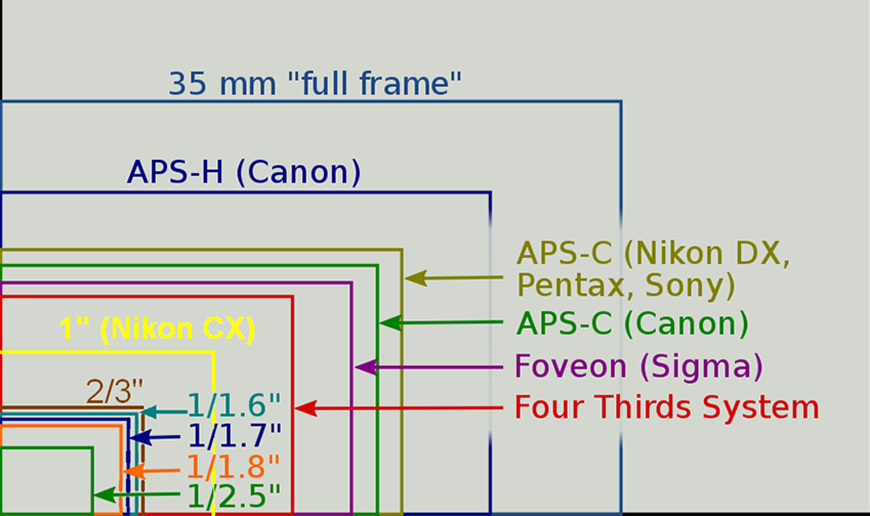
Sensor Size Matters Alongside Megapixels
The same megapixel count can behave differently on different sensor sizes.
A 24-megapixel full-frame sensor spreads its pixels over a larger area than a 24-megapixel Micro Four Thirds sensor. Pixel size, sensor technology, and image processing all affect noise and dynamic range.
Sensor size influences:
- Low-light performance
- Depth of field
- Lens selection
- Dynamic range
- Camera size
- Crop factor
- Pixel density
Megapixels alone cannot tell you how clean an image will look at ISO 6400. Two cameras with the same resolution may produce different results because their sensors and processors differ.
When comparing cameras, review real RAW samples, not only marketing charts. Look at shadow recovery, fine detail, skin tones, autofocus accuracy, and performance at the ISO settings you actually use.
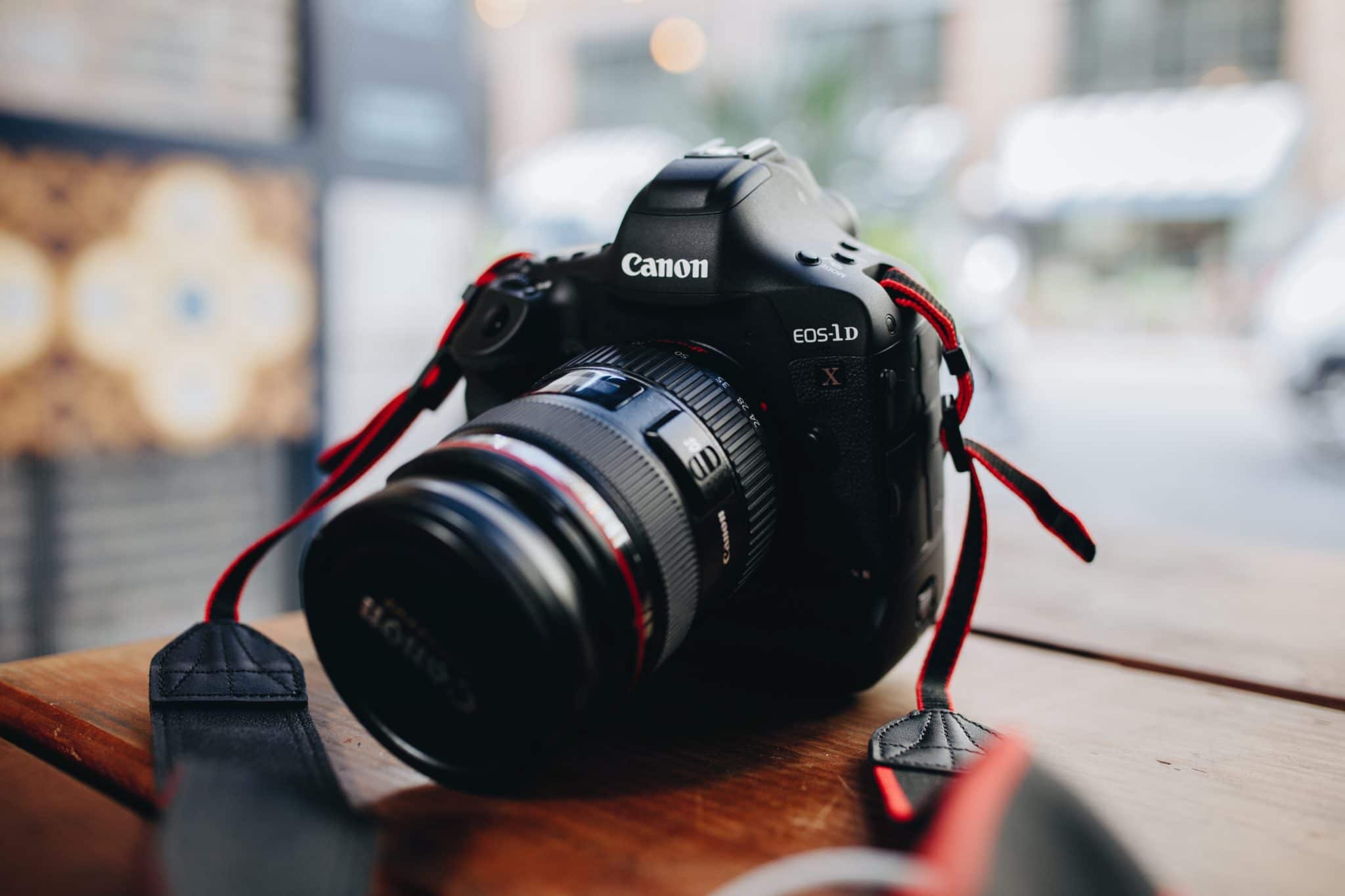
Resolution, Lens Quality, and Technique
A high-resolution camera works best as part of a complete system.
A sharp lens can improve fine detail more than moving from 24 to 36 megapixels. Stable support can matter more than moving from 36 to 50 megapixels. Accurate focus can matter more than both.
In my own practical testing, the most common mistake is blaming resolution for a soft image. The real cause is often shutter speed, focus placement, heat shimmer, or a lens used at an unsuitable aperture.
A useful professional checklist includes:
- Use a shutter speed fast enough for the subject.
- Focus on the most important detail.
- Keep the lens clean.
- Use a tripod for static subjects when practical.
- Avoid extreme apertures that reduce sharpness.
- Test lenses at the apertures you plan to use.
- Inspect the final image at its intended viewing size.
A 24-megapixel image with accurate focus and good light can look far more professional than a blurry 100-megapixel image.
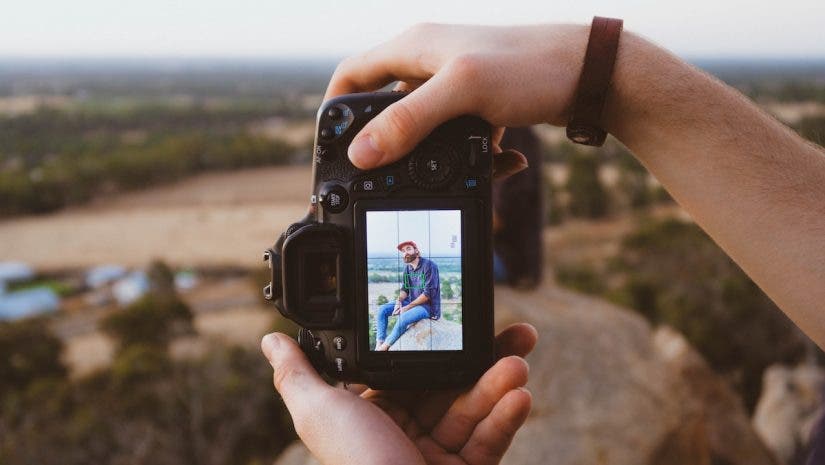
How Many Megapixels Are Enough for Social Media and Websites?
For social media, websites, and online portfolios, 20 to 30 megapixels is more than enough for most professional work.
Most platforms resize images. They do not display the full resolution of a modern camera file. A properly sharpened 12 to 20-megapixel export can look excellent online.
Still, starting with a higher-resolution original can help when you need to:
- Crop for vertical and horizontal formats
- Create thumbnails
- Reframe a group image
- Remove unwanted edges
- Export several sizes for different platforms
The final delivery size matters more than the original megapixel count. Export images in the color space, dimensions, and file format required by the client or platform.
Should You Buy a High-Megapixel Camera?
Buy a high-megapixel camera when it solves a real problem in your work.
It may be worth the investment if you:
- Produce large commercial prints
- Crop frequently
- Photograph artwork or products
- Need detailed catalogs
- Sell fine art wall prints
- Create images for multiple layouts
- Want substantial room for reframing
A lower-resolution camera may be the smarter choice if you:
- Photograph weddings or events
- Deliver mostly digital files
- Need fast bursts
- Work in low light
- Travel often
- Have limited storage
- Prefer a fast editing workflow
One lesson I learned early is that buying more resolution can feel exciting, but it does not automatically increase bookings or improve client satisfaction. Clients usually notice expression, timing, lighting, color, and reliability first.
Choose the camera that supports your work, not the one with the biggest number on the box.
A Simple Buying Guide
Use this process to decide how many megapixels for professional photography.
Step 1: Identify Your Final Output
Will your images appear on a phone, in a magazine, on a billboard, or as wall art? The final use sets the basic resolution requirement.
Step 2: Measure Your Cropping Habits
Review recent images. If you often crop heavily, consider a higher-resolution camera or a longer lens.
Step 3: Consider Your Subject
Fast action requires autofocus and speed. Studio work allows more time and benefits from detail. Match the camera to the job.
Step 4: Check Your Computer and Storage
Make sure your editing system can handle the camera’s RAW files. Include memory cards, backup drives, and cloud storage in your budget.
Step 5: Compare the Whole Camera
Look beyond megapixels. Check autofocus, dynamic range, high-ISO quality, battery life, lens options, weather sealing, and reliability.
Step 6: Test Before You Commit
Rent the camera if possible. Photograph real subjects in real conditions. Test the files on your own computer and make a print.
This approach gives a more honest answer to how many megapixels for professional photography than a simple camera comparison chart.
Frequently Asked Questions About How Many Megapixels for Professional Photography
Is 24 megapixels enough for professional photography?
Yes, 24 megapixels is enough for weddings, portraits, events, real estate, editorial work, and many commercial assignments. It can also produce high-quality prints when the image is properly captured and processed.
Is 36 megapixels better than 24 megapixels?
A 36-megapixel camera provides more detail and cropping room, but it may create larger files and slower workflows. It is better when you need extra resolution, not simply because the number is higher.
How many megapixels are needed for large prints?
The answer depends on print size and viewing distance. Around 35 megapixels can support a detailed 16 × 24-inch print at 300 PPI, while larger prints may need more pixels or can be viewed at a lower PPI.
Are more megapixels better for wedding photography?
Not always. Wedding photographers often benefit more from fast autofocus, strong low-light performance, reliable operation, and manageable file sizes than from extreme resolution.
How many megapixels are best for professional portraits?
Between 24 and 50 megapixels works well for professional portraits. Choose the higher end if you create large prints, crop often, or need fine detail for fashion and beauty work.
Do megapixels affect low-light performance?
Megapixels can influence pixel density and noise, but sensor design, processing, lens aperture, and exposure matter too. You should compare real high-ISO images rather than judging low-light quality from megapixels alone.
Can a 20-megapixel camera produce professional images?
Yes. A 20-megapixel camera can create professional images for websites, magazines, portraits, events, and moderate-size prints. Skill, light, focus, lens quality, and composition often have a greater effect on the final result.
Conclusion
For most professionals, 24 to 36 megapixels is the practical sweet spot. Choose 40 to 60 megapixels when you need heavy cropping, large prints, artwork reproduction, or demanding commercial detail.
The best answer to how many megapixels for professional photography comes from your subjects, clients, print sizes, and workflow. Start by reviewing your real assignments, then choose a camera that improves your work without creating unnecessary costs.
Test a camera with your own lenses and subjects before buying, and focus on the full system rather than resolution alone. Explore more photography guides, share your experience, or leave a comment about the megapixel range you use.

Everett Ashford is a tech reviewer at mytechgrid.com specializing in SSDs, cameras, TVs, earbuds, headphones, and other consumer electronics. He provides honest, data-driven reviews based on hands-on testing and real-world performance analysis. Everett simplifies complex tech details to help readers make smart, confident buying decisions.