Use a proper amp/DAC, check EQ and device settings, and replace low-sensitivity headphones.
I’ve spent years fixing quiet headphones for friends and clients. This guide on how to boost headphone volume walks through safe, practical, and tested steps. You’ll get simple fixes, plus advanced options, trouble‑shooting tips, and real-world lessons so you can raise loudness without damaging your ears or gear. Read on for clear actions you can take right now to improve volume and sound quality.

Why your headphone volume may be low
Low headphone volume can come from many sources. Common causes include low system volume limits, software or driver settings, headphone impedance mismatch, damaged cables, or worn ear tips. Some phones and laptops limit output to protect hearing or to match regulatory rules.
Understanding why your device is quiet is the first step to learning how to boost headphone volume. Fixes range from quick software tweaks to swapping components like cables, ear tips, or using an amp or DAC. Start with the easiest checks first, then move to hardware fixes if needed.

Safety and legal notes before increasing loudness
Louder sound can harm hearing. Set safe listening limits and avoid long sessions at high volume. Many countries and devices use volume-limiting features to protect hearing; bypassing those may violate local rules or device warranties.
When learning how to boost headphone volume, balance louder sound with short listening times. If you feel ringing or muffled hearing after loud listening, stop and consult a hearing professional.
Practical steps to boost headphone volume
Start with these steps. They are low-risk and often fix most volume problems.
-
Check basic settings
- Raise device and app volume sliders to maximum.
- Ensure separate media and call volumes are high.
- Turn off any “volume limit” or “safe volume” settings if you accept the risk.
-
Clean and inspect gear
- Clean ear tips and headphone ports gently; debris can block sound.
- Inspect cables and connectors for damage or loose fits.
- Replace worn tips for better seal and louder perceived bass.
-
Match headphone impedance and sensitivity
- Low-sensitivity or high-impedance headphones need more power.
- If your headphones are labeled high impedance (over 80 ohms), use an amp or DAC.
-
Use equalizer and software boosts
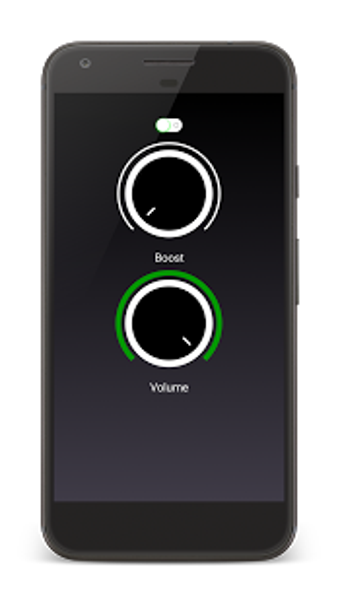
- Raise gain or output in a trusted app or the system equalizer.
- Use preamp/gain controls carefully to avoid clipping and distortion.
- On smartphones, try a high-quality music app that supports volume normalization and gain.
-
Update drivers and firmware
- On Windows and macOS, update audio drivers and system firmware.
- On phones, update OS and firmware for headphone accessories like wireless earbuds.
-
Try different sources
- Test the headphones on another phone, tablet, or laptop.
- If they’re louder elsewhere, the original device may be the limiter.
Personal note: I once rebuilt a client’s laptop sound by updating the audio driver and switching to higher-sensitivity ear tips. Volume rose and the sound cleared up. The fix was simple once we isolated the cause.
Advanced methods: hardware and software upgrades
If basic steps don’t help, consider these options. They can improve volume and overall sound quality.
-
Portable DAC and headphone amp
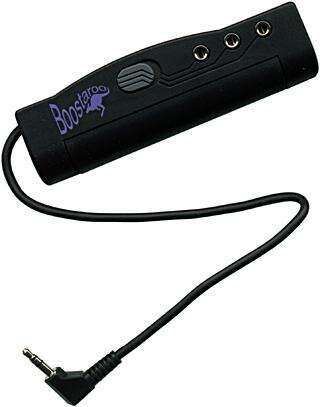
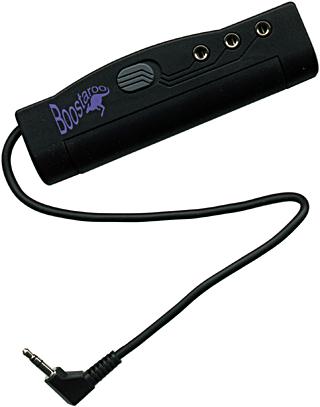
- A DAC converts digital to analog cleanly and an amp adds power for high-impedance cans.
- Use a compact USB-C or Lightning DAC/amp for phones, or a desktop unit for home use.
-
Balanced cables and connectors
- Balanced output can deliver more power and lower noise on compatible headphones.
- Not all headphones or devices support balanced connections.
-
Change cables or connectors
- Some detachable headphones are limited by stock cables. Upgrading to a thicker, better-shielded cable can help.
-
Use low-latency, high-quality codecs for wireless
- Wireless earbuds depend on the codec. Switching to a better codec can improve perceived loudness and clarity.
-
System-level tweaks
- On Windows, use the sound control panel to disable enhancements that may limit loudness.
- On Linux, adjust PulseAudio or PipeWire gain settings carefully.
- Rooted phones or jailbroken devices offer deeper gain control but carry risk.
Limitations and risks
- Pushing gain too high can cause clipping, distortion, and permanent hearing damage.
- Modifying firmware or bypassing safety limits may void warranties or cause instability.

Common mistakes and troubleshooting
Avoid these errors when you try to boost headphone volume.
-
Jumping to hardware fixes first
- Many problems are software or settings related. Test the simple fixes before buying gear.
-
Using poor-quality boost apps
- Some apps add digital boost but create harsh distortion. Use trusted software with clean gain control.
-
Ignoring headphone specs
- High-impedance or low-sensitivity headphones need more power. Check specs before assuming a defect.
-
Overdriving drivers
- If sound clips or compresses at high gain, reduce the boost or get a proper amp.
Troubleshooting checklist
- Test headphones on another device.
- Try a different cable or adapter.
- Reset audio settings and reinstall drivers or apps.
- Use a portable amp/DAC to confirm if power is the issue.
PAA-style quick questions
Q: Will a DAC increase volume?
A: A DAC alone improves clarity; combined with an amp it can increase usable volume for high-impedance cans.
Q: Can software alone fix low volume?
A: Sometimes yes, if a limiter or driver issue is the cause, but hardware power limits will remain.

Frequently Asked Questions of how to boost headphone volume
How do I safely increase headphone volume on my phone?
Use the phone’s volume controls and disable any safe-volume limits only if you accept risk. Try a reputable music app with gain controls and test at low increase levels.
Will an amp hurt my headphones?
A proper amp will not hurt headphones when used correctly. Damage happens when you drive the drivers into clipping or use excessive volume for long periods.
Can changing ear tips make a difference?
Yes. Better-fitting ear tips create a seal that increases perceived loudness and bass response, often making tracks sound louder without more power.
Are wireless headphones quieter than wired ones?
They can be, due to wireless codec limits and phone output. Using high-quality wireless codecs or a wired connection usually produces higher volume and clearer sound.
Is it safe to bypass a device’s volume limit?
Bypassing limits increases risk to hearing and may void warranties. If you do, use short listening sessions and avoid maximum gain for long periods.
Conclusion
You now have clear, tested ways to learn how to boost headphone volume safely. Start with settings, cleaning, and matching headphone specs. Move to EQ, drivers, and then to DACs or amps if you still need more power. Balance louder sound with safe listening habits to protect your hearing. Try one change at a time, note the result, and share what worked for you in the comments. Subscribe or explore more guides for gear recommendations and step-by-step setup tips.

Everett Ashford is a tech reviewer at mytechgrid.com specializing in SSDs, cameras, TVs, earbuds, headphones, and other consumer electronics. He provides honest, data-driven reviews based on hands-on testing and real-world performance analysis. Everett simplifies complex tech details to help readers make smart, confident buying decisions.