To change a battery in an Apple TV remote, identify the model, open its battery cover, and install the correct cell.
Knowing how to change a battery in Apple TV remote models can save time, money, and frustration. The key detail is that older Apple Remotes use replaceable coin batteries, while newer Siri Remotes use built-in rechargeable batteries. This guide explains both options, with safe steps, model checks, and practical tips to help you avoid damaging the remote.
Identify your Apple TV remote model first
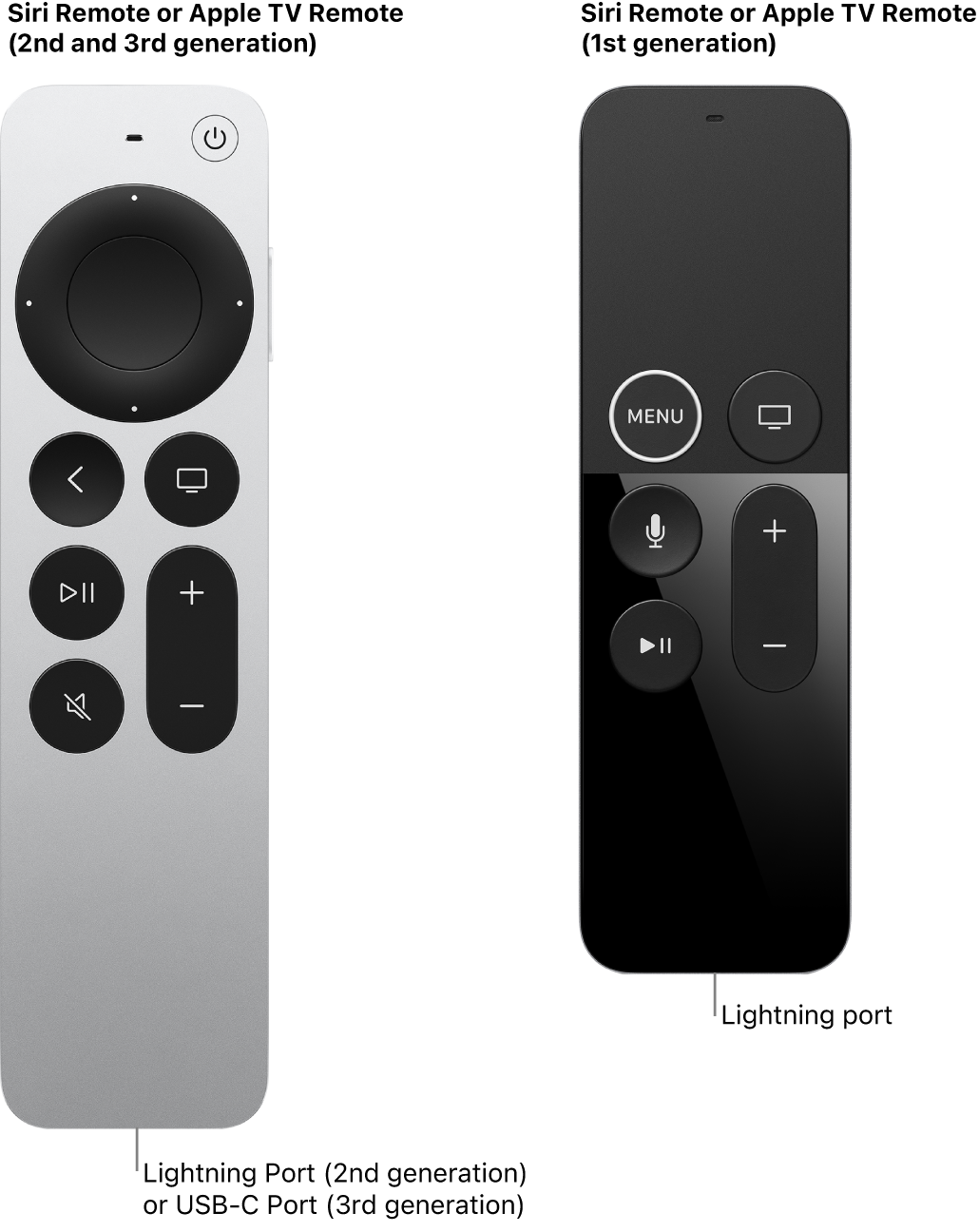
Before learning how to change a battery in Apple TV remote devices, check which remote you own. Apple has released several remotes, and they do not all use the same battery system.
Look at the remote’s shape, buttons, and charging port.
Older Apple Remote with a replaceable battery
This remote is usually thin and made from aluminum. It has a circular navigation wheel, a Menu button, and no charging port. Its battery compartment sits on the bottom edge.
It uses one CR2032 lithium coin battery.
Some older white Apple Remotes also use a CR2032 battery. Their battery cover may open with a coin or a small flat tool.
Siri Remote with a rechargeable battery
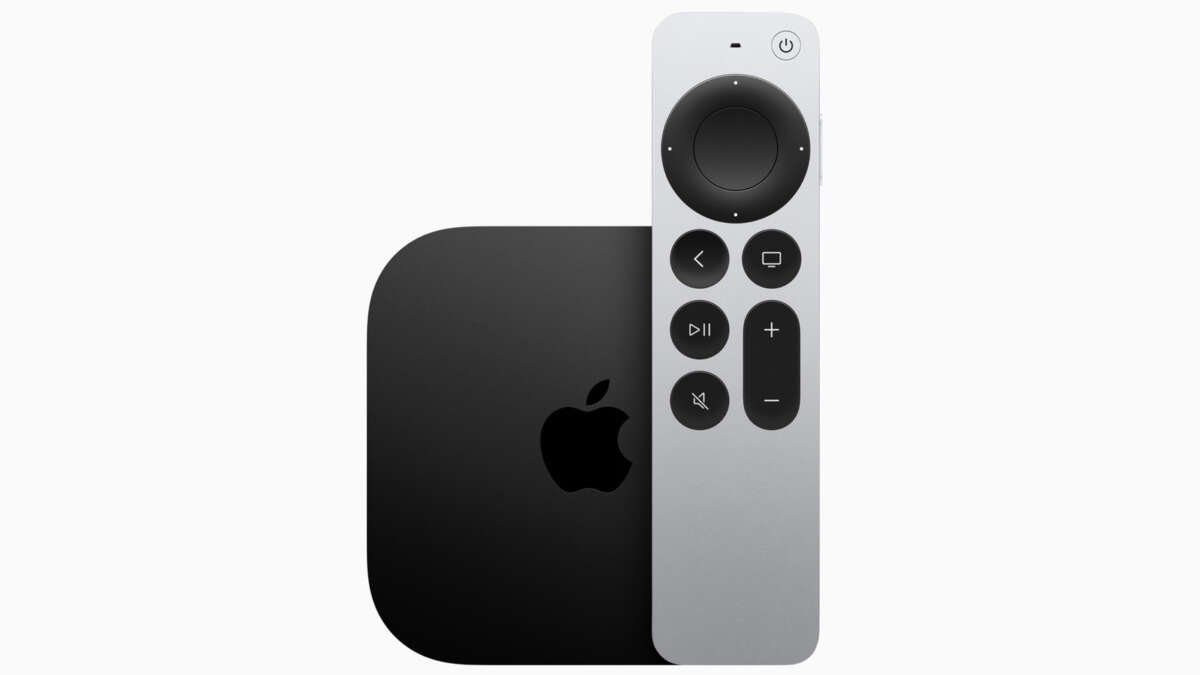
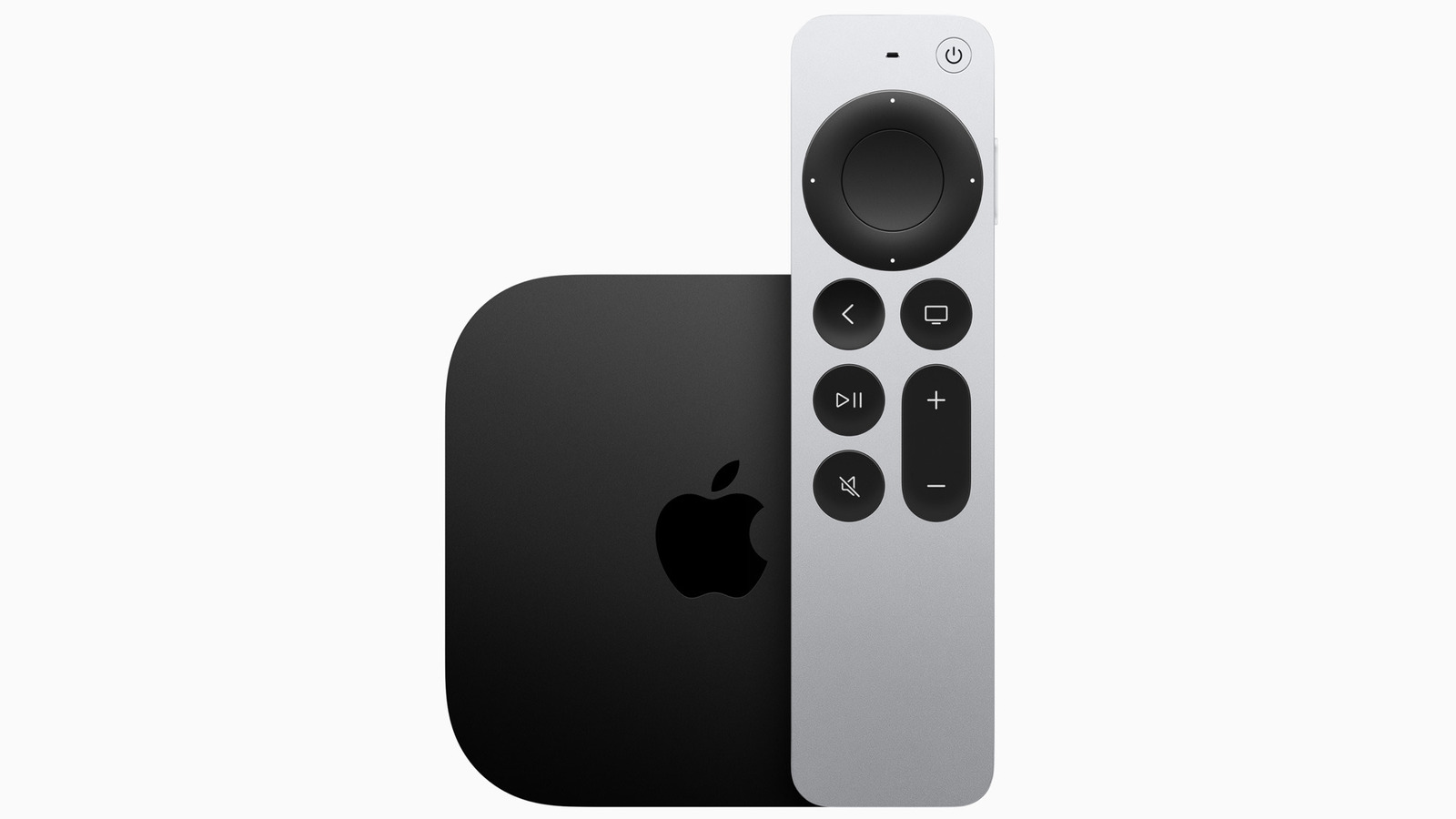
Siri Remotes have a touch surface or clickpad near the top. They also have a charging port.
• Siri Remote and Siri Remote 2nd generation use a Lightning charging port.
• Siri Remote 3rd generation uses a USB-C charging port.
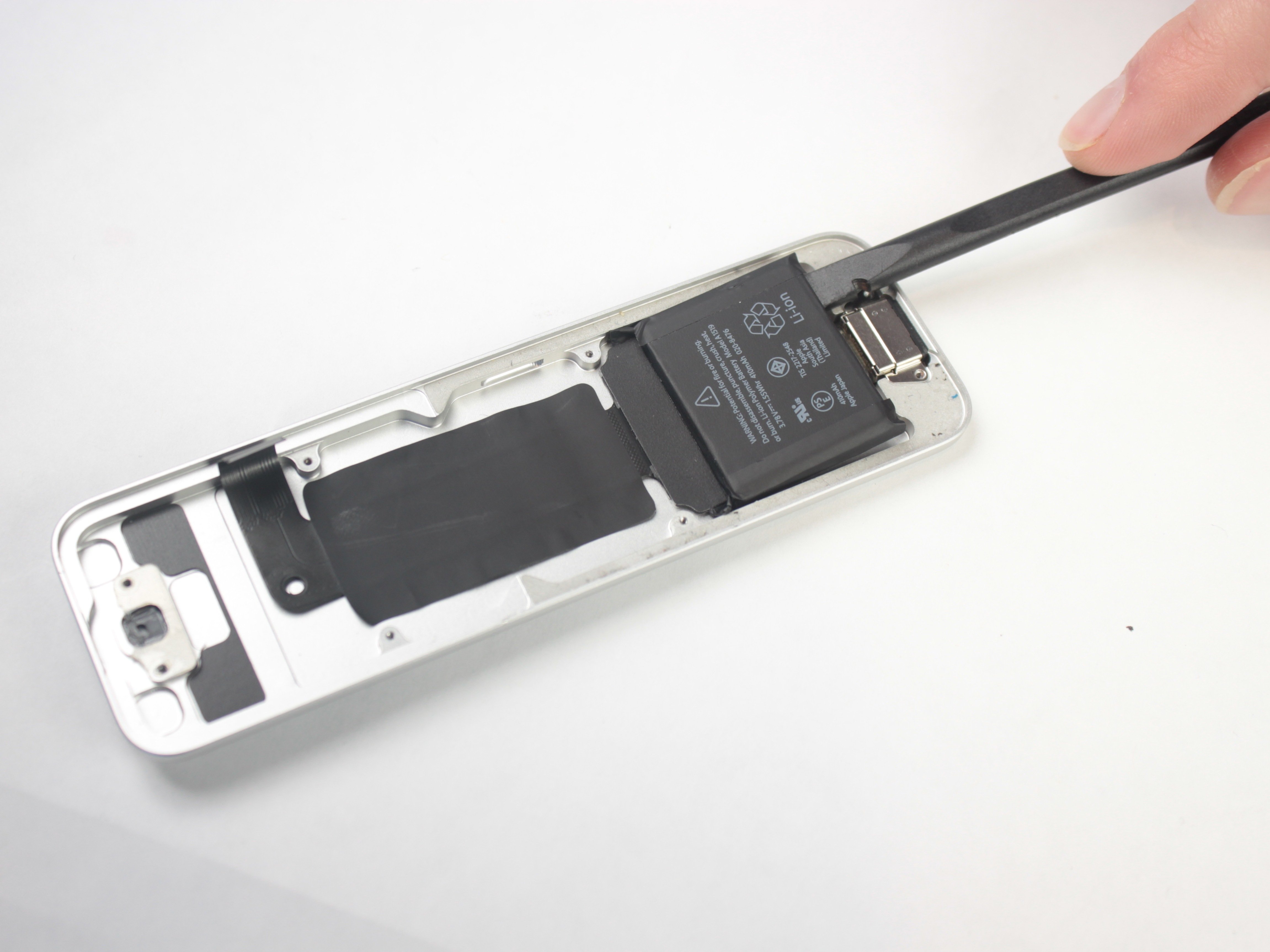
These remotes do not have a user-accessible battery door. You cannot safely replace their internal battery at home without opening the sealed housing.
If the remote has a charging port, try charging it before looking for a replacement battery. A low charge often causes slow button response, pairing issues, or no response at all.
How to change a battery in Apple TV remote with a battery door
The steps below apply to the older aluminum Apple Remote and similar models with a removable coin battery. The process is simple, but the small parts can be easy to lose.
What you need
• One new CR2032 battery
• A small coin or flat screwdriver, if required
• A clean, flat work surface
• A soft cloth
Use a fresh battery from a trusted brand. Avoid loose batteries from unknown sellers. Coin cells can look identical even when their quality and storage age differ.
Step-by-step instructions
-
Turn the remote over so the bottom edge faces you.
-
Find the small battery compartment. On many aluminum remotes, it has a circular slot.
-
Insert a coin into the slot.
-
Turn the coin counterclockwise. The battery tray should unlock.
-
Pull out the battery holder.
-
Remove the old CR2032 battery. Note which side faces up before removing it.
-
Place the new battery into the holder with the positive side facing the same way as the old one. On most Apple Remote models, the plus sign faces outward.
-
Slide the holder back into the remote.
-
Turn the coin clockwise until the cover locks.
-
Press Menu or another button to test the remote.
Learning how to change a battery in Apple TV remote models is mostly about correct battery direction. If the remote does not work after replacement, remove the battery and check its position before trying anything else.
A practical safety tip
Do not force the battery tray. If it will not move, check that the coin is fully seated in the slot. Forcing it can scratch the case or bend the tray.
Keep CR2032 batteries away from children and pets. Button batteries can cause serious internal injuries if swallowed. Store used batteries in a safe container and recycle them through a proper battery collection service.

How to change a battery in Apple TV remote without a battery door
Many people search for how to change a battery in Apple TV remote models after their Siri Remote stops working. In most cases, the battery is not designed for home replacement.
Instead, charge the remote with the correct cable.
Charge a Lightning Siri Remote
Use a Lightning cable and a compatible USB power adapter or powered USB port.
-
Connect the cable to the remote’s Lightning port.
-
Connect the other end to power.
-
Leave the remote charging for at least 30 minutes.
-
Try using the remote again.
A completely drained battery may need several minutes before the remote responds. If possible, use a known working cable. A damaged cable can make a healthy remote look defective.
Charge a USB-C Siri Remote
The newer Siri Remote uses USB-C.
-
Plug a USB-C cable into the remote.
-
Connect the cable to a suitable power source.
-
Allow the remote to charge.
-
Test the buttons and clickpad.
Do not insert a coin cell into a Siri Remote. It does not have a matching battery compartment, and opening the remote can damage the battery, seals, or internal parts.
If charging does not help, Apple or an authorized service provider can assess the remote. A built-in battery may eventually lose capacity, but replacement is a service task rather than a normal user repair.

How to tell whether the battery is the real problem
Before replacing a battery, rule out simple causes. This can prevent an unnecessary purchase or repair visit.
Try these checks:
• Charge a Siri Remote fully.
• Confirm that the Apple TV is powered on.
• Move closer to the Apple TV.
• Remove objects that may block the remote or Apple TV.
• Restart the Apple TV if it does not respond.
• Check whether only one button fails or the entire remote is unresponsive.
• Clean the remote with a soft, dry, lint-free cloth.
If an older Apple Remote has a new CR2032 battery but still does not work, the issue may be a dirty contact, a damaged button, or a lost connection. If only the volume buttons fail, the television or receiver settings may need attention rather than the remote battery.
A useful test is to pair the remote again. On many Apple TV models, holding Menu and the volume up button near the Apple TV can start the pairing process. The exact button combination can vary by remote generation, so check the instructions for your model when needed.
Understanding these checks makes how to change a battery in Apple TV remote troubleshooting much easier. You are not just swapping a battery; you are finding the real cause of the problem.
Common mistakes to avoid
A few small mistakes can stop a new battery from working.
Installing the battery upside down
The positive and negative sides must match the remote’s markings. If the battery is reversed, the remote usually will not power on.
Using the wrong battery type
An older Apple Remote generally needs a CR2032 coin cell. A CR2025 may look similar, but it is thinner and may not make reliable contact. Use the battery type printed on the original cell or inside the compartment.
Opening a rechargeable Siri Remote
A Siri Remote does not have a normal battery door. Prying it open can damage the internal battery and create a safety risk.
Using metal tools carelessly
A metal screwdriver can scratch the remote or short the battery. Use a coin for the designed slot, and keep tools away from both sides of the cell at once.
Throwing the old battery in household trash
Lithium coin batteries should be recycled or disposed of through local hazardous waste guidance. Tape the battery terminals before transport if your local program recommends it.
From a repair standpoint, the most common mistake is treating every Apple TV remote as the same model. The remote’s design tells you whether to replace a coin cell or recharge a built-in battery.

How to improve battery life
Once you know how to change a battery in Apple TV remote models, you can also help the battery last longer.
For older remotes, battery life depends on use and battery quality. Store the remote away from heat and moisture. If you will not use it for a long time, remove the coin battery to reduce the chance of leakage.
For Siri Remotes, charge the battery before it reaches zero when convenient. You do not need to keep it connected all the time. Avoid leaving the remote in very hot places, such as on a sunny windowsill or inside a hot car.
Use these habits:
• Keep the remote dry.
• Do not bend or drop it.
• Use a good charging cable.
• Keep the charging port free of dust.
• Avoid charging cables with frayed insulation.
Rechargeable lithium batteries naturally lose capacity over time. If the remote needs charging much more often than it once did, the battery may be aging. A service provider can confirm whether the battery or another internal part needs attention.

When to replace the remote instead
Replacing a battery makes sense when an older remote is otherwise in good condition. A new CR2032 battery is usually inexpensive, and the replacement takes only a few minutes.
Service may be a better option when:
• The Siri Remote will not charge.
• The charging port is loose or damaged.
• The remote has a swollen battery.
• The case is cracked.
• Buttons remain stuck after cleaning.
• The remote was exposed to liquid.
Do not use a remote with a swollen battery. Stop charging it, keep it away from heat, and contact Apple or a qualified service provider.
If a replacement remote costs close to a repair, compare the options. A new Siri Remote may offer better compatibility with your Apple TV, but confirm the Apple TV model before buying. Older Apple TV units may work with several remotes, while newer features can depend on the remote generation and tvOS version.

How to change a battery in Apple TV remote: quick reference
Use this checklist before you begin:
-
Check for a charging port.
-
If there is a battery door, look for the correct coin cell.
-
If there is a Lightning or USB-C port, charge the remote instead.
-
For an older remote, use a CR2032 unless the compartment says otherwise.
-
Match the positive and negative sides.
-
Do not force the tray or open a sealed Siri Remote.
-
Recycle the old battery safely.
This quick process answers how to change a battery in Apple TV remote devices without confusing replaceable batteries with rechargeable ones.
Frequently Asked Questions
Can I replace the battery in an Apple TV Siri Remote?
Most Siri Remotes have built-in rechargeable batteries and do not include a user-removable battery door. Charge the remote with its Lightning or USB-C cable, or ask Apple or an authorized service provider about battery service.
What battery does the older Apple TV remote use?
Most older aluminum Apple Remotes use one CR2032 lithium coin battery. Check the marking inside the battery compartment before buying a replacement.
How do I open an Apple TV remote battery compartment?
Turn the older remote over and find the circular slot on the bottom edge. Insert a coin, turn it counterclockwise, and pull out the battery holder.
Why does my Apple TV remote still not work after changing the battery?
First, check that the battery is installed with the correct side facing up. Then try pairing the remote again, move closer to the Apple TV, and inspect the battery contacts for dirt or damage.
Can I use a CR2025 instead of a CR2032?
A CR2025 is thinner than a CR2032, so it may not fit tightly or make reliable contact. Use the battery type listed on the remote or the original battery whenever possible.
How long should an Apple TV remote battery last?
A replaceable coin battery can last for months or longer, depending on use and battery quality. A Siri Remote’s rechargeable battery gradually loses capacity over time and may need service after extended use.
Is it safe to throw away a CR2032 battery?
Button batteries should not normally go into household trash. Tape the terminals and use a local battery recycling or hazardous waste program.
Conclusion
Changing a battery in an older Apple TV remote is simple: open the battery tray, install the correct CR2032 cell, match the polarity, and test the buttons. Newer Siri Remotes are different because their batteries are built in and rechargeable.
The most important step is identifying the remote before taking it apart. Use the right battery, avoid force, and seek service if a rechargeable remote will not charge or shows signs of damage. If this guide helped, share your experience or explore more Apple TV troubleshooting tips.

Everett Ashford is a tech reviewer at mytechgrid.com specializing in SSDs, cameras, TVs, earbuds, headphones, and other consumer electronics. He provides honest, data-driven reviews based on hands-on testing and real-world performance analysis. Everett simplifies complex tech details to help readers make smart, confident buying decisions.