Carefully straighten the plug or replace the damaged part to restore sound and safety.
I’ve fixed bent headphone jacks for friends, clients, and my own gear for years. As an audio enthusiast and technician, I will walk you through clear, safe steps on how to fix bent headphone jack problems. This guide covers signs, tools, step-by-step fixes for bent headphone jack plugs and internal sockets, when to replace parts, and how to avoid the issue in the future. Read on for practical, tested advice you can apply right away.
Why a bent headphone jack happens and what to look for
A bent headphone jack can mean a bent plug (the metal tip on your headphones) or a bent internal jack (the socket inside a phone, laptop, or amp). Both cause poor or no sound, static, or intermittent audio. Common causes include drops, pressure in a pocket, rough plugs, or letting cables hang while plugged in.
Typical signs you need to learn how to fix bent headphone jack:
- Audio cuts in and out or plays only in one ear.
- Sound is muffled or static appears when you move the plug.
- Plug sits at an odd angle in the socket.
- Device does not recognize headphones at all.
Knowing whether the plug or the socket is bent helps pick the right fix. If the plug is bent, you can often straighten or replace it. If the socket is bent or damaged inside a device, opening the device or visiting a repair shop may be safer.
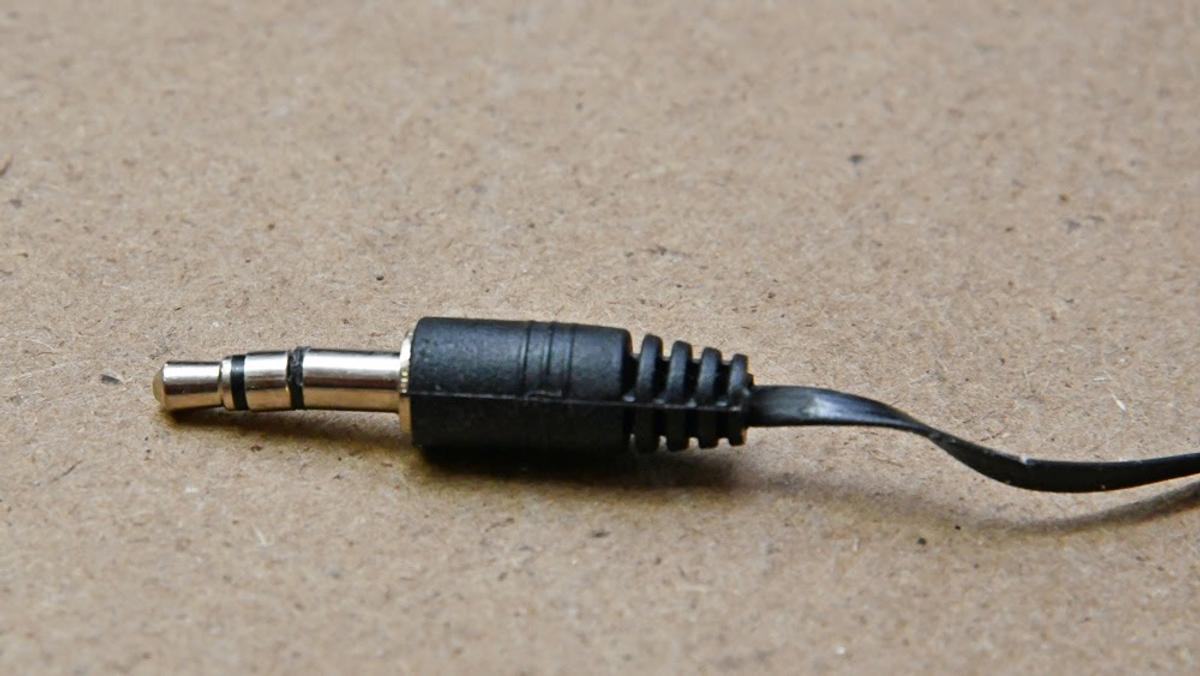
Safety first: tools, precautions, and what to avoid
Safety prevents further damage. Always power off the device before touching internal parts. Unplug headphones and remove batteries if possible. Use simple, low-risk tools.
Essential tools for how to fix bent headphone jack tasks:
- Small flashlight to inspect the socket or plug.
- Needle-nose pliers with a thin protective cover.
- Small flathead screwdriver or toothpick for debris removal.
- Contact cleaner or isopropyl alcohol (90%+) for oxidation.
- Replacement 3.5mm plug or soldering kit if you will rewire a cable.
What to avoid:
- Forcing a bent plug into a socket — this can warp the socket.
- Inserting sharp metal tools into the socket — you can short contacts.
- Using excessive heat unless you know soldering well.
Follow these safety steps to reduce the risk of permanent damage or electrical short.

Source: stackexchange.com
How to fix bent headphone jack: step-by-step methods
Below are step-by-step options. Choose the method based on whether the plug or the internal jack is bent.
Method A — Fix a bent headphone plug (quick, low risk)
- Inspect the plug closely with a flashlight.
- If the metal tip is only slightly bent, protect it with a thin cloth.
- Gently bend it back using needle-nose pliers covered with tape to avoid scraping.
- Check alignment by inserting slowly into the socket and testing audio.
- If sound is poor or the tip cracks, stop and replace the plug.
Method B — Replace the headphone plug (recommended for damaged plugs)
- Cut the cable a short distance from the old plug.
- Strip the outer jacket and foil to expose wires.
- Identify wires: left, right, ground (colors vary).
- Solder wires to a new 3.5mm plug following the plug’s pinout.
- Test before sealing the plug with strain relief or heat shrink.
Method C — Clean and test for debris or oxidation
- Inspect socket with light. Use a wooden toothpick to remove lint.
- Dab a cotton swab in isopropyl alcohol and gently clean the jack opening.
- Let dry fully, then test audio. Cleaning can fix many intermittent issues.
Method D — Address a bent internal socket (moderate risk)
- If the socket looks misshapen externally, power off the device and remove the back panel if you are comfortable.
- Note how the jack mounts and look for bent metal tabs or loose screws.
- Gently nudge tabs back into place with a non-conductive tool.
- Reassemble and test. If unsure, stop and seek professional repair.
Method E — Use an adapter or wireless alternative
- Use a USB-C or Lightning adapter if the headphone jack is irreparable.
- Consider a Bluetooth adapter for temporary or permanent wireless use.
These steps cover most case scenarios. If you feel unsure, replacing the plug or visiting a repair shop is safer than forcing internal fixes.
Repairing a bent headphone jack inside a device versus a bent plug
A bent headphone plug is easier to fix at home. It often needs straightening or replacement. Fixing an internal jack inside a phone or laptop is riskier. It can require disassembly and soldering.
When the internal jack is bent:
- You might see misalignment or broken plastic around the socket.
- Contacts inside can be damaged, leading to bad connections.
- Professional repair can be fast and preserve device warranties.
When the plug is bent:
- Straightening works for minor bends.
- Replacement is inexpensive and reliable.
- A new plug prevents future issues from weakened metal.
I often choose replacement for plugs and professional help for sockets. Replacing a cheap plug takes 15–30 minutes. Internal jack repairs can take longer and need tools and experience.

When to repair and when to replace the headphone jack
Repair when:
- The bend is minor and the plug or socket still functions.
- You can safely access the part and you have basic tools.
- The device value is low or you prefer DIY saves.
Replace when:
- The plug is cracked or the metal fractured.
- The internal socket is loose, burnt, or the contacts are broken.
- You want a long-term fix and a reliable connection.
Costs:
- DIY plug replacement: low cost for parts.
- Professional internal jack replacement: moderate cost depending on device.
Weigh cost and skill level. If in doubt, consult a technician.

Source: reddit.com
Preventing future bent headphone jack problems
Small habits stop most damage. Treat your cables and devices gently to avoid future fixes.
Practical prevention tips:
- Unplug by holding the plug, not the cord.
- Use short cables or secure long ones with clips.
- Remove headphones before bending or putting device in a pocket.
- Use right-angle plugs to reduce stress on the jack.
- Keep a protective case for devices and store headphones safely.
These habits add only seconds to your routine. Over time they save money and headaches.

Personal experience, mistakes to avoid, and pro tips
I once tried to force a slightly bent plug into a laptop jack. The laptop jack bent internally and cost more to fix than a new laptop would have. I learned these lessons:
- If you feel resistance, stop. Forcing often makes things worse.
- Replace plugs often when they show wear; it’s cheap insurance.
- Use a Bluetooth adapter as a backup for critical use.
Pro tips I use:
- Keep a spare cheap pair of headphones to test jacks quickly.
- Use a magnifier to inspect tiny damage before starting repairs.
- Label wire colors when cutting cables to avoid miswiring during plug replacement.
These small practices reduce repair time and stress.

Frequently Asked Questions of how to fix bent headphone jack
What is the first step if my headphone jack is bent?
Turn off the device and inspect whether the plug or internal socket is bent. Avoid inserting the plug until you know which part is damaged.
Can I safely straighten a bent headphone plug at home?
Yes, you can straighten minor bends using padded needle-nose pliers and a gentle touch. If the metal cracks or feels weak, replace the plug.
How do I clean debris from a headphone jack without damage?
Use a wooden toothpick and a cotton swab with isopropyl alcohol to remove lint and oxidation. Do not use metal tools that can short the contacts.
When should I replace the internal headphone jack instead of repairing it?
Replace the jack if contacts are broken, the socket is loose, or cleaning and minor adjustments do not restore stable sound. Professional service is recommended for device internals.
Is it cheaper to replace the headphone plug or fix the internal jack?
Replacing a plug is usually cheaper and simpler. Fixing an internal jack can be costlier due to disassembly and soldering required.
Can a Bluetooth adapter be a permanent solution for a bent headphone jack?
Yes, Bluetooth adapters are a practical permanent workaround when repair is not possible or worth the cost. They also add wireless convenience.
Conclusion
You can fix many issues by knowing how to fix bent headphone jack carefully. Start by identifying if the plug or socket is bent, follow safe steps to clean or straighten, and replace parts when needed. Use simple habits to prevent future damage. Try a quick repair for minor bends, replace plugs when worn, and consult a pro for internal jack work. If this guide helped, try one fix today, save your gear, and share your results or questions below.

Everett Ashford is a tech reviewer at mytechgrid.com specializing in SSDs, cameras, TVs, earbuds, headphones, and other consumer electronics. He provides honest, data-driven reviews based on hands-on testing and real-world performance analysis. Everett simplifies complex tech details to help readers make smart, confident buying decisions.