Yes. The Samsung 870 EVO is a good 2.5-inch SATA SSD for many PCs, laptops, and older game consoles in the United States. It offers strong everyday speed, a well-known controller and NAND design, useful storage sizes, and a five-year limited warranty.
However, it is not the best choice for every new computer. Its SATA interface limits speeds to about 560 MB/s, while modern NVMe SSDs can be several times faster. The 870 EVO makes the most sense when your device has a 2.5-inch SATA drive bay, when you want a reliable upgrade from a hard disk drive, or when you need an affordable storage drive for games and files.

Samsung 870 EVO: Quick Verdict
The Samsung 870 EVO is a strong SATA SSD, but its value depends on your device and price.
| Use case | Is the 870 EVO a good choice? | Why |
|---|---|---|
| Replacing a laptop hard drive | Yes | Large improvement in boot and app load times |
| Upgrading an older desktop | Yes | Good SATA performance and broad compatibility |
| New PCIe 4.0 desktop | Usually no | An NVMe SSD can be much faster |
| Gaming on a SATA-compatible PC | Yes | Fast enough for most game loading |
| PS5 internal expansion | No | PS5 internal storage uses compatible M.2 NVMe SSDs |
| Basic office and school work | Yes | Responsive and dependable for normal tasks |
| Heavy professional video work | Maybe | A larger NVMe drive may be better |
| External USB storage | Maybe | Performance depends on the USB enclosure and port |
The 870 EVO is best viewed as a high-quality SATA drive, not as a direct rival to current PCIe NVMe models. If your computer only supports SATA, it remains a practical upgrade. If your computer supports NVMe, compare both price and speed before buying.
What Is the Samsung 870 EVO?
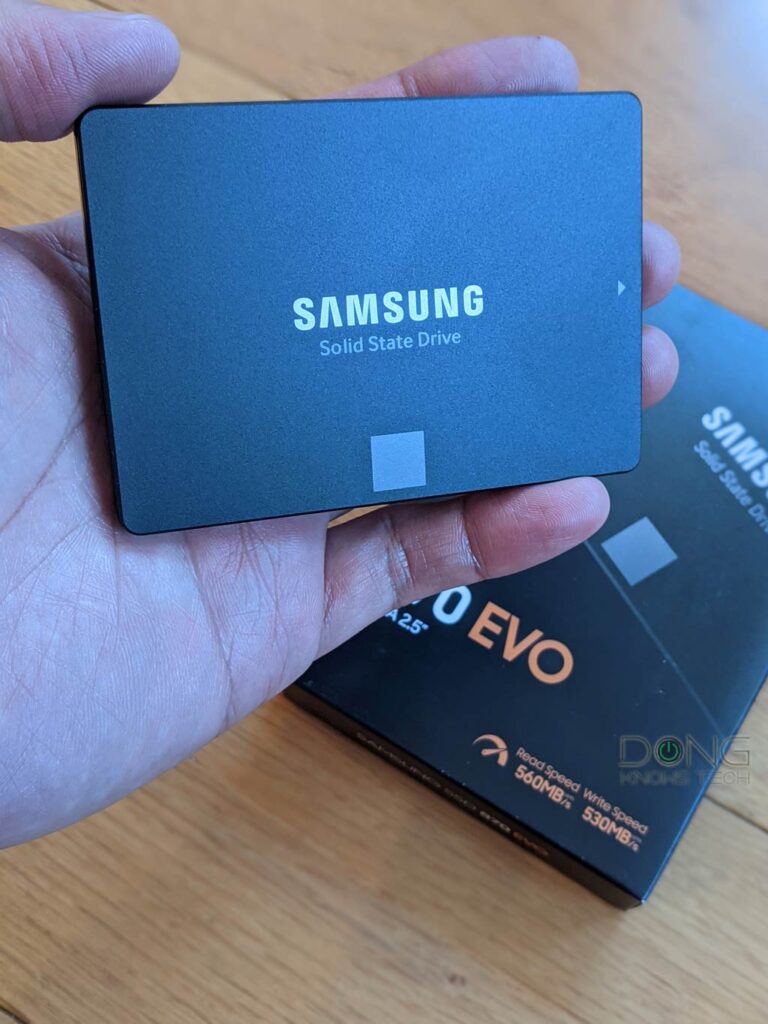
The Samsung 870 EVO is a 2.5-inch, 7 mm SATA solid-state drive. It uses Samsung V-NAND flash memory and a built-in DRAM cache. The drive connects through the standard SATA III interface, also called SATA 6 Gb/s.
Unlike a hard disk drive, the 870 EVO has no spinning platters or moving read heads. It stores data in flash memory. This makes it quieter, more resistant to movement, and much faster for starting Windows, opening programs, and loading files.
Samsung lists the 870 EVO in these common capacities:
- 250GB
- 500GB
- 1TB
- 2TB
- 4TB
The usable space shown in Windows will be lower than the advertised capacity. This is normal. Some space is used for formatting, the operating system, and drive management.
The 870 EVO is different from Samsung’s NVMe drives, such as the 980, 990 EVO, and 990 PRO. Those drives use the PCIe interface and require a compatible M.2 slot. The 870 EVO uses a cable or drive connector designed for 2.5-inch SATA storage.

How Fast Is the Samsung 870 EVO?
The Samsung 870 EVO can reach sequential read speeds of up to about 560 MB/s and sequential write speeds of up to about 530 MB/s under Samsung’s stated test conditions.
Sequential speed measures large, continuous file transfers. It is useful when moving large videos, disk images, or other big files. Everyday computer use also depends on random access performance, queue depth, system software, and the workload.
In practical terms, the 870 EVO can provide:
- Much faster startup than a mechanical hard drive
- Faster program launches
- Quicker file searches
- Less delay when opening large folders
- Smooth general office and web use
- Shorter game loading times than a hard drive
It will not make every task 10 times faster. For example, internet speed still controls web downloads, and a slow processor can limit some applications. The largest improvement usually appears when replacing a hard drive, not when replacing another good SATA SSD.
SATA speed is the main limit
SATA III has a practical ceiling near the speed Samsung claims for the 870 EVO. Even if the flash memory and controller could work faster, the SATA connection prevents the drive from reaching modern NVMe speeds.
A PCIe 4.0 NVMe SSD may deliver several thousand MB/s in sequential tests. That sounds dramatic, but many everyday tasks do not scale in the same way. Windows may feel only modestly different when moving from a fast SATA SSD to a fast NVMe SSD.
The difference becomes clearer during:
- Large file transfers
- High-resolution video work
- Game development
- Virtual machines
- Large software builds
- Heavy multitasking
- Professional data work
For office work and gaming, the 870 EVO is usually fast enough. For demanding workloads, NVMe is often the better long-term choice.
Is the Samsung 870 EVO Reliable?
The 870 EVO has a strong reliability profile on paper. Samsung rates the drive for up to five years or a specified total bytes written limit, whichever comes first. The endurance rating depends on capacity.
| Capacity | Samsung-rated endurance |
|---|---|
| 250GB | 150 TBW |
| 500GB | 300 TBW |
| 1TB | 600 TBW |
| 2TB | 1,200 TBW |
| 4TB | 2,400 TBW |
TBW means “terabytes written.” It estimates how much data can be written under the product’s warranty rating. It does not mean the SSD will stop working exactly at that number.
For example, a hypothetical user who writes 50GB per day would write about 18.25TB per year:
50GB × 365 days = 18,250GB, or about 18.25TB
That workload is far below the rated endurance of even the 250GB model. Actual wear depends on the drive’s firmware, write pattern, temperature, free space, and other factors.
Reliability is not the same as data safety. Any SSD can fail without warning. Keep at least one separate backup of important photos, tax files, work files, and personal records.

What can reduce SSD life?
Heavy writing can use flash memory faster than normal home use. Examples include constant video recording, large databases, scratch-disk work, and frequent virtual machine activity.
Heat can also affect performance and longevity. A 2.5-inch SATA SSD usually runs cooler than a high-performance NVMe drive, but poor airflow can still cause problems. Keep the drive firmly mounted and avoid bending the SATA power or data cables.
Leaving some free space can help the SSD manage data. You do not need to keep half the drive empty, but a nearly full SSD may have less room for background maintenance and temporary files.
Is the Samsung 870 EVO Good for Gaming?
Yes, the 870 EVO is good for gaming on a PC that supports 2.5-inch SATA drives. It can reduce game loading times compared with a hard drive and can make Windows feel more responsive.
The 870 EVO will not usually increase average frame rates. Frame rates depend mainly on the graphics card, processor, game settings, and memory. The SSD mainly affects loading, installation, updates, and some texture-streaming behavior.
A 1TB model is often more practical than a 500GB model for a gaming PC. Modern games can take 50GB, 100GB, or more, so a smaller drive can fill quickly.
Console compatibility
The 870 EVO can work as external USB storage when placed in a suitable enclosure, but console rules differ.
- PlayStation 5: The 870 EVO is not suitable for internal storage expansion. The PS5 internal expansion slot requires a compatible M.2 NVMe SSD with specific size and performance requirements. A USB-connected SSD can store PS5 games, but PS5 games generally must be copied to internal or approved M.2 storage to play.
- PlayStation 4: A 2.5-inch SATA SSD can be used as an internal replacement if it meets the console’s physical and system requirements. An external USB enclosure is another option.
- Xbox consoles: USB-connected external SSDs can store games, but the console’s rules determine which games can run directly from external storage.
Check the console maker’s current requirements before buying. A drive that fits physically may still not meet the system’s interface or performance rules.
Is the Samsung 870 EVO Good for a Laptop?
The 870 EVO is a good laptop upgrade if the laptop has a standard 2.5-inch SATA drive bay. It is especially useful when replacing a slow hard drive.
Before buying, check these points:
- Confirm that the laptop uses a 2.5-inch SATA drive.
- Check the drive thickness requirement. The 870 EVO is about 7 mm thick.
- See whether the laptop needs a spacer for a thicker drive bay.
- Make sure you have a way to clone or reinstall the operating system.
- Back up personal files before opening the laptop.
Many newer thin laptops do not have a 2.5-inch bay. They may use an M.2 SATA drive, an M.2 NVMe drive, or soldered storage instead. An M.2 drive is not automatically compatible with every M.2 slot because M.2 SATA and M.2 NVMe use different protocols.
Do not force the drive into a slot. Check the laptop service manual or manufacturer specifications first.
Samsung 870 EVO vs. NVMe SSDs
The key difference is the connection type.
| Feature | Samsung 870 EVO | Typical modern NVMe SSD |
|---|---|---|
| Form factor | 2.5-inch | Usually M.2 |
| Interface | SATA III | PCIe |
| Maximum sequential speed | About 560/530 MB/s | Often 3,000 to 7,000+ MB/s |
| Installation | SATA data and power cables | M.2 slot and mounting screw |
| Compatibility | Older desktops and laptops | Devices with a compatible PCIe M.2 slot |
| Best upgrade target | Hard drives and older SATA systems | Newer computers and heavy workloads |
The faster option is not always the better option. An NVMe SSD may require a newer motherboard, a different laptop part, or a fresh operating system installation. The 870 EVO may be simpler when the system already has a SATA bay and cables.
Choose the 870 EVO when compatibility and dependable SATA performance matter most. Choose NVMe when your system supports it and the price difference is small, or when your work involves large file transfers and sustained storage loads.
Samsung 870 EVO Pros and Cons
Advantages
- Strong performance for a SATA SSD
- Much faster than a mechanical hard drive
- Available in capacities up to 4TB
- 2.5-inch size fits many older desktops and laptops
- Five-year limited warranty
- High published endurance ratings
- Built-in DRAM cache
- Useful Samsung Magician software support on compatible systems
Limitations
- Much slower than current PCIe NVMe SSDs
- Requires SATA data and power connections in many desktops
- Not suitable for PS5 internal expansion
- May cost more than competing SATA SSDs
- Real-world speed can fall during very long writes after the cache fills
- The drive does not replace a backup system
The main question is not whether the 870 EVO is good in isolation. It is whether your computer can use its SATA interface and whether its price makes sense beside newer options.

How to Install or Upgrade to the 870 EVO
The exact steps vary by computer, but the general process is straightforward.
For a desktop PC
- Back up important files.
- Shut down the PC and unplug it.
- Install the SSD in a suitable 2.5-inch bay or adapter.
- Connect a SATA data cable to the motherboard.
- Connect a SATA power cable from the power supply.
- Start the PC and check whether the BIOS or operating system detects the drive.
- Clone the old drive or install the operating system.
- Initialize and format the SSD if it will be used as secondary storage.
For a laptop
- Back up your files.
- Confirm the laptop’s drive type and size.
- Shut down the laptop and disconnect its charger.
- Follow the service manual to remove the bottom cover and old drive.
- Transfer any required mounting bracket or connector.
- Install the 870 EVO without forcing the connector.
- Reassemble the laptop.
- Clone the old drive or reinstall the operating system.
A cloning process may fail if the new drive has less capacity than the old drive, even when the old drive has plenty of free space. In that case, shrink the old system partition before cloning, or perform a clean installation.
After installation, confirm that:
- The full expected capacity appears.
- The operating system boots normally.
- The drive uses the expected SATA mode.
- Files open without errors.
- The SSD firmware and system drivers are current when updates are needed.
Do not erase the old drive until the new system starts correctly and your files are verified.
Common Samsung 870 EVO Problems
The computer does not detect the drive
Check the SATA data cable, power cable, BIOS storage settings, and another SATA port. A damaged cable or loose connector is common. If the drive is missing on several known-good systems, contact the seller or Samsung support.
The SSD is slower than expected
Samsung’s maximum figures come from controlled tests. Actual speed may be lower because of the computer, cable, SATA mode, file size, free space, background tasks, or thermal conditions.
Small files often transfer much more slowly than large sequential files. That does not necessarily indicate a fault.
The drive is almost full
Move large files to another drive, uninstall unused games, or expand to a larger SSD. Avoid deleting system files at random. Keep a backup before changing partitions.
The cloning process fails
Check that the destination drive has enough usable capacity. Close running programs, update the cloning software, and try a direct connection instead of an unreliable USB adapter. If the source drive is failing, cloning may worsen the problem; create a file backup first when possible.
The SSD shows a warning
Back up the drive at once. Review its health data with Samsung Magician or another trusted SMART utility. A warning does not always mean immediate failure, but it should be treated as a reason to replace the drive.
Should You Buy the Samsung 870 EVO?
Buy the Samsung 870 EVO if:
- Your system requires a 2.5-inch SATA SSD.
- You are replacing a hard drive.
- You want a well-supported SATA model.
- You need a capacity up to 4TB.
- The price is close to other reputable SATA SSDs.
- Your workload does not need NVMe performance.
Consider another drive if:
- Your computer has an open PCIe NVMe M.2 slot.
- You regularly move very large files.
- You need the highest possible sustained speed.
- A newer NVMe SSD costs about the same.
- Your laptop has no 2.5-inch drive bay.
The 870 EVO is a good upgrade, but it is not automatically a good deal. Compare the price per usable terabyte, warranty, endurance rating, and interface before ordering.
Frequently Asked Questions
Is the Samsung 870 EVO still worth buying?
It can be worth buying for a SATA-only computer or a hard-drive replacement. It is less appealing when a similar-priced NVMe SSD fits your system.
Is the 870 EVO better than a hard drive?
Yes. It is quieter, faster, and more resistant to movement than a mechanical hard drive. It also improves boot times and application loading.
Does the Samsung 870 EVO need a heatsink?
Usually no. A 2.5-inch SATA SSD does not normally need a separate heatsink for everyday use. Good airflow is still helpful.
Can the Samsung 870 EVO run Windows 11?
The SSD can store Windows 11, but Windows 11 compatibility depends on the computer. The PC must meet Microsoft’s requirements, such as supported processor, TPM 2.0, Secure Boot capability, memory, and storage conditions.
How long will the Samsung 870 EVO last?
Samsung provides a five-year limited warranty and capacity-based TBW ratings. Real service life varies with writes, heat, firmware, and other conditions. No SSD should be the only copy of important data.
Is the 870 EVO good for video editing?
It is suitable for basic editing, media storage, and project work. For frequent 4K or higher-resolution editing, large cache files, or multiple video streams, a faster NVMe SSD may reduce transfer and scratch-disk delays.
Conclusion
The Samsung 870 EVO is a good SATA SSD for US buyers who need a dependable 2.5-inch upgrade. It is much faster than a hard drive, offers useful capacities, and has strong published endurance and warranty terms.
Its main weakness is the SATA interface. If your computer supports NVMe, compare newer drives before buying. If your system is limited to SATA, the 870 EVO remains a sensible choice—provided its price is competitive and you maintain a separate backup of important files.
Research basis
This guide is based on Samsung’s published 870 EVO specifications, warranty and endurance information, Samsung support documentation, and Microsoft and Sony compatibility guidance. Manufacturer speed and endurance figures are controlled ratings, not a guarantee of identical results in every computer.
Sources
- Samsung 870 EVO product page: https://www.samsung.com/us/memory-storage/sata-ssd/870-evo-sata-3-2-5-inch-ssd-1tb-mz-77e1t0b-am/
- Samsung 870 EVO support page: https://semiconductor.samsung.com/consumer-storage/internal-ssd/870evo/
- Samsung Magician software: https://semiconductor.samsung.com/consumer-storage/magician/
- Microsoft Windows 11 requirements: https://www.microsoft.com/en-us/windows/windows-11-specifications
- PlayStation 5 M.2 SSD support: https://www.playstation.com/en-us/support/hardware/ps5-install-m2-ssd/

Everett Ashford is a tech reviewer at mytechgrid.com specializing in SSDs, cameras, TVs, earbuds, headphones, and other consumer electronics. He provides honest, data-driven reviews based on hands-on testing and real-world performance analysis. Everett simplifies complex tech details to help readers make smart, confident buying decisions.