A 512GB SSD is a solid-state drive with about 512 billion bytes of storage for files, apps, and operating system data.
Understanding what does 512gb ssd mean helps you judge whether a laptop, desktop, game console, or external drive has enough space for your needs. The number describes capacity, while “SSD” describes the storage technology. Together, they tell you how much data the drive can hold and how quickly it can access that data.
What does 512GB SSD mean?
What does 512gb ssd mean in simple terms? It means the device contains a solid-state drive designed to store up to 512 gigabytes of digital data.
The term has two parts:
• 512GB refers to storage capacity. GB means gigabyte.
• SSD refers to solid-state drive, a storage device that uses flash memory instead of spinning disks.
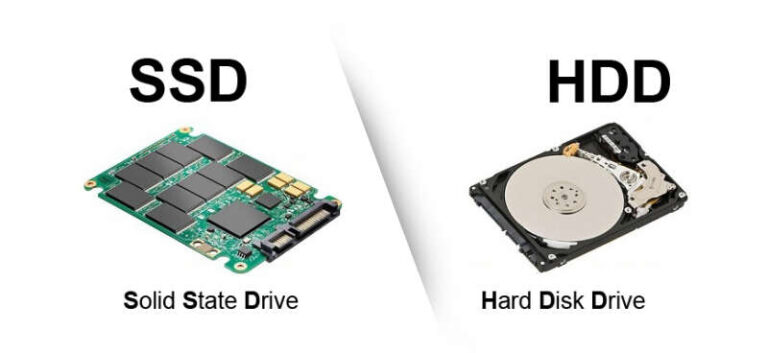
An SSD works much like a large electronic filing cabinet. It stores your operating system, documents, photos, videos, games, and apps. Unlike a traditional hard disk drive, it has no moving read head or spinning platter.
Manufacturers usually define 1GB as 1 billion bytes. Your computer may display the capacity using a slightly different measurement called gibibytes, or GiB. As a result, a new 512GB SSD often shows around 476GB of usable space before the operating system and recovery tools take their share.

How much storage does a 512GB SSD provide?
A 512GB SSD provides enough space for most everyday users. It can hold a mix of work files, apps, photos, music, and several large games.
The exact amount depends on file size and the software already installed. A typical Windows laptop may use 25GB to 50GB or more after updates, drivers, recovery files, and bundled apps are included.
Here is a rough example of how storage might be used:
• Operating system and system files: 30GB to 60GB
• Office apps and common software: 10GB to 30GB
• 10,000 smartphone photos: often 30GB to 60GB
• 100 hours of compressed video: about 100GB to 300GB
• Modern PC games: 50GB to 200GB each
• Personal documents and downloads: highly variable
This example shows why what does 512gb ssd mean cannot be answered by capacity alone. A photographer, video editor, or gamer may fill the drive quickly. A student or office user may find it comfortable for years.
It is also wise to keep some free space. An SSD can slow down when it is nearly full because the controller has less room to move and manage data. Keeping at least 10% to 20% free is a practical target.

SSD versus HDD: What is the difference?
An SSD stores data on flash memory chips. An HDD stores data on magnetic platters that spin inside the drive. This design difference affects speed, noise, power use, and durability.
A 512GB SSD usually feels much faster than a 512GB HDD. Your computer may boot in seconds, apps can open faster, and file searches often feel more responsive.
Here are the main differences:
| Feature | 512GB SSD | 512GB HDD |
|---|---|---|
| Moving parts | None | Spinning platters and moving heads |
| Startup speed | Fast | Slower |
| Noise | Silent | May produce sound |
| Shock resistance | Usually better | More sensitive to drops |
| Power use | Usually lower | Usually higher |
| Cost per gigabyte | Higher | Lower |
| Best strength | Speed and responsiveness | Low-cost bulk storage |
A solid-state drive is not automatically better for every task. HDDs can still make sense for large backups, media libraries, and desktop storage when price matters most.
When people ask what does 512gb ssd mean, they often assume the drive is simply a smaller hard disk. It is more useful to think of it as a different kind of storage system, not just a different capacity.
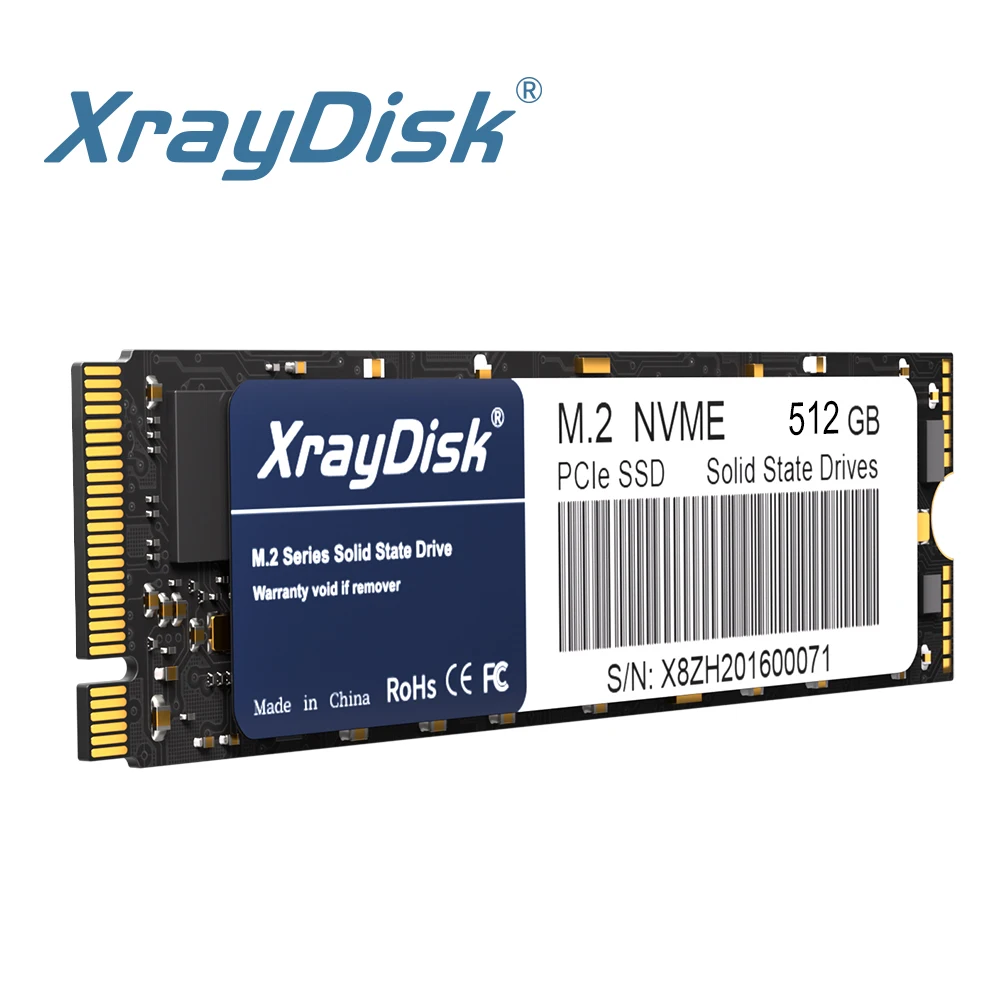
How fast is a 512GB SSD?
The 512GB label does not tell you the drive’s speed. Speed depends on the interface, controller, NAND type, cache, and the workload.
There are two common internal SSD types:
SATA SSD
A SATA SSD uses the same basic connection standard used by many older hard drives. Its real-world sequential speed often reaches around 500MB per second, although results vary by model and system.
A SATA SSD is a major upgrade from an HDD. It works well for web browsing, office work, school tasks, and general home use.
NVMe SSD
An NVMe SSD connects through PCI Express. It can be much faster than SATA, especially when reading or writing large files.
Depending on the PCIe generation and model, an NVMe SSD may offer sequential speeds from roughly 2,000MB per second to more than 7,000MB per second. Newer drives can go beyond that, but your computer must support the needed PCIe standard.
In daily use, the difference between SATA and NVMe may be less dramatic than benchmark numbers suggest. Both can make an HDD feel slow. NVMe matters more for large file transfers, video editing, software development, and demanding professional work.
What does 512gb ssd mean for speed? It only identifies the capacity and storage type. Always check the product’s read speed, write speed, interface, and independent reviews before buying.

Is a 512GB SSD enough for gaming?
A 512GB SSD can be enough for casual gaming, but it may feel small for a large modern game library. Many current games require 50GB to 150GB, and some take even more space after updates and downloadable content.
A 512GB gaming SSD may hold:
• The operating system
• Essential apps
• Three to eight large games, depending on their size
• Screenshots, saved games, and smaller files
You may have less room than expected because the drive’s actual usable capacity is closer to 476GB. System files also reduce the space available for games.
For a gaming PC, a 1TB SSD is often a more comfortable starting point. A 512GB SSD still makes sense as a system drive if you store less-used games on another drive.
A practical lesson from real-world computer setups is to avoid filling one drive with every game, video, and download. Separating active games from archived files makes maintenance easier and reduces the chance of running out of space during a major update.

Is a 512GB SSD enough for school or work?
For students, office workers, and general users, a 512GB SSD is often a well-balanced choice. It provides room for documents, presentations, spreadsheets, browser data, video calls, and common productivity software.
It can work especially well for:
• Online learning
• Microsoft 365 or Google Workspace
• Web browsing
• Programming classes
• Light photo editing
• Business documents
• Music and downloaded media
Cloud storage can extend the drive’s usefulness. Services such as OneDrive, Google Drive, Dropbox, and iCloud can keep older files online instead of storing every file locally.
However, cloud storage is not a complete backup. A synced file may also be deleted from the cloud when you delete it on your computer. Keep a separate backup for important school, work, or personal files.
When explaining what does 512gb ssd mean to a new computer buyer, I would describe 512GB as a comfortable middle ground. It is larger than a basic 128GB or 256GB drive but less expensive than a 1TB model.

Benefits of choosing a 512GB SSD
A 512GB SSD offers several benefits beyond its storage capacity. It can improve the entire feel of a computer.
Faster startup and app loading
An SSD can reduce boot times and help programs launch quickly. It also makes routine tasks feel smoother because the drive can access small files with low delay.
Better durability for portable devices
Because an SSD has no spinning parts, it generally handles movement and light shocks better than an HDD. This makes it a good fit for laptops, tablets, and portable external drives.
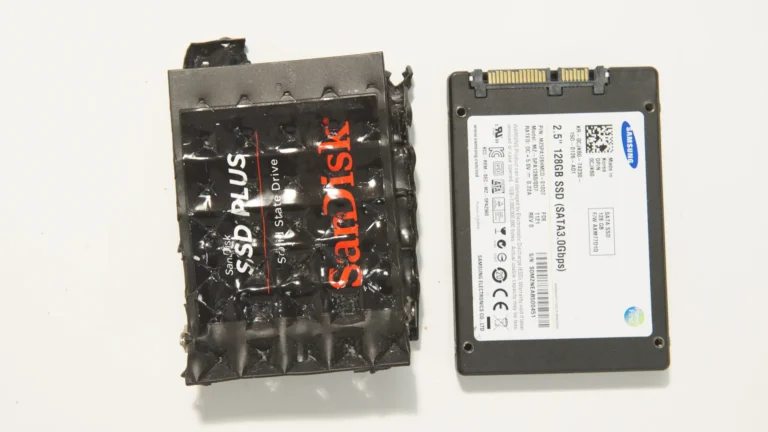
It is not indestructible. Water, electrical damage, controller failure, and physical crushing can still destroy an SSD. A backup remains essential.
Lower noise
SSDs operate silently. This can make a laptop, home theater computer, or office desktop feel more pleasant.
Lower power use
Many SSDs use less power than mechanical hard drives. This may help battery life, although the total effect depends on the laptop’s screen, processor, wireless hardware, and workload.
Good value for everyday users
A 512GB model often gives users enough capacity without paying for storage they may never use. It is a common balance between price, speed, and practical space.

Limitations of a 512GB SSD
What does 512gb ssd mean for heavy users? It may mean careful file management or the need for a second drive.
A 512GB SSD may not be ideal for:
• 4K or 8K video editing
• Large photography catalogs
• Professional audio libraries
• Multiple virtual machines
• Large game collections
• Scientific datasets
• Local artificial intelligence models
Another limitation is that SSD performance can vary greatly between models. Two 512GB NVMe drives may have different controllers, memory types, cache designs, endurance ratings, and sustained write speeds.
Some low-cost SSDs slow down sharply after their fast cache fills. This may not matter during normal web use, but it can affect large file transfers.
Check these specifications before buying:
• Sequential read and write speeds
• Random read and write performance
• NAND type
• Total bytes written, or TBW
• Warranty length
• DRAM or host memory buffer design
• Thermal control
• Drive encryption support
Capacity is important, but it is only one part of SSD quality.

How to choose the right 512GB SSD
Start by checking compatibility. A desktop may support 2.5-inch SATA drives, M.2 SATA drives, M.2 NVMe drives, or several types at once. These formats are not always interchangeable.
An M.2 drive describes a physical shape. It does not always mean NVMe. Some M.2 drives use SATA, while others use PCIe and NVMe. Check your motherboard or laptop manual before ordering.
Use this simple process:
-
Identify the current drive type and connector.
-
Check whether the system supports SATA, NVMe, or both.
-
Confirm the supported M.2 size, such as 2280.
-
Compare read and write speeds.
-
Check the warranty and endurance rating.
-
Read independent reviews that test sustained performance.
-
Plan how to clone or reinstall the operating system.
-
Confirm that you have a backup before replacing the old drive.
For a laptop, also check whether the drive is replaceable. Some thin laptops use soldered storage that cannot be upgraded.
If you are still unsure what does 512gb ssd mean when shopping, focus on three questions: How much space do I need? Which interface does my system support? What tasks will I perform?
512GB SSD installation and setup tips
Installing an SSD is often simple on a desktop, but laptops can require careful disassembly. Turn off the device, disconnect power, and follow the manufacturer’s instructions.
Before installation, back up important files to a separate location. If you are replacing the system drive, you can either clone the old drive or perform a clean operating system installation.
After installation:
• Update the SSD firmware when the manufacturer recommends it.
• Install the latest chipset and storage drivers.
• Enable the operating system’s TRIM support.
• Leave some free space for normal drive management.
• Avoid defragmenting an SSD like an old hard drive.
• Monitor drive health with a trusted utility.
Modern operating systems usually manage TRIM automatically. TRIM helps the SSD identify blocks that no longer contain useful data, which supports efficient operation.
Do not confuse TRIM with a backup. TRIM improves storage management, but it cannot recover a file that you deleted by mistake.
How to maintain a 512GB SSD
SSDs need less maintenance than HDDs, but a few habits can protect performance and data.
Keep the operating system updated. Firmware updates may fix bugs or improve compatibility, but install them only through trusted tools and follow the instructions carefully.
Avoid extreme heat. High temperatures can reduce performance and may shorten component life. A desktop NVMe drive may benefit from a motherboard heatsink or a properly placed cooling fan.
Watch the available space. If the drive stays almost full, updates may fail and performance may suffer. Move old videos, installers, and unused games to external storage.
Back up valuable files using the 3-2-1 approach:
• Keep three copies of important data.
• Store the copies on two different types of media.
• Keep one copy in another location or in secure cloud storage.
No SSD lasts forever. NAND flash has finite write endurance, although a normal home or office user may use a drive for many years before reaching its rated limit. Health software can provide useful warnings, but it cannot predict every failure.
What does 512GB SSD mean compared with 1TB?
A 512GB SSD offers about half the advertised capacity of a 1TB SSD. A 1TB drive is usually a better choice for gamers, creators, and anyone who stores many large files locally.
A 512GB SSD may be the better value when:
• You mainly use office apps and a browser.
• You store photos in the cloud.
• You have a second internal or external drive.
• You want to control the purchase price.
A 1TB SSD may be better when:
• You install many large games.
• You edit video or high-resolution photos.
• You use virtual machines.
• You want more room for future updates.
• You prefer not to manage storage often.
The best choice depends on your habits, not only the number printed on the box. A careful user can live comfortably with 512GB, while a heavy user may fill 1TB quickly.
Frequently Asked Questions: What Does 512GB SSD Mean?
Is 512GB SSD enough for everyday use?
Yes, a 512GB SSD is enough for most web browsing, office work, school tasks, streaming, and light creative work. The usable space will be lower than 512GB after formatting and system files.
Does a 512GB SSD make a computer faster?
An SSD can make startup, app loading, file access, and general system response much faster than an HDD. It does not automatically make the processor or graphics hardware faster.
How many games can a 512GB SSD hold?
It may hold three to eight large games, but the number depends on each game’s size and the space used by the operating system. Smaller games may allow you to install many more.
Is 512GB the same as 512GB of usable space?
No. Manufacturers use decimal gigabytes, while operating systems may report capacity in a different way. After formatting, system files, and recovery partitions, a 512GB SSD commonly shows about 476GB or somewhat less.
Is a 512GB NVMe SSD better than a 512GB SATA SSD?
An NVMe SSD can provide much higher transfer speeds than a SATA SSD, especially for large files. For normal browsing and office work, both can feel fast, so compatibility and price also matter.
Can I upgrade my computer to a 512GB SSD?
Many desktops and laptops support an SSD upgrade, but compatibility varies. Check the drive connector, physical size, interface, operating system setup, and whether the existing storage is replaceable.
Does an SSD need defragmentation?
No. Traditional defragmentation is not needed for an SSD and may create unnecessary write activity. Modern operating systems use tools such as TRIM to manage SSD storage more appropriately.
Conclusion
What does 512gb ssd mean? It means a solid-state drive with an advertised capacity of 512GB, offering fast and quiet storage for an operating system, apps, personal files, and a moderate game library.
Expect less than 512GB of usable space, and remember that capacity does not reveal the drive’s interface or actual speed. Check whether the SSD is SATA or NVMe, confirm device compatibility, leave free space, and keep reliable backups.
For many students, office users, and everyday computer owners, a 512GB SSD is a smart balance of cost and performance. Compare your file habits with the limits above, then choose the drive that gives you enough room for both today’s needs and tomorrow’s updates.

Everett Ashford is a tech reviewer at mytechgrid.com specializing in SSDs, cameras, TVs, earbuds, headphones, and other consumer electronics. He provides honest, data-driven reviews based on hands-on testing and real-world performance analysis. Everett simplifies complex tech details to help readers make smart, confident buying decisions.