To delete a c.ai bot, open the character, access its settings, choose Delete, and confirm removal.
I’ve guided dozens of creators through how to delete a c.ai bot safely and clearly. This guide breaks down each step, covers backups, privacy concerns, and fixes for common problems. Read on to learn practical, tested steps and avoid mistakes when you remove a c.ai bot from your account.

Why you might want to delete a c.ai bot
Creators delete a c.ai bot for many reasons. Maybe the bot no longer fits your goals. Maybe it shares sensitive content or has grown toxic from user interactions.
Here are common reasons people ask how to delete a c.ai bot:
- You want to remove outdated or incorrect behavior.
- You need to protect private or copyrighted material.
- You want to tidy up your public profile or reduce moderation work.
Knowing why you want to delete helps you choose the right approach. Sometimes deletion is best. Other times unpublishing or editing is smarter.

Before you delete: checklist and precautions
Deleting a bot can be permanent. Do a quick check to avoid regret.
Checklist before you delete a c.ai bot:
- Confirm you are the bot owner or have permission to delete it.
- Export or copy any prompts, personalities, or custom data you may need later.
- Remove or unlink any external integrations and shared links.
- Notify collaborators or community members if the bot is public.
- Review platform terms and data policies to know what is retained after deletion.
A short pause to backup data prevents lost work. If your bot mattered to users, announce the removal first.

Step-by-step: how to delete a c.ai bot (web and mobile)
These steps explain how to delete a c.ai bot from your account. Interfaces change, so adapt if labels differ slightly.
Steps to delete a c.ai bot on the web:
- Sign in to your c.ai (Character.AI) account.
- Open the Characters or My Bots page where your bots are listed.
- Click the bot you want to remove to open its main view.
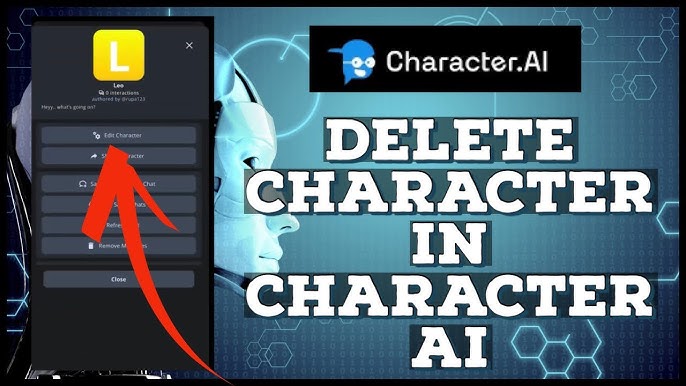
- Look for More, Settings, or the three-dot menu on the bot page.
- Select Delete or Remove Character from the menu.
- Read the warning and confirm the deletion when prompted.
Steps to delete a c.ai bot on mobile (app or browser):
- Open the app or mobile site and sign in.
- Tap your profile, then tap Characters or My Bots.
- Open the bot and tap the options menu.
- Choose Delete and follow confirmation prompts.
If you need to delete your entire account instead of a single bot:
- Go to Account Settings or Privacy Settings.
- Find Delete Account or Close Account.
- Follow the instructions and confirm using any requested verification.
As you follow steps, watch for final confirmation screens. Confirmations often state that deletion is permanent or irreversible.

Troubleshooting common issues when trying to delete a c.ai bot
If you can’t find the delete option, stay calm. Try these fixes.
Common problems and fixes:
- You don’t see Delete: Make sure you are signed into the owner account. Guest or collaborator accounts may lack deletion rights.
- The bot is archived or published and won’t delete: Unpublish or remove the bot from public directories first, then try deletion.
- Platform error during deletion: Try logging out and back in, clearing cache, or using another browser. If the error continues, contact support.
- Deleted bot still visible to others: Caching or propagation delays can keep the bot visible briefly. Wait a few hours and check again.
If nothing works, reach out to the platform’s support team and include screenshots and bot details.
Alternatives to deletion
Deletion is not always the best path. Consider alternatives that keep your work intact.
Alternatives to deleting a c.ai bot:
- Make the bot private so only you can access it.
- Unpublish the bot to remove it from public listings.
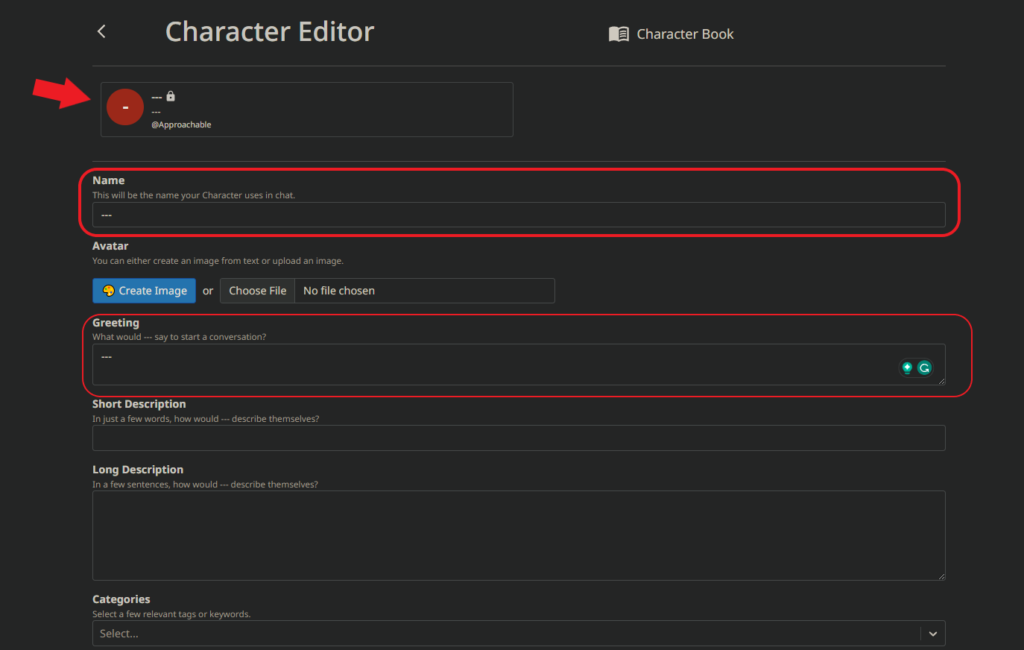
- Edit the bot’s personality and prompts to correct issues.
- Transfer ownership to another user if collaboration is required.
- Disable chat or limit permissions if the bot misbehaves.
These options let you keep the bot’s data while removing public access or fixing problems.
Legal, privacy, and data retention considerations
Understand what deletion means for data. Platforms often keep backups or logs for safety and legal reasons.
Key points to consider:
- Deleting a c.ai bot may remove public access, but the platform may retain backups or logs for a limited time.
- If your bot used copyrighted or private data, keep records of consent or removal requests.
- For regulated regions, deletion requests may trigger data retention checks under privacy laws.
- If you need full data erasure, contact support and request details on data retention and removal timelines.
Be transparent with users if the bot handled personal data. This builds trust and avoids legal hassles.
Personal experience and practical tips
I’ve deleted several bots after testing them. One bot began repeating unsafe phrases after heavy public use. I paused it, exported the core prompts, and then deleted the bot. That saved my time and reputation.
Tips I learned:
- Back up prompts immediately. You’ll thank yourself later.
- Run a quick private test before public updates to avoid mass damage.
- If a bot becomes problematic, act fast to unpublish and then decide on deletion.
A careful, stepwise approach makes deleting a c.ai bot less stressful.

Frequently Asked Questions of how to delete a c.ai bot
Can I recover a c.ai bot after deletion?
Recovery depends on the platform’s policy. Often deletion is permanent, but support may help within a short grace period.
Will deleting a c.ai bot remove chat logs?
Not always. The platform may retain chat logs for moderation or legal reasons. Ask support for details about log retention.
What happens to shared links after I delete a c.ai bot?
Shared links usually stop working after deletion. Caching can keep a preview alive briefly, but access should end once deletion completes.
Can I delete a c.ai bot if I’m not the owner?
No. Only the owner or an account with transfer rights can delete a c.ai bot. Request owner permission or transfer ownership first.
Is deleting a c.ai bot the same as deleting my account?
No. Deleting a bot removes that character. Deleting your account removes your profile and usually all associated bots. Check account deletion steps separately.
How long does it take to fully remove a c.ai bot?
Removal often happens quickly, but full propagation and cache clearing can take hours. If you still see the bot after 24 hours, contact support.
Conclusion
Deleting a c.ai bot is a clear process but requires care. Back up important data, confirm ownership, and use the platform’s delete option or account settings to remove the bot. If you hit problems, unpublish first and contact support with details.
Take action thoughtfully: backup your work, make an informed choice, and then remove the bot confidently. If this guide helped, try the steps now, leave a comment with your experience, or subscribe for more practical how-to guides on character and bot management.

Jamie Lee is a seasoned tech analyst and writer at MyTechGrid.com, known for making the rapidly evolving world of technology accessible to all. Jamie’s work focuses on emerging technologies, product deep-dives, and industry trends—translating complex concepts into engaging, easy-to-understand content. When not researching the latest breakthroughs, Jamie enjoys exploring new tools, testing gadgets, and helping readers navigate the digital world with confidence.