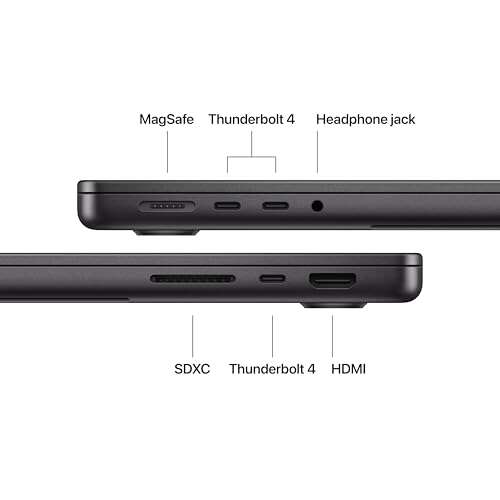
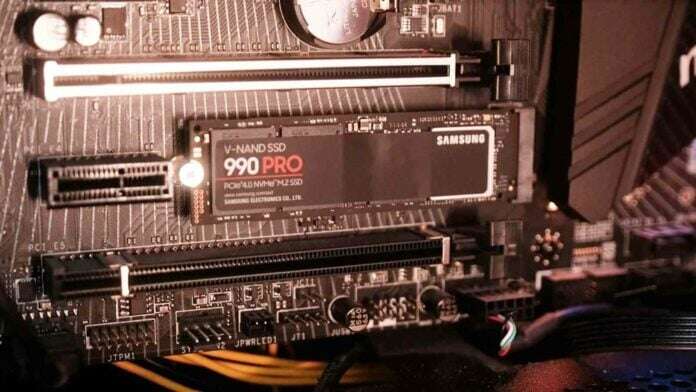
Adding another SSD can improve performance, but only in specific workloads and with the right setup.
I’ve spent years building and tuning PCs and servers, and I’ll walk you through exactly when will adding another SSD improve performance, why it helps, when it won’t, and how to set it up for the best results. This guide blends hands-on experience, practical tests, and clear recommendations so you can decide if a second SSD is the right upgrade for your system.
How SSDs work and why they matter
Solid-state drives store data on flash memory. They use no moving parts. That gives them much faster access times than hard drives. SSDs offer low latency, high read/write throughput, and better random I/O performance.
Performance depends on several factors:
- Controller and NAND type. Different controllers and TLC/QLC/NVMe designs vary greatly.
- Interface. SATA SSDs are limited by ~550 MB/s, while NVMe (PCIe) SSDs can reach multiple GB/s.
- Queue depth and workload. SSDs excel at many small random reads/writes rather than a single large sequential transfer.
- System bottlenecks. CPU, RAM, motherboard lanes, and the OS can limit SSD benefits.
Understanding these building blocks helps answer will adding another ssd improve performance. A second SSD can increase capacity, allow parallel data flows, and enable specialized setups like RAID or dedicated scratch disks.

Will adding another SSD improve performance? The short answer, then the details
Adding another SSD can improve performance when you’re hitting storage I/O limits or need separation of workloads. It does not automatically speed up CPU-bound tasks or fix slow software.
Why this matters:
- If your system is waiting on storage, a second SSD often helps.
- If your bottleneck is CPU, GPU, or network, another SSD won’t do much.
- Different configurations (RAID, separate OS/data drives, or NVMe plus SATA) change outcomes.
I’ll show practical examples and tests so you can apply this to your machine.

When adding another SSD helps — practical scenarios
Will adding another SSD improve performance for these common situations? Yes — in several specific cases.
-
Multitasking heavy I/O
- Running VMs, databases, or many apps at once can saturate a single drive.
- Adding a second SSD separates workloads and reduces contention.
-
Video editing and content creation
- Use one SSD for OS/apps and another as a scratch/media drive.
- This reduces file contention and speeds render/read/write operations.
-
Game loading and texture streaming
- Installing games on a dedicated SSD can reduce load times.
- For gamers who stream and record, separate drives reduce stutter.
-
RAID 0 or striping for throughput
- RAID 0 across two NVMe drives can roughly double sequential bandwidth.
- This benefits large file transfers and sequential workloads.
-
Caching and tiering
- Use an NVMe as a cache for a larger SATA SSD or HDD to improve perceived speed.
- This is useful for systems with limited NVMe slots.
Short PAA-style questions:
What workloads gain most from a second SSD?
- Databases, video editing, virtual machines, heavy multitasking, and large sequential transfers gain the most.
Does a second SSD help boot times?
- Only if the OS install moves to a faster SSD or the boot partition is separated; gains are usually small if the original SSD is already NVMe.

When adding another SSD won't help or might hurt performance
Adding hardware is not always beneficial. Consider these limits and risks.
-
CPU or GPU bottleneck
- If your processor or graphics card is the slow link, storage upgrades give little benefit.
-
Single-threaded tasks
- Tasks that don’t do parallel I/O won’t see much improvement.
-
Improper RAID configuration
- RAID 0 increases speed but raises data-loss risk. RAID 1 improves redundancy but not performance.
- Poorly matched drives in RAID can reduce performance.
-
Interface limits and lane sharing
- Motherboards share PCIe lanes between slots. Adding an NVMe may throttle another device.
- Check your board manual for lane allocation.
-
Thermal throttling and power
- NVMe drives generate heat. Adding another without cooling may lead to throttling and lower real-world speed.
Will adding another ssd improve performance if these problems exist? Usually no — you must address the real bottleneck first.
How to add another SSD: best practices and configurations
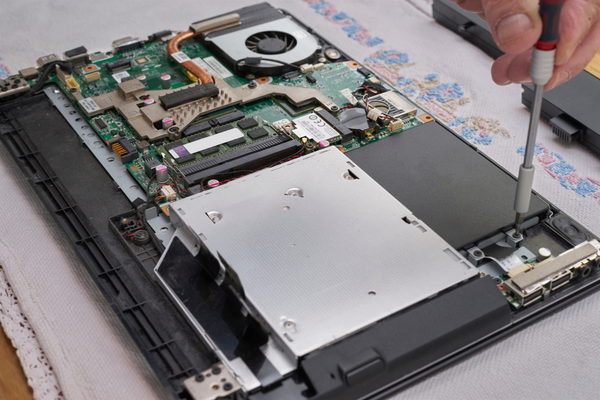
Plan before buying. Follow these steps for a clean upgrade.
- Diagnose the bottleneck
- Use tools like Task Manager, Resource Monitor, or benchmark suites.
- Measure read/write throughput and IOPS under real workloads.
- Choose the right SSD
- Prefer NVMe for speed-sensitive tasks; SATA for budget or extra capacity.
- Match performance class for RAID; avoid mixing very slow and very fast drives.
- Plan your layout
- OS and apps on fastest SSD.
- Large files, scratch, and archives on second SSD.
- Consider a dedicated drive for VMs, scratch disks, or recording.
- Configure correctly
- For RAID 0: back up regularly. Use identical drives for best results.
- For RAID 1: use matching capacity and prefer hardware or reliable software RAID.
- For cache/tiering: use manufacturers’ utilities or OS features.
- Cooling and power
- Add heatsinks for high-performance NVMe drives.
- Ensure PSU can support extra drives and cooling.
- Data migration
- Clone your drive or perform a fresh OS install when appropriate.
- Verify alignment and partition styles (GPT vs MBR) for NVMe.
These steps help ensure that will adding another ssd improve performance translates to real gains.

Personal experience and real-world tests
I’ve added secondary SSDs to laptops and desktops for years. In one workstation, adding a second NVMe for scratch reduced render time on a 4K timeline by about 20%. In another case, adding a SATA SSD for games cut load times by half versus a standard HDD.
Lessons learned:
- Match the drive type to the task. Don’t buy NVMe just for storage archival.
- Check motherboard lane sharing. I once installed a second NVMe and lost SATA functionality.
- Cooling matters. I had an NVMe thermal throttle during long exports until I added a heatsink.
Practical tip: If you record gameplay and stream, put recording on a second SSD to avoid dropped frames—this fixed stutter on my streaming PC.
These are real wins and pitfalls from hands-on work that speak directly to will adding another ssd improve performance.
Cost, limitations, and alternatives
Adding a second SSD has trade-offs. Consider these before deciding.
Costs and considerations:
- Price per GB: large SATA SSDs are cheaper than high-speed NVMe.
- Complexity: RAID or cache setups require time and backups.
- Diminishing returns: beyond a point, more storage won’t fix CPU/GPU limits.
Alternatives to adding another SSD:
- Upgrade to a single faster NVMe if you have one slower drive.
- Add more RAM to reduce swap usage and storage thrashing.
- Move non-critical data to external drives or NAS for local SSD performance focus.
Will adding another ssd improve performance compared to these alternatives? Often yes for I/O-bound work, but sometimes upgrading RAM or CPU gives better overall value.
Frequently Asked Questions about will adding another ssd improve performance
Will adding another SSD make my computer boot faster?
If you move the OS to a faster SSD or use a dedicated NVMe for boot, boot times improve. If the OS is already on a fast drive, gains are minor.
Can I RAID two different SSDs for better speed?
You can, but mixed drives may reduce reliability and the slower drive can limit performance. For best RAID gains, use identical drives.
Will adding a second SSD increase game FPS?
No—frame rate depends on GPU and CPU. A second SSD can reduce load times and texture streaming stutter but usually won’t raise FPS.
Is it worth adding an NVMe if I already have a SATA SSD?
Yes if you need faster sequential or random I/O. NVMe offers much higher throughput than SATA for heavy workloads.
How do I know if my system needs another SSD?
Monitor storage usage, I/O wait, and small-file read/write times. If storage is the bottleneck under your normal tasks, a second SSD can help.
Conclusion
Adding another SSD can give meaningful performance gains when storage I/O limits your workflows, when you separate OS and heavy data tasks, or when you stripe drives for throughput. It’s not a magic fix for CPU- or GPU-bound problems, and proper planning is essential to avoid lane sharing, thermal, and RAID pitfalls. Assess your bottleneck, pick the right drive type, and set up with backups in mind.
Take action: run simple I/O tests on your system, decide whether your workload is I/O-bound, and then choose the SSD configuration that matches your needs. If this guide helped, leave a comment with your setup or subscribe for more hands-on advice.

Jamie Lee is a seasoned tech analyst and writer at MyTechGrid.com, known for making the rapidly evolving world of technology accessible to all. Jamie’s work focuses on emerging technologies, product deep-dives, and industry trends—translating complex concepts into engaging, easy-to-understand content. When not researching the latest breakthroughs, Jamie enjoys exploring new tools, testing gadgets, and helping readers navigate the digital world with confidence.