Use a soft cloth, isopropyl alcohol, and gentle tools to clean Sony headphones safely and effectively.
I’ve cleaned dozens of Sony headphones over the years, from compact earbuds to full-size noise-canceling models. This guide explains exactly how to clean Sony headphones step by step, with safe materials, model-specific tips, and real-world lessons I learned from testing and daily use. Read on to protect sound quality, comfort, and the lifespan of your gear.

Why cleaning matters for Sony headphones
Dirty headphones sound worse and can irritate your ears. Earwax, sweat, and dust build up on ear pads, mesh, and tips. Regular cleaning preserves audio clarity and microphone performance, and reduces bacteria transfer.
I write from hands-on experience. I’ve cleaned Sony headphones after runs, flights, and heavy daily use. Doing the right cleaning keeps active noise canceling and fit working like new. How to clean Sony headphones is simple when you follow safe steps and the right tools.

Safety first and what you need
Before you start, power off and unplug your headphones. Remove batteries or detach cables if possible. Never soak electronic parts.
Gather these safe items:
- Soft microfiber cloth for surfaces and ear cups
- Cotton swabs to reach small crevices
- Isopropyl alcohol 70% or less for disinfecting metal and plastic parts
- Mild dish soap for washable ear tips and removable pads
- Soft brush or toothbrush for mesh and seams
- Tweezers to lift stubborn debris gently
- Toothpick or small plastic tool for crumbs (use carefully)
Always test a small area first. Avoid bleach, strong solvents, or submerging drivers. Follow Sony’s user manual for model-specific warnings. How to clean Sony headphones safely starts with the right tools.

Step-by-step: how to clean sony headphones (general method)
This general routine works for most Sony headphones and is a good base for model-specific steps below.
- Turn off and disconnect your headphones. Remove ear tips or detachable pads.
- Brush away loose debris from grills and creases with a soft brush.
- Wipe exterior plastic and headband with a lightly damp microfiber cloth.
- Clean mesh and driver area with dry cotton swabs; avoid pushing dirt into the driver.
- Disinfect plastic and metal parts with a swab dampened in isopropyl alcohol.
- Wash silicone ear tips in warm soapy water, rinse and dry completely before reassembly.
- Let everything dry for at least 1 hour before powering on.
Repeat this cleaning routine every 2–6 weeks depending on use. When learning how to clean Sony headphones, keep the process slow and gentle.
Over-ear Sony headphones (noise-canceling and closed-back)
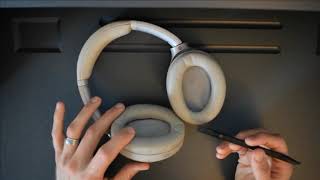
Over-ear pads trap sweat and oils. Many Sony models have removable pads. Remove them first when cleaning.
Steps:
- Unclip or twist off the ear pads following your model’s guide.
- Wipe internal ring with a dry cotton swab to remove lint.
- Clean pads with a damp cloth and mild soap if they are synthetic leather. Air dry fully.
- For fabric pads, use a gentle brush or lightly damp cloth and allow longer drying time.
Avoid getting moisture into the driver. If pads are heavily worn, replacing them can restore sound and comfort. Learning how to clean Sony headphones properly means protecting pad foam and stitching.

On-ear and compact models
On-ear cushions are thinner and may be glued rather than removable. Clean them with care.
Steps:
- Use a soft brush to remove surface dirt.
- Wipe with a barely damp microfiber cloth and mild soap.
- Disinfect plastic and hinges with an alcohol swab.
- Don’t force removal if pads are fixed. Excess water can ruin glue and internal parts.
How to clean Sony headphones of this style focuses on light surface care and avoiding moisture near joints and drivers.

Sony earbuds and in-ear monitors (true wireless and wired)
Ear tips and charging contacts are the most important areas to clean on earbuds.
Steps:
- Remove silicone or foam tips. Wash silicone tips in warm, soapy water. Let them dry fully.
- For foam tips, follow manufacturer guidance—some foam tips should not be soaked; instead, wipe gently.
- Use a dry toothbrush or soft brush to clear mesh and vents.
- Clean charging case contacts with a dry cotton swab and isopropyl alcohol sparingly.
- Avoid liquids on drivers and magnetic surfaces.
Proper cleaning improves seal and bass response. Keep practicing how to clean Sony headphones earbuds carefully to extend battery life and hygiene.

Deep cleaning and removing stubborn grime
Some stains or buildup need deeper attention. Always be cautious with liquids.
Deep clean steps:
- For sticky residue, dab a cotton swab with diluted dish soap on plastic, then wipe with a damp cloth.
- Use isopropyl alcohol for stubborn dirt on metal parts; test first.
- For fabric mesh, use a soft-bristled brush and compressed air bursts at low pressure.
- If ear pads smell bad, leave pads in fresh air or use baking soda in an open container nearby to absorb odors; do not apply baking soda directly.
- Consider professional servicing for internal contamination or water damage.
Deep cleaning when learning how to clean Sony headphones can revive older gear but has limits. If electronics were exposed to water, professional repair might be required.

Maintenance schedule and storage tips
Regular upkeep prevents heavy cleaning later. A little care goes a long way.
Recommendations:
- Wipe headphones after each sweaty session to remove salt and oils.
- Clean ear tips weekly for frequent users.
- Store in a case away from direct sunlight and dust.
- Replace ear tips and pads when they crack or lose shape.
- Avoid leaving headphones on the floor or in pockets where debris collects.
Following a simple schedule makes knowing how to clean Sony headphones easy and keeps sound quality consistent.
Troubleshooting common problems after cleaning
Cleaning can sometimes cause issues. Here’s how to fix them quickly.
Common issues and fixes:
- Muffled sound after reassembly: Check that ear pads or tips are seated correctly and fully dry.
- Mic not working: Inspect microphone mesh for blockage and clean with a dry swab.
- Charging problems: Clean metal contacts on the earbuds and case with alcohol and a soft cloth.
- Rattling or loose parts: Re-seat cushions and screws; do not overtighten.
If problems persist, consult Sony support or a certified repair center. Knowing how to clean Sony headphones includes recognizing when to seek help.
Personal experience and practical tips
I once cleaned a pair of Sony noise-canceling headphones after a week of travel and noticed the noise-canceling returned to near-new performance. My mistakes taught me two things: never rush drying, and always remove ear tips before cleaning the mesh.
Practical tips I use:
- Keep a small cleaning kit in your bag.
- Replace foam pads yearly if used daily.
- Use gentle circular motions when wiping to avoid rubbing oils into materials.
These real-world lessons show why learning how to clean Sony headphones properly saves money and improves comfort.
People also ask
Q: Can I use alcohol on ear pads?
A: Use isopropyl alcohol on plastic and metal only. Avoid saturating leather or fabric pads; use a damp cloth instead.
Q: How often should I deep clean earbuds?
A: Deep clean every 1–3 months for frequent users and after heavy sweat exposure.
Q: Will cleaning void my warranty?
A: Light cleaning following manufacturer guidance usually won’t void warranty, but opening sealed parts might. Check Sony’s warranty terms.
Frequently Asked Questions of how to clean sony headphones
How do I clean Sony wireless headphones without damaging them?
Power off and remove detachable parts. Use a damp microfiber cloth and mild soap for surfaces, and dry completely before use.
Can I shower with Sony waterproof earbuds after cleaning?
Even water-resistant models are not meant for heavy shower exposure. Rinse only with clean water sparingly and follow drying steps.
How do I remove earwax from Sony earbud mesh?
Gently brush the mesh with a soft-bristled brush and use a dry cotton swab. Avoid pushing debris deeper into the driver.
Are replacement ear pads good for restoring sound quality?
Yes. Worn pads change seal and tonal balance. Replacing them can restore bass and comfort quickly.
What should I do if my headphones smell after cleaning?
Air them out fully. For persistent odors, use replacement pads or allow them to dry in a ventilated area; avoid strong chemicals.
Is it safe to use compressed air on Sony headphones?
Use low-pressure compressed air sparingly to remove dust from crevices. Keep the nozzle at a distance to avoid damaging delicate parts.
Conclusion
Cleaning your Sony headphones is straightforward when you follow safe steps, use the right tools, and respect model limits. Regular light cleaning keeps sound clear, comfort high, and electronics functioning well. Start small: wipe after use, deep clean monthly, and replace pads when needed. Try these tips this week, share your results, and leave a comment or subscribe for more practical audio-care guides.

Jamie Lee is a seasoned tech analyst and writer at MyTechGrid.com, known for making the rapidly evolving world of technology accessible to all. Jamie’s work focuses on emerging technologies, product deep-dives, and industry trends—translating complex concepts into engaging, easy-to-understand content. When not researching the latest breakthroughs, Jamie enjoys exploring new tools, testing gadgets, and helping readers navigate the digital world with confidence.