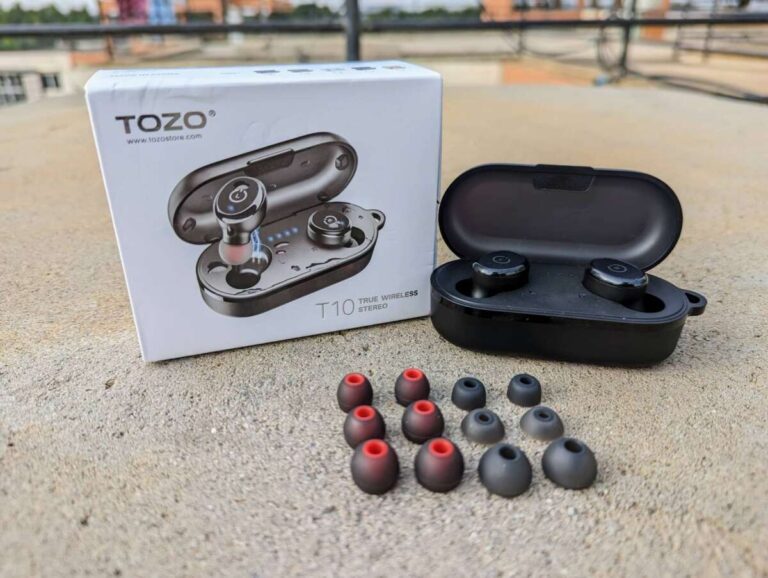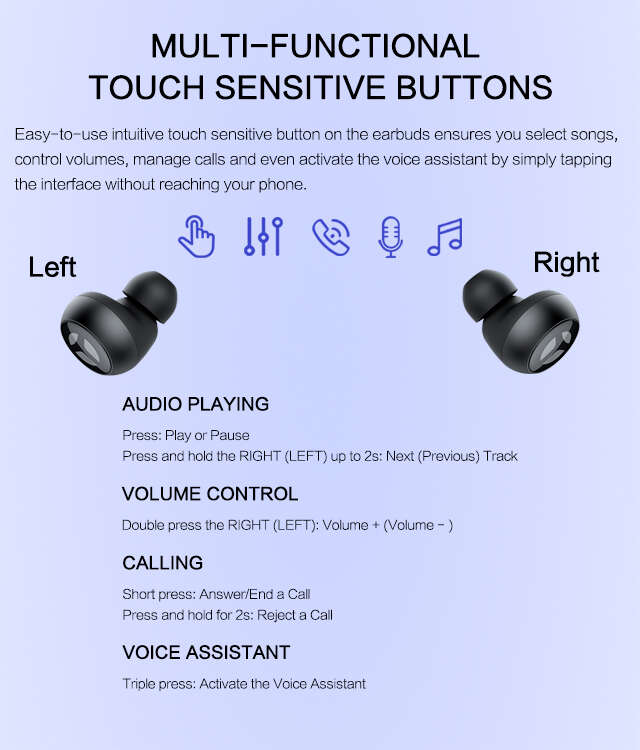
Open the case, remove both earbuds, and they power on automatically or by tapping.
I’ve spent years testing earbuds and troubleshooting wireless audio gear, so I’ll walk you through exactly how to turn on TOZO earbuds, pair them, and fix common problems. This guide covers step-by-step instructions, model differences, battery tips, troubleshooting, and real-world advice from my own experience so you can start listening fast and stay connected.

How to turn on TOZO earbuds — step-by-step
Turning on TOZO earbuds is usually simple, but steps vary by model. Below are clear, short steps that apply to most TOZO true wireless models.
- Place earbuds in the charging case and open the lid. The earbuds often power on automatically when you open the case.
- Remove both earbuds from the case. Most TOZO earbuds power on as soon as you take them out.
- If they do not power on automatically, press and hold the touch area or physical button on each earbud for 2–3 seconds until the LED indicator flashes.
- Watch for LED colors: blue or white usually means on; flashing red/blue often means pairing mode.
- On your phone, go to Bluetooth settings and select the TOZO device name to pair. If asked for permission, accept pairing.
If a model behaves differently, consult the quick steps above and adapt holding times. How to turn on TOZO earbuds can be that quick with the right motions and checks.

Pairing and first-time setup
Pairing is essential after powering on. Follow these short steps for reliable results.
- Turn the earbuds on using the steps above.
- Let the earbuds enter pairing mode automatically or press and hold both earbuds for 5–7 seconds until LED flashes red/blue.
- Open your phone’s Bluetooth settings. Look for a device name starting with TOZO and tap to connect.
- If the earbuds pair to each other but not your phone, forget the device and redo the pairing process.
Tips for pairing success: keep the case within 3 feet during pairing and disable other Bluetooth devices nearby. If pairing fails, reset the earbuds (covered later). This process shows how to turn on TOZO earbuds and get connected quickly.

Common model differences and special cases
TOZO offers multiple models (T10, T6, T12, etc.). Knowing differences prevents confusion when you try to turn them on.
- T10 and T6: Often auto-power on when removed from the case. Touch controls handle power and playback.
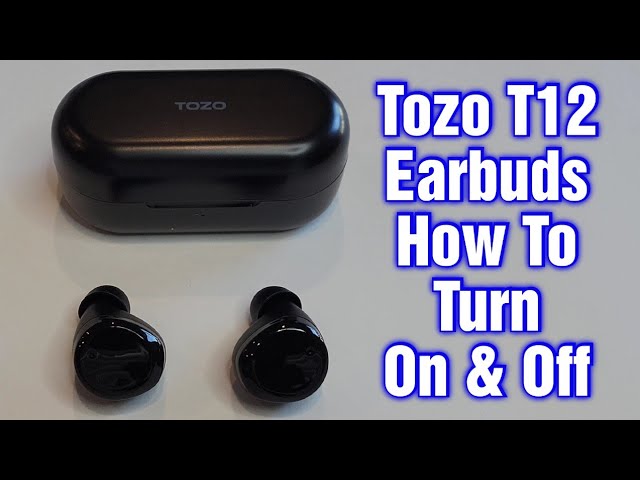
- T12 and newer models: May require a longer press to enter pairing mode. LED signals can differ by color.
- Wired-earhook hybrid models: May have a dedicated power button rather than touch areas.
Always check the small user guide in the case. If you lose it, model-specific instructions are usually printed inside the lid or on the box. This helps you know how to turn on TOZO earbuds for your exact model.

Troubleshooting common power issues
If your earbuds won’t turn on, follow these simple checks and fixes.
- Check case battery: If the case is empty, earbuds won’t charge or turn on. Charge the case with a suitable cable for at least 30 minutes.
- Ensure proper seating: Place earbuds fully into charging slots; misalignment prevents charging.
- Clean contacts: Dirt or earwax can block charging. Use a dry, soft brush to clean metal contacts.
- Reset the earbuds: Put them in the case, hold the touch area for 10–15 seconds, then retry powering on.
- Try single-ear mode: Remove one earbud to see if it powers on alone; this isolates which unit is at fault.
If you follow these steps, you’ll solve most issues and know how to turn on TOZO earbuds even when they act up.

Battery, charging, and case tips
Good battery habits keep your earbuds ready and make powering on reliable.
- Charge before first use: Fully charge case and earbuds for best battery calibration.
- Use original cable or similar quality USB-C/Lightning cable to charge the case.
- Avoid extreme temperatures: Heat and cold can reduce battery life and affect power-on behavior.
- Store with some charge: Don’t leave earbuds dead for long. Recharge every few months if unused.
I learned that leaving earbuds uncharged for long periods can lead to stubborn power issues. Regular charging prevents that and makes turning on TOZO earbuds predictable.

Care, maintenance, and firmware
Simple care keeps power and controls working well. Firmware updates can improve power management and pairing.
- Clean tips and contacts weekly with a dry cloth or brush.
- Update firmware if the manufacturer releases updates via their app or instructions. Updates can fix power or Bluetooth bugs that affect how to turn on TOZO earbuds.
- Replace ear tips to maintain seal and fit; poor fit can lead to false touch inputs that feel like power issues.
Limitations: Not all TOZO models have user-updateable firmware. If yours doesn’t, rely on resets and careful maintenance.
Personal experience and pro tips
I’ve used TOZO earbuds across commute and gym use. Here are practical lessons I learned.
- Always open the case fully. Small lids can stop automatic power-on.
- If one earbud won’t turn on, check the case LED. A low-case battery was the culprit for me twice.
- Keep the charging cable in a fixed spot at home. Quick access lets me top up the case when needed.
- Learn touch controls so you don’t accidentally power off while adjusting fit. A brief accidental tap can turn a listening session into a troubleshooting session.
These real tips show how to turn on TOZO earbuds reliably in everyday life.
Frequently Asked Questions of how to turn on tozo earbuds(make it h2 tag)
How do I turn on TOZO earbuds for the first time?
Remove both earbuds from the charging case; most models power on automatically. If they do not, press and hold the touch area for 2–3 seconds until the LED lights up.
My earbuds won’t turn on after charging. What should I do?
Make sure the case is charged and contacts are clean. Try a reset by placing earbuds in the case and holding the touch sensors for 10–15 seconds.
How can I tell if my TOZO earbuds are in pairing mode?
Pairing mode usually shows a flashing red and blue LED or rapid blue flashes. Check your phone’s Bluetooth list for a TOZO device name.
Can I turn on a single TOZO earbud?
Yes, most TOZO models let you power one earbud by removing just that earbud from the case. Some may need the main earbud to be powered first for single-ear mode.
What does the LED color mean when powering on?
LED colors vary, but solid blue/white usually means powered on and ready. Flashing red/blue often indicates pairing mode, while red alone can mean low battery.
Conclusion
You can turn on TOZO earbuds quickly by following a few clear steps: charge the case, remove the earbuds, or press the touch area to power them on. Regular cleaning, proper charging habits, and knowing your model’s quirks make powering on simple and reliable. Try the steps here the next time your earbuds won’t wake, and leave a comment if you want model-specific help. If this helped, subscribe for more practical earbuds tips and troubleshooting advice.

Jamie Lee is a seasoned tech analyst and writer at MyTechGrid.com, known for making the rapidly evolving world of technology accessible to all. Jamie’s work focuses on emerging technologies, product deep-dives, and industry trends—translating complex concepts into engaging, easy-to-understand content. When not researching the latest breakthroughs, Jamie enjoys exploring new tools, testing gadgets, and helping readers navigate the digital world with confidence.