Pair, wear, pair again, and use the app—then fine-tune settings for peak Bose QuietComfort earbuds performance.
I’ve spent years testing earbuds and helping people get the most from audio gear. This guide breaks down exactly how to use Bose QuietComfort earbuds, step by step, from first setup to advanced tuning. You’ll get clear instructions, real-world tips I learned while testing, and simple fixes for common issues. Read on to master the Bose QuietComfort earbuds quickly and confidently.
Quick setup: unboxing, charging, and first-time pairing
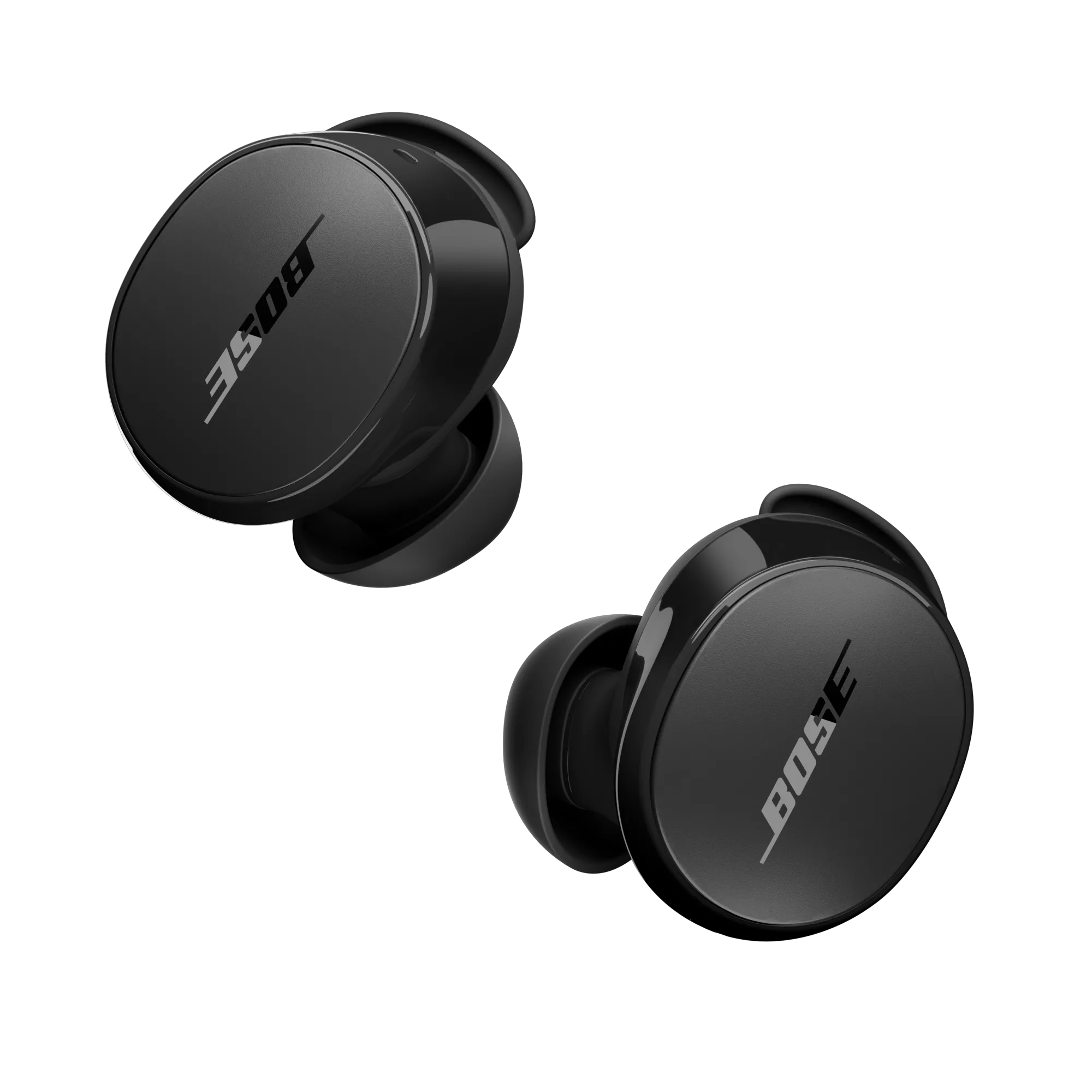
Start by opening the box and checking the contents. You should have the Bose QuietComfort earbuds, a charging case, multiple ear tips, and a USB-C cable. Inspect the earbuds for any protective plastic or stickers and remove them.
Charge the case and earbuds before first use. Plug the USB-C cable into the case and a power source. A full charge usually takes about 2 hours for the case and earbuds. The Bose QuietComfort earbuds charge in the case while the case charges.
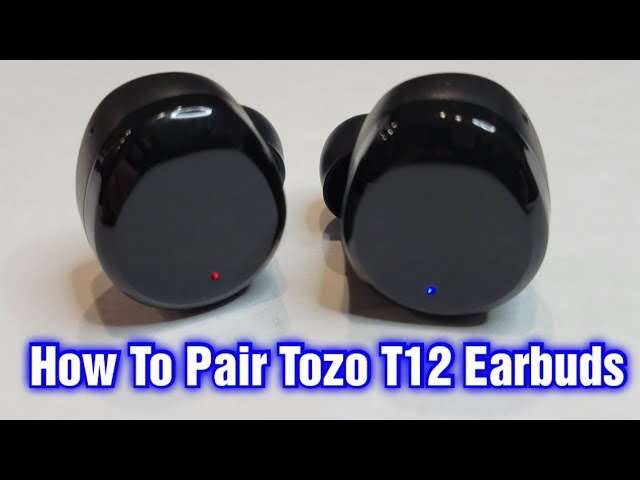
Pair to your phone or computer. Open the case near your device with the earbuds inside. Press and hold the case button or the earbud button if pairing doesn’t start automatically. Go to Bluetooth settings and select the Bose QuietComfort earbuds. The earbuds will say “Ready to pair” or a similar prompt.
If you need to pair manually:
- Remove the earbuds from the case.
- Press and hold the touch surface on both earbuds for 5–10 seconds.
- Wait for the voice prompt and select the earbuds in your device Bluetooth list.
I’ve seen many users skip charging before pairing. That can cause pairing to fail or odd behavior. Charge first then pair for best results.

Wearing and fit tips for best sound and comfort
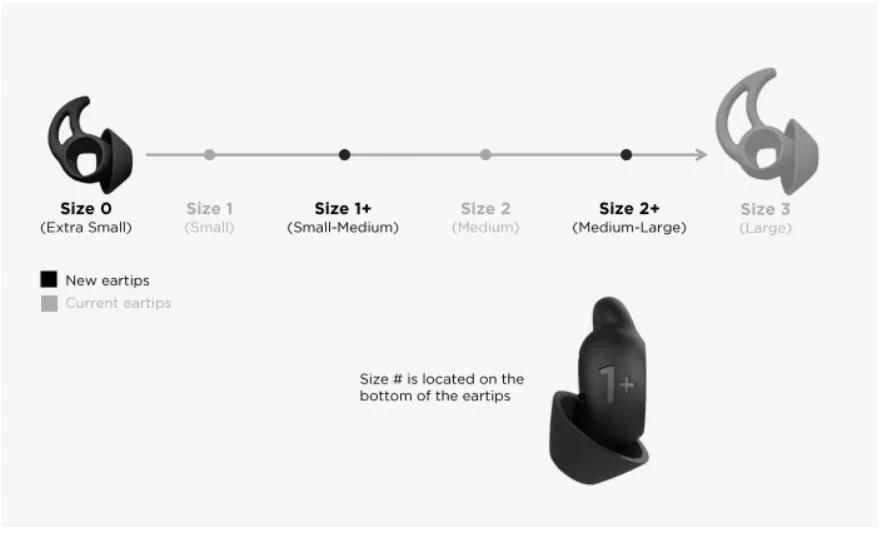
Getting the fit right matters more than most people think. The Bose QuietComfort earbuds rely on a good seal for deep bass and effective noise cancellation. Test the included ear tips to find the best fit.
Simple fit steps:
- Try each ear tip size and insert the earbud gently.
- Twist slightly to seat the earbud in the ear canal.
- Move your jaw and walk around to check for seal and comfort.
If an earbud feels loose, try a different tip or reinsert with a small twist. For workouts, choose the smallest tip that still gives a good seal. For long listening, choose a tip that balances comfort and seal.
From my tests, a poor seal reduces bass and makes ANC feel weak. Spend a few minutes finding the right tip — it pays off in sound and comfort.
Controls and voice assistant basics
The Bose QuietComfort earbuds use touch controls or physical press, depending on the model. Learn the default controls so you can play, pause, skip tracks, and take calls without pulling out your phone.
Common controls:
- Single tap on right earbud to play or pause audio.
- Double tap on right earbud to skip forward.
- Triple tap on right earbud to skip back.
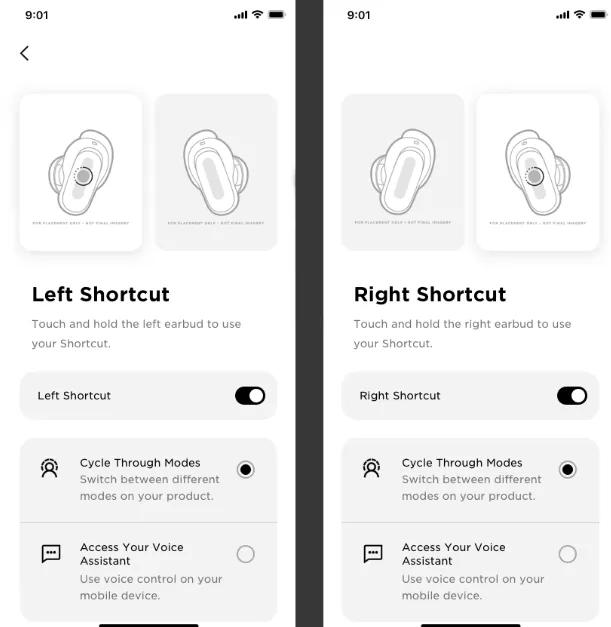
- Long press on left or right to toggle noise cancellation or summon a voice assistant.
You can activate your phone’s voice assistant with a press and hold. The Bose Music app lets you customize controls for each earbud. I recommend assigning a simple function to one bud and ANC toggles to the other for fast control.
A tip from experience: practice the gestures at home first. Touch controls are sensitive and feel different when on the move.

Noise cancellation, Aware mode, and sound modes
The main draw of Bose QuietComfort earbuds is their top-tier active noise cancellation. ANC blocks steady noise like airplane hum and office equipment. Aware or Transparency mode lets ambient sound in so you can hear announcements or have a conversation.
How to use noise modes:
- Toggle ANC on for travel, office focus, or noisy commutes.
- Switch to Aware mode when you need situational awareness.
- Use a mix: low ANC + moderate volume for long flights to reduce fatigue.
The Bose Music app gives granular control over the level of Aware mode and noise cancellation. I usually keep ANC high on planes and moderate in cafes. Remember: ANC can make ears feel strange at first. Give yourself 10–15 minutes to adapt.
Real-world note: ANC does not remove sudden sounds like a shout or siren entirely. It reduces steady background hum most effectively.
Using the Bose Music app and firmware updates
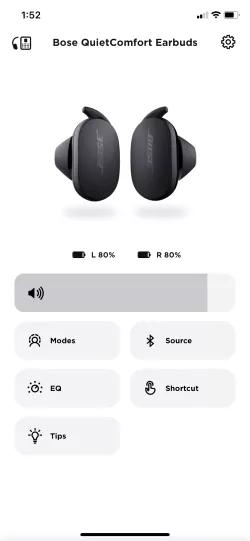
Download the Bose Music app to unlock the full feature set for your Bose QuietComfort earbuds. The app handles setup, EQ control, noise mode customization, and firmware updates. Firmware updates can improve battery life, fix bugs, and add features.
What to do in the app:
- Sign in or create a Bose account.
- Follow on-screen steps to add your Bose QuietComfort earbuds.
- Visit settings to customize touch controls and noise modes.
- Check for firmware updates under device settings and install when prompted.
I always check the app after pairing. A recent firmware update fixed a connectivity bug on one of my devices. Keeping firmware current reduces issues and keeps your earbuds running smoothly.

Battery care, charging case tips, and power-saving
Bose QuietComfort earbuds offer several hours of playback per charge, with extra charges in the case. Typical battery numbers range by model but expect about 6–8 hours per earbud and 12–20 hours total with the case.
Charging and battery tips:
- Fully charge the case and earbuds before long trips.
- Put earbuds in the case to pause audio and save battery.
- Use the provided USB-C cable and a quality charger.
- Avoid extreme cold or heat to protect battery health.
Use power-saving features in the app when available. If you won’t use the earbuds for a long time, store them with partial charge (around 40–60%). That helps battery longevity.
From my experience, leaving the earbuds dead for months can degrade the battery. Periodic charging keeps cells healthier.
Troubleshooting common issues and fixes
Pairing, audio dropouts, or one earbud not working are common problems. Here are quick fixes I use.
Common fixes:
- If pairing fails, forget the device in Bluetooth settings and re-pair.
- If one earbud is quiet or silent, clean the mesh and re-seat it in the case.
- If audio drops, move closer to the source device and turn off interfering Wi‑Fi or other Bluetooth devices.
- If touch controls stop responding, restart the earbuds by placing them in the case, closing, and reopening.
Reset procedure (general steps):
- Place both earbuds in the case.
- Leave case open and press and hold the case button for 10–30 seconds.
- Wait for a voice prompt or light indicator and then re-pair.
I once spent hours troubleshooting a dropout issue that was resolved by updating the earbuds via the app. First check the app for updates before deeper troubleshooting.

Care, cleaning, and storage
Clean the earbuds regularly to keep sound clear and to maintain hygiene. Earwax and debris can clog the mesh and reduce sound.
Cleaning tips:
- Use a soft dry cloth for the case exterior.
- Use a dry cotton swab or soft brush for mesh and crevices.
- Avoid liquid cleaners and do not submerge earbuds.
- Store in the case when not in use to protect them and save battery.
If your earbuds get wet, dry them fully before charging or using. Water damage may void warranties. Keep the case and earbuds in a cool, dry place when you travel.
I once lost sound clarity due to compacted wax. A gentle cleanup restored full sound and ANC performance. Regular maintenance is easy and effective.

Advanced tips, use cases, and real-life examples
Use these advanced tips to get more from your Bose QuietComfort earbuds. They help in work, travel, and workouts.
Advanced tips:
- Use one earbud solo for calls and to extend battery life.
- Switch devices smoothly by turning Bluetooth on the new device and selecting the earbuds.
- For gaming or low-latency video, test audio sync and if needed, use devices with good Bluetooth codec support.
- Use ANC with a mild equalizer boost in the bass if you want richer low end during flights.
Real-life example: I used the Bose QuietComfort earbuds on a 10-hour flight. High ANC reduced engine rumble and lowered listening volume, which reduced ear fatigue. For long work days, I switched to Aware mode for quick desk chats, then back to ANC for focus sessions.
Lessons learned:
- Always carry the charging cable.
- Keep the app installed for quick fixes.
- Test fit before long use to avoid discomfort.
These earbuds work well for many scenarios, but they aren’t perfect for all. Low-latency gaming may need a wired or gaming-specific solution.
Frequently Asked Questions of how to use bose quietcomfort earbuds
How do I pair my Bose QuietComfort earbuds with my phone?
Open the case near your phone and follow the on-screen prompt. If pairing doesn’t start, press and hold the case or earbud buttons, then select the earbuds in Bluetooth settings.
How do I turn on noise cancellation on Bose QuietComfort earbuds?
Use the touch controls or the Bose Music app to toggle ANC. You can also set the earbuds to Aware mode for ambient sound.
Why is one Bose QuietComfort earbud quieter than the other?
Check for earwax or debris blocking the mesh, ensure a proper seal, and clean the earbud. If that fails, reset the earbuds and re-pair to your device.
How long does the Bose QuietComfort earbuds battery last?
Expect about 6–8 hours per charge depending on volume and ANC settings, with the case providing additional charges. Battery life varies by model and usage.
How do I reset my Bose QuietComfort earbuds?
Place both earbuds in the case, leave the case open, and press and hold the case button for the reset period indicated in the manual. Then re-pair to your device.
Can I use one Bose QuietComfort earbud at a time?
Yes. You can use a single earbud for calls or longer battery life. The app may let you choose left or right as the primary earbud.
Do I need the Bose Music app to use the earbuds?
No, basic functions work without the app, but the Bose Music app unlocks updates, EQ, and custom controls. Installing the app ensures the best experience.
Conclusion
You now have a clear path to master your Bose QuietComfort earbuds. Start with proper fit and charge, use the app for updates and custom settings, and practice the controls. Regular cleaning and mindful battery care will extend life and performance.
Take one action now: charge and pair the earbuds, then try ANC and Aware modes for five minutes each. If you found this guide useful, leave a comment or subscribe for more hands-on tips on audio gear.

Jamie Lee is a seasoned tech analyst and writer at MyTechGrid.com, known for making the rapidly evolving world of technology accessible to all. Jamie’s work focuses on emerging technologies, product deep-dives, and industry trends—translating complex concepts into engaging, easy-to-understand content. When not researching the latest breakthroughs, Jamie enjoys exploring new tools, testing gadgets, and helping readers navigate the digital world with confidence.