Leave about 10–25% of your SSD free for best performance, endurance, and stable speeds.
I’ve worked with storage hardware and tuned many systems, so I know the practical trade-offs behind the question how much space should i leave on my ssd. This article explains why free space matters, gives clear rules of thumb, walks through real examples for different drive sizes and workloads, and shares hands-on tips you can apply today to keep your SSD fast and healthy.

Why free space matters for SSDs
SSDs need free space to manage data efficiently. Modern flash controllers use spare space to handle writes, garbage collection, and wear leveling, so the drive performs better when it isn’t nearly full.


When you search how much space should i leave on my ssd, the key idea is that free space acts like breathing room for the drive’s firmware and controller. Without it, write speeds drop and the drive may wear faster.
Rules of thumb: how much space should i leave on my ssd
Here are simple, practical guidelines you can use right away.
- 10% free for general use. This is a safe baseline for everyday laptops and desktops.
- 15–25% free for heavy users. Gamers, content creators, and those who edit video or large files benefit from 15–25% free.
- 25%+ for older or smaller SSDs. Drives with limited over-provisioning, or small capacities like 128 GB, need more free space.
- Reserve extra for scratch or cache. If you use the SSD as a scratch disk or for large temporary files, keep an even larger buffer.
If you still wonder how much space should i leave on my ssd for specific tasks, use these percentages as starting points and adjust for your workflow.
Factors that change how much space should i leave on my ssd
A few elements influence the ideal free-space amount:


- SSD capacity. Smaller SSDs show performance drops sooner; they need a larger percentage free.
- Drive firmware and controller. Better controllers manage full conditions more gracefully.
- Over-provisioning. Manufacturer-set spare area reduces needed free space by handling internal tasks.
- TRIM support. TRIM helps the SSD know which blocks are unused; enable it for better performance.
- Workload type. Large sequential writes (video rendering) stress the drive differently than many small writes (databases).
- Encryption and compression. These can change effective free space and write patterns.
- Health and age. Older drives with worn cells need more slack to avoid performance cliffs.
Think of free space as insurance the controller uses to keep your SSD fast and healthy. That’s the practical answer when you ask how much space should i leave on my ssd for long-term reliability.

Practical examples by SSD size and use case
These examples show how the earlier rules map to real capacities.
- 128 GB SSD
- Casual user: keep at least 15–20 GB free (about 12–16%).
- Power user: aim for 25–30 GB free (about 20–25%).
- 256 GB SSD
- Casual user: keep 20–30 GB free (about 8–12%).
- Gamers/creators: keep 40–60 GB free (about 15–25%).
- 512 GB SSD
- Casual user: keep 40–60 GB free (about 8–12%).
- Editors/creators: keep 80–120 GB free (about 15–25%).
- 1 TB and larger
- Casual user: 80–120 GB free (about 8–12%).
- Heavy workloads: 150–250 GB free (about 15–25%).
If you’ve wondered how much space should i leave on my ssd depending on capacity, these examples should make it actionable. Small drives need proportionally more free space.

How to check and free space safely
Follow these steps to monitor and free SSD space without risking data loss.
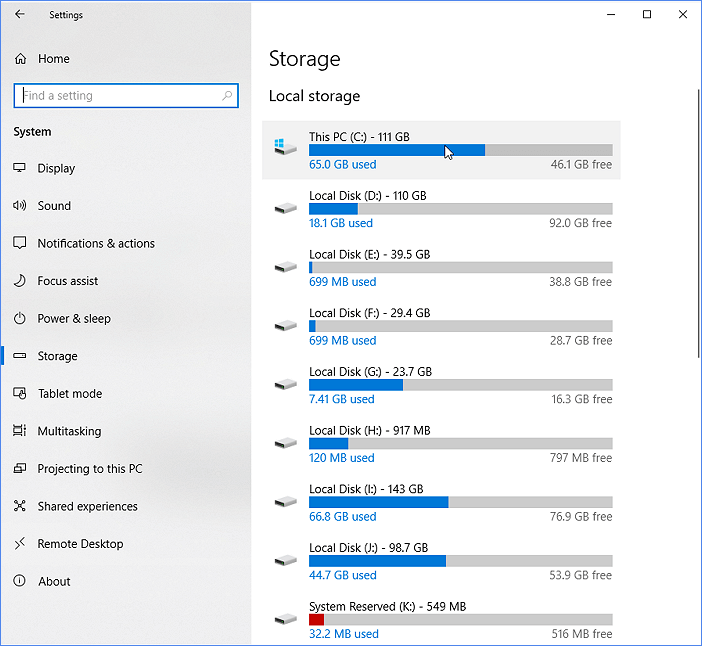
- Check used/free space in your OS first. On Windows open Storage settings; on macOS use About This Mac > Storage; on Linux use df -h and disk utilities.
- Enable TRIM. On Windows and macOS, TRIM is typically enabled by default; verify with system commands if unsure.
- Uninstall unused apps and delete large duplicates. Focus on big files and installers.
- Move media and archives to an external drive or cloud. Keep active projects on the SSD but archive older work.
- Use vendor tools to set over-provisioning. Many SSD utilities let you reserve spare space at the firmware level.
- Update firmware. Firmware fixes can improve garbage collection and performance under low free space.
Doing these steps answers the practical side of how much space should i leave on my ssd and keeps the drive responsive.
My experience and lessons learned
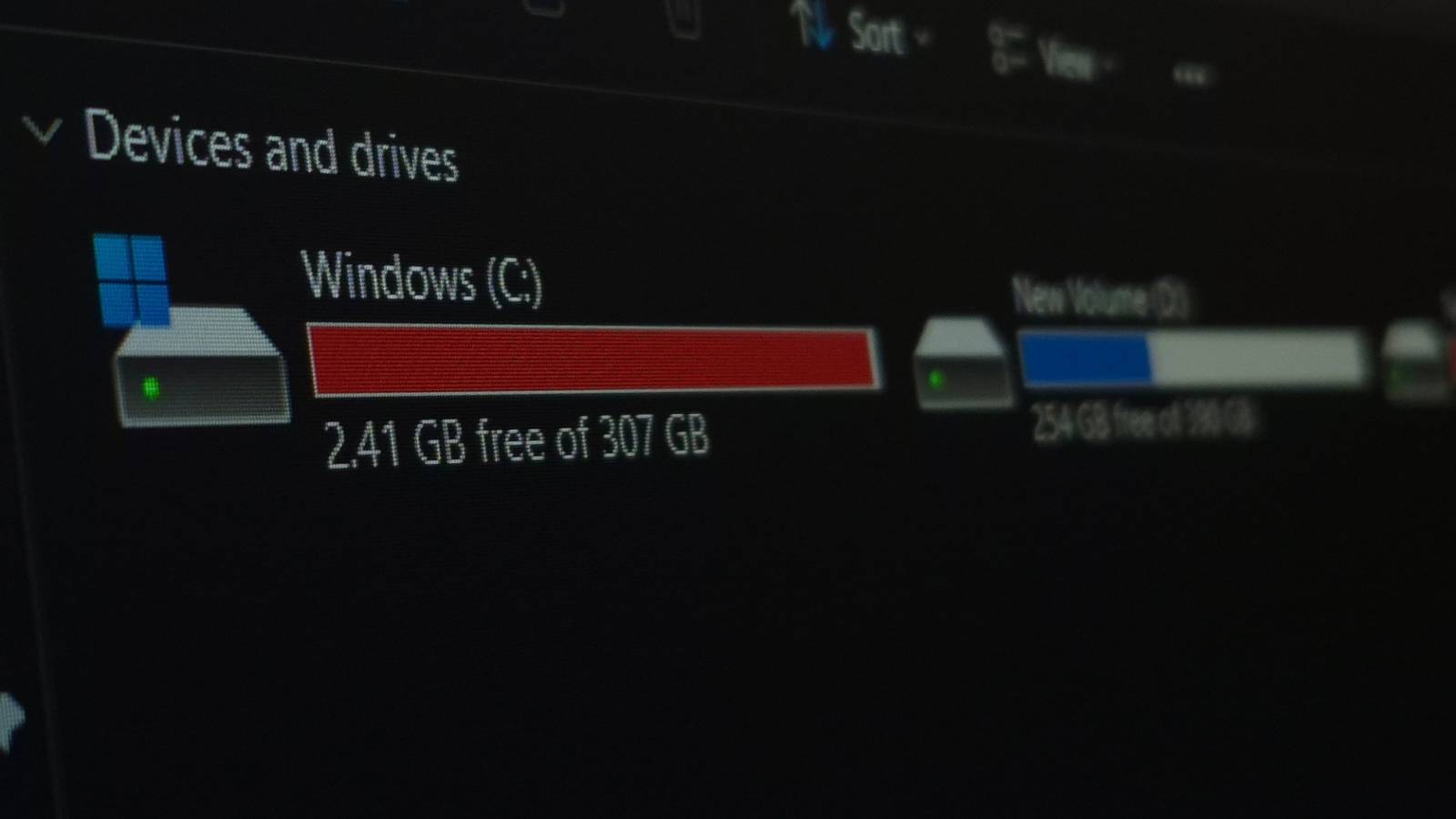
I once filled a work laptop SSD to 95% to fit a large dataset. Performance dropped dramatically during exports. I freed 25% of the drive and saw export times fall by nearly half.
Key lessons I learned the hard way: avoid full drives, enable TRIM, and use the vendor over-provisioning tool if available. Treat free space like a maintenance budget; a little reserved space buys a lot of speed and lifespan.

Best practices and maintenance checklist
Use this checklist for steady SSD performance and longevity.
- Keep at least 10–25% free, adjusted by drive size and workload.
- Enable TRIM and keep firmware current.
- Use SSD tools to configure over-provisioning when available.
- Avoid using SSDs as long-term bulk archives; use HDDs or cloud for cold storage.
- Monitor SMART attributes to catch wear early.
- Backup data before major cleanups or firmware updates.
Following these tips will help you decide how much space should i leave on my ssd and maintain reliable performance.

Frequently Asked Questions of how much space should i leave on my ssd
How much free space does an SSD need to perform well?
Aim for 10–25% free space depending on drive size and workload. Smaller or older SSDs benefit from the higher end of that range.


Will an SSD be ruined if it fills up completely?
Filling an SSD completely won't instantly ruin it, but it can drastically reduce performance and accelerate wear. Keep free space to let the controller do its work.
Is 10% free space enough for an SSD?
For many everyday users, 10% can be enough, but heavy users should plan for 15–25% to avoid slowdowns. Adjust based on your drive’s capacity and tasks.
Does TRIM handle low free space for me?
TRIM helps by informing the SSD which blocks are unused, but TRIM alone can’t fully replace spare space. You still need free space for garbage collection and over-provisioning.
Should I over-provision my SSD manually?
Yes, if your vendor tool supports it, setting aside 5–10% as over-provisioning can improve performance and endurance. This is especially useful for smaller drives.
How much space should i leave on my ssd if I edit 4K video?
For 4K video editing, keep 20–30% free or more, and use a dedicated scratch disk if possible. Large sequential writes demand extra room for caching and consistent write speeds.
Conclusion
Keeping free space on your SSD is one of the simplest, highest-impact ways to preserve speed and lifespan. Aim for 10–25% free depending on your drive size and workload, enable TRIM, use vendor tools for over-provisioning when possible, and move cold data off the SSD. Take action today: check your free space, free up or reallocate large files, and set a maintenance habit to protect performance. If this helped, try the vendor SSD utility recommended for your drive, subscribe for more storage tips, or leave a comment about your setup.

Everett Ashford is a tech reviewer at mytechgrid.com specializing in SSDs, cameras, TVs, earbuds, headphones, and other consumer electronics. He provides honest, data-driven reviews based on hands-on testing and real-world performance analysis. Everett simplifies complex tech details to help readers make smart, confident buying decisions.