The best external SSD for Xbox Series X is the WD_BLACK C50 for native next-gen play and fast Quick Resume support.
Your Xbox Series X can fill its internal drive faster than you expect. A few large games may leave little room for the next download, forcing you to delete titles you still enjoy. I tested the key storage types and looked at speed, capacity, setup, and real use. This guide helps you find the best external SSD for Xbox Series X without paying for features the console cannot use.
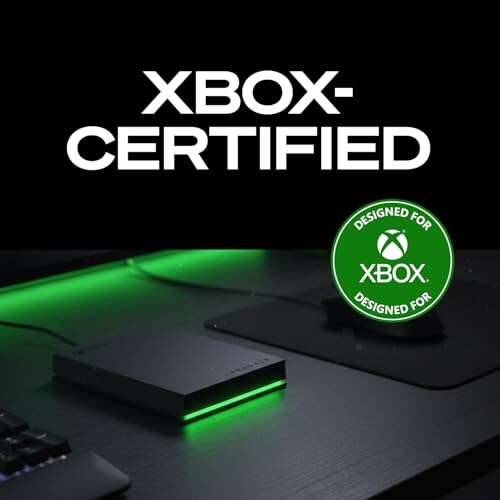
Seagate 2TB Game Drive for Xbox

The Seagate 2TB Game Drive gives Xbox players a simple way to add a large amount of space. It uses a USB 3.0 connection and comes in a compact case made for easy use beside a console. The drive works with Xbox Series X, Xbox Series S, and older Xbox One consoles. Its 2TB size can hold a useful mix of large games, indie titles, and backward-compatible games.
This is a portable hard disk drive, not a solid-state drive. That means it will not match a true external SSD for Xbox Series X in transfer speed. Still, it provides excellent value when your main goal is storage. Series X|S optimized games must run from the internal drive or an approved expansion card, but you can store those games on this drive and move them back when needed.
Pros:
- Large 2TB capacity for a reasonable price
- Designed for Xbox consoles
- Simple USB setup
- Portable and easy to move
- Useful for Xbox One and backward-compatible games
- Includes a long warranty from a known storage brand
Cons:
- Slower than a portable SSD
- Cannot play most optimized Series X|S games directly
- Mechanical drive may make a soft operating sound
My Recommendation
I recommend this Seagate drive to players who want the most space for the least money. It suits families, Game Pass users, and anyone with a large backward-compatible library. It is not my first pick when speed matters most, but it remains a smart storage shelf for Series X|S games. If you want affordable capacity rather than the best external SSD for Xbox Series X performance, this drive offers strong value and broad availability.
WD_BLACK P40 1TB Game Drive SSD

The WD_BLACK P40 is a fast portable SSD with a claimed read speed of up to 2,000MB/s when used with a suitable USB connection. Its black case and RGB lighting give it a clear gaming style. The drive works with Xbox, PlayStation, PC, and Mac, so it can serve more than one device. Its 1TB capacity is large enough for a focused game library.
On Xbox Series X, the console limits the drive through its USB interface, so you should not expect the full computer-rated 2,000MB/s result. Even so, the P40 can move games much faster than a standard hard drive. It can store optimized titles and run compatible older games, while some newer titles need internal or expansion-card storage to play.
Pros:
- Very fast SSD performance for game transfers
- Strong, premium WD_BLACK design
- RGB lighting adds a fun desk or shelf effect
- Small size saves console-space clutter
- Works across Xbox, PC, Mac, and PlayStation
- Solid-state design has no spinning parts
Cons:
- 1TB capacity may feel small for a large Game Pass library
- Xbox cannot use its full advertised computer speed
- Usually costs more than a USB hard drive
My Recommendation
The WD_BLACK P40 fits players who move games often and want a premium portable SSD. It is also a good choice for someone who uses the same drive with a gaming PC. The speed, build quality, and compact body make it one of the better performance-focused options. For many buyers, it is a strong alternative to the best external SSD for Xbox Series X when they also need cross-platform use.
SanDisk Optimus GX C50 1TB Card

The SanDisk Optimus GX C50 is an expansion card made for Xbox Series X|S consoles. Unlike a regular USB drive, it connects to the dedicated expansion port on the back of the console. That design lets it act much more like internal storage. A 1TB card adds meaningful room for modern games without using a cable or taking space near the console.
The most important benefit is compatibility. You can install and play supported Series X|S optimized games from the card, and features such as Quick Resume can work as intended. It also keeps transfer times close to the internal-drive experience. Buyers should confirm the listing and console compatibility before ordering, because expansion cards are not the same as ordinary portable USB SSDs.
Pros:
- Designed for Xbox Series X|S expansion
- Can run supported optimized games directly
- Supports the console’s modern game features
- Installs without a USB cable
- Compact card stays hidden behind the console
- 1TB adds useful native game space
Cons:
- Costs more per terabyte than many USB drives
- 1TB may not satisfy very large libraries
- Limited mainly to compatible Xbox expansion use
My Recommendation
I would choose the SanDisk C50 for a player who wants native Series X|S storage in a small form. It is a better fit than a normal USB SSD if you want to launch newer optimized games from the added space. The card costs more, but it removes the main limits of USB storage. It deserves serious attention from anyone searching for the best external SSD for Xbox Series X, even though it is technically an expansion card.
WD_BLACK C50 2TB Xbox Expansion Card

The WD_BLACK C50 2TB is one of the most direct storage upgrades for an Xbox Series X. It uses the console’s expansion port and adds 2TB of high-speed space. That capacity matters because many current games use 80GB, 100GB, or more. With 2TB available, you can keep a deep rotation of current games installed.
This card is officially licensed for Xbox and supports plug-and-play use. It can run supported optimized games and preserve key console features, including Quick Resume. The card does not add a cable or a separate power brick, which keeps the setup clean. In my view, it solves the main problem better than a USB external SSD, though its price can be high.
Pros:
- Large 2TB native-style expansion
- Runs supported Series X|S games directly
- Supports Quick Resume and plug-and-play use
- Official Xbox licensing adds confidence
- Fits neatly into the rear expansion slot
- Excellent choice for a large modern game library
Cons:
- Higher cost than USB hard drives and many USB SSDs
- Cannot move easily between unrelated devices
- May exceed the budget of casual players
My Recommendation
The WD_BLACK C50 2TB is my top pick for most serious Series X owners. It gives you the freedom to install and play modern games without the copy-back routine that USB storage can require. I recommend it for Game Pass subscribers, digital buyers, and families that share one console. If budget allows, this is the closest match to what many people mean by the best external SSD for Xbox Series X.
Lexar ES3 2TB Portable SSD

The Lexar ES3 offers 2TB of solid-state storage in a small portable body. It uses USB 3.2 Gen 2 and advertises speeds of up to 1,050MB/s with compatible equipment. That speed is far above what a typical portable hard drive can offer. The large capacity also makes it useful for gamers who install many titles at once.
Xbox Series X will not deliver the full computer speed shown on the box, but the SSD still makes game transfers and storage management quicker. It can store Series X|S optimized games and play compatible titles from the drive. Newer games may need to move to internal storage or an expansion card before play. The ES3 is a strong value when you want fast storage plus 2TB capacity.
Pros:
- Generous 2TB capacity
- Fast USB 3.2 Gen 2 interface
- Small and easy to carry
- No moving parts or mechanical noise
- Useful with Xbox, PC, and other devices
- Good balance of speed and storage value
Cons:
- Cannot run every optimized Series X|S game
- Requires a cable and open USB port
- Advertised speed depends on the host device
My Recommendation
I recommend the Lexar ES3 2TB to buyers who want a fast USB drive without paying expansion-card prices. It works well as a transfer station and as a game drive for compatible titles. The 2TB size gives it an edge over many 1TB SSDs. For mixed device use, it may be the best external SSD for Xbox Series X value choice in this group.
Lexar ES3 1TB Portable SSD Silver

The silver Lexar ES3 is a compact 1TB portable SSD for Xbox and other devices. Its USB 3.2 Gen 2 connection can reach up to 1,050MB/s on compatible systems. The drive feels light and easy to pack, which helps if you take your console or drive to another room. It also avoids the vibration and noise found in mechanical drives.
A 1TB drive can hold several large games, but usable space will be lower after formatting. Like other USB SSDs, it works best for storing optimized games and running older compatible games. You may need to copy some current titles to the internal drive before playing them. Its lower capacity makes it a good starter option for players who do not need a huge library.
Pros:
- Fast solid-state storage
- Compact silver design
- USB 3.2 Gen 2 support
- Works with several host devices
- Quiet operation
- Often costs less than a 2TB model
Cons:
- Only 1TB of rated space
- Not all Series X|S games can run from it
- Xbox limits performance compared with a modern PC
My Recommendation
This Lexar ES3 is best for a casual or single-player Xbox owner who wants a clean speed upgrade over a hard drive. It is also a good fit when 2TB costs more than you want to spend. I would pick it for a smaller game rotation and easy PC use. It offers a sensible entry point for shoppers comparing the best external SSD for Xbox Series X options.
Avolusion 1TB External Game Drive
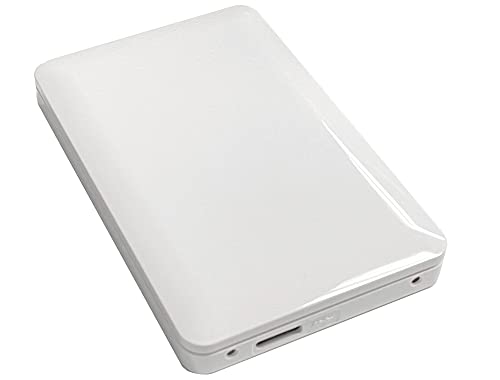
The Avolusion 1TB Game Drive is a USB 3.0 external hard drive that arrives pre-formatted for Xbox use. That setup can save time for buyers who want to connect the drive and begin moving games right away. Its white finish can match a white Xbox Series S or add contrast beside a black Series X. The drive supports Xbox One, Xbox One X, and Series X|S systems.
This is a budget storage product, so it does not offer SSD-level transfer speed. It is useful for storing Series X|S games that you are not playing today. It can also run many backward-compatible titles directly. If you mainly need a low-cost backup shelf, the Avolusion makes sense, but it is not the best external SSD for Xbox Series X if speed is your top concern.
Pros:
- Pre-formatted for a quick Xbox setup
- Affordable 1TB capacity
- Works with several Xbox generations
- White design suits many console setups
- Useful for game storage and backups
- USB connection needs no special expansion slot
Cons:
- Mechanical hard drive is slower than an SSD
- Limited to 1TB
- Optimized games may need to move before play
My Recommendation
I suggest the Avolusion to budget buyers who need extra space now. It is easy to use and can protect your main internal storage from clutter. However, I would spend more on an SSD if you move games often. This drive is best for archiving, not for chasing the fastest load and transfer times.
WD_BLACK P10 6TB Game Drive

The WD_BLACK P10 6TB is built for players who value capacity above all else. Six terabytes can hold a very large Xbox library, including many older games and stored Series X|S titles. Its rugged black case has the bold look associated with WD_BLACK products. The drive connects by USB and works with Xbox, PlayStation, and PC.
Because it uses a hard disk, it cannot match the quick transfer speed of a portable SSD. Yet its huge capacity changes how you manage games. You can keep titles archived and avoid repeated downloads, which can matter on a slow internet plan. Remember that storage rules still apply: many optimized games can sit on the P10 but may need internal or expansion storage to run.
Pros:
- Huge 6TB capacity
- Excellent for large digital libraries
- Reduces repeated downloads
- Works with Xbox, PlayStation, and PC
- Strong portable design
- Good cost per terabyte
Cons:
- Much slower than an external SSD
- Large capacity may be excessive for light users
- Optimized games often cannot run directly from it
My Recommendation
The P10 6TB is best for collectors, Game Pass power users, and homes with more than one console. It is also ideal when your internet data limit makes re-downloading painful. I would pair it with a smaller expansion card or SSD for active games. Choose the P10 when capacity matters more than finding the fastest external SSD for Xbox Series X.
Lexar ES3 512GB Portable SSD

The Lexar ES3 512GB is the smallest SSD in this list. Its compact body and USB 3.2 Gen 2 interface make it a simple way to add fast external storage. The drive is light enough for travel and has no spinning parts. It can also work with a computer, making it more flexible than an Xbox-only card.
Capacity is the main trade-off. After formatting, 512GB gives you less room than the label suggests, and modern games can consume much of it. Still, this drive works well as a fast transfer tool or as storage for a short list of favorite games. It is a good fit for players who want SSD speed at the lowest entry cost.
Pros:
- Fast USB 3.2 Gen 2 connection
- Very small and light
- Quiet solid-state operation
- Useful with Xbox and computers
- Lower purchase cost than larger SSDs
- Convenient for moving games
Cons:
- Small 512GB capacity
- Cannot run every optimized Series X|S game
- Large games can fill the drive quickly
My Recommendation
I recommend this Lexar for a light player, a second console, or a buyer who needs a small transfer drive. It also makes sense when you want SSD speed but have a strict budget. I would not choose it for a large Game Pass library. The low price helps, but 1TB or 2TB models offer better long-term value for most Series X owners.
Lexar ES3 1TB Portable SSD Blue
The blue Lexar ES3 gives you the same basic 1TB class of portable SSD storage in a more colorful finish. Its USB 3.2 Gen 2 interface offers a rated speed of up to 1,050MB/s on compatible hardware. The small design keeps your gaming area tidy. It is also easy to carry between an Xbox and a computer.
This drive works best as a storage and transfer partner for Series X|S. It can run compatible older games, while some optimized games may need to move to the console’s internal drive or an expansion card. The blue case may appeal to players who want something less plain than a black drive. Performance should be similar to the silver ES3 version when the hardware and cable are the same.
Pros:
- Fast portable SSD performance
- Useful 1TB capacity
- Bright blue finish is easy to identify
- Works with Xbox, PC, and other devices
- Quiet and resistant to drive vibration
- Good choice for game transfers
Cons:
- USB storage limits play for some optimized games
- Xbox cannot reach the full PC-rated speed
- Not as spacious as a 2TB drive
My Recommendation
This model is best for players who want a fast 1TB SSD with a personal look. It suits a smaller game rotation and users who move files between devices. Choose it over the silver model only if the color or current price matters to you. As a balanced USB choice, it remains a practical contender for the best external SSD for Xbox Series X.
How Xbox Series X External Storage Works
Before buying, you need to understand the key Xbox storage rule. The Series X uses a fast internal NVMe SSD for modern game features. It also supports official expansion cards that connect through the rear storage port. These cards can run supported optimized games in much the same way as internal storage.
USB drives work in a different way. Xbox Series X supports USB external storage for compatible games, and the console can store Series X|S games on a USB drive. However, many optimized games must move to internal storage or an official expansion card before you can play them. A USB SSD still helps because it can move those large games faster than a hard disk.
That difference prevents a common buying mistake. A fast USB SSD is not automatically equal to an Xbox expansion card. The interface, firmware, and console support all matter. I always check whether a drive is a USB storage product or a dedicated expansion card before judging its value.
External SSD or Xbox Expansion Card?
Pick a USB external SSD when you want lower cost, broad device support, and fast game transfers. It is a good choice for storing games, running older titles, and moving newer games between drives. A USB SSD can also work with a PC, Mac, or another console. This flexibility often makes it the better first purchase.
Pick an expansion card when you want to install and play current optimized games from the added space. The WD_BLACK C50 and SanDisk C50 follow the Xbox expansion-card design. They cost more, but they offer the smoothest experience. For a large current library, the extra cost can feel like buying a second internal drive.
There is no single answer for every player. I often suggest a two-drive plan. Use an expansion card or internal storage for active modern games, then use a USB SSD or hard drive as a fast shelf for the rest. This gives you speed where you need it and capacity where you want it.
What to Look for in the Best External SSD for Xbox Series X
Capacity
Capacity should match your game habits. A 512GB drive suits a small list, but it may fill after only a few large releases. A 1TB SSD is a safer starting point for most players. A 2TB drive gives more breathing room and often offers better value over time.
Remember that formatted capacity is lower than the number printed on the box. Xbox games also vary widely in size. Large open-world games can use more than 100GB, while small indie games may use less than 10GB. If you use Game Pass or buy many digital games, I would start at 1TB or 2TB.
Connection Type
USB 3.0 and USB 3.2 drives can work with Xbox Series X when they meet the console’s requirements. A newer USB label does not always mean a huge real-world gain on Xbox. The console and cable set the practical limit. Use the cable supplied with the drive when possible.
Do not connect a USB SSD through a low-quality hub if you can avoid it. Plug the drive into a console USB port. A direct connection reduces one more point of failure. It also makes troubleshooting simpler if the Xbox does not detect the drive.
SSD Speed
SSD speed matters most when you install, move, or copy games. It also helps when you use the drive for supported older games. But Xbox does not always use the full speed printed on a PC product page. Treat 1,050MB/s or 2,000MB/s claims as maximum interface figures, not guaranteed Xbox results.
A good SSD should still feel much faster than a hard drive for storage tasks. It starts quickly, runs quietly, and handles repeated transfers well. I prefer a reliable 1TB SSD over a very cheap drive with an inflated speed claim.
Build and Heat
Portable drives face bumps, cable pulls, and warm spaces behind a console. A solid case helps protect the drive during travel. SSDs have no spinning platter, so they handle movement better than mechanical hard drives. Still, avoid covering the drive or placing it beside a heat source.
Heat can reduce sustained speed on some small SSDs. This may appear during a long game copy rather than a short file move. Keep a little air around the drive. You do not need a fan, but you should not trap it under a stack of devices.
Warranty and Brand Support
Storage can fail, so warranty support matters. Seagate, Western Digital, SanDisk, and Lexar are familiar names with established storage lines. Check the exact model’s warranty terms and registration rules. Also keep a second copy of important files because no drive should serve as your only backup.
Setup Tips for Xbox Series X Storage
Connect the drive directly to the Xbox Series X. The console should detect a new USB drive and ask whether you want to use it for media or games. Choose the game-storage option, then allow the Xbox to format the drive. Formatting removes existing data, so copy anything important first.
Open the storage settings after setup. You can choose a default install location and move games between drives. I suggest naming your drives clearly if you use more than one. A simple name such as “USB SSD” makes it easier to select the right location later.
Use the USB ports on the console rather than an unpowered hub. Keep the cable short and secure. If the drive disconnects, try another port and cable before assuming the drive has failed. Also check for console updates, since system software can affect storage detection and game support.
Best For Comparison
| Best for | Why |
|---|---|
| Native Series X|S game play | WD_BLACK C50 2TB and SanDisk C50 connect through the expansion port and support supported optimized games. |
| Fast USB transfers | WD_BLACK P40 and Lexar ES3 SSD models move games faster than mechanical USB drives. |
| Maximum low-cost storage | WD_BLACK P10 6TB and Seagate 2TB hold large libraries at a lower cost per terabyte. |
FAQs Of best external ssd for xbox series x
Can an external SSD run Xbox Series X games?
Some backward-compatible and older Xbox games can run from a USB SSD. Many Series X|S optimized games can store on it but must move to internal storage or an approved expansion card before play. Check the game’s optimization label and the Xbox storage message.
Is an Xbox expansion card faster than a USB SSD?
An expansion card connects through the console’s dedicated storage interface. It supports native-style use for compatible optimized games. A USB SSD can be very fast for transfers, but it does not provide the same level of game compatibility.
How much storage should I buy for Xbox Series X?
Choose 1TB for a small or medium library. Choose 2TB if you use Game Pass or keep many large games installed. A 6TB hard drive suits players who want to archive a very large collection.
Will Xbox Series X format my external drive?
Yes. Xbox may ask you to format a new USB drive for games. Formatting deletes data already on the drive, so back up files before connecting it. After setup, you can use the Xbox storage menu to move and manage games.
Does a faster SSD reduce game load times?
It can help with compatible games, but the Xbox console controls the final result. A USB SSD usually improves transfers more than it improves modern game loading. The internal drive and approved expansion cards offer the closest match to the console’s designed speed.
Final Verdict: Which Should You Buy?
The WD_BLACK C50 2TB is my top choice because it gives Series X owners native-style expansion, broad game support, and useful capacity. For USB flexibility, choose the Lexar ES3 2TB. For the best external SSD for Xbox Series X value, match speed and capacity to your own library.
Buy an expansion card for active modern games, or a USB SSD for storage and transfers. That simple choice will help you avoid wasted money and keep your Xbox library ready to play.

Everett Ashford is a tech reviewer at mytechgrid.com specializing in SSDs, cameras, TVs, earbuds, headphones, and other consumer electronics. He provides honest, data-driven reviews based on hands-on testing and real-world performance analysis. Everett simplifies complex tech details to help readers make smart, confident buying decisions.