DJs wear headphones to preview tracks, match beats, protect timing, and control what the audience hears.
Understanding why do DJs wear headphones reveals the careful work behind a smooth set. Headphones let a DJ listen to the next song without sending it to the speakers, check its beat, prepare transitions, and react to problems in real time. What looks like a simple fashion choice is really a vital part of live music control.
Why Do DJs Wear Headphones?
The main reason DJs wear headphones is cueing. Cueing means listening to a track privately before playing it for the crowd. The DJ can hear the next song in one ear while the audience hears the current song through the main speakers.
This private preview helps the DJ answer key questions:


• Is the next song at the right speed?
• Does the beat line up with the current track?
• Is the intro too long?
• Does the song begin with vocals, drums, or silence?
• Will the transition sound smooth?
Without headphones, a DJ would need to guess or play the next track aloud. That could ruin the mood and expose mistakes before the song is ready.


Headphones also help DJs stay focused in loud venues. A club may have strong bass, cheering people, lighting effects, and sound reflections from walls. The DJ booth can be noisy, too. Headphones provide a clear, controlled sound source in the middle of that chaos.
This is why do DJs wear headphones during both live performances and practice sessions. They are not simply listening for pleasure. They are using headphones as a monitoring tool, much like a pilot uses instruments to guide an aircraft.

How DJ Headphones Help With Beatmatching
Beatmatching is the process of aligning two songs so their beats play together. Most dance music uses a steady pulse, often measured in beats per minute, or BPM. If one track runs at 124 BPM and another runs at 128 BPM, the beats will slowly drift apart unless the DJ adjusts one track.
Headphones let the DJ compare both songs before the transition. The DJ may listen to the current song in one ear and the upcoming song in the other. This method makes it easier to hear whether the kick drums match.
A basic beatmatching process looks like this:
-
The DJ plays the main track for the audience.
-
The DJ loads the next track on another deck.
-
The DJ listens to the next track through the headphones.
-
The DJ adjusts its tempo with the pitch control.
-
The DJ taps or nudges the track until the beats line up.
-
The DJ brings the prepared track into the main mix.
Modern DJ software often shows waveforms and beat grids. These tools make beatmatching easier, but headphones are still important. Software can misread a track’s rhythm, especially when a song has live drums, unusual timing, or a weak beat grid.
In my own booth experience, visual waveforms helped me move faster, but my ears caught issues that the screen missed. A track can look perfectly aligned and still sound slightly late. The ear remains the final judge.


Headphone Cueing and Pre-Listening
DJ cueing is different from ordinary music listening. A DJ usually does not listen to the full next song from start to finish. Instead, the DJ checks specific parts, such as the intro, first breakdown, chorus, or outro.
Most DJ mixers include a cue button for each channel. When the DJ presses a cue button, that channel becomes available in the headphones. The audience does not hear it until the DJ raises the channel fader or activates the track in the mix.
Many mixers also have a cue mix knob. This control blends two signals:
• Cue signal: The track being prepared in the headphones.
• Master signal: The music currently playing for the crowd.
With the cue mix set toward cue, the DJ can focus on the next track. With it set toward master, the DJ can check how the full mix sounds. A balanced setting lets the DJ hear both at once.
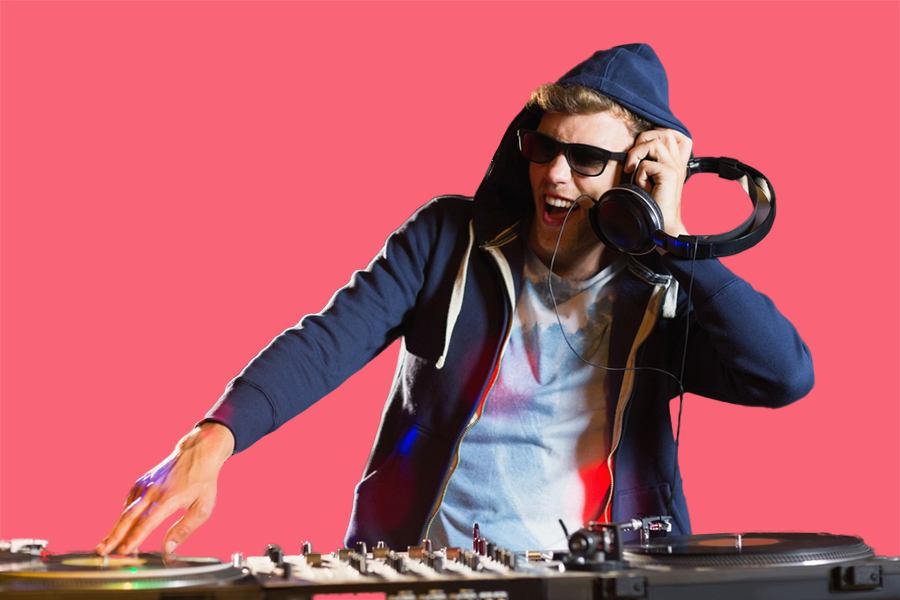
This explains why do DJs wear headphones over one ear at times. One ear hears the private cue, while the other hears the room or monitor speaker. This style gives the DJ both detailed track information and a sense of the audience’s sound.
Some DJs prefer both earcups on. Others use one earcup or keep one side slightly lifted. The best choice depends on the venue, the monitor level, and personal comfort.

Why DJs Listen With One Ear
One-ear monitoring is a common DJ technique. It allows the DJ to compare the headphone cue with the sound coming from the booth monitor or the room.
For example, the DJ may place the left earcup over one ear while leaving the other ear open. The covered ear hears the next track. The open ear hears the current mix.
This method helps with:
• Beat alignment
• Volume balance
• Transition timing


• Awareness of crowd response
• Detection of sound problems
One-ear listening is not required. Some DJs use both ears because it gives them a clearer and more isolated signal. Others use one ear because it feels more natural in a loud club.
The risk is excessive volume. DJs may turn up the headphones to compete with the venue speakers. That can cause temporary ringing, muffled hearing, or long-term hearing damage. Hearing health experts generally advise keeping monitoring levels as low as practical and taking quiet breaks when possible.
A good habit is to lower the booth monitor before turning up the headphones. Many beginners do the opposite. They raise every sound source, then struggle with an overly loud mix.

Headphones Help DJs Plan Smooth Transitions
A transition is the point where one song changes into another. It may last a few seconds or several minutes. Headphones help the DJ choose the right moment and method.
The DJ can use headphones to find:
• A clean eight-bar or sixteen-bar intro
• A drum section that matches the current groove
• A vocal phrase that will not clash
• A breakdown that builds energy
• An outro that gives the next track space
Imagine mixing two songs with strong vocals. If both singers enter at the same time, the result may sound crowded. Headphones let the DJ hear that problem before it reaches the audience.
Headphones also help DJs plan energy. A song may match another track in BPM but not in mood. The DJ can preview the next track and decide whether it feels darker, brighter, faster, calmer, or more intense than the current song.


That decision matters in every style. A house DJ may blend kick drums and bass lines. A hip-hop DJ may cue a vocal line or scratch sample. A wedding DJ may preview a request and choose a clean edit. The tools change, but the purpose stays the same.

Why Do DJs Wear Headphones During Live Events?
Live events rarely follow a perfect plan. A guest may request a song, the schedule may change, or a performer may run late. Headphones help the DJ adapt without stopping the music.
At a wedding, a DJ might need to prepare a first dance song while dinner music continues. At a club, the DJ may need to switch genres quickly because the crowd’s energy changes. At a festival, the DJ may need to match a track to a strict set time.
Headphones also help identify technical problems. A DJ can listen for:
• Distortion
• Missing channels
• Uneven volume
• Wrong deck selection
• Beat grid errors
• Unexpected silence
I once saw how quickly a small routing mistake can create confusion. The track looked loaded on the screen, but the cue channel was set to the wrong deck. The headphones exposed the issue before the fader moved. That small check prevented an awkward silence.
This is another reason why do DJs wear headphones even when the music seems to be playing normally. They are checking the next decision while managing the current one.

DJ Headphones Versus Regular Headphones
DJ headphones are built for control, durability, and accurate monitoring. They are not always designed to sound as soft or spacious as premium home headphones.
Important features include:
Closed-back design
Closed-back headphones reduce outside noise. This helps DJs hear the cue track in a loud booth. They also reduce sound leakage, which matters when a microphone or nearby performer could pick up the headphone signal.
Strong bass response
Bass helps DJs match kick drums and low rhythms. However, too much boosted bass can mislead the user. A headphone may make a track seem heavier than it really sounds through the club system.
High volume capacity
DJ headphones must handle loud cue signals without distortion. This does not mean they should be used at maximum volume. Power handling and safe listening level are different things.
Swivel earcups
Swivel earcups make one-ear monitoring easier. They also allow the headphones to rest around the neck or sit flat in a DJ bag.
Replaceable parts
Cables, ear pads, and hinges can wear out. Replaceable parts extend the life of the headphones and reduce waste.
A good pair should feel secure but not painful. Comfort matters because DJs may wear headphones for hours. Tight clamping force can cause pressure around the ears, while loose headphones may fall during movement.
How to Choose Headphones for DJing
The best DJ headphones depend on the venue, style, and personal hearing needs. A beginner does not need the most expensive model. A reliable, comfortable pair is more useful than a costly pair with features you never use.
Look for these qualities:
• Closed-back isolation for loud rooms
• Clear mids for vocals and melodies
• Controlled bass for beatmatching
• Strong hinges and cable connections
• Comfortable ear pads
• A detachable or replaceable cable
• A fit that stays secure while moving
• A sound profile that does not hide detail
Test the headphones with music you know well. Listen for the kick drum, snare, bass line, and vocals. If the bass overwhelms everything else, beatmatching may become harder.
Avoid choosing headphones only because they look professional. Large earcups and bright colors may suit a DJ’s style, but function should come first. A simple pair that lets you hear timing clearly will outperform a stylish pair that causes fatigue.
It is also wise to carry a spare cable or backup headphones for important events. Equipment can fail at the worst moment. Preparation is part of professional DJ work.
Common Mistakes DJs Make With Headphones
New DJs often assume louder monitoring leads to better results. It does not. Excess volume can make the mix feel exciting in the headphones while sounding harsh or unbalanced in the room.
Common mistakes include:
• Turning the headphones up instead of lowering the booth monitor
• Keeping both tracks at full volume in the cue mix
• Wearing headphones so tightly that they cause pain
• Ignoring ear fatigue during a long set
• Trusting the waveform without listening
• Cueing the wrong deck
• Forgetting to check the track’s first beat
• Using headphones with excessive bass boost
A practical routine can prevent most of these problems. Before each transition, check the cue channel, set a comfortable level, listen for the first beat, and compare the track with the master signal.
Give your ears short breaks when possible. During a quiet section, lower the headphones or remove them briefly. If you notice ringing after a set, treat it as a warning rather than a normal part of DJing.
Headphones should improve control, not create hearing stress. The goal is a clear signal at a safe level.

Do DJs Need Headphones With DJ Software?
Yes, headphones remain useful with DJ software, even when the program displays BPM, waveforms, and beat markers. Software can automate some tasks, but it cannot fully replace human judgment.
A DJ still needs headphones to preview tracks, confirm cue points, check phrasing, and hear how two songs work together. Automatic beatmatching can align tempo, but it may not fix a poorly analyzed beat grid or a musical clash.
Some software also offers headphone cue controls. These let the DJ select a deck, adjust the cue mix, and control headphone volume from a laptop, controller, or mixer.
Digital tools are helpful assistants. They are not a substitute for listening. The strongest DJs combine visual information with careful ear training.
The Role of Headphones in Different DJ Styles
The reason why do DJs wear headphones can vary by performance style.
Club and festival DJs
These DJs often use headphones to beatmatch, manage long blends, and prepare tracks in a loud environment. They may use one-ear monitoring to compare the cue with the booth sound.
Turntablists
Scratch DJs use headphones to locate samples, control cue points, and match sounds with precise timing. Fast cuts require accurate monitoring.
Radio DJs
Radio DJs may use headphones to hear the program feed, check microphones, and monitor songs without relying on speakers in the room.
Wedding and event DJs
Event DJs use headphones to preview requests, check clean versions, and prepare announcements. Their work often requires quick changes and careful microphone control.
Producers who perform live
Live electronic performers may use headphones to check loops, effects, and incoming channels. Their setup may include a laptop, drum machine, mixer, or controller.
Across all these styles, headphones act as a private communication line between the DJ and the music.
Frequently Asked Questions About Why Do DJs Wear Headphones
Why do DJs wear headphones over one ear?
DJs often use one ear to hear the private cue track and the other ear to hear the current mix or room sound. This helps them compare timing and volume during a transition.
Can DJs perform without headphones?
Yes, but it is harder and less reliable. Without headphones, DJs lose the ability to preview a track privately, which increases the chance of timing, cueing, and song-selection mistakes.
Do DJs wear headphones to block out the crowd?
Sometimes, but blocking outside noise is not the main purpose. DJ headphones mainly isolate the cue signal so the performer can prepare and monitor music accurately.
Why do DJs take one headphone off?
A DJ may remove one earcup to hear the booth monitor, audience reaction, or room sound. This technique helps balance private cueing with awareness of the live environment.
Are DJ headphones louder than regular headphones?
DJ headphones are often designed to handle strong output from professional mixers, but they should not be played at unsafe levels. Their higher power handling does not make loud listening harmless.
What type of headphones are best for DJing?
Closed-back headphones with clear mids, controlled bass, good isolation, and a comfortable fit are usually the best choice. Durable hinges and replaceable cables are also valuable for regular use.
Conclusion
DJs wear headphones because live mixing requires private listening, precise timing, and fast decisions. Headphones help with beatmatching, track previewing, transition planning, sound checks, and hearing protection from a noisy booth when used at safe levels.
The best approach is simple: choose comfortable closed-back headphones, learn the cue controls, keep the volume moderate, and trust your ears as much as your software. If you are learning to DJ, practice cueing one track while another plays, then build toward smooth transitions.
Try these habits in your next practice session, explore reliable DJ tutorials, and share your favorite headphone tips or questions in the comments.
Everett Ashford is a tech reviewer at mytechgrid.com specializing in SSDs, cameras, TVs, earbuds, headphones, and other consumer electronics. He provides honest, data-driven reviews based on hands-on testing and real-world performance analysis. Everett simplifies complex tech details to help readers make smart, confident buying decisions.