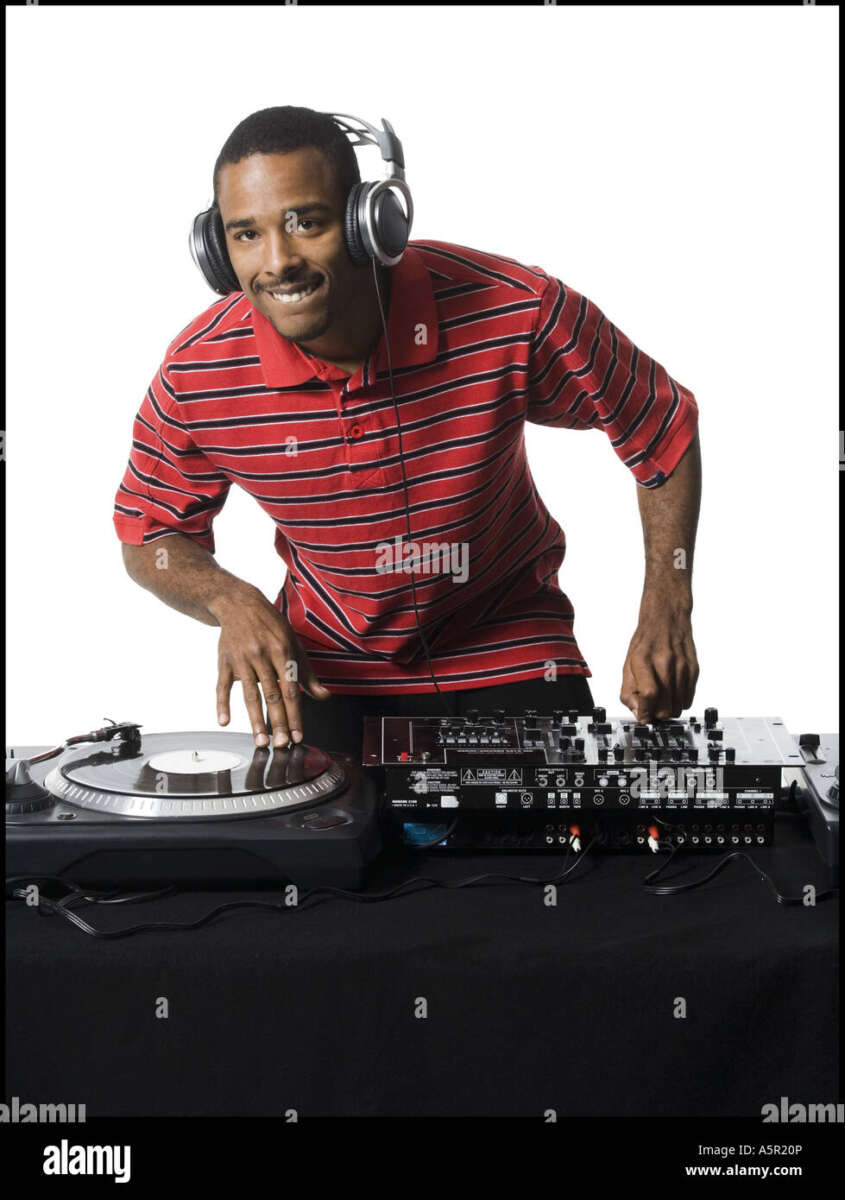
DJs wear headphones to preview tracks, match beats, protect timing, and control what the audience hears.
Understanding why do DJs wear headphones reveals the careful work behind a smooth set. Headphones let a DJ listen to the next song without sending it to the speakers, check its beat, prepare transitions, and react to problems in real time. What looks like a simple fashion choice is really a vital part of live music control.
Why Do DJs Wear Headphones?
The main reason DJs wear headphones is cueing. Cueing means listening to a track privately before playing it for the crowd. The DJ can hear the next song in one ear while the audience hears the current song through the main speakers.
This private preview helps the DJ answer key questions:
• Is the next song at the right speed?
• Does the beat line up with the current track?
• Is the intro too long?
• Does the song begin with vocals, drums, or silence?
• Will the transition sound smooth?
Without headphones, a DJ would need to guess or play the next track aloud. That could ruin the mood and expose mistakes before the song is ready.
Headphones also help DJs stay focused in loud venues. A club may have strong bass, cheering people, lighting effects, and sound reflections from walls. The DJ booth can be noisy, too. Headphones provide a clear, controlled sound source in the middle of that chaos.
This is why do DJs wear headphones during both live performances and practice sessions. They are not simply listening for pleasure. They are using headphones as a monitoring tool, much like a pilot uses instruments to guide an aircraft.

How DJ Headphones Help With Beatmatching
Beatmatching is the process of aligning two songs so their beats play together. Most dance music uses a steady pulse, often measured in beats per minute, or BPM. If one track runs at 124 BPM and another runs at 128 BPM, the beats will slowly drift apart unless the DJ adjusts one track.
Headphones let the DJ compare both songs before the transition. The DJ may listen to the current song in one ear and the upcoming song in the other. This method makes it easier to hear whether the kick drums match.
A basic beatmatching process looks like this:
-
The DJ plays the main track for the audience.
-
The DJ loads the next track on another deck.
-
The DJ listens to the next track through the headphones.
-
The DJ adjusts its tempo with the pitch control.
-
The DJ taps or nudges the track until the beats line up.
-
The DJ brings the prepared track into the main mix.
Modern DJ software often shows waveforms and beat grids. These tools make beatmatching easier, but headphones are still important. Software can misread a track’s rhythm, especially when a song has live drums, unusual timing, or a weak beat grid.
In my own booth experience, visual waveforms helped me move faster, but my ears caught issues that the screen missed. A track can look perfectly aligned and still sound slightly late. The ear remains the final judge.

Headphone Cueing and Pre-Listening
DJ cueing is different from ordinary music listening. A DJ usually does not listen to the full next song from start to finish. Instead, the DJ checks specific parts, such as the intro, first breakdown, chorus, or outro.
Most DJ mixers include a cue button for each channel. When the DJ presses a cue button, that channel becomes available in the headphones. The audience does not hear it until the DJ raises the channel fader or activates the track in the mix.
Many mixers also have a cue mix knob. This control blends two signals:
• Cue signal: The track being prepared in the headphones.
• Master signal: The music currently playing for the crowd.
With the cue mix set toward cue, the DJ can focus on the next track. With it set toward master, the DJ can check how the full mix sounds. A balanced setting lets the DJ hear both at once.
This explains why do DJs wear headphones over one ear at times. One ear hears the private cue, while the other hears the room or monitor speaker. This style gives the DJ both detailed track information and a sense of the audience’s sound.
Some DJs prefer both earcups on. Others use one earcup or keep one side slightly lifted. The best choice depends on the venue, the monitor level, and personal comfort.

Why DJs Listen With One Ear
One-ear monitoring is a common DJ technique. It allows the DJ to compare the headphone cue with the sound coming from the booth monitor or the room.
For example, the DJ may place the left earcup over one ear while leaving the other ear open. The covered ear hears the next track. The open ear hears the current mix.
This method helps with:
• Beat alignment
• Volume balance
• Transition timing
• Awareness of crowd response
• Detection of sound problems
One-ear listening is not required. Some DJs use both ears because it gives them a clearer and more isolated signal. Others use one ear because it feels more natural in a loud club.
The risk is excessive volume. DJs may turn up the headphones to compete with the venue speakers. That can cause temporary ringing, muffled hearing, or long-term hearing damage. Hearing health experts generally advise keeping monitoring levels as low as practical and taking quiet breaks when possible.
A good habit is to lower the booth monitor before turning up the headphones. Many beginners do the opposite. They raise every sound source, then struggle with an overly loud mix.

Headphones Help DJs Plan Smooth Transitions
A transition is the point where one song changes into another. It may last a few seconds or several minutes. Headphones help the DJ choose the right moment and method.
The DJ can use headphones to find:
• A clean eight-bar or sixteen-bar intro
• A drum section that matches the current groove
• A vocal phrase that will not clash
• A breakdown that builds energy
• An outro that gives the next track space
Imagine mixing two songs with strong vocals. If both singers enter at the same time, the result may sound crowded. Headphones let the DJ hear that problem before it reaches the audience.
Headphones also help DJs plan energy. A song may match another track in BPM but not in mood. The DJ can preview the next track and decide whether it feels darker, brighter, faster, calmer, or more intense than the current song.
That decision matters in every style. A house DJ may blend kick drums and bass lines. A hip-hop DJ may cue a vocal line or scratch sample. A wedding DJ may preview a request and choose a clean edit. The tools change, but the purpose stays the same.

Why Do DJs Wear Headphones During Live Events?
Live events rarely follow a perfect plan. A guest may request a song, the schedule may change, or a performer may run late. Headphones help the DJ adapt without stopping the music.
At a wedding, a DJ might need to prepare a first dance song while dinner music continues. At a club, the DJ may need to switch genres quickly because the crowd’s energy changes. At a festival, the DJ may need to match a track to a strict set time.
Headphones also help identify technical problems. A DJ can listen for: