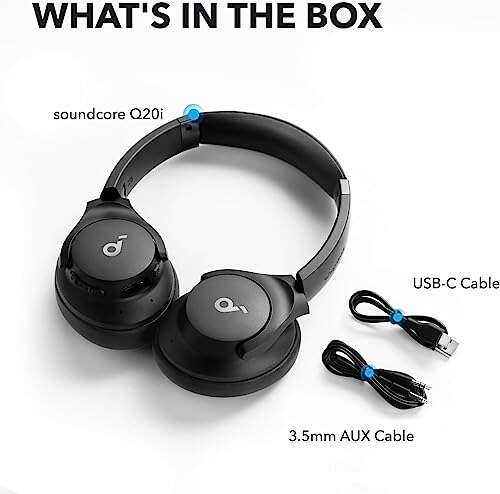
Bone conduction headphones send sound through your skull bones, leaving your ear canals open to outside sounds.
If you have ever wanted music, calls, or directions without blocking traffic, people, or birdsong, what are bone conduction headphones is a useful question to explore. These devices use gentle vibrations on the bones near your ears instead of sending sound through the ear canal. After testing this style of headset in daily settings, I find its biggest strength is awareness, while its main trade-off is sound quality. This guide explains how bone conduction works, who should use it, and what to check before buying.

What Are Bone Conduction Headphones?
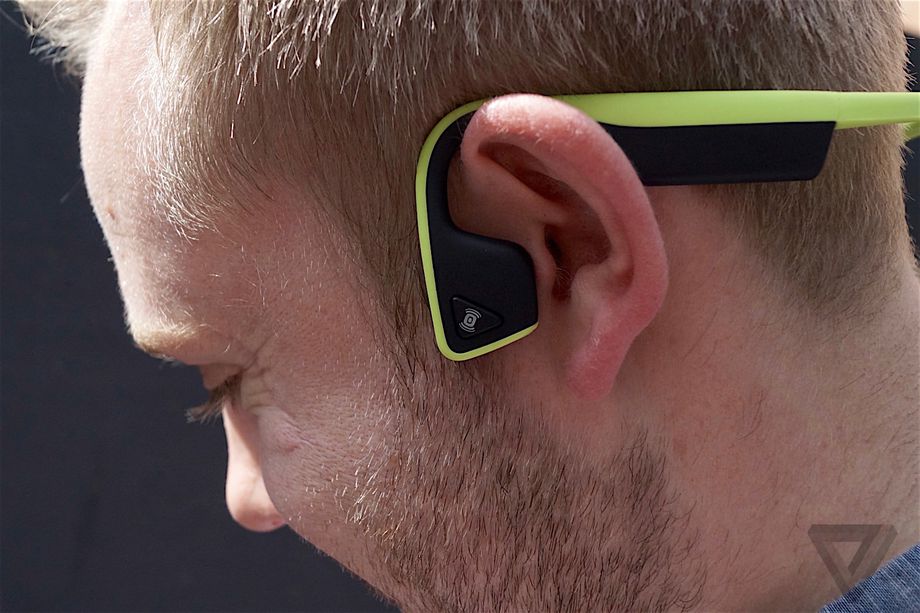
Bone conduction headphones are wearable audio devices that rest near the cheekbones or just in front of the ears. They create small vibrations that travel through the bones of the skull to the inner ear. The brain then processes those vibrations as sound.
Traditional headphones send sound through this path:
- The speaker creates sound waves.
- The waves travel through the ear canal.
- The eardrum vibrates.
- Small middle-ear bones pass the movement to the cochlea.
- The auditory nerve sends signals to the brain.
Bone conduction headphones take a different route. They bypass much of the outer and middle ear and stimulate the cochlea through bone vibration.
This design does not mean the headphones send sound directly into the brain. The inner ear still plays a key role. If the cochlea or auditory nerve cannot work well, bone conduction may not solve the hearing problem.
The phrase “bone conduction” can sound complex, but the idea is simple. Imagine tapping a tuning fork on your cheek and hearing a faint tone inside your head. Bone conduction headphones use that same basic principle in a controlled, electronic way.

How Bone Conduction Technology Works
A bone conduction headset uses transducers instead of traditional speaker drivers. A transducer changes an electrical audio signal into mechanical vibration. The contact point then transfers that vibration through nearby bone.
Most models sit on the temporal bone or cheekbone area. They do not usually sit inside the ear. This leaves the ear canal open, which helps users hear their surroundings.
The sound path looks like this:
- Your phone sends an audio signal to the headset.
- The headset converts the signal into vibrations.
- The transducers touch the skin near your ears.
- The vibrations move through the skull bones.
- The cochlea changes the vibrations into nerve signals.
- Your brain recognizes speech, music, or other audio.
Bone conduction is not completely silent to people nearby. At higher volume, some sound can leak from the transducers. However, the leakage is often lower than with open-back headphones, depending on the design and fit.
The best fit matters. If the transducers sit too far from the cheekbones, sound may feel weak or thin. Sweat, hair, glasses, helmet straps, and head movement can also affect contact.
Bone Conduction Versus Traditional Headphones
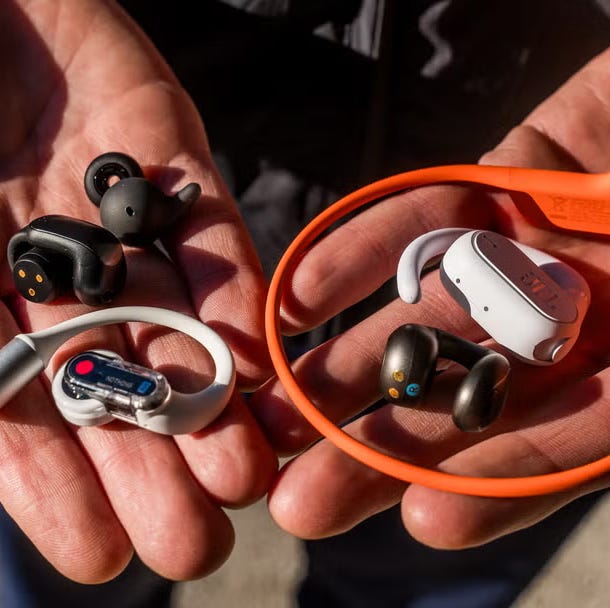
The clearest difference between bone conduction headphones and regular headphones is where the sound enters your hearing system.
Earbuds and over-ear headphones use air conduction. They create sound waves that travel through the air and enter the ear canal. Bone conduction headphones use vibration through the skull.
Here is a simple comparison:
| Feature | Bone conduction headphones | Traditional headphones |
|---|---|---|
| Ear canal | Remains open | Partly or fully covered |
| Awareness | Usually very high | Often reduced |
| Bass response | Often limited | Usually stronger |
| Sound privacy | Moderate | Better with sealed designs |
| Exercise use | Very practical | Varies by model |
| Hearing aid compatibility | Can work in some cases | May cause fit issues |
| Noise isolation | Usually low | Can be high |
| Comfort | Good for many users | Depends on ear pressure and fit |
When people ask what are bone conduction headphones, they often want to know whether these devices sound as good as earbuds. In most cases, they do not match quality earbuds for deep bass, detail, or noise blocking. Their value comes from safety, comfort, and situational awareness.
A traditional pair may be better for flights, offices, music production, or quiet listening. Bone conduction often makes more sense for road running, cycling on permitted routes, walking, and work settings where you need to hear people.

Main Benefits of Bone Conduction Headphones
Bone conduction headphones solve a specific problem: how to listen while keeping your ears open. They are not the best choice for every listener, but their advantages can be meaningful.
Better awareness of your surroundings
Open ears help you hear cars, cyclists, coworkers, alarms, and conversations. This feature is useful when you exercise outdoors or work in a place where environmental awareness matters.
Still, open ears do not make outdoor listening risk-free. Loud music can distract you even when your ear canals are clear. Keep the volume moderate and stay alert.
Comfortable design for many users
Some people dislike the pressure of earbuds. Others cannot keep earbuds in place during exercise. Bone conduction models avoid the ear canal, so they may feel more comfortable for long sessions.
They can also help people who experience irritation from in-ear tips. However, the band may press against the head, and the transducers may cause discomfort if the fit is too tight.
Useful for certain hearing needs
Bone conduction may help some people with outer or middle-ear problems because it bypasses those areas. Medical bone-anchored hearing systems are different from consumer headphones and should not be confused with them.
A hearing professional can explain whether bone conduction is suitable for a specific hearing condition. Consumer headphones are not a substitute for a hearing evaluation.
Good for active lifestyles
Many sports models resist sweat and light rain. Their secure wraparound design can stay in place during walking, running, and gym workouts.
Check the water-resistance rating before swimming. Water-resistant does not always mean waterproof, and a device made for rain may not be safe for pool use.
Easy access to calls and directions
Bone conduction headsets can make phone calls and navigation prompts easier to follow while you remain aware of your environment. This is especially helpful when you need quick information rather than rich, immersive audio.

Limitations and Drawbacks
Knowing what are bone conduction headphones also means understanding what they cannot do well. Their open design creates several trade-offs.
Weaker bass and less detailed sound
Low frequencies are harder to deliver through vibration than through a sealed earbud. Many models produce clear speech and acceptable music, but bass may sound light.
Rock, hip-hop, electronic music, and orchestral tracks may lack the depth you hear from quality over-ear headphones. This is normal for the technology, not always a sign of a defective unit.
Limited privacy
People nearby may hear faint audio, especially at high volume. Avoid using them for private calls in quiet rooms. Lowering the volume can reduce leakage, but it may also make outdoor listening harder.
Outdoor noise can cover the audio
Because bone conduction headphones usually do not block sound, busy streets, trains, gyms, and airports can overwhelm your music or podcast. Turning the volume up to compete with noise is not a good habit.
The National Institute for Occupational Safety and Health and other hearing health experts recommend managing both volume and listening time. A quiet environment is safer and usually sounds better.
Possible vibration or tingling
Some users notice a tickling feeling, mild pressure, or vibration near the cheekbones. This often improves after adjusting the position or lowering the volume. Stop using the headset if you feel pain, numbness, or lasting discomfort.
Battery limits
Wireless models need charging. Battery life varies by brand, volume, call use, and features such as multipoint Bluetooth. A dead battery can be inconvenient during a long run or work shift.
Are Bone Conduction Headphones Safe?
For most people, bone conduction headphones are safe when used at a comfortable volume and worn as directed. They do not automatically protect your hearing simply because your ear canals remain open.
The inner ear still receives sound signals. Excessive volume can still stress or damage the delicate hair cells in the cochlea. The World Health Organization recommends keeping personal listening devices at a safe level and taking regular breaks.
Use these habits:
• Keep the volume low enough to notice nearby sounds.
• Take breaks during long listening sessions.
• Avoid increasing the volume to overpower traffic or machinery.
• Follow the manufacturer’s fitting and cleaning instructions.
• Stop if you notice ringing, muffled hearing, pain, or dizziness.
• Seek medical advice for ongoing hearing changes.
A useful real-world test is the conversation check. If you cannot hear a nearby person speaking in a normal voice, your audio may be too loud for that setting.
One mistake I often see in product testing is treating “open ear” as “safe at any volume.” That is not true. Awareness reduces one type of risk, but it does not remove the risk from loud sound or distraction.

Who Should Use Bone Conduction Headphones?
Bone conduction headphones may suit people who want audio without blocking the ear canal. They are especially useful in these situations:
• Outdoor walking in places where local rules allow headphone use.
• Running on paths where hearing other people and sounds matters.
• Cycling only where headphones are legal and safe.
• Office work that involves frequent conversations.
• Jobs that require awareness of alarms or instructions.
• People who dislike in-ear earbuds.
• Listeners who struggle with earbuds that slip out.
They may not be ideal for:
• Music lovers who want deep bass and a wide soundstage.
• People who need strong noise cancellation.
• Users who want complete sound privacy.
• Swimmers unless the product clearly supports swimming.
• Anyone with a medical hearing concern who has not spoken with a professional.
If you have hearing loss, ear pain, tinnitus, or a history of ear surgery, ask an audiologist about your options. The answer to what are bone conduction headphones is not the same as a medical recommendation.
How to Choose the Best Bone Conduction Headphones
The best model depends on where and how you plan to use it. Focus on practical features rather than marketing terms.
Fit and comfort
The headset should feel secure without pressing hard on your temples or cheekbones. Move your head, smile, and speak while trying it on. The device should not slide or pinch.
If you wear glasses, a helmet, or a hat, test the headset with those items. Small fit problems can become annoying after an hour.
Water resistance
Look for an IP rating. The first number relates to dust protection, while the second relates to water protection. An IPX4 rating usually indicates resistance to splashes, but it does not mean the headset can be submerged.
For swimming, choose a model designed for that activity. Bluetooth signals do not travel well through water, so swimming models may store music internally instead of relying on a live phone connection.
Battery life and charging
Consider your normal use. A short daily commute needs less battery life than a full work shift or long training session.
Check:
• Advertised play time
• Charging connector
• Charging speed
• Low-battery alerts
• Ability to use the headset during charging
Call quality
Microphone performance can change in wind, traffic, and busy areas. Read reviews that discuss real calls rather than only music playback.
If you take frequent work calls, look for noise-reduction microphones and stable Bluetooth performance.
Controls and connection
Physical buttons are often easier to use during exercise than touch controls. Multipoint Bluetooth can help you switch between a phone and a computer, though performance varies by model.
Check compatibility with your phone, laptop, smartwatch, and fitness apps before you buy.
Audio expectations
Listen to a demo if possible. Ask yourself whether you mainly want podcasts, calls, and directions or whether music quality is the priority.
For speech, many bone conduction models perform well. For detailed music, a conventional headset may be the better tool.
How to Wear and Use Them Correctly
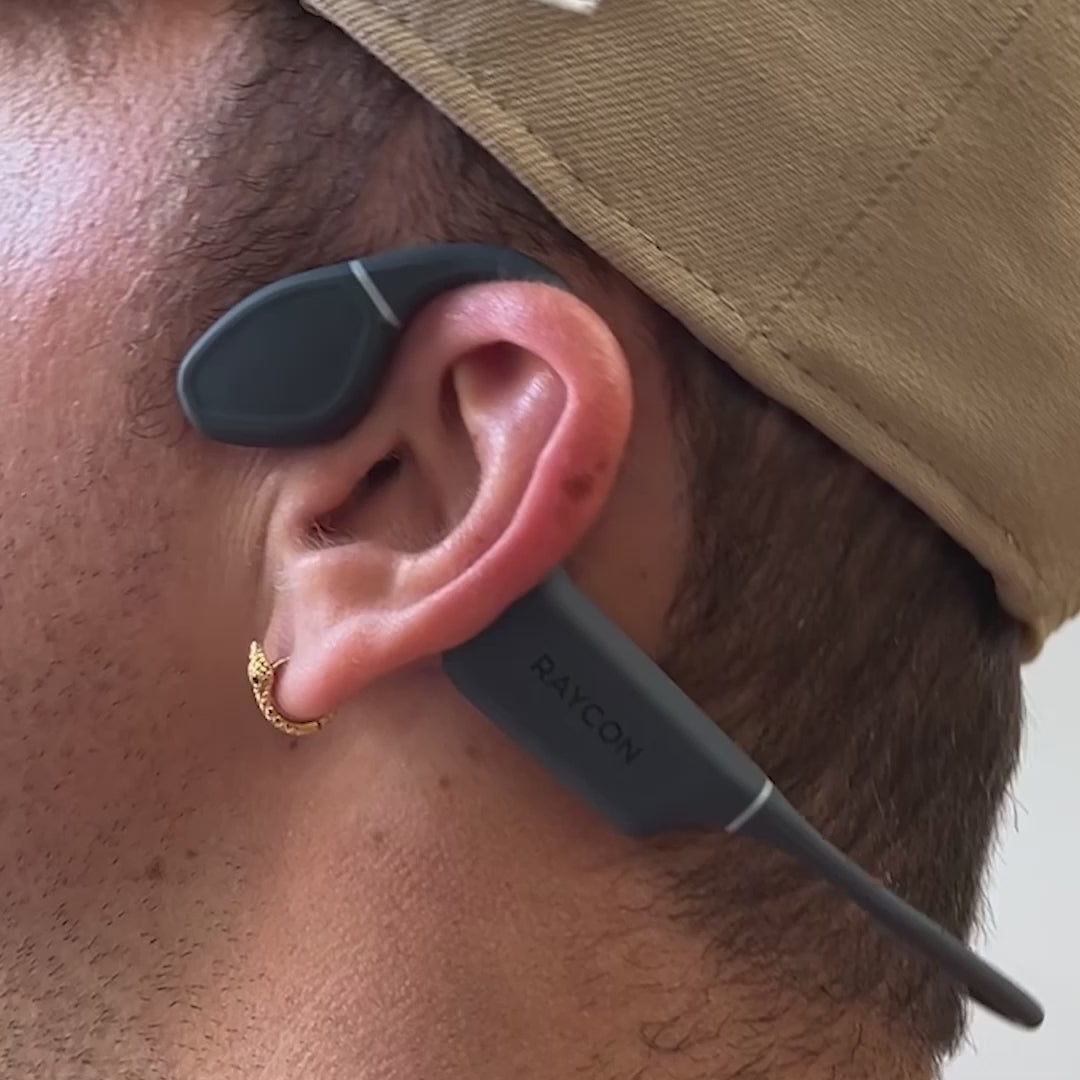
Correct placement improves both sound and comfort. Most bone conduction models sit in front of the ears, with the transducers touching the cheekbones.
Use this simple process:
- Place the band behind your head or around your neck, based on the design.
- Position each transducer just in front of the ear.
- Make sure both sides touch the skin evenly.
- Start playback at a low volume.
- Adjust the position before raising the volume.
- Test the fit while walking or moving your head.
Do not place the transducers directly inside the ear. Do not cover them with thick fabric or move them too far back.
Clean the contact points after workouts. Sweat and skin oil can affect comfort and hygiene. Use a soft, slightly damp cloth unless the manufacturer gives different instructions.
In my hands-on use of open-ear headsets, the most common setup mistake is raising the volume before finding the right fit. A small position change can make speech much clearer without extra volume.
Bone Conduction Headphones for Running and Cycling
For runners, the main benefit is awareness. You can hear a friend, a warning bell, or a nearby vehicle more easily than with sealed earbuds. That does not replace safe behavior, such as using a sidewalk, checking intersections, and following local laws.
Cyclists should be especially careful. Rules about headphones vary by state, city, and trail. Some places restrict headphones in both ears, while others allow certain open-ear designs. Always check local rules and never let audio distract you from traffic.
Practical tips include:
• Keep one ear free in high-risk areas, if local rules allow headphones.
• Use a lower volume near roads.
• Pause audio before crossing streets.
• Turn off notifications that are not needed.
• Choose a secure fit that will not shift under a helmet.
• Avoid using any headphones in conditions where full hearing is essential.
Bone conduction can support awareness, but it cannot prevent accidents. Treat it as one part of a safe routine, not as a safety device.
Common Mistakes to Avoid
A few simple mistakes can reduce the value of bone conduction headphones.
Buying them for noise cancellation
Most models do not seal the ear or block outside noise. If your main goal is silence on an airplane, noise-canceling earbuds or over-ear headphones may work better.
Expecting earbud-level bass
Bone conduction technology has improved, but physics still creates limits. Choose it for open-ear convenience, not for powerful low-end sound.
Ignoring the fit
A poor fit can create weak audio, vibration, or discomfort. Adjust the transducers before assuming the product is poor quality.
Using high volume outdoors
Outside noise can tempt you to increase the volume. A better solution is to pause audio in loud areas or move to a quieter place.
Confusing consumer products with medical devices
Consumer bone conduction headphones may help some people hear audio, but they are not hearing aids. A hearing specialist can provide a proper evaluation and recommendation.
Frequently Asked Questions: What Are Bone Conduction Headphones?
Do bone conduction headphones go in your ears?
No. Bone conduction headphones usually sit in front of your ears and rest against the cheekbones. They send vibrations through bone while leaving the ear canals open.
Do bone conduction headphones damage your hearing?
They can contribute to hearing damage if played too loudly or used for too long. Although they bypass the ear canal, the inner ear still receives the sound signal, so safe volume and listening breaks remain important.
Are bone conduction headphones good for music?
They can be good for podcasts, calls, and casual music listening. Traditional earbuds or over-ear headphones usually provide stronger bass, richer detail, and better sound isolation.
Can you use bone conduction headphones with hearing aids?
Some people can use them with hearing aids, but fit and sound quality vary. Ask an audiologist or test the headset carefully with your specific hearing aid before buying.
Are bone conduction headphones waterproof?
Some are water resistant, and a few are made for swimming. Check the product’s IP rating and swimming instructions because ordinary splash resistance does not guarantee safe underwater use.
Do bone conduction headphones leak sound?
Yes, some sound may be audible to people nearby, especially at high volume. Leakage depends on the model, fit, volume, and surrounding noise.
Are bone conduction headphones safer for running?
They may help you hear your surroundings better than sealed earbuds. However, they do not remove the risks of loud audio, distraction, traffic, or unsafe routes.
Conclusion
What are bone conduction headphones? They are open-ear audio devices that use vibrations through the skull to reach the inner ear. Their main strengths are awareness, comfort, and secure use during many active tasks. Their main limits are lighter bass, sound leakage, and reduced performance in loud places.
Choose them if hearing your surroundings matters more than powerful, private audio. Start with a comfortable fit, moderate volume, suitable water resistance, and strong battery life. Compare a few models, check local headphone rules, and share your experience or questions in the comments.

Everett Ashford is a tech reviewer at mytechgrid.com specializing in SSDs, cameras, TVs, earbuds, headphones, and other consumer electronics. He provides honest, data-driven reviews based on hands-on testing and real-world performance analysis. Everett simplifies complex tech details to help readers make smart, confident buying decisions.