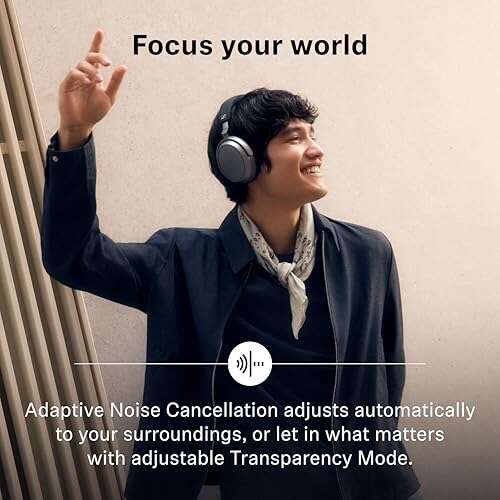
Wear headphones correctly by placing them securely, matching the ear cup to each ear, and keeping volume at a safe level.
Knowing how to wear headphones correctly improves comfort, sound quality, and hearing safety. The right fit depends on your headphone style, ear shape, activity, and listening habits. This guide explains the small adjustments that prevent pain, slipping, pressure, and muffled sound.
You will also learn how to position earbuds, over-ear headphones, and on-ear models, plus how to avoid common mistakes. These tips reflect basic acoustics, hearing-safety guidance, and practical lessons from testing headphones during work, travel, exercise, and long listening sessions.

Why Wearing Headphones Correctly Matters
Headphones work best when the drivers point toward your ear canal. If the headphones sit too high, too low, or at the wrong angle, sound may seem weak or uneven. Many people then raise the volume to compensate.
Correct headphone placement can help you:
• Hear vocals, bass, and detail more clearly
• Reduce sound leakage
• Prevent pressure on the ears and head
• Keep earbuds from falling out
• Lower the need for high volume
• Avoid soreness during long listening sessions
• Improve awareness of left and right audio channels
Learning how to wear headphones correctly is not only about comfort. It also supports safer listening. Loud sound can damage the delicate hair cells inside the inner ear, and this damage may be permanent.
The Centers for Disease Control and Prevention and other hearing health experts warn that both volume and listening time affect hearing risk. A comfortable fit may let you listen at a lower level, but it does not make very loud sound safe.
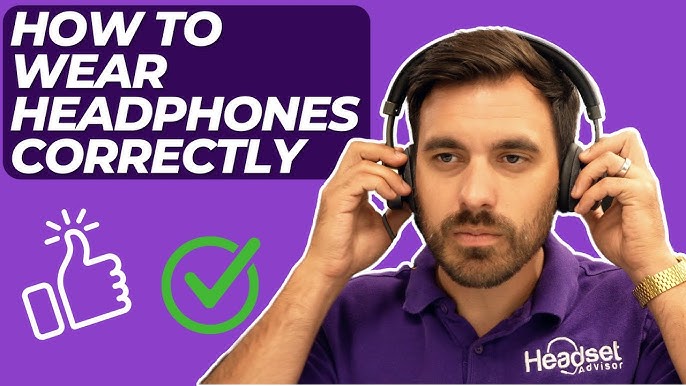
How to Wear Over-Ear Headphones Correctly
Over-ear headphones have large ear cups that surround your ears. They should rest around your ears, not directly on them. The ear cushions should form a soft seal without pressing hard against the side of your head.
Follow these steps:
-
Check the left and right labels. Place the cup marked “L” over your left ear and “R” over your right ear.
-
Extend the headband evenly. The band should sit across the top of your head, not far forward on your forehead.
-
Center each ear inside the cup. Your whole ear should fit inside the cushion.
-
Adjust the ear cups up, down, forward, or backward. The driver should face the center of your ear.
-
Check the seal. The cushions should touch your head all around the ear without creating painful pressure.
-
Move your jaw and turn your head. The headphones should stay in place without squeezing.
A proper seal improves bass and blocks outside noise. If the seal breaks when you move, adjust the headband or ear cup angle before increasing the volume.
People with glasses may notice a weaker seal. Thick eyeglass arms can create small gaps between the cushions and the head. Try thinner frames, softer cushions, or a slightly different cup position.

How to Wear On-Ear Headphones Correctly
On-ear headphones sit on the outer ear rather than surrounding it. They are often lighter than over-ear models, but they can create pressure on the ear cartilage if the fit is too tight.
To wear them correctly:
• Place the left and right cups on the matching ears.
• Center each pad over the middle of the outer ear.
• Keep the headband level across your head.
• Adjust the cups so they do not press only on the top or bottom of your ear.
• Make sure the pads sit flat against your ears.
On-ear headphones should feel secure but not painful. If your ears feel hot, numb, or tender after a short time, the clamp may be too strong. A looser fit, different pads, or an over-ear design may work better.
Do not wear on-ear headphones over a hat unless the design allows it. A hat can change the fit and push the cups away from your ears. It may also cause the headphones to slide during movement.

How to Wear Earbuds Correctly
Earbuds include standard loose-fit earbuds and in-ear monitors with silicone or foam tips. Their correct position depends on the design.
For standard earbuds:
-
Match the left and right earbud to the correct ear.
-
Place each bud gently in the outer ear.
-
Turn it slightly until it feels stable.
-
Keep the speaker opening aimed toward the ear canal.
-
Avoid forcing the earbud deep into the ear.
For in-ear headphones:
-
Choose the correct ear tip size.
-
Insert the tip gently into the ear canal.
-
Twist the earbud slightly to create a light seal.
-
Use the ear hook or wing, if included.
-
Check that the earbud stays secure when you walk or move your jaw.
The best ear tip is not always the largest one. A tip that is too large may cause pressure, while a tip that is too small may leak sound and fall out. Try different sizes and compare comfort, stability, and sound.
Foam tips often expand inside the ear and can provide a strong seal. Silicone tips are easier to clean and come in many shapes. Neither option is right for everyone.

How to Wear Wireless Earbuds Correctly
Wireless earbuds often include a left and right shape that matches the ear. Many models also have a short stem or touch panel. The stem may point down, forward, or slightly backward, depending on the design.
To get the best fit:
• Insert the earbud with the speaker facing the ear canal.
• Rotate it until the body rests in the natural bowl of your ear.
• Keep the touch surface easy to reach without pressing the earbud inward.
• Use the included ear wings or hooks if the earbuds move during exercise.
• Run a fit test in the companion app when available.
Some apps measure the seal by playing test sounds. Use this feature as a guide, not as a medical test. A good seal should feel even in both ears and should not cause pain.
When removing wireless earbuds, grip the outer body instead of pulling the stem or cable. This reduces strain on the ear and helps prevent accidental drops.

How to Wear Headphones for Glasses, Hats, and Long Hair
Glasses, hats, earrings, and long hair can change the way headphones fit. These small barriers can create pressure points or break the seal around the ear.
If you wear glasses:
• Place the headphone cushions over the frame arms when possible.
• Choose soft, flexible cushions.
• Avoid very tight clamping force.
• Adjust the cups slightly forward or backward.
If you wear a hat, select a thin fabric cap. Thick hats can make over-ear headphones feel tight and unstable. For cold weather, earmuff-style headphones may offer better comfort.
Long hair can get caught in headbands, hinges, or ear cups. Tie it loosely or move it away from the adjustment points. Do not pull hard if hair becomes trapped.
Earrings may cause pressure under on-ear pads. Small, flat earrings usually create fewer problems than large hoops or thick studs. Remove uncomfortable jewelry before a long listening session.

How to Wear Headphones Correctly During Exercise
Exercise creates extra movement, sweat, and heat. A headphone fit that feels fine at a desk may slip during a run.
For workouts, choose headphones with:
• A secure ear hook, wing, or behind-the-neck band
• Sweat resistance suited to your activity
• A stable fit during head movement
• Controls that are easy to use
• An open design when you need to hear traffic or other people
Before exercising, perform a simple movement test:
-
Walk for one minute.
-
Turn your head from side to side.
-
Bend forward.
-
Move your jaw.
-
Jog or bounce lightly.
If the headphones shift, adjust them before starting the workout. Do not push earbuds deeper into your ears to make them stay in place. A better tip size or a model designed for sports is safer and more comfortable.
Never block important outside sounds in unsafe places. Noise-canceling headphones can reduce awareness of cars, cyclists, alarms, and announcements. Use transparency mode or one earbud when appropriate, and follow local safety rules.

How to Use Headphone Volume Safely
Correct fit cannot protect your hearing from excessive volume. The World Health Organization promotes safe listening habits that limit both loudness and exposure time.
Use these practical rules:
• Start at a low volume and raise it only as needed.
• Keep the level around 60% or lower when possible.
• Take quiet breaks during long sessions.
• Avoid turning up the sound to overcome traffic or office noise.
• Use noise cancellation in loud places if it helps you listen at a lower level.
• Give your ears extra rest after a loud concert or event.
A simple test is the conversation check. If someone standing near you can hear your music, or if you must raise your voice to speak, the volume may be too high.
Some phones and music apps show headphone exposure alerts. These estimates may not perfectly match your personal hearing risk, but they can help you notice unsafe patterns.
Warning signs include ringing, muffled hearing, ear fullness, pain, or trouble understanding speech after listening. Stop using headphones and allow your ears to rest. If symptoms continue or repeat, contact a qualified medical professional or audiologist.
Common Mistakes to Avoid
Even expensive headphones can feel uncomfortable when worn the wrong way. Most fit problems come from small errors rather than poor product quality.
Avoid these mistakes:
• Wearing the left and right sides on the wrong ears
• Placing over-ear cups partly on top of the ears
• Choosing ear tips without testing the size
• Wearing a tight headband for hours
• Increasing volume because of a poor seal
• Pushing earbuds too far into the ear canal
• Ignoring pain, numbness, or ringing
• Wearing noise-canceling headphones near traffic without awareness
• Sharing earbuds without cleaning them
• Sleeping in bulky headphones that press against the ear
One mistake I often see is adjusting volume before adjusting fit. The better approach is to pause, reseat the headphones, and check the seal first. A few seconds of adjustment can make the same audio sound clearer at a lower level.
Another lesson is that comfort can change over time. Headphones may feel fine for 10 minutes but painful after an hour. Test them during the type of session you actually plan to have before relying on them for work, travel, or study.
How to Improve Comfort During Long Listening Sessions
Even correctly worn headphones can cause fatigue during long use. Your ears, skin, and neck need short breaks.
Try this routine:
-
Listen for about 45 to 60 minutes.
-
Remove the headphones for five to ten minutes.
-
Stretch your neck and shoulders.
-
Check for redness, pressure, heat, or soreness.
-
Clean the ear pads or ear tips when needed.
A good headband should distribute weight across the top of your head. If all the pressure sits in one spot, adjust the band or use a model with better padding.
Replace worn ear cushions when they become flat, cracked, or less flexible. Old cushions can reduce comfort and weaken the seal. They may also collect sweat, skin oil, and dust.
Clean headphones according to the manufacturer’s instructions. Use a dry or slightly damp cloth for most surfaces, and never pour liquid into an earbud, port, microphone, or driver. Let all parts dry before use.
Headphone Fit for Work, Travel, and Sleep
Different situations call for different headphone choices. There is no single best style for every activity.
For work:
• Choose a stable fit that does not create pressure.
• Use a clear microphone for calls.
• Keep one ear open when you need to hear coworkers.
• Take breaks during long meetings.
For travel:
• Over-ear noise-canceling headphones can reduce engine noise.
• Use a comfortable seal instead of raising the volume.
• Keep awareness in airports and public spaces.
• Store headphones in a case to protect the cushions.
For study:
• Use a light model that stays comfortable for long periods.
• Set a timer for quiet breaks.
• Avoid sound levels that mask nearby speech completely.
For sleep, standard headphones are often not ideal. Hard earbud bodies and large ear cups can create pressure when you lie on your side. If you need audio at bedtime, consider a sleep headband with flat speakers and set an automatic stop time.
How to Clean and Maintain Headphones
Clean headphones help maintain comfort and hygiene. Earbuds collect wax and oils, while ear pads absorb sweat and moisture.
Use this basic care routine:
• Wipe ear cups and earbuds with a clean, dry microfiber cloth.
• Remove silicone tips and wash them only as the manufacturer permits.
• Use a soft brush to clear dust from speaker grilles.
• Keep charging ports dry.
• Do not share earbuds without cleaning them first.
• Store headphones in a cool, dry case.
Do not use sharp objects to remove earwax from a speaker grille. You may push debris deeper or damage the mesh. Avoid strong cleaners unless the product instructions specifically approve them.
If an earbud smells unusual, feels damp, or irritates your skin, stop using it until it is cleaned and fully dry. Persistent irritation may require advice from a health professional.
When to Replace or Adjust Your Headphones
Headphones may need adjustment, repair, or replacement when the fit changes. Common signs include cracked cushions, loose hinges, weak battery life, uneven sound, and a headband that no longer holds its position.
Replace ear tips when they become stretched, torn, or unable to stay clean. Replace cushions when they flatten and expose hard surfaces. These parts affect both comfort and sound isolation.
Uneven audio is not always a headphone problem. Check the balance setting on your phone, clean both speaker grilles, and test the headphones with another device. If one ear sounds blocked or muffled even with different headphones, seek medical advice.
A good headphone should disappear into the background after a few minutes. If you remain aware of pressure, pain, or slipping, the model may not match your ears. Fit matters more than brand name or price.
Frequently Asked Questions About How to Wear Headphones Correctly
Should headphones cover my ears or sit on them?
Over-ear headphones should surround your ears, while on-ear headphones should rest gently on the outer ear. If an over-ear cushion presses on your ear, adjust the cup or choose a larger design.
How tight should headphones be?
Headphones should feel secure without causing pain, numbness, or a strong clamping sensation. If they become uncomfortable within a short time, loosen the headband or choose a different fit.
Should earbuds go deep into the ear?
Earbuds should sit securely but should not be forced deep into the ear canal. Use the correct tip size and stop if you feel pain, pressure, or irritation.
Is it safe to wear headphones all day?
Wearing headphones all day can increase the risk of discomfort and excessive sound exposure. Keep the volume moderate, take regular quiet breaks, and stop if you notice ringing or muffled hearing.
Why do my headphones keep falling out?
Headphones may fall out because the ear tips are the wrong size, the model does not match your ear shape, or sweat is reducing grip. Try another tip size, rotate the earbuds slightly, or use a sport model with wings or hooks.
Can I wear headphones with glasses?
Yes, but glasses can create pressure and reduce the seal of over-ear headphones. Soft cushions and small fit adjustments can improve comfort.
How do I know if my headphone volume is too loud?
If people nearby can hear your music, you need to raise your voice, or your ears ring afterward, the volume may be too high. Lower the level and take a quiet break.
Conclusion
Learning how to wear headphones correctly starts with matching the headphone style to your ears and activity. Center over-ear cups around the ears, place on-ear pads evenly, and use ear tips that create a gentle seal without pain.
Keep the volume moderate, take regular breaks, clean the parts that touch your skin, and stay aware of your surroundings. The best fit is secure, clear, and comfortable enough that you do not need to keep adjusting it.
Try these steps during your next listening session and notice the difference. For more practical audio and hearing-safety tips, explore related guides or share your own headphone comfort tips in the comments.

Everett Ashford is a tech reviewer at mytechgrid.com specializing in SSDs, cameras, TVs, earbuds, headphones, and other consumer electronics. He provides honest, data-driven reviews based on hands-on testing and real-world performance analysis. Everett simplifies complex tech details to help readers make smart, confident buying decisions.