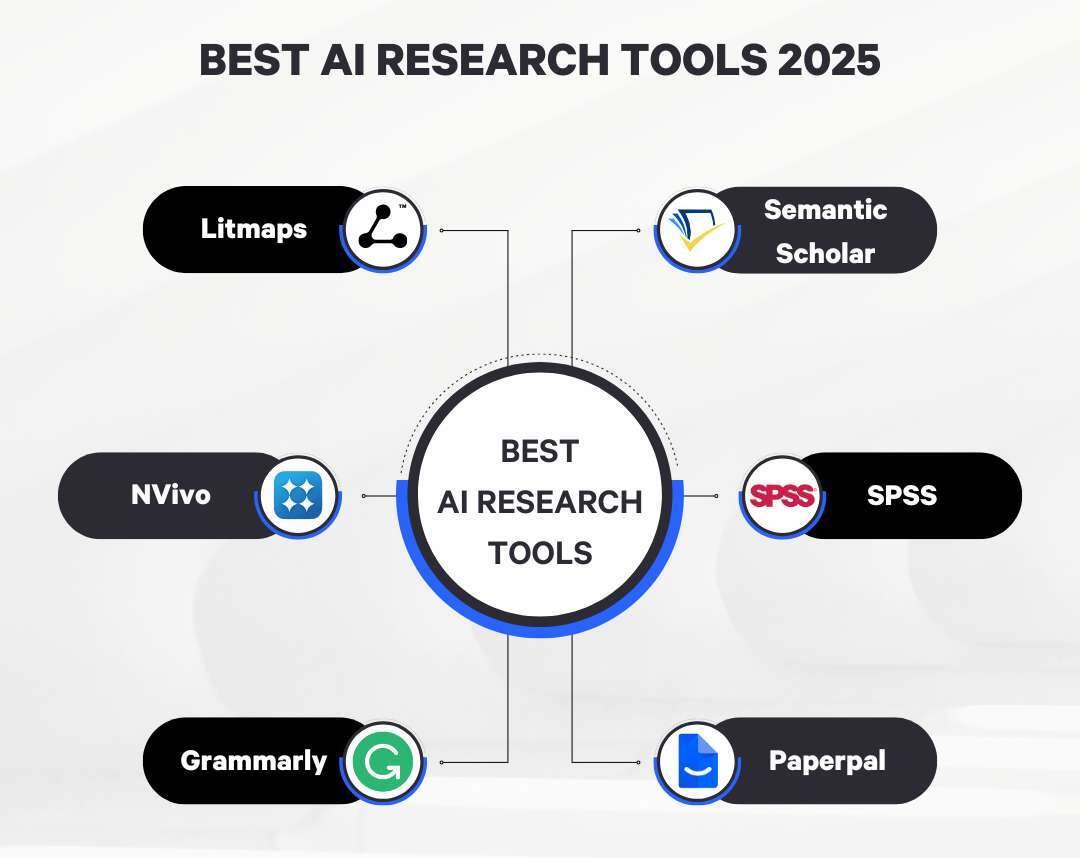
The best AI for research depends on the job. Elicit is often the strongest choice for finding and screening academic papers. Consensus is useful for exploring research-backed answers. Perplexity works well for current web research with linked sources. ChatGPT, Claude, and Gemini are better for explaining, comparing, and organizing material you already verified. NotebookLM is a strong option when you want answers grounded in your own documents.
No AI tool should replace reading the source. AI can miss key details, misuse evidence, or invent a citation. The safest approach is to use AI to speed up discovery and analysis, then verify important claims in the original paper, government report, book, or official record.
This guide focuses on research needs in the United States, including school work, college papers, business research, journalism, policy work, and academic literature reviews.

Quick answer: Which AI research tool should you choose?
Use this table to match the tool to your main task.
| Research task | Best fit | Why it may help | Main limitation |
|---|---|---|---|
| Find academic papers | Elicit | Searches papers and helps organize findings | It may not include every relevant source |
| Ask questions about research findings | Consensus | Connects answers to academic studies | A short answer can hide important study limits |
| Search current web information | Perplexity | Provides web answers with source links | Search summaries still need source checks |
| Analyze your own PDFs | NotebookLM | Grounds answers in uploaded sources | It cannot fix errors in the documents |
| Draft an outline or explain a hard topic | ChatGPT, Claude, or Gemini | Strong language and synthesis tools | They can create unsupported claims |
| Find papers by citation and topic links | Semantic Scholar | Useful academic discovery features | It is not a full research assistant |
| Search biomedical literature | PubMed plus an AI tool | PubMed provides a trusted index | AI does not replace clinical or scientific review |
If you want one general starting point, use Perplexity for current source discovery and a general AI model for organization. If your work is a formal literature review, start with Elicit, Semantic Scholar, Google Scholar, and the relevant scholarly database instead of relying on one chatbot.
What makes an AI tool good for research?
A useful research AI tool must do more than produce fluent text. It should help you find traceable evidence, show where claims came from, and preserve enough context to judge whether a source really supports the answer.
The most important features are:
- Source traceability: Can you open the paper, report, dataset, or official page?
- Search quality: Does the tool find relevant sources rather than only popular pages?
- Citation accuracy: Do the title, author, date, and link match the real source?
- Document handling: Can it read PDFs, tables, appendices, and multiple files?
- Research controls: Can you filter by date, field, study type, or source?
- Transparency: Does it show uncertainty and limits?
- Privacy: Does the service explain how it stores or uses uploaded data?
- Export options: Can you save citations, notes, or references in a useful format?
A polished answer is not proof of a good answer. Research quality depends on the evidence behind the words.
The National Institute of Standards and Technology advises organizations to manage risks such as inaccurate, unreliable, unsafe, and nontransparent AI output. That guidance applies to research workflows as well as business systems. A tool that saves ten minutes but introduces a false source can create hours of correction later.

Best AI tools for different kinds of research
Elicit: best for academic literature reviews
Elicit is designed around research papers. It can help users search for studies, extract details, and compare papers in a structured way. This makes it especially useful during the early stages of a literature review.
Elicit may help you identify:
- Research questions
- Study methods
- Sample sizes
- Key findings
- Limitations
- Papers related to a topic
- Themes across several studies
Its main strength is structure. Instead of asking a general chatbot to “tell me about social media and sleep,” you can ask a focused research question and review the studies returned by the system.
Elicit is not a substitute for a database search plan. It may miss papers, misunderstand a study design, or summarize a result without the needed context. Check the original abstract and full paper before using a claim.
Best for: Students, graduate researchers, and writers who need help screening academic papers.
Use another tool when: You need breaking news, local facts, legal rules, or a complete database search.
Official resource: Elicit
Consensus: best for exploring evidence-backed questions
Consensus is built to answer questions with links to academic research. It can be useful when you want to learn what published studies say about a narrow question.
For example, you might ask:
- Does resistance training improve balance in older adults?
- Do school start times affect student sleep?
- What does research say about intermittent fasting and weight loss?
Consensus can help you see whether the literature tends to support, reject, or qualify a claim. That makes it useful for orientation before deeper reading.
The key limit is that a study summary is not the same as a systematic review. A tool may select a small group of papers, and the answer may depend on how the question was worded. Open the cited studies and check their population, method, sample size, and outcome.
Best for: Rapid evidence discovery and plain-language exploration of academic topics.
Use another tool when: You need a complete systematic review, clinical recommendation, or statistical analysis.
Official resource: Consensus
Perplexity: best for current web research
Perplexity combines a conversational interface with web search and source links. It is useful for topics that change often, such as:
- Current U.S. policy
- Company announcements
- Product specifications
- Recent events
- Public data
- Technology changes
- Government guidance
Its value comes from speed. You can ask a broad question, review the linked sources, and then narrow the search.
Do not treat the answer as a finished research product. Check whether the cited page actually says what the answer claims. Also check the publication date, author, domain, and whether the source is primary or merely repeating another report.
For U.S. research, give the tool clear conditions. “What are the current federal rules?” is usually too broad. “What does the U.S. Department of Labor say about overtime exemptions for salaried employees, accessed in [month and year]?” is more precise. Even then, legal questions may require a qualified attorney.
Best for: Current web research and source discovery.
Use another tool when: You need a controlled academic search or analysis of private documents.
Official resource: Perplexity
NotebookLM: best for research based on your own sources
NotebookLM works from documents that you provide. You can upload sources and ask questions about them. This can reduce the risk of an AI model wandering into unrelated information.
It is useful for:
- Summarizing a group of reports
- Comparing several PDFs
- Finding themes in interview notes
- Asking questions about a book or policy document
- Creating study notes from assigned readings
- Identifying disagreements between sources
The source-grounded design is helpful, but it does not guarantee accuracy. If the uploaded document contains a mistake, NotebookLM may repeat it. Scanned PDFs, charts, footnotes, and complex tables can also create problems.
Use clear source labels. For example, name files by organization, title, and year. Then ask the tool to identify the source and page or section behind each answer.
Best for: Analysis of a defined set of documents.
Use another tool when: You need broad discovery beyond the files you uploaded.
Official resource: NotebookLM
ChatGPT, Claude, and Gemini: best for synthesis and research support
General-purpose AI assistants are useful after you have gathered reliable material. They can help you:
- Build a research question
- Create an outline
- Compare two studies
- Rewrite technical notes in plain English
- Identify gaps in an argument
- Create interview questions
- Turn notes into a table
- Explain research methods
- Suggest search terms
They are less reliable as stand-alone research databases. A chatbot may produce a realistic-looking citation that does not exist. It may also combine results from different studies or state a conclusion more strongly than the evidence allows.
The best prompt gives the model a source set and a clear rule:
Use only the sources below. For each claim, name the source and say when the source does not provide enough evidence. Do not create citations.
This does not remove the need for checking. It simply reduces the number of unsupported additions.
Official resources: ChatGPT, Claude, and Gemini
Semantic Scholar: best for academic discovery and citation connections
Semantic Scholar is an academic search tool rather than a general chatbot. It can help you discover papers, authors, related studies, and citation links.
It is valuable when you already have one strong paper and want to find:
- Earlier research it cites
- Later research that cites it
- Similar papers
- Authors working in the same area
- Papers with related concepts
Semantic Scholar should be used with other databases when completeness matters. Different indexes cover different journals, disciplines, books, conference papers, and preprints.
Official resource: Semantic Scholar

How to use AI for research without losing accuracy
The safest workflow separates discovery, verification, analysis, and writing. Do not ask one tool to perform all four steps without review.
Step 1: Define the research question
Start with a question that names the subject, group, place, time, and outcome when those details matter.
Weak question:
Does remote work help people?
Stronger question:
Among full-time U.S. employees, how has hybrid work affected reported productivity since 2020?
The stronger question gives the AI a better search target. It also makes it easier to reject sources that study a different population or period.
Step 2: Ask AI to improve the question, not answer it
A useful first prompt is:
Break this topic into three researchable questions. List key terms, related terms, likely sources, and important limits. Do not answer the questions or invent citations.
This can reveal missing terms. For a housing study, the tool may suggest “rent burden,” “housing cost burden,” “eviction,” and “cost-burdened households.” You can then search those terms in official U.S. data and academic indexes.
Step 3: Find primary and high-quality secondary sources
Use the right source for the claim:
- Government rules: The relevant federal, state, or local agency
- U.S. statistics: Census Bureau, Bureau of Labor Statistics, CDC, or another responsible agency
- Academic findings: The original paper and, where possible, a systematic review
- Company facts: The company’s official documentation, then independent reporting
- Historical claims: Archives, scholarly books, museums, and primary records
- Market data: The original dataset or a transparent research firm
AI search tools can help locate these sources. They should not decide that a source is reliable just because it appears first.
Step 4: Build a source record
For each source, record:
- Author or organization
- Full title
- Publication date
- URL, DOI, or database record
- Page or section used
- Study population or data set
- Main result
- Important limitation
- Claims the source can support
This simple record prevents a common error: using one source to support a claim that goes beyond its actual findings.
Step 5: Ask AI to compare sources
After collecting sources, upload or paste the relevant sections. Ask questions such as:
Create a table with each study’s population, method, sample size, outcome, main result, and limitation. Use only the supplied text. Mark missing information as “not reported.”
This is a good use of AI because the task is clear and constrained. You can compare the output with the original papers.
Step 6: Verify every important claim
Open the original source. Check:
- Does the source exist?
- Does the cited author and date match?
- Does the source make the claimed finding?
- Is the claim about correlation or causation?
- Does the population match your audience?
- Is the result current enough?
- Does a footnote or appendix change the meaning?
For high-stakes topics, use more than one reliable source and seek qualified professional review.
Step 7: Write from verified notes
Use AI to improve clarity after the evidence is settled. Keep your notes separate from the generated draft. That makes it easier to see which sentences are supported and which are interpretation.

A decision guide for choosing the best AI research tool
Choose based on the stage of your work, not on the most impressive demo.
| Your situation | Recommended starting point | Add this check |
|---|---|---|
| You have no topic yet | ChatGPT, Claude, or Gemini for brainstorming | Remove questions that cannot be answered with available evidence |
| You need peer-reviewed papers | Elicit and Semantic Scholar | Search a library database too |
| You need current U.S. information | Perplexity | Open the official source and check its date |
| You have 10 to 50 documents | NotebookLM | Compare answers with page numbers or sections |
| You need a literature review | Elicit plus library databases | Use a documented search and screening process |
| You need a plain-language summary | A general AI assistant | Compare the summary with the original source |
| You need legal, medical, or financial guidance | Official sources and a qualified professional | Treat AI as a research aid only |
The best workflow is often a combination:
- Use a general AI tool to refine the question.
- Search academic or official databases.
- Use Elicit or Semantic Scholar to expand the paper set.
- Use NotebookLM or another document tool to compare sources.
- Use ChatGPT, Claude, or Gemini to organize verified notes.
- Check the final claims against the originals.
Common AI research mistakes
Trusting a citation because it looks real
AI-generated references can contain real authors with the wrong title, a real journal with the wrong year, or a completely invented paper. A 2023 study in Scientific Reports found that ChatGPT-generated citations could be inaccurate and difficult to verify.
Search the title in the publisher’s site, Crossref, PubMed, Google Scholar, or a library database. Never cite a source you have not opened.
Confusing correlation with causation
If two factors move together, that does not prove one caused the other. An AI summary may remove this distinction even when the paper states it clearly.
Look for study terms such as:
- Randomized controlled trial
- Cohort study
- Cross-sectional study
- Case-control study
- Natural experiment
- Meta-analysis
The method affects what conclusion the study can support.
Using a summary instead of the source
A summary may leave out the sample size, control group, confidence interval, or study limitation. It may also blend several papers into one statement.
Use the summary to decide what to read. Use the source to support the final claim.
Uploading sensitive information
Do not upload confidential client records, unpublished research, student records, medical information, trade secrets, or personally identifying data unless your organization has approved the tool and its data terms.
Remove names and other identifiers where possible. Check whether the service uses inputs for model training, how long it retains files, and who can access the account.
Asking vague questions
Broad prompts produce broad answers. Include the country, date range, population, source type, and purpose.
Instead of:
What is the best treatment?
Try:
Summarize the findings of systematic reviews on non-drug treatments for chronic lower-back pain in adults. Separate evidence of short-term pain relief from long-term function. Do not give personal medical advice.
A prompt cannot turn weak evidence into strong evidence, but it can reduce confusion.
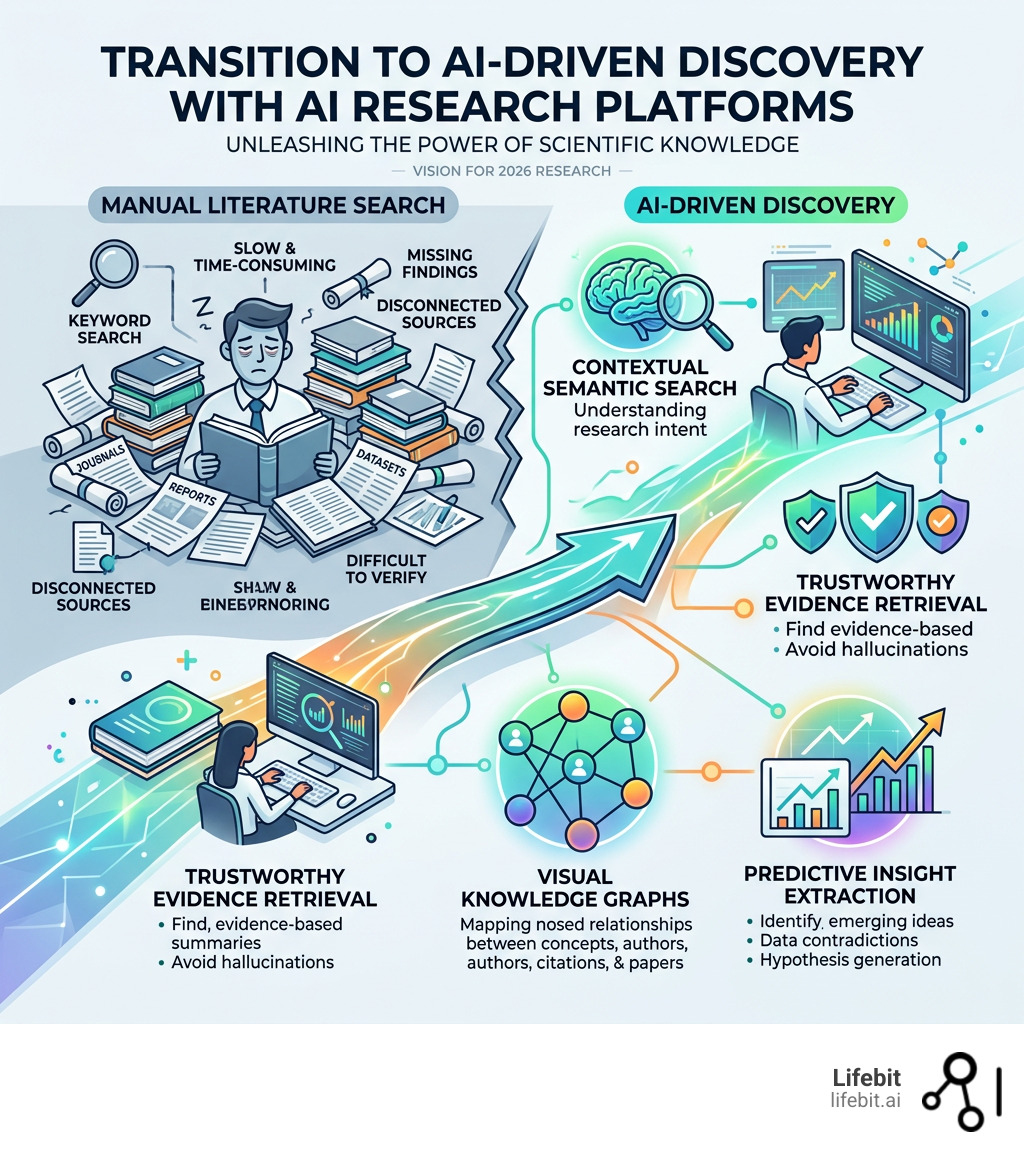
How AI research tools differ from traditional databases
AI tools and research databases serve different roles.
A database is usually better for controlled searching, stable records, subject filters, and reproducible methods. A conversational AI tool is usually better for explaining, grouping, and transforming information.
For formal academic work, use databases such as:
- PubMed for biomedical literature
- JSTOR for many humanities and social science collections
- IEEE Xplore for engineering and computing
- ERIC for education research
- Government websites for U.S. laws, regulations, and public data
- Your university library databases for licensed journals
AI can help you create search terms and understand results. It should not hide the search method when another researcher needs to repeat your work.
For a systematic review, follow the requirements of your field. You may need a protocol, inclusion criteria, a screening log, and a documented search strategy. A chatbot alone cannot provide that rigor.

Special risks for student and academic research
Students should check their school’s academic integrity and AI-use policy before using these tools. Rules differ by instructor, course, institution, and assignment.
AI may be allowed for:
- Brainstorming
- Grammar support
- Practice questions
- Explaining a difficult concept
- Creating a study plan
It may be restricted or prohibited for:
- Writing a submitted paper
- Completing an exam
- Generating citations
- Analyzing data
- Producing work presented as entirely your own
Keep a record of how you used the tool. Save prompts, source files, and edits when the assignment or research protocol requires disclosure.
Do not paste unpublished participant data into a public AI service. If your project involves human subjects, follow your institution’s research rules and consult the appropriate review office before collecting or processing data.
Frequently asked questions
What is the best free AI for research?
There is no single best free tool. Semantic Scholar and Google Scholar are useful for paper discovery. Perplexity may help with web research, while general AI tools can help explain and organize sources. Free plans can have limits on searches, file uploads, model access, or current information.
Can AI do a literature review?
AI can help search, screen, extract, and organize papers. It cannot reliably replace a documented literature review process. You still need clear inclusion rules, source checks, and a way to record excluded studies and limitations.
Which AI is best for finding peer-reviewed papers?
Elicit, Semantic Scholar, PubMed, Google Scholar, and subject databases can all help. The best choice depends on the field. Use the original publisher or database record to confirm that a paper is real, relevant, and peer reviewed.
Can I trust AI-generated citations?
No. Treat every AI-generated citation as unverified until you open the source. Check the title, author, journal, date, DOI, and the exact passage that supports your claim.
Is ChatGPT good for research?
ChatGPT can be very useful for question design, explanations, outlines, comparisons, and source-based drafting. It is not a dependable replacement for academic databases or primary sources. Its value rises when you give it verified documents and ask it not to add unsupported facts.
Is AI allowed in college research?
It depends on the school, instructor, assignment, and research project. Read the applicable policy and disclose AI use when required. When in doubt, ask the instructor before submitting AI-assisted work.
Key takeaways
- Elicit is a strong starting point for academic literature reviews.
- Consensus helps explore what published studies say about focused questions.
- Perplexity is useful for current web research and linked source discovery.
- NotebookLM works well when you need answers based on your own documents.
- ChatGPT, Claude, and Gemini are best used for explanation, synthesis, and drafting from verified notes.
- Semantic Scholar helps map papers, authors, and citation connections.
- No AI tool guarantees accurate sources or complete coverage.
- Verify every important claim in the original source.
Conclusion: the best AI for research is a verified workflow
If you need one simple recommendation, start with Elicit for academic papers, Perplexity for current web sources, and NotebookLM for your own documents. Use a general AI assistant after you have reliable evidence to explain and organize what you found.
The tool is only one part of the process. A strong research workflow asks a precise question, finds appropriate sources, checks the evidence, records limitations, and keeps a clear line between fact and interpretation. AI can make that work faster, but source verification remains your responsibility.
Sources and further reading
- National Institute of Standards and Technology: Artificial Intelligence Risk Management Framework
- U.S. Department of Education: Artificial Intelligence and the Future of Teaching and Learning
- PubMed
- Semantic Scholar
- Walters, W. H., and Wilder, E. I. “Fabrication and errors in the bibliographic citations generated by ChatGPT.” Research Integrity and Peer Review
- Elicit
- Consensus
- Perplexity
- NotebookLM

Everett Ashford is a tech reviewer at mytechgrid.com specializing in SSDs, cameras, TVs, earbuds, headphones, and other consumer electronics. He provides honest, data-driven reviews based on hands-on testing and real-world performance analysis. Everett simplifies complex tech details to help readers make smart, confident buying decisions.