Raise iPhone earbud volume by checking safety limits, audio settings, Bluetooth controls, earbud fit, and hardware condition.
If your earbuds sound quiet, the iPhone may be limiting output, reducing audio with a setting, or failing to create a good seal in your ears. I have found that a few small changes often make a bigger difference than simply pressing the volume-up button. This guide explains how to make earbuds louder on iPhone safely, including fixes for AirPods, Beats, wired earbuds, and most Bluetooth models.

Check the iPhone’s volume controls first
Start with the simple fix. Connect your earbuds, play music or a podcast, and press the Volume Up button on the side of your iPhone. The volume slider should appear on the screen.
You can also open Control Center by swiping down from the top-right corner. Drag the volume slider upward while your earbuds are playing sound. The iPhone remembers separate volume levels for its built-in speaker and connected headphones, so changing the speaker volume alone may not help.
If the slider is already near the top but the sound is still weak, check these points:
• Confirm that the earbuds are connected to the correct iPhone.
• Make sure the audio is not playing through the iPhone speaker.
• Disconnect other Bluetooth devices that may have taken control of playback.
• Test another app, such as Apple Music, YouTube, or a podcast app.
• Restart the app and reconnect the earbuds.
This basic check solves many cases of low volume. It also helps you learn whether the issue affects the iPhone or only one app.

Turn off the headphone volume limit
The iPhone includes a safety feature called Reduce Loud Audio. When it is active, iOS lowers sounds above a set decibel level. This can make earbuds seem quiet even when the volume slider is at maximum.
To review this setting:
- Open Settings.
- Tap Sounds & Haptics.
- Tap Headphone Safety.
- Check Reduce Loud Audio.
- Turn it off, or choose a higher limit if the option is available.
On some iPhone models and iOS versions, the menu may look slightly different. The setting may also be affected by local regulations or regional defaults.
Apple added this feature to help reduce long-term hearing damage. Turning it off can make earbuds louder on iPhone, but it also removes an important safeguard. A safer choice is to raise the limit only as much as needed and take regular listening breaks.
The World Health Organization recommends keeping personal listening levels moderate and limiting long exposure to loud sound. If your ears ring after listening, the volume is too high, even if the music sounds better.
Check Headphone Accommodations
Headphone Accommodations can change how your iPhone processes sound. This feature is designed to make certain frequencies clearer for people with hearing differences. However, an unsuitable setting can make music sound softer, thin, or unbalanced.
Go to:
- Settings
- Accessibility
- Audio & Visual
- Headphone Accommodations
If the feature is on, try switching it off for a quick comparison. If you want to keep it on, tap Custom Audio Setup and follow the hearing test. You can also select a balanced tone or adjust soft sounds.
This feature works best with supported Apple and Beats headphones. It may not improve every third-party earbud. The goal is not always a higher maximum volume. Sometimes clearer speech and stronger mids make audio feel louder without increasing the actual sound pressure.
That distinction matters. Perceived loudness is like brightness on a screen. A sharper, clearer image can seem brighter even when the brightness setting stays the same.

Change the iPhone audio balance
A shifted audio balance can make one or both earbuds seem quiet. This often happens after accessibility settings have been changed by accident.
To check the balance:
- Open Settings.
- Tap Accessibility.
- Tap Audio & Visual.
- Find the Balance slider.
- Move it to the center.
You can also test Mono Audio in the same menu. Mono Audio sends the same sound to both earbuds. It is useful when one earbud works poorly, but it may reduce the sense of stereo space.
If one earbud is much quieter than the other, do not assume the iPhone is the cause. Earwax, dust, a blocked speaker mesh, a damaged cable, or a weak earbud battery can create the same symptom.
Use the right EQ setting
An equalizer, or EQ, changes the level of bass, mids, and treble. It does not always increase the maximum output, but it can make music sound fuller and louder.
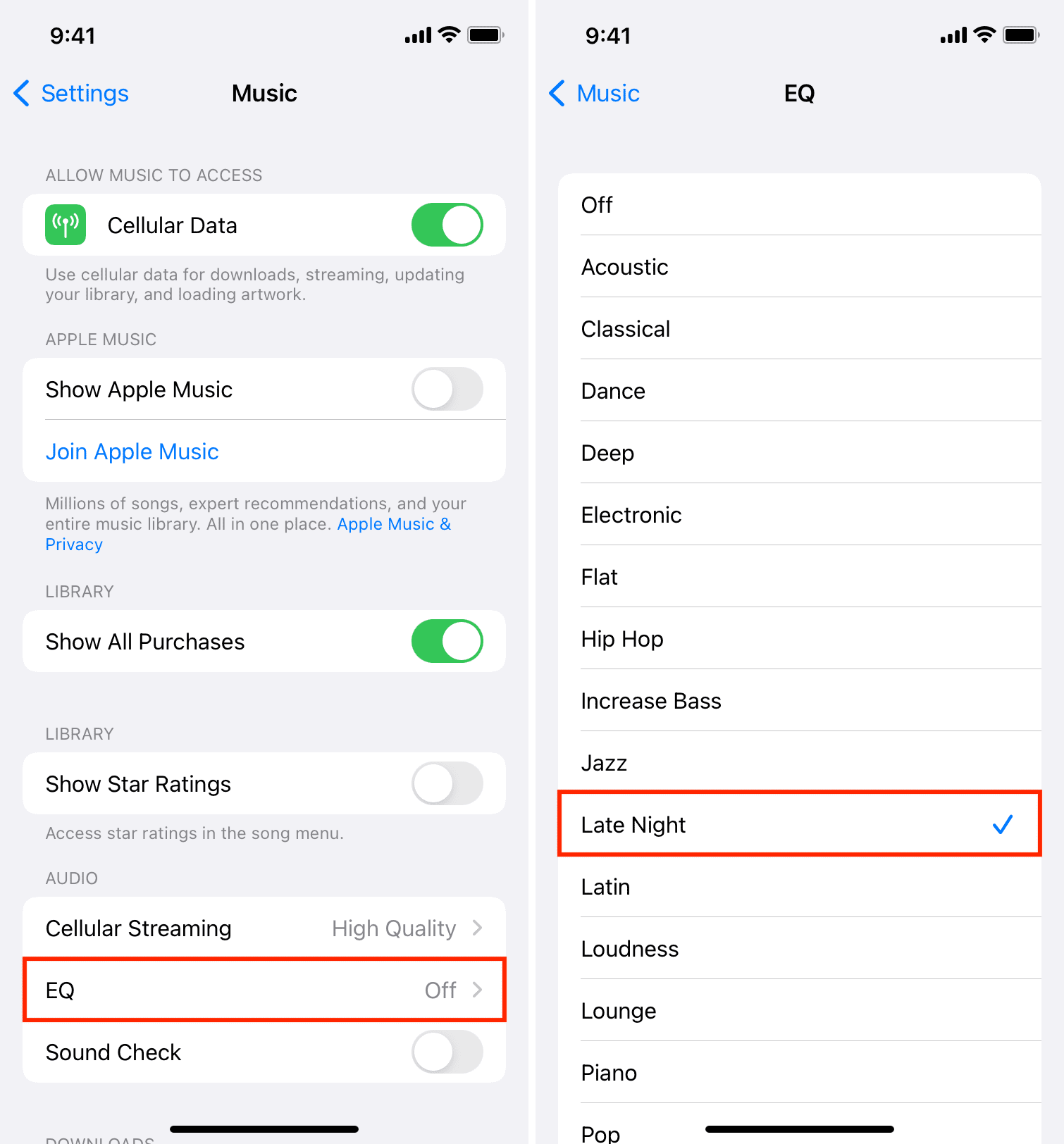
For Apple Music:
- Open Settings.
- Scroll down and tap Apps.
- Tap Music.
- Tap EQ.
- Test Late Night, Small Speakers, or another suitable preset.
On older iOS versions, you may find Music directly in the Settings app. Menu names can change after software updates.
Late Night can make quiet parts of a song easier to hear by reducing the gap between loud and soft sounds. This is useful at a low listening level, but it can also make music sound compressed. For natural music, try EQ Off first. For podcasts, speech boost options in the audio app may work better.
Many apps have their own audio settings. Spotify, YouTube Music, and podcast apps may include volume normalization, an equalizer, or a loudness setting. Test these options one at a time so you know which change helped.

Disable volume normalization when needed
Volume normalization makes different songs or episodes play at similar levels. This is convenient, but it can make some tracks seem quieter.
In Spotify, look for the Volume Normalization option in Settings. The exact menu can change, but it is usually found under playback or audio quality settings. Try turning it off and compare the same song.
Apple Music also includes Sound Check. You can find it under Settings, then Apps, Music, and Sound Check on newer iOS versions. Turn it off for testing if songs sound unusually quiet.
Normalization is not always bad. It prevents sudden jumps between tracks and may reduce the temptation to raise the volume. If you disable it, remember to lower the volume before switching to a louder recording.

Improve the earbud fit and seal
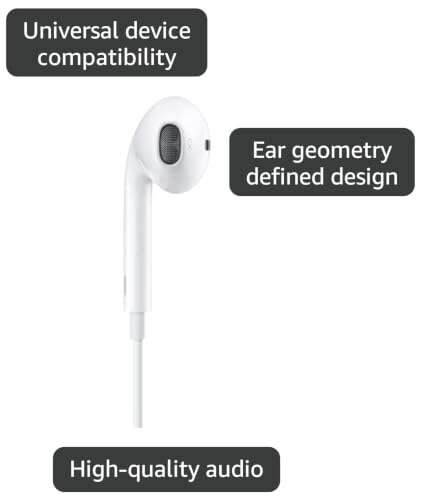
Earbud fit is one of the most overlooked answers to how to make earbuds louder on iPhone. In-ear models depend on a seal inside the ear canal. Without that seal, bass leaks out and outside noise covers the music.
Try these practical changes:
• Test every included ear tip size.
• Use one size larger if the earbuds feel loose.
• Twist the earbuds gently into place rather than pushing them too far.
• Clean the ear tips and speaker mesh.
• Replace worn or cracked silicone tips.