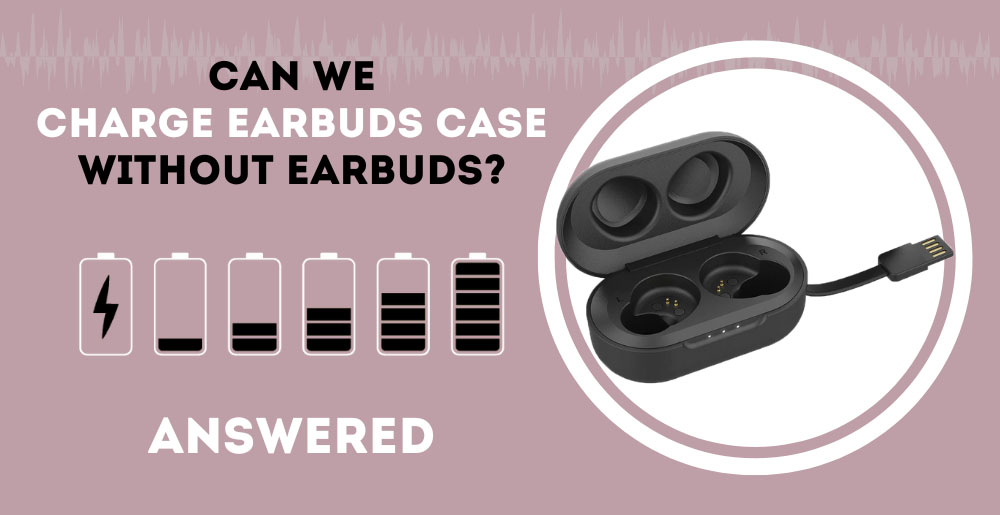
Yes. You can charge most wireless earbud cases without the earbuds inside. Connect the case to a USB charger, place it on a compatible wireless charging pad, or use another approved charging method. The earbuds do not need to be in the case for the case battery to charge.
For people in the United States, this applies to common models such as Apple AirPods, Samsung Galaxy Buds, Google Pixel Buds, and many other true wireless earbuds. The exact charging port, wireless charging standard, and indicator lights vary by model, so check the manual if the case does not show a charge.

Can an Earbuds Case Charge by Itself?
Yes. An earbud case has its own battery and charging circuit. The case can take power from a USB cable or a wireless charging pad even when both earbuds are removed.


The case serves two jobs:
- It stores and protects the earbuds.
- It recharges the earbuds when they sit in their slots.
These jobs are separate. The case battery can charge on its own. When you put the earbuds back inside, the case can then send power to them.
Apple confirms that AirPods cases can charge with the AirPods inside or outside the case. Samsung and Google also document charging methods for their earbud cases without requiring the earbuds to be inserted.
The main exception is a damaged or unusual case. A case with a failed battery, blocked charging port, liquid damage, or a hardware fault may not charge correctly. That problem is not caused by removing the earbuds.
How to Charge the Case Without the Earbuds
You can use the same normal charging method that you use when the earbuds are inside. Follow these steps.


Option 1: Use a USB Cable
- Remove both earbuds from the case.
- Find the charging port on the case.
- Plug in the correct cable. This may be USB-C, Lightning, or another connector.
- Connect the other end to a wall adapter, computer, power bank, or car charger.
- Check the case light or the battery status on your phone.
- Leave the case connected until it reaches the level you need.
Use a cable that fits the case and comes from a reliable brand. A USB-C cable does not always mean that the device supports every USB-C charging feature. The case may support only basic USB power.
A low-power USB port can charge the case more slowly. This does not usually mean that the case is faulty.
Option 2: Use a Wireless Charging Pad
If the case supports wireless charging:
- Remove the earbuds.
- Place the closed case on the center of the charging pad.
- Position the case so its charging coil lines up with the pad.
- Look for the charging light or phone notification.
- Keep the case still while it charges.
Not every earbud case supports wireless charging. Some cases use Qi charging, while others may support a brand-specific system. A standard Qi pad works only when the case is designed for that standard.
A thick protective cover can block or weaken wireless charging. Remove the cover if the charging light does not appear.
Option 3: Use a magnetic Charging System
Some earbud cases charge through a magnetic puck or dock. The case still charges without the earbuds inside.
Place the case on the dock in the direction shown by the manufacturer. A magnetic connection does not always prove that power is flowing. Check the status light or battery reading.
Do not place loose metal objects between the case and a wireless charger. They can interfere with charging and may become warm.
How to Tell Whether the Case Is Charging
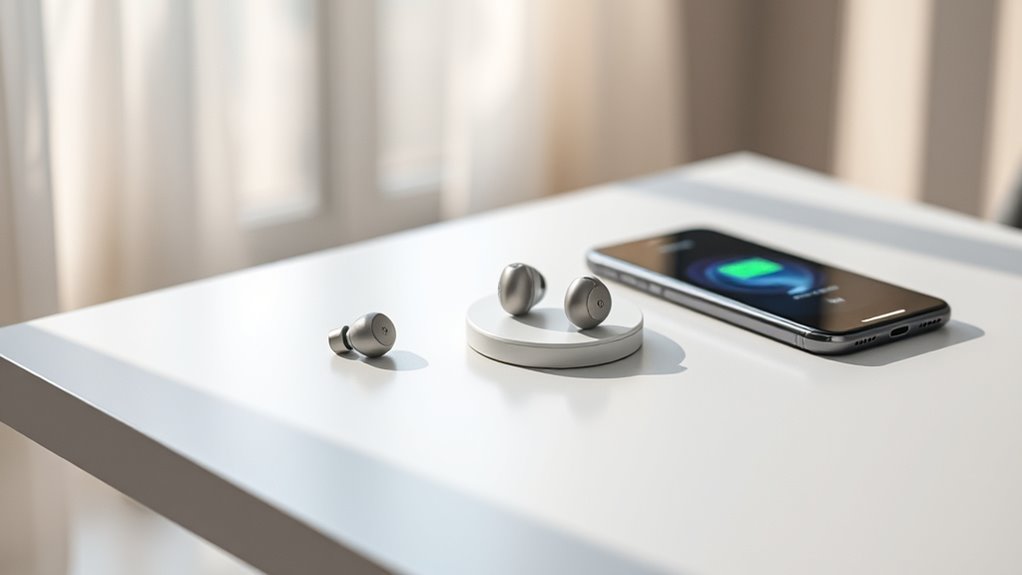
The easiest sign is a status light. Many cases use colors such as amber, orange, red, green, or white. The meaning differs by brand and model.
Other signs include:
- A battery icon on an iPhone or Android phone
- A charging symbol in the brand's app
- A light that turns on when the cable is connected
- A light that changes color when the battery is full
- A battery percentage that rises after several minutes
Do not rely on color alone. For example, one model may use green for a high charge, while another may use green only when the case and earbuds are full.
To confirm that charging works, note the battery level, wait 10 to 15 minutes, and check again. A small case battery may charge slowly if the source has low power or if the case is very cold or hot.
If the case has no display, it may need to be opened before the light turns on. Some models show a light on the front. Others place the light inside or near the charging port.


What Happens to the Earbuds While the Case Charges?
The earbuds can still work if they have enough battery. Removing them from the case does not normally stop Bluetooth audio.
You can:
- Listen to music
- Make calls
- Use one earbud
- Keep both earbuds connected to your phone
- Charge the empty case at the same time
The case cannot recharge the earbuds while they are outside. If an earbud battery runs low, place it back in the case. The case must have enough stored energy, or it must be connected to power, for charging to begin.
If the earbuds are inside while the case is connected, both charging actions may happen at once. The case receives power from the cable or pad, then sends some of that power to the earbuds.
This may make the case battery percentage rise more slowly. That is normal.

USB Charging vs. Wireless Charging
Both methods can charge an empty case, but they have different strengths.
| Charging method | Main benefit | Common limit |
|---|---|---|
| USB cable | Usually the simplest and most reliable method | Requires the correct cable |
| Wireless pad | Convenient and cable-free | May be slower or require exact placement |
| Magnetic dock | Easy to align on some models | Works only with supported docks or cases |
| Computer USB port | Useful when no wall adapter is nearby | May charge more slowly |
| Power bank | Useful while traveling | Requires a charged power bank and cable |
For a case that will not charge, start with a cable. Wired charging removes alignment problems and helps show whether the issue is the wireless pad or the case itself.
How Long Does an Empty Case Take to Charge?
Charging time depends on the model, battery size, charger, temperature, and battery level. Many small cases take around one to two hours to reach a full charge, but this is only a general range. Use the product manual for the stated time.
A case can also reach a useful level in a short period. If you need the earbuds for a call, charge the case for 10 to 20 minutes, then insert the earbuds. The earbuds may gain some charge, but the result depends on the case and earbud battery levels.
Do not judge charging speed during the first few minutes. The case may pause, use a low current, or delay its status update.
If the case remains at the same level after 30 minutes, troubleshoot the charger, cable, port, and case.

What to Do if the Empty Case Will Not Charge
Work through these checks in order.
1. Check the cable and power source
Try another compatible cable and another power source. A damaged cable can fit the port but fail to deliver power.


If you use a computer, test a wall adapter. If you use a wall adapter, test another outlet.
2. Inspect the charging port
Look for lint, dust, bent contacts, or visible damage. Pocket lint can stop the plug from seating fully.
Do not push metal tools into the port. Do not pour liquid into it. If you must clean it, follow the manufacturer’s instructions and use a dry, nonmetal method.
3. Test wireless charging separately
If wired charging works but wireless charging does not, the case may not support wireless charging, or the pad may be incompatible.
Remove the case cover and place the case in the center of the pad. Confirm that the pad itself has power.
4. Let the case return to room temperature
Lithium-ion batteries may stop charging when they are too hot or too cold. Move the case to a dry indoor area and let it return to room temperature.
Do not use a heater, hair dryer, freezer, or direct sunlight to change its temperature.
5. Restart or reset the earbuds system
Some models allow a reset through a physical button or a companion app. A reset may solve a software or connection problem, but it will not repair a damaged battery or port.
Follow the instructions for the exact model. Resetting can remove saved pairing information.
6. Look for battery damage
Stop using the case if it is swollen, cracked, leaking, unusually hot, smoking, or producing a strong chemical smell. Move away from it and follow local battery-disposal guidance. Do not puncture, open, or crush the case.
For a case that still will not charge, contact the manufacturer or an authorized repair provider. Apple, Samsung, Google, and other brands may have different repair and replacement rules.

Common Mistakes to Avoid
Mistake 1: Assuming the earbuds must be inside
They do not need to be inside for the case battery to charge. The case charges independently.
Mistake 2: Confusing a dead case with dead earbuds
If the case battery is empty, it may not charge the earbuds. Charge the case first, then insert the earbuds.
Mistake 3: Using the wrong wireless pad
A charging pad is not automatically compatible with every earbud case. Confirm that the case supports the pad’s charging standard.


Mistake 4: Charging through a wet port
Moisture can damage the case and create a safety risk. Let the port dry fully before connecting a cable.
Mistake 5: Trusting a light without checking the battery
A light may show that the case is connected, not that it is gaining charge. Check the battery level after several minutes.
Mistake 6: Expecting a fast charge from every source
A computer port, old adapter, poor cable, or misaligned wireless pad may charge more slowly than a suitable wall adapter.

Can You Charge the Case While Using the Earbuds?
Yes. You can remove the earbuds, use them, and charge the empty case at the same time.
The phone connection and case charging system operate separately. The only limit is the battery level of the earbuds. They cannot draw power from the case while they are in your ears.
This setup is useful before a trip or a long work call. Charge the case while you listen, then place the earbuds inside when they need power.
Can You Charge One Earbud in the Case and Use the Other?
Usually, yes. You can charge one earbud in its slot while using the other. The case can charge through a cable or wireless pad during this process.
The exact behavior depends on the model. Some earbuds switch automatically between single-earbud and two-earbud use. Others may need a setting in the companion app.
Make sure the earbud is seated correctly. Dirt on the charging contacts can prevent it from charging even when the case itself has power.
Is It Safe to Leave the Empty Case Charging Overnight?
Manufacturers generally design modern earbud cases to manage charging after the battery reaches full capacity. Even so, use the charger, cable, and case as directed.
For safer charging:
- Use a sound cable and power adapter.
- Keep the case on a hard, dry surface.
- Avoid covering it with bedding or clothing.
- Keep it away from heat and water.
- Stop using it if it becomes very hot, swells, or smells unusual.
- Do not charge a visibly damaged case.
The U.S. Consumer Product Safety Commission advises consumers to use care with products that contain lithium-ion batteries, especially when there are signs of overheating or damage.
Does Charging the Case Without Earbuds Harm the Battery?
No. Charging an empty case does not normally harm its battery. The case is built to accept power whether the earbuds are inside or removed.
Battery wear comes mainly from normal use, age, heat, and repeated charge cycles. You do not need to keep the earbuds inside to balance the case battery.
The most useful habit is simple: keep the case away from extreme heat, use compatible charging equipment, and avoid charging a damaged case.
Frequently Asked Questions
Can I charge an AirPods case without AirPods inside?
Yes. An AirPods case can charge by cable, and supported AirPods cases can also charge wirelessly. The AirPods do not need to be inside.
Can I charge a Galaxy Buds case without the earbuds?
Yes. A Galaxy Buds case can charge without the earbuds. Use its USB cable or a compatible wireless charging method when supported by that model.
Will the case charge faster without the earbuds?
It may reach a full case charge sooner because it is not also sending power to the earbuds. The actual time depends on the model, charger, battery level, and temperature.
Why does my case show a light but not gain battery?
Possible causes include a bad cable, weak power source, dirty port, poor wireless alignment, incompatible pad, high or low temperature, or a failing battery. Test a cable and power source first.
Can I use a different USB-C charger?
In many cases, yes, if it supplies standard compatible USB power. Use the manufacturer’s instructions when available, and avoid damaged or poor-quality chargers and cables.
Final Answer
Yes, you can charge your earbuds case without the earbuds inside. Use the case’s USB cable, compatible wireless pad, or approved charging dock. Check the light or battery reading, and troubleshoot the cable, power source, port, and temperature if the case does not charge.
The only time to stop is when the case shows physical damage, swelling, leaking, smoke, or unusual heat. In that situation, do not keep charging it. Contact the manufacturer or an authorized service provider instead.

Everett Ashford is a tech reviewer at mytechgrid.com specializing in SSDs, cameras, TVs, earbuds, headphones, and other consumer electronics. He provides honest, data-driven reviews based on hands-on testing and real-world performance analysis. Everett simplifies complex tech details to help readers make smart, confident buying decisions.