For shoppers in the United States, the main difference is the software: a Surface Laptop runs Windows, while a MacBook runs macOS. That choice affects the apps you can use, the phones and tablets you can connect, the games you can play, the ports you get, and how much you may pay.
A Surface Laptop is often the better fit for Windows apps, school systems, business tools, gaming, and broad device support. A MacBook is often better for long battery life, quiet performance, creative work, and people who already use an iPhone or iPad.
The best choice is not based on brand alone. It depends on your current devices, required apps, budget, and work habits.
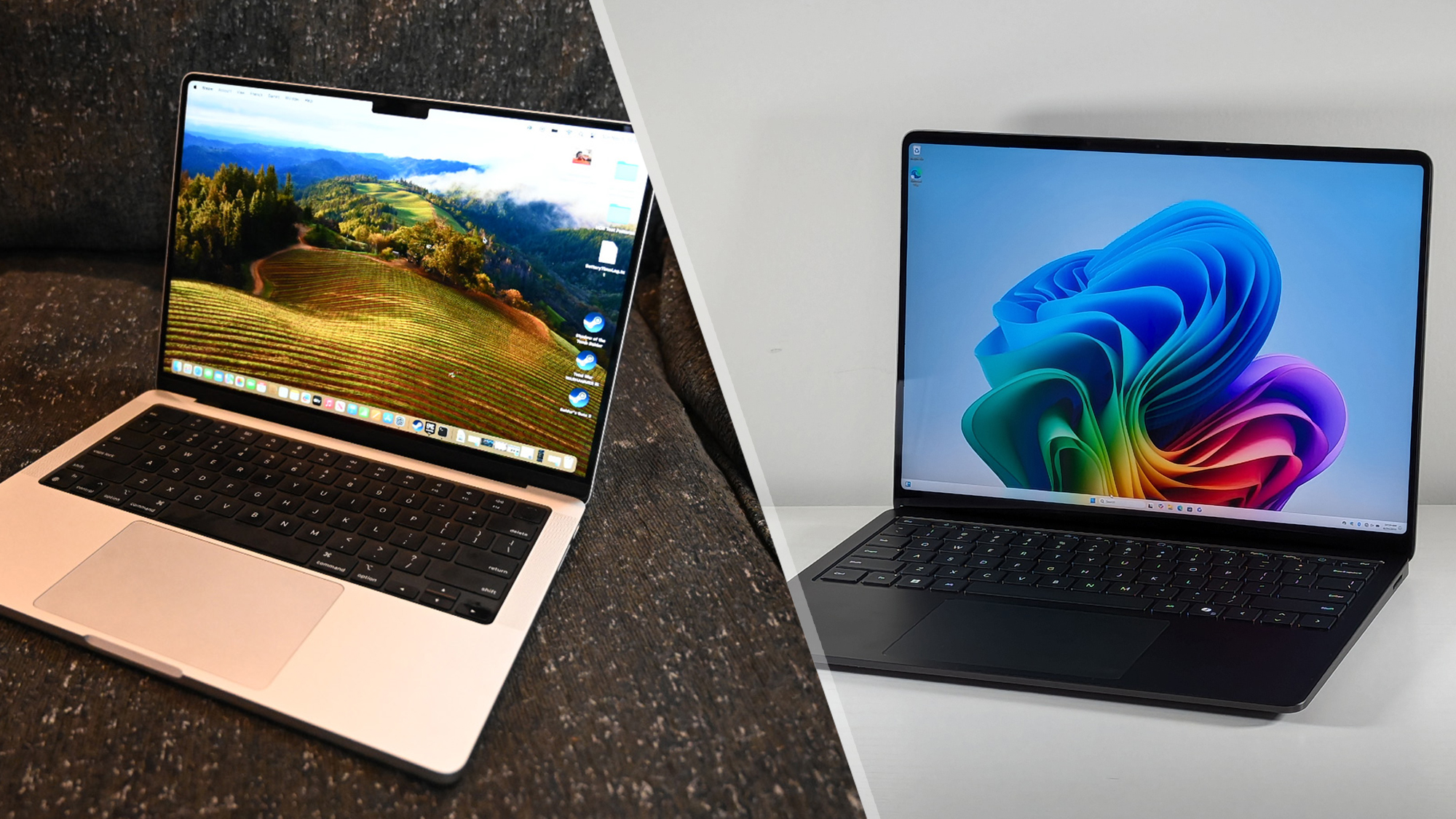
Surface Laptop and MacBook: What Are They?
A Surface Laptop is Microsoft’s traditional clamshell laptop. It has a built-in screen and keyboard, and it runs Windows. It is different from a Surface Pro, which is a tablet-style computer with an optional keyboard.
A MacBook is Apple’s laptop family. The two main types are:
- MacBook Air: Thin, light, and designed for daily work, school, browsing, and many creative tasks.
- MacBook Pro: More powerful and better suited to demanding work such as video editing, software development, music production, and 3D tasks.
Microsoft offers Surface Laptop models in different sizes and hardware versions. Some newer models use Qualcomm Snapdragon processors and run Windows on Arm. Other Surface models use Intel processors.
Apple’s current MacBooks use Apple silicon chips, such as the M-series processors. These chips combine the central processor, graphics, and memory systems in a way that helps reduce power use.
The phrase “Surface Laptop versus MacBook” can therefore describe several different models. A fair comparison should match similar sizes, processor classes, memory amounts, and prices.

The Biggest Difference Is Windows Versus macOS
The operating system creates the largest day-to-day difference between a Surface Laptop and a MacBook.
Windows on a Surface Laptop
Windows is common in US schools, offices, government agencies, and small businesses. A Surface Laptop may be a better fit if you need:
- Microsoft Windows-only software
- Legacy business programs
- Some engineering or accounting tools
- A wide range of PC games
- Direct access to Windows file systems and settings
- Easy use with many third-party monitors, docks, printers, and accessories
Windows also supports more hardware choices. You can select from many laptop brands, displays, docks, controllers, and internal components.
Newer Snapdragon-based Surface Laptops run Windows on Arm. Windows can emulate many traditional x64 apps, but compatibility is not universal. A specialized app, printer tool, device driver, or game anti-cheat system may need a native Arm version or may not work as expected.
macOS on a MacBook
macOS is Apple’s desktop operating system. It is closely linked to Apple services and devices.
A MacBook may be the better fit if you want:
- Strong integration with an iPhone
- iMessage and FaceTime on your computer
- AirDrop for quick file sharing
- Apple Notes, Photos, and iCloud integration
- Unix-based development tools
- Creative apps optimized for Apple silicon
- A simple, consistent software and hardware setup
macOS is not a version of Windows. Some Windows programs have Mac versions, but others do not. You may need a web version, a different app, a virtual machine, or a separate Windows computer.
Apple silicon MacBooks also changed Windows compatibility. Intel-based MacBooks could use Apple’s Boot Camp tool to install Windows directly. Apple silicon MacBooks do not support Boot Camp in the same way. Windows virtualization may work for some tasks, but it can add software cost and compatibility limits.
Practical rule: Check your five most important apps before you buy. The laptop that runs those apps correctly is usually the better laptop, even if its other specifications look less impressive.
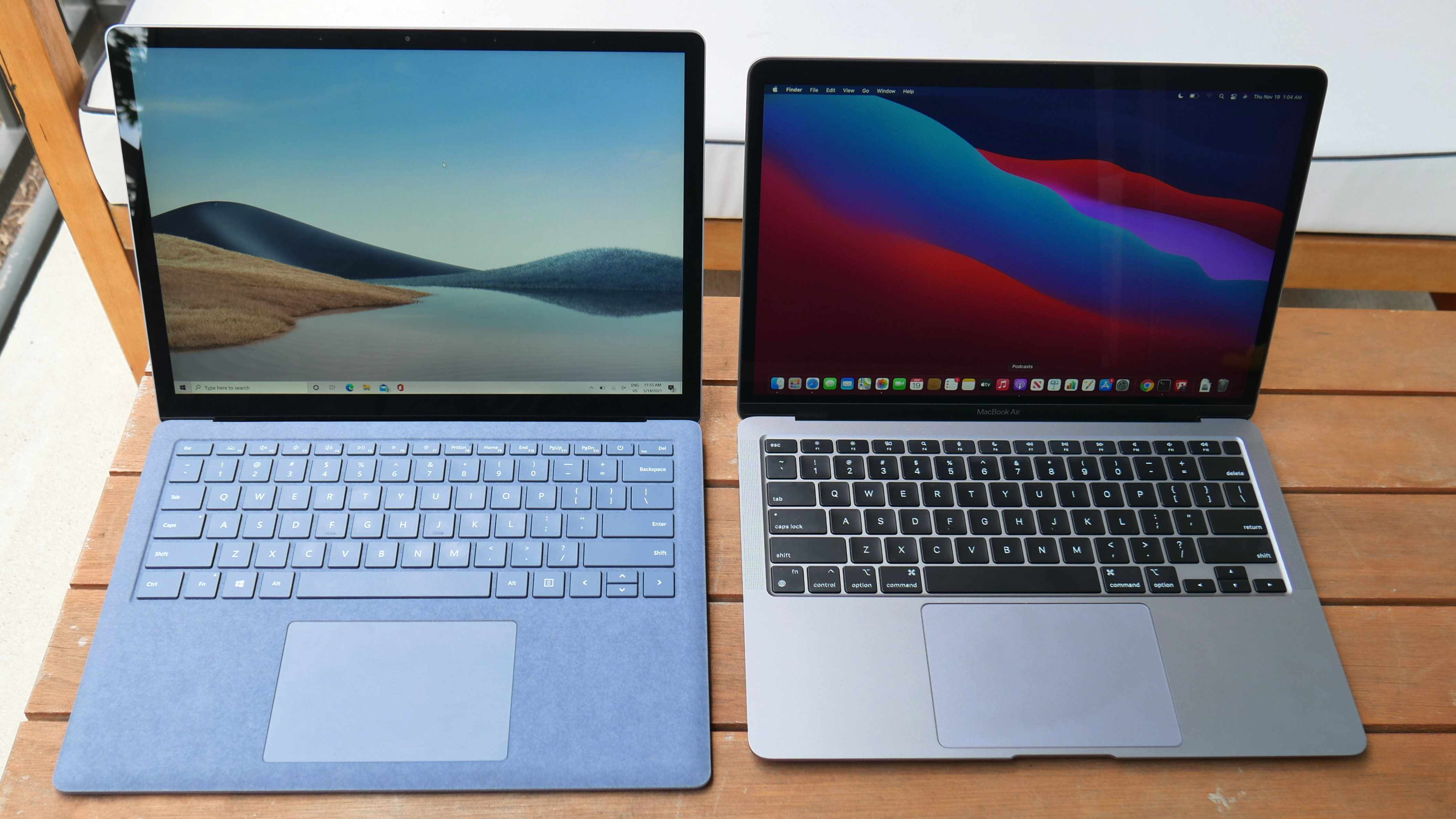
Performance and Battery Life
Both Surface Laptops and MacBooks can handle common tasks well. Web browsing, email, documents, video calls, streaming, and school work do not require a high-end processor.
The difference becomes clearer with heavy workloads.
Surface Laptop performance
Surface Laptop performance depends greatly on the processor generation.
Intel-based models use the familiar Windows PC software ecosystem. Snapdragon-based models may provide strong battery life and quiet operation, but their results depend on app support. Native Arm apps usually run more efficiently than older x64 apps that require emulation.
Surface Laptop performance may be a good match for:
- Microsoft 365
- Web apps
- Research and school work
- Office work
- Light photo editing
- General programming
- Video calls and remote work
For specialized software, check the developer’s support page. Processor labels alone do not confirm that an app, plug-in, driver, or security tool will work.
MacBook performance
Apple silicon MacBooks are known for strong performance per watt. In plain terms, they can often do substantial work while using less power than older laptop designs.
MacBook Air models are fanless, so they run quietly. They can handle everyday work and many creative tasks, but long heavy workloads may reduce performance as the system controls heat.
MacBook Pro models include active cooling in many configurations. That makes them more suitable for long exports, large code builds, complex audio projects, and other sustained tasks.
Battery life is not a single number
Battery results depend on screen brightness, video calls, web pages, background apps, processor type, and battery health. Manufacturer estimates are useful for comparison, but they are not a promise of real-world use.
A simple comparison should use the same conditions:
| Factor | Surface Laptop | MacBook |
|---|---|---|
| Light web and document work | Often strong, especially on efficient models | Often strong, especially on Apple silicon |
| Video calls | Can use more power than light browsing | Also varies with camera, app, and brightness |
| Heavy editing | Depends on model and cooling | MacBook Pro models are built for longer heavy loads |
| Quiet operation | Varies by processor and fan use | MacBook Air is fanless; Pro models may use fans |
| App compatibility | Broad Windows support, with Arm limits on some models | Strong Mac support, but no native support for every Windows app |
Bottom line: Do not compare “Intel,” “Snapdragon,” or “M-series” names by themselves. Compare the exact laptop, app support, cooling design, memory, and workload.

Design, Screen, Keyboard, and Ports
Both product families use premium designs, but they make different trade-offs.
Design and portability
A Surface Laptop usually has a clean Windows laptop design with a touch screen on many models. Some models also support touch and pen input.
A MacBook Air focuses on a slim design and low weight. MacBook Pro models are thicker and heavier than the Air because they offer more performance, cooling, ports, and display features.
If you carry the laptop across a US college campus, office, or airport, weight and charger size may matter more than small processor differences.
Display differences
Surface Laptop models commonly offer touch screens. Touch can help with scrolling, selecting objects, signing forms, or using Windows tablet-style features.
MacBooks generally do not use touch screens. Apple instead emphasizes the trackpad, keyboard, and built-in software controls.
Some MacBook Pro models include a high-refresh-rate display with features such as adaptive refresh and stronger contrast. MacBook Air models use a different display design. Surface Laptop screens also vary by model, resolution, refresh rate, and touch support.
Do not assume that every Surface screen or every MacBook screen has the same quality. Check:
- Screen size
- Resolution
- Brightness
- Refresh rate
- Touch support
- Glare and finish
- External monitor limits
Ports and accessories
Ports can change from one generation to the next.
Surface Laptop models commonly include USB-C and USB-A ports. Some also include Microsoft’s Surface Connect port. USB-A can be useful if you use older flash drives, mice, classroom devices, or office equipment.
MacBook Air models typically provide USB-C/Thunderbolt ports, MagSafe charging on many recent models, and a headphone jack. MacBook Pro models usually offer more ports than the Air, but the exact set depends on the model.
You may need a USB-C hub with either computer. Check the exact port list before buying a dock, monitor, memory card reader, or Ethernet adapter.
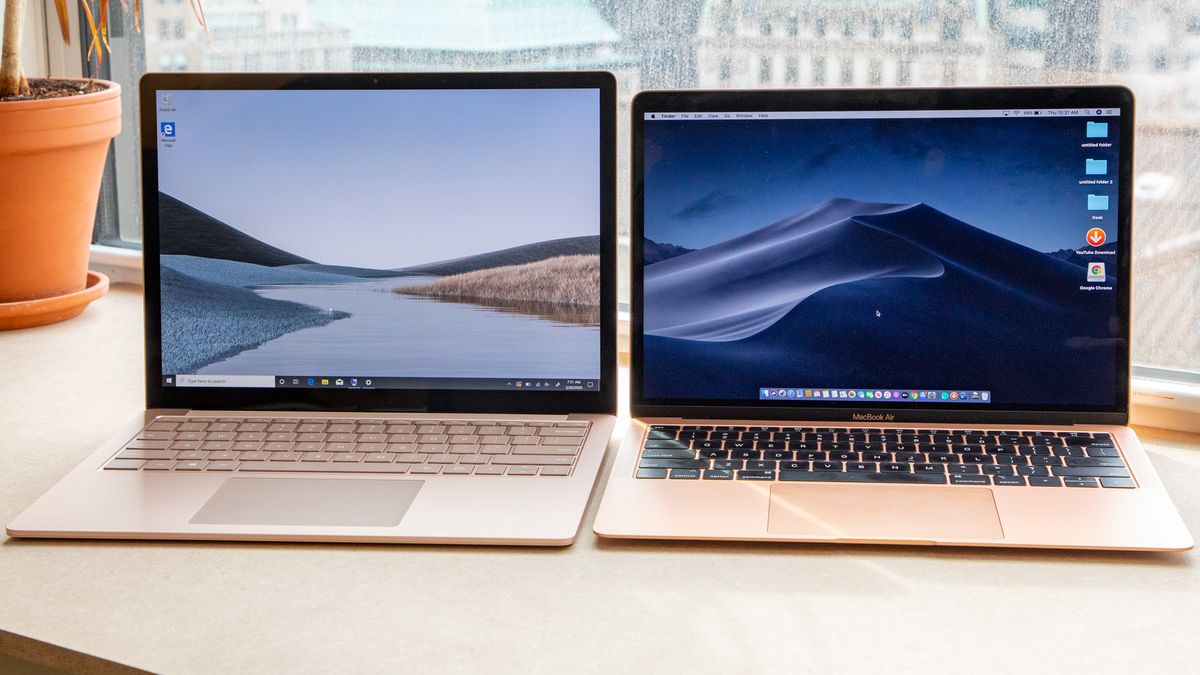
Which Laptop Is Better for School, Work, Gaming, or Creative Use?
The better laptop depends on the job.
For school
A Surface Laptop can be a practical choice when a school requires Windows software, Microsoft management tools, or a Windows-only testing program.
A MacBook can work well for writing, research, online classes, coding, design, and media work. However, students should check whether the school requires a Windows-only application or exam tool.
Before buying, check the school’s technology page. This is especially important for nursing, engineering, architecture, accounting, and technical programs.
For office work
Both laptops can handle Microsoft 365, Google Workspace, Zoom, Slack, and web-based tools.
Surface Laptop has an advantage when an employer provides Windows-only software or manages PCs through Windows systems. A MacBook can still work well in many offices, but company support may be limited.
Ask the employer’s IT team about:
- Required security software
- Virtual private network tools
- Remote desktop access
- Device management
- Printer and scanner support
- Windows-only programs
For gaming
Windows has the wider PC gaming ecosystem. It supports more game stores, graphics hardware, accessories, and anti-cheat systems.
A Surface Laptop is not automatically a gaming laptop. Thin Surface models may use integrated graphics and may not have the cooling or graphics power needed for demanding games. Snapdragon-based models may also face game compatibility limits.
MacBooks can run some games, especially games with native macOS or Apple silicon support. However, macOS has a smaller game library than Windows, and many popular PC games do not provide the same support.
For serious gaming, compare a Surface Laptop with a dedicated Windows gaming laptop, not just with a MacBook.
For creative work
MacBooks are popular for video, audio, photo, and design work because many creative apps support Apple silicon well. MacBook Pro models are especially suited to long, demanding projects.
Surface Laptop can also support creative work, particularly with Windows versions of Adobe, Affinity, Microsoft, and other applications. Touch input may help in some design workflows.
The deciding factor is often the exact app and plug-in. Check support for Adobe tools, color workflows, fonts, audio interfaces, cameras, and external drives before purchase.

Price, Memory, Storage, and Long-Term Value
The cheapest laptop is not always the lowest-cost choice.
Surface Laptop and MacBook prices vary by screen size, processor, memory, storage, and sales. US prices also change when Microsoft or Apple releases new models. Compare current prices on the official US product pages rather than relying on old review prices.
Memory and storage matter
Memory, often called RAM, helps the laptop handle several apps at once. Storage holds files and apps.
A basic configuration may be enough for web use and documents. More memory and storage can help if you use:
- Large photo or video files
- Virtual machines
- Many browser tabs
- Development tools
- Large music libraries
- Local artificial intelligence tools
- Professional creative apps
Many modern Surface Laptops and MacBooks do not let you upgrade memory later. Storage upgrades can also be limited or unavailable after purchase.
A useful buying rule is to choose the memory and storage you expect to need for the entire ownership period. Cloud storage does not replace local space for every task, especially video editing or offline work.
Repairs and service
Both brands use compact designs that can make repairs more complex than repairs on older, modular laptops. Parts, labor, warranty coverage, and repair options vary by model and location.
Before purchase, check:
- Standard warranty length
- Accidental damage coverage
- Battery service terms
- Authorized repair options near you
- Cost of replacing a damaged screen
- Whether your school or employer offers support
Microsoft and Apple publish model-specific service and warranty information. A low sale price may not remain low if a required repair is expensive.

Surface Laptop vs. MacBook: A Simple Decision Table
Use this table as a starting point, then confirm the exact model and software needs.
| Your main need | Usually the stronger fit | Why |
|---|---|---|
| Windows-only software | Surface Laptop | It runs Windows directly |
| iPhone and iPad integration | MacBook | Apple features work across devices |
| Broad PC gaming | Surface Laptop | Windows supports more PC games |
| Quiet daily work | MacBook Air or efficient Surface model | Both can be quiet, depending on design |
| Touch screen | Surface Laptop | Touch support is available on many models |
| Long heavy creative workloads | MacBook Pro or high-performance Windows laptop | Cooling and sustained performance matter |
| USB-A accessories | Surface Laptop, depending on model | Many models include USB-A |
| Simple Unix development setup | MacBook | macOS includes a Unix-based environment |
| School with unknown software needs | Ask the school first | A required app can decide the purchase |
| Microsoft business environment | Often Surface Laptop | Windows management and app support may be easier |
These are general patterns, not universal results. An entry-level Surface Laptop may perform worse than a higher-end MacBook Pro. A MacBook Air may be a better value than a more expensive Surface Laptop for one buyer, while the opposite may be true for someone who needs Windows software.

Common Mistakes to Avoid
Comparing brands instead of exact models
“Surface Laptop” and “MacBook” describe product families. A MacBook Air should not be compared with a MacBook Pro without considering price and workload. The same applies to different Surface generations.
Ignoring app compatibility
A laptop can have excellent hardware and still be the wrong choice if it cannot run a required app. Check official system requirements before you buy.
Treating battery claims as fixed results
Battery estimates use controlled tests. Your brightness, browser, video calls, wireless use, and apps will change the result.
Forgetting accessories
A charger, USB-C hub, monitor adapter, external drive, sleeve, and repair plan can raise the total cost. Include those items in your budget.
Buying more storage instead of using a backup plan
More storage does not protect files from theft, damage, or accidental deletion. Keep important files in a reliable backup system, such as an external drive plus a trusted cloud backup.
Assuming a touch screen is always better
Touch adds flexibility, but it may increase cost or affect battery and display design. If you rarely use touch, a strong trackpad may matter more.
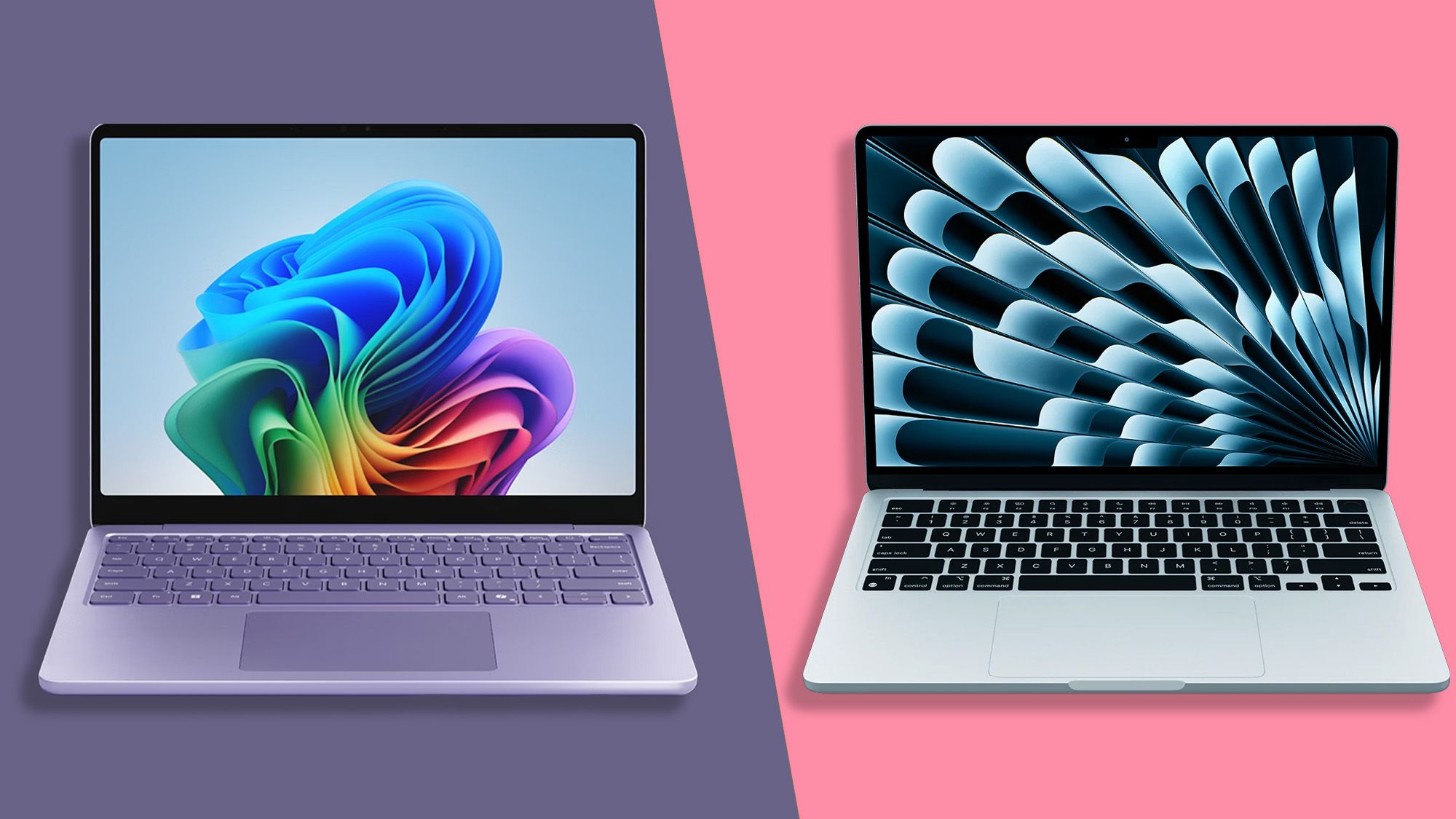
How to Choose Between a Surface Laptop and a MacBook
Follow these steps:
- List your required apps. Include school, work, creative, security, and game software.
- Check operating system support. Confirm whether each app supports Windows, macOS, Windows on Arm, or Apple silicon.
- Check your phone and tablet. An iPhone may make a MacBook more convenient. Android devices work with both, but the integration differs.
- Choose the right workload. Separate light daily use from long video exports, code builds, or large data work.
- Set a complete budget. Include storage, memory, accessories, warranty coverage, and possible repairs.
- Compare exact models. Check the screen, ports, weight, charger, battery information, and monitor support.
- Buy from a seller with a clear return policy. Test your essential apps and accessories during the return period.
If your required software runs only on Windows, choose a Surface Laptop or another Windows PC. If your work fits macOS and you value Apple device integration, a MacBook may be the smoother choice. If you are undecided, app compatibility should come before brand preference.

Frequently Asked Questions
Is a Surface Laptop better than a MacBook?
Neither is better for everyone. A Surface Laptop is often better for Windows apps, touch input, PC gaming, and broad accessory support. A MacBook is often better for Apple integration, quiet operation, battery efficiency, and many creative workflows.
Can a Surface Laptop run Mac apps?
No. A Surface Laptop runs Windows and cannot natively run macOS apps. Some apps have Windows versions, and web versions may work, but the Mac version itself may not be available.
Can a MacBook run Windows?
Some Intel-based MacBooks can run Windows through Apple’s Boot Camp tool. Apple silicon MacBooks do not use Boot Camp in the same way. Virtualization may run some Windows versions and apps, but compatibility depends on the software and processor.
Which lasts longer, a Surface Laptop or a MacBook?
Lifespan depends on model, battery health, software support, care, and repair cost. Both can last for years with normal use. A laptop with enough memory and storage for your future needs is more likely to remain useful.
Is a MacBook good for college?
Yes, if the student’s required apps support macOS. Students in programs that use Windows-only engineering, accounting, health, testing, or lab software should confirm requirements with the school before buying.
Is a Surface Laptop good for college?
Yes. It can be a strong choice for Microsoft 365, Windows software, online learning, and touch-based work. Students should check the school’s app and support requirements, especially for Snapdragon-based models.
Final Recommendation
Choose a Surface Laptop if Windows compatibility, touch input, PC gaming, USB-A devices, or Microsoft-based work matters most.
Choose a MacBook if you use an iPhone, want macOS, value quiet and efficient performance, or work with Mac-optimized creative and development tools.
Before you buy, compare the exact US model, not just the brand name. Check your required apps, ports, memory, storage, warranty, and return policy. Those details will have a greater effect on your experience than the logo on the lid.
Official US resources
- Microsoft Surface Laptop
- Microsoft Surface support
- Apple Mac
- Apple Mac technical specifications
- Apple Mac support

Everett Ashford is a tech reviewer at mytechgrid.com specializing in SSDs, cameras, TVs, earbuds, headphones, and other consumer electronics. He provides honest, data-driven reviews based on hands-on testing and real-world performance analysis. Everett simplifies complex tech details to help readers make smart, confident buying decisions.