Introduction
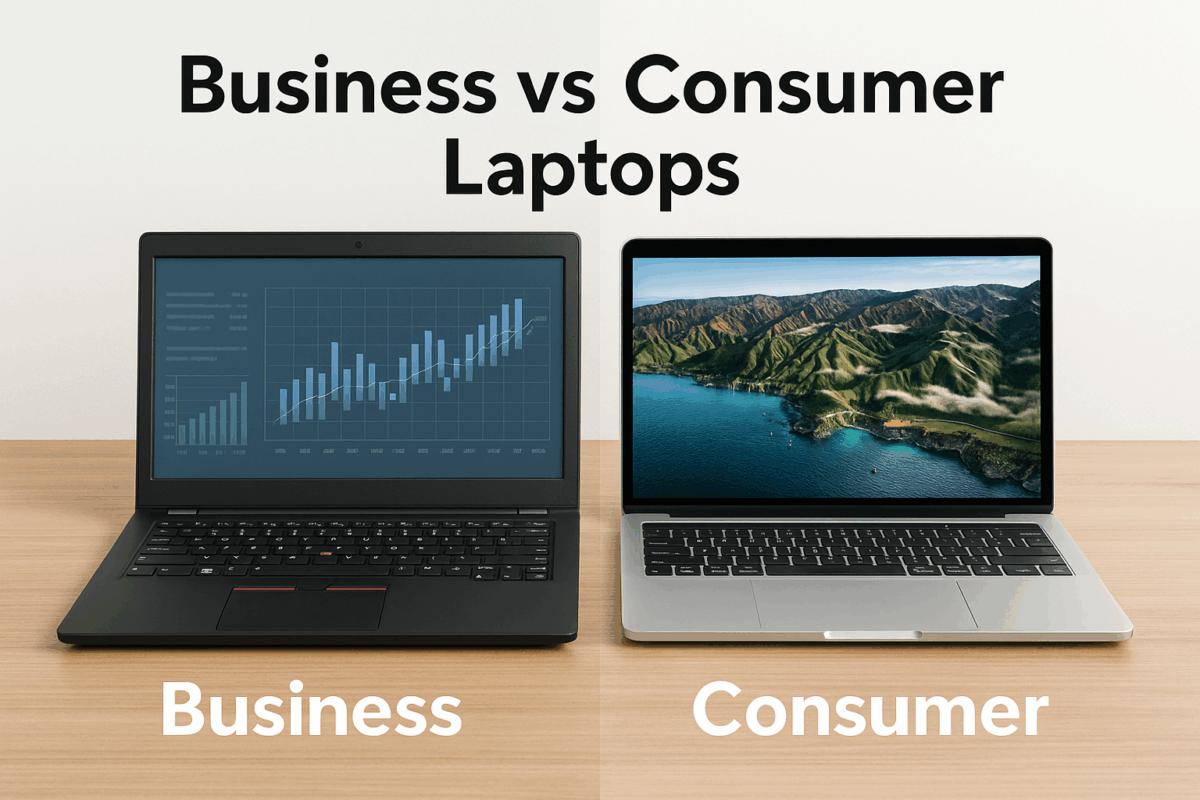
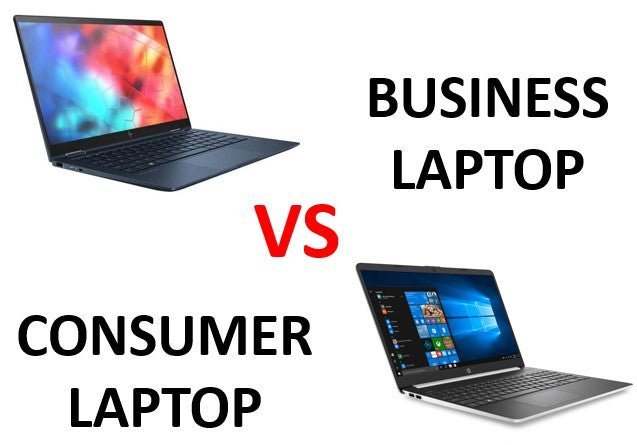
For people in the United States, the choice between a business laptop and a consumer laptop often comes down to more than screen size or price. A business laptop is built for work, security, long-term support, and daily travel. A consumer laptop is usually designed for home use, school, entertainment, and general tasks at a lower starting price.
Neither type is always better. The right choice depends on how you work, how long you plan to keep the computer, the software you use, and how much downtime you can accept.

Quick answer
The main difference is design priority:
- Business laptops focus on durability, security, repair options, device management, ports, warranties, and long-term use.
- Consumer laptops focus on price, appearance, display quality, battery life, entertainment, and general home use.
A business laptop may cost more at first, but it can offer stronger hinges, easier service, better security tools, and longer support options. A consumer laptop may offer a sharper screen, better speakers, or more performance for the same price.
What is a business laptop?
A business laptop is a portable computer made for professional work. It may be used by an individual, a small business, a school, or a large company.
Business models often include features such as:
- Windows Pro options
- A Trusted Platform Module (TPM) for hardware-based security
- Fingerprint readers or infrared cameras
- Business-grade Wi-Fi and docking support
- More durable cases and hinges
- Replaceable or serviceable parts on some models
- Longer warranty and support plans
- Tools for IT administrators
- A wider range of ports
Common business laptop families include Lenovo ThinkPad, Dell Latitude, HP EliteBook, Microsoft Surface Laptop for Business, and similar professional lines. The word “business” does not guarantee a certain build quality. Features can vary by model and configuration, so check the exact specifications.
What is a consumer laptop?
A consumer laptop is made mainly for personal use. Typical buyers include home users, students, families, and casual creators.
Consumer laptops commonly prioritize:
- Low or mid-range prices
- Slim designs
- Bright or high-resolution screens
- Good speakers
- Streaming and media use
- Simple setup
- Touch screens or 2-in-1 designs
- Mainstream processors and graphics
Consumer models include product families such as Lenovo IdeaPad, Dell Inspiron, HP Pavilion, Acer Aspire, ASUS VivoBook, and similar lines.
Some consumer laptops are very well built. Some also include strong security features, metal cases, and fast processors. The category describes the target market, not a strict quality score.
Business laptop vs. consumer laptop: key differences
The clearest way to compare the two types is to look at the features that affect daily use.
| Feature | Business laptop | Consumer laptop |
|---|---|---|
| Main purpose | Work, business apps, remote access | Home use, school, media, general tasks |
| Build focus | Long-term daily use and serviceability | Light weight, style, and price |
| Security | Often more business security options | Basic security is common |
| Operating system | Windows Pro is often available | Windows Home is common |
| Warranty | Business support plans may be available | Standard limited warranty is common |
| Ports | Often includes more useful work ports | May favor USB-C and fewer ports |
| Repair | Some parts may be easier to replace | Parts may be harder to access |
| Display | Often practical and anti-glare | May offer brighter or sharper screens |
| Graphics | Usually integrated graphics or work-focused options | More choices for gaming and creative use |
| Design | Often plain and understated | More colors, slim shapes, and visual features |
| Price | Often higher for similar core hardware | Often lower at the same performance level |
These are broad patterns, not rules. A premium consumer laptop can exceed an entry-level business laptop in screen quality, speed, or materials.
Build quality and durability
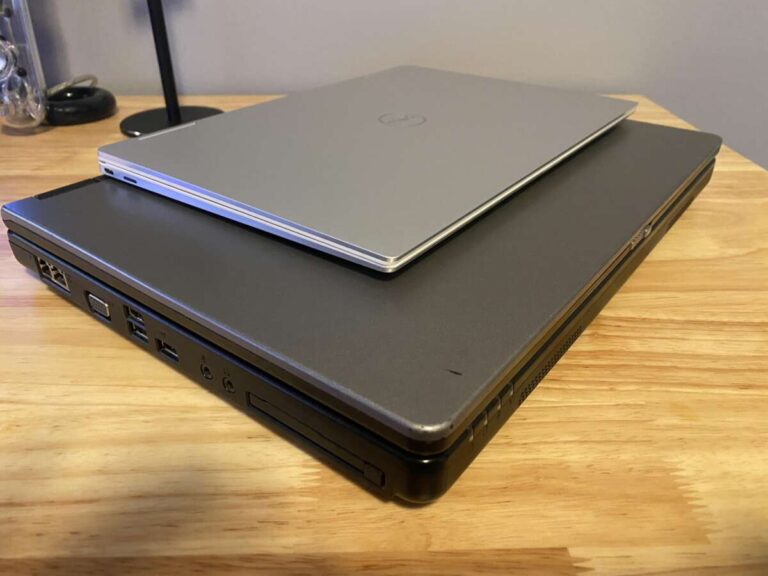
Business laptops often receive more attention in areas that matter during repeated work use. These areas include the keyboard, hinge, palm rest, ports, and chassis.
Some business models use reinforced frames or materials such as carbon fiber, aluminum, or magnesium alloy. Others use strong plastic. A plastic case is not automatically weak, and a metal case is not automatically durable.
Manufacturers may publish tests based on military standards, such as MIL-STD-810H. These tests can provide useful information about specific conditions, but they do not mean a laptop is indestructible. Results may apply only to selected tests and configurations.
Consumer laptops vary widely. A low-cost model may have more flex in the keyboard deck or a hinge that feels less robust. A premium consumer model may have a rigid case and excellent construction.
What durability means in practice
For a laptop used every day in an office, airport, classroom, or job site, look for:
- A firm hinge with little screen wobble
- A keyboard that does not flex under normal typing
- A spill-resistant keyboard, if documented
- A matte display for bright offices
- Strong port connections
- A charger that is easy to replace
- A case that can handle regular transport
Do not rely only on the product family name. Read the exact model specifications and independent hands-on reviews.
Security and privacy
Business laptops usually offer more security choices because companies need to protect work data. Common features include:
- TPM 2.0
- Fingerprint login
- Facial recognition with compatible hardware
- Smart card support on selected models
- BIOS or firmware protection
- Drive encryption support
- Privacy shutters
- Privacy screens on some configurations
- Remote management features
Microsoft states that Windows 11 requires TPM 2.0, Secure Boot capability, and other hardware conditions. As a result, many newer consumer laptops also include basic security hardware.
The important distinction is not that consumer laptops lack all security. It is that business models may provide more control and more management options. For example, an employer may use Microsoft Intune, Microsoft Entra ID, or other tools to manage company devices. These systems depend on the laptop, operating system, software plan, and company setup.
A webcam cover can help protect privacy, but it does not stop malware from accessing the microphone or computer. Keep the operating system updated, use a strong password, enable multifactor authentication, and encrypt sensitive files.
Warranty, support, and repair
Business laptops often have better support choices than consumer models. Depending on the manufacturer and plan, a business buyer may be able to add:
- Longer coverage
- Next-business-day service
- On-site repair
- Accidental damage protection
- Dedicated business support
- Fleet management services
- Extended parts availability
These options are not always included. A business laptop with a basic warranty may have less support than a consumer laptop with an upgraded protection plan.
Repairability also varies by model. Before buying, check whether the laptop allows access to:
- The solid-state drive
- The battery
- The wireless card
- The memory
- The cooling system
Some newer thin laptops use soldered memory or storage. This can reduce upgrade choices in both business and consumer categories. The iFixit repairability guides and manufacturer service manuals can help you assess repair access.
For a company, the cost of downtime may matter more than the purchase price. If an employee loses a full day waiting for a repair, the cheaper laptop may not be cheaper overall.
Performance and battery life
A business laptop is not automatically faster than a consumer laptop. Performance depends on the processor, memory, storage, cooling system, and graphics hardware.
A $900 consumer laptop may outperform a $1,200 business laptop in gaming or video rendering. The business model may still offer better security, support, keyboard quality, or docking features.
Processor
For office work, web apps, email, and video calls, a current mid-range processor is often enough. More demanding work may require a higher-tier chip.
Look beyond the processor name. Check:
- The exact processor model
- Number of performance and efficiency cores
- Sustained cooling performance
- Power limits
- Battery size
- Software requirements
Memory
For a new Windows laptop, 16 GB of RAM is a practical target for many users. Eight gigabytes may work for light use, but it leaves less room for many browser tabs, large spreadsheets, video calls, and background tools.
If the memory is soldered, choose enough at purchase. You may not be able to upgrade it later.
Storage
A solid-state drive is now the normal choice for fast startup and app loading. A 512 GB drive gives more room than a 256 GB drive, but the best size depends on your files and cloud use.
Business buyers should also consider whether the storage is removable for secure disposal or repair. Do not assume that cloud storage removes every need for local storage or backup.
Battery life
Battery claims are often based on manufacturer tests. Real use varies with screen brightness, browser activity, video calls, wireless connections, and background apps.
A larger battery may improve endurance, but it can also add weight. A low-power processor and a moderate display resolution may last longer than a powerful chip driving a high-resolution screen.
Display, keyboard, webcam, and ports
For work, comfort features can matter more than peak benchmark scores.
Display
Business laptops often use matte screens that reduce reflections in offices and public spaces. Consumer laptops may offer brighter panels, higher resolutions, OLED displays, or better color for movies and creative work.
Consider:
- Screen size
- Resolution
- Brightness
- Matte or glossy finish
- Color coverage
- Refresh rate
- Touch support
- Scaling in Windows
A 14-inch laptop is often a useful balance between screen space and portability. A 15- or 16-inch model may be better for spreadsheets, but it takes up more room in a bag.
Keyboard and pointing device
Business laptop lines often place more emphasis on typing comfort. Some include pointing sticks, dedicated navigation keys, or spill resistance.
The best keyboard is personal. If possible, try the keyboard before buying. A comfortable keyboard can improve daily work more than a small processor upgrade.
Webcam and microphone
Remote workers should check the webcam resolution, microphone layout, camera shutter, and speaker quality. A high-resolution webcam does not guarantee a good image in a dim room.
Ports and docking
Business laptops often include ports that support office setups, such as HDMI, Ethernet, USB-A, USB-C, and a docking connector. Thin consumer laptops may rely more heavily on USB-C.
Check whether USB-C supports:
- Charging
- External displays
- Data transfer
- Thunderbolt or USB4
- A compatible dock
Not every USB-C port supports every feature.

Which type is better for different users?
The best choice depends on the cost of failure and the work you need to do.
Choose a business laptop if you:
- Travel often with the computer
- Type for several hours each day
- Need a comfortable keyboard
- Connect to monitors or a wired network
- Handle company or client data
- Need Windows Pro or device management
- Want stronger support options
- Plan to keep the laptop for several years
- Need easier access to service parts
- Cannot afford long repair delays
Choose a consumer laptop if you:
- Mainly browse, stream, study, or use office apps
- Want the lowest reasonable price
- Care about display quality or speakers
- Need a touch screen or convertible design
- Want gaming graphics at a given budget
- Replace devices more often
- Do not need business management tools
A simple example
A remote employee who travels twice a month may benefit from a business laptop with a strong hinge, matte screen, good webcam, and USB-C docking. A college student who watches movies, takes notes, and plays games may prefer a consumer laptop with a better display and dedicated graphics.
Neither decision is universal. The workload and support needs decide the value.
How to choose the right laptop
Use this process before comparing brands.
1. List your main tasks
Write down the apps you use most. Include browser tabs, office software, video meetings, design tools, programming tools, games, and local file storage.
Check the software maker’s system requirements. A laptop should meet the recommended requirements, not only the minimum ones.
2. Set a total budget
Include the cost of:
- A dock
- A monitor
- A charger
- A protective case
- Extended support
- Software subscriptions
- Storage or backup
- Taxes and delivery
A low laptop price can become less attractive if it needs many accessories.
3. Pick the right size and weight
Choose a smaller model if you carry it daily. Choose a larger model if you need a larger screen and mostly work at one desk.
4. Protect against future needs
If you plan to keep the laptop for four or five years, consider 16 GB of memory, adequate storage, modern wireless support, and a processor with enough headroom.
Avoid buying the cheapest configuration if memory or storage cannot be upgraded.
5. Check support before purchase
Read the warranty terms for the exact model and seller. Confirm:
- Length of coverage
- Battery coverage
- Repair shipping process
- Accidental damage exclusions
- On-site service availability
- Parts and labor limits
- Return period
6. Compare the exact model number
Retailers may use similar names for laptops with different screens, processors, memory, storage, and batteries. Compare the full model number and configuration.

Common mistakes to avoid
Assuming every business laptop is durable
Business branding helps identify the target market, but it does not replace a model-level inspection. Check the hinge, materials, keyboard, service manual, and warranty.
Assuming every consumer laptop is poor quality
Premium consumer models can offer excellent screens, materials, speakers, and speed. They may be the better fit for home use or creative work.
Buying too little memory
Eight gigabytes may feel adequate at first, then become limiting as apps and browser tabs grow. If memory cannot be upgraded, choose carefully.
Paying for features you will not use
A company may need remote management and on-site repair. A home user may not. Do not pay for business services that provide no practical benefit.
Ignoring the screen
A laptop can have a fast processor and still feel unpleasant if the screen is dim, reflective, or cramped.
Treating benchmarks as the whole story
Benchmarks measure selected tasks. They do not fully measure keyboard comfort, fan noise, webcam quality, repair access, support, or long-term convenience.
FAQs
Is a business laptop worth it for home use?
It can be. A business laptop may be worth the extra cost if you value a strong keyboard, durable construction, better port selection, security controls, or repair support. For light home use, a consumer laptop may provide better value.
Are business laptops faster than consumer laptops?
Not by category alone. Speed depends on the exact processor, memory, cooling, storage, and graphics hardware. Compare specifications and independent tests for the specific models.
Can I use a consumer laptop for business?
Yes. A consumer laptop can handle business tasks if it meets your software, security, communication, and support needs. A company may require specific management or security features, so check its IT policy first.
Is Windows Pro required for business use?
No. Many small businesses can work with Windows Home, web apps, and standard security tools. Windows Pro may be needed for certain management, encryption, domain, or virtualization features. Confirm the requirements with your employer or IT administrator.
Do business laptops have better batteries?
Not automatically. Battery life depends on battery size, processor efficiency, screen type, brightness, software, and workload. Compare test results for the exact configuration.
Can I upgrade a business laptop?
Sometimes. Storage and memory may be replaceable, but many thin laptops use soldered components. Read the service manual before buying.
Key takeaways
- A business laptop is designed around work, security, support, and long-term daily use.
- A consumer laptop is designed around personal use, price, entertainment, and broad appeal.
- Business models are not always faster or stronger than consumer models.
- Consumer laptops are not automatically low quality.
- The exact model, configuration, warranty, and repair options matter more than the category name.
- For work, compare keyboard comfort, security, ports, support, and serviceability.
- For home use, compare the display, battery, graphics, price, and overall comfort.
Conclusion
The difference between a business laptop and a consumer laptop is mainly a difference in priorities. Business laptops often make more sense when reliability, security, support, and long-term ownership matter. Consumer laptops often make more sense when price, screen quality, entertainment, or graphics performance come first.
Start with your workload and support needs. Then compare the exact processor, memory, storage, display, ports, warranty, and upgrade options. That approach is more reliable than choosing based only on a “business” or “consumer” label.
Sources
- Microsoft: Windows 11 specifications and requirements
- Microsoft: Windows security
- NIST: Cybersecurity resources for small businesses
- Lenovo: ThinkPad support and documentation
- Dell: Computer support and documentation
- HP: Product support

Everett Ashford is a tech reviewer at mytechgrid.com specializing in SSDs, cameras, TVs, earbuds, headphones, and other consumer electronics. He provides honest, data-driven reviews based on hands-on testing and real-world performance analysis. Everett simplifies complex tech details to help readers make smart, confident buying decisions.