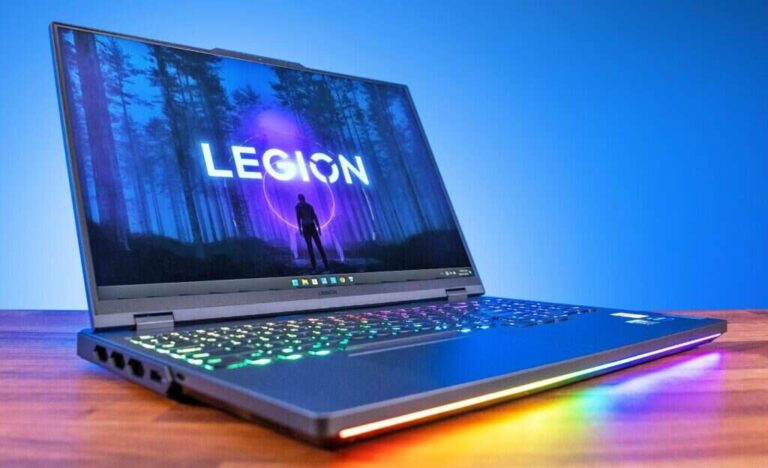
For laptop buyers in the United States, the short answer is simple: integrated graphics are built into the processor and share system memory, while a dedicated GPU is a separate graphics chip with its own video memory. Integrated graphics use less power and cost less. A dedicated GPU usually delivers much better performance for games, 3D work, video editing, and other demanding tasks.
The word GPU can cause confusion. Both integrated graphics and dedicated graphics are GPUs. In everyday laptop shopping, however, “a GPU” often means a dedicated or discrete GPU, such as an NVIDIA GeForce RTX or AMD Radeon RX chip.
What Is Integrated Graphics?
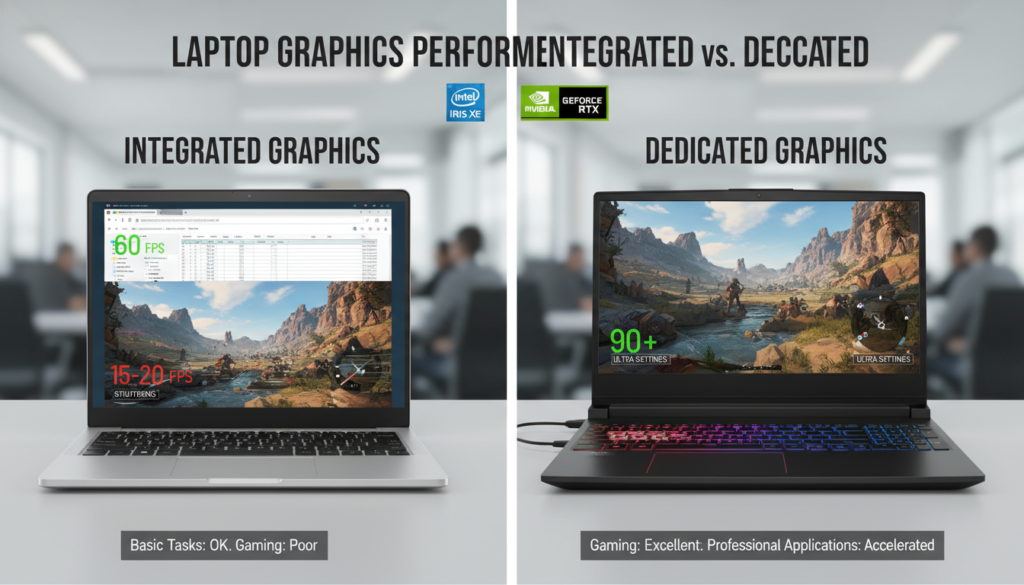
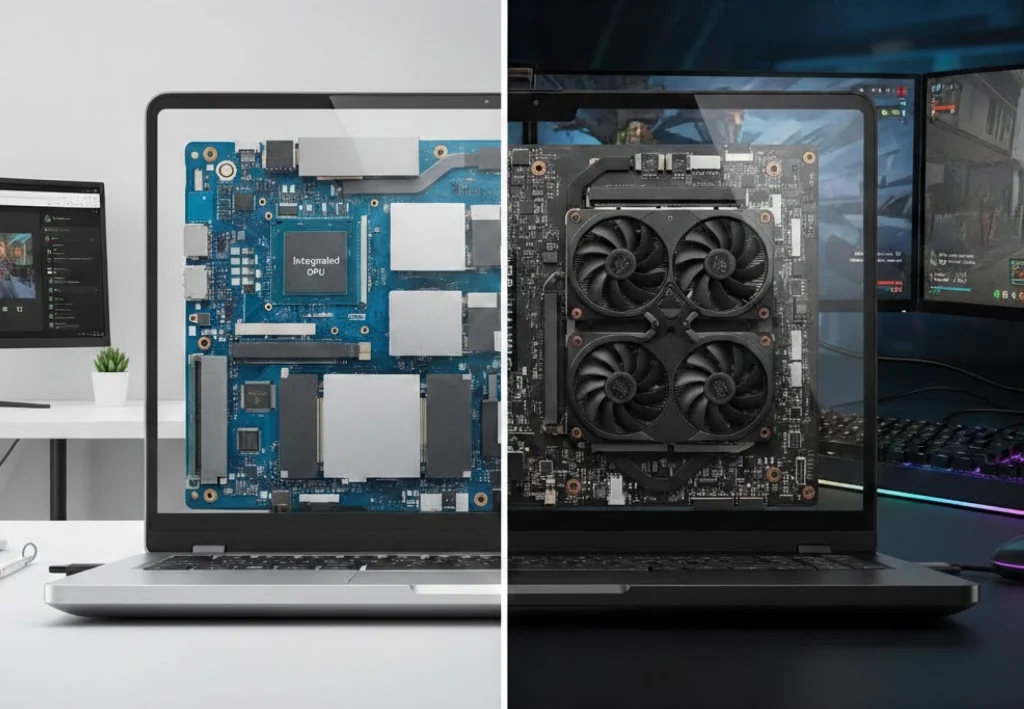
Integrated graphics are a graphics processor built into the laptop’s main processor, or CPU. The graphics unit does not usually have separate memory. Instead, it uses part of the laptop’s regular system RAM.
For example, many Intel Core processors include Intel Graphics or Intel Arc integrated graphics. Many AMD Ryzen laptop processors include integrated Radeon graphics. Apple silicon chips also combine CPU and GPU functions in one system-on-chip design, although Apple’s memory system works differently from the typical Windows laptop model.
A laptop with integrated graphics can still:
- Display Windows or macOS
- Play streaming video
- Run office apps
- Support several monitors, depending on the model
- Edit photos
- Play many light or older games
- Handle basic video editing
The key limit is shared memory and lower graphics power. When the graphics unit needs more memory, it takes some from system RAM. This can leave less memory for apps.
Intel describes integrated graphics as part of the processor package, while Microsoft explains that graphics memory may come from dedicated video memory or shared system memory. These hardware designs explain why two laptops with the same amount of RAM can provide different graphics results.
What Is a Dedicated GPU?
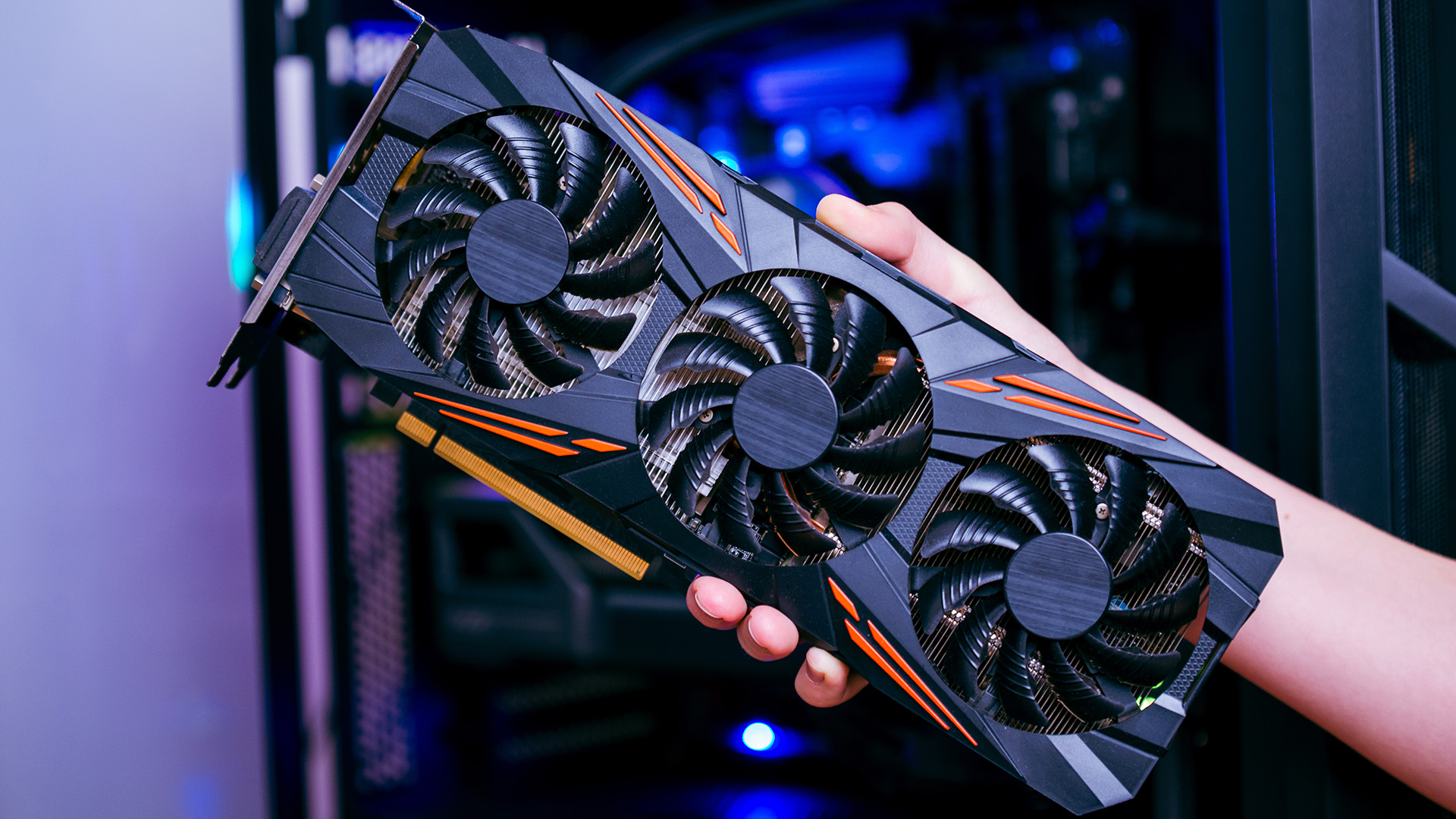
A dedicated GPU, also called a discrete GPU, is a separate graphics processor inside the laptop. It usually has its own high-speed memory, called VRAM, or video RAM.
Common examples include:
- NVIDIA GeForce RTX laptop GPUs
- NVIDIA GeForce RTX Studio configurations
- AMD Radeon RX laptop GPUs
- Some professional NVIDIA RTX workstation GPUs
A dedicated GPU has more processing units and its own memory path. That gives it more room to work on large images, complex game scenes, 3D models, and video effects.
A dedicated GPU also uses more electricity. It creates more heat and can make a laptop heavier, louder, or less efficient on battery power. Laptop makers may reduce its speed when the system runs on battery or gets too hot.
Integrated Graphics vs. Dedicated GPU: Main Differences
The table below shows the practical difference between integrated graphics and a dedicated laptop GPU.
| Feature | Integrated graphics | Dedicated GPU |
|---|---|---|
| Location | Built into the CPU or system-on-chip | Separate graphics chip |
| Memory | Shares system RAM | Usually has its own VRAM |
| Power use | Lower | Higher |
| Heat output | Lower | Higher |
| Battery life | Usually better for light work | Often shorter during heavy graphics work |
| Laptop cost | Usually lower | Usually higher |
| Gaming ability | Good for light gaming | Better for modern, demanding games |
| 3D and creative work | Suitable for basic projects | Better for complex projects |
| Laptop size | Often supports thin designs | May require more cooling |
| Upgrade options | Usually not replaceable | Usually not replaceable in laptops |
The most important difference is not simply the brand or name. It is the combination of graphics processing power, memory type, cooling, power limits, and software support.
How Does Integrated Graphics Affect Laptop Performance?
Integrated graphics can affect performance in two ways. They provide enough power for everyday display tasks, but they share resources with the CPU and other programs.
Shared RAM can reduce available system memory
Suppose a laptop has 8 GB of RAM. If its integrated graphics reserve or borrow memory, the operating system and apps may have less than the full 8 GB available.
The exact amount depends on the laptop, operating system, firmware, and workload. It is not correct to assume that integrated graphics always take a fixed amount of RAM.
This matters most when you:
- Keep many browser tabs open
- Edit large photos
- Use creative apps
- Run virtual machines
- Play games that need more memory
- Work with large spreadsheets or data sets
A laptop with 16 GB of RAM is often more comfortable than one with 8 GB when it uses integrated graphics. The graphics unit and your apps have more room to share.
Integrated graphics can be efficient
Integrated graphics are often the better fit for a thin U.S. student laptop, business laptop, or travel computer. They use fewer chips and can reduce power use during light tasks.
That does not mean every integrated GPU performs the same. Newer integrated graphics can be much faster than older versions. Laptop memory speed also matters. Fast dual-channel or multi-channel memory may improve graphics performance because the integrated GPU depends on system memory bandwidth.
Integrated graphics may support modern features
Integrated graphics are not limited to basic office work. Some current integrated GPUs support hardware video decoding and encoding, multiple display outputs, and modern graphics APIs.
However, support can vary by exact processor, laptop firmware, driver, and operating system. Check the manufacturer’s specifications if you need a specific feature, such as a certain display resolution, refresh rate, codec, or number of monitors.
How Does a Dedicated GPU Affect Laptop Performance?
A dedicated GPU can process graphics workloads faster because it has more specialized hardware and its own VRAM.
This helps with:
- 3D games
- CAD and 3D modeling
- Blender rendering
- High-resolution video editing
- Color effects and transitions
- Machine-learning software that supports the GPU
- Large image files
- Real-time previews
- Multiple high-resolution displays
A dedicated GPU does not make every laptop task faster. Email, web browsing, word processing, and basic video playback may feel similar on both types of laptops.
VRAM helps with graphics-heavy work
VRAM stores textures, frames, models, and other data that the GPU needs. A dedicated GPU with more VRAM may handle larger scenes or higher resolutions more smoothly.
More VRAM does not automatically make a GPU faster. GPU architecture, memory speed, cooling, power limits, drivers, and the application all matter.
For example, a newer GPU with less VRAM may outperform an older GPU with more VRAM in some tasks. Compare the full laptop configuration, not just one memory number.
Dedicated GPUs need more cooling
A laptop GPU can produce substantial heat during games or rendering. The laptop may respond by:
- Spinning its fans faster
- Reducing performance when temperatures rise
- Drawing more power from the charger
- Becoming warm to the touch
- Switching to integrated graphics during light work
Laptop GPU names can also be misleading. A mobile version of a GPU may not match the performance of a desktop version with a similar name. NVIDIA and AMD laptop specifications list power ranges and other limits for this reason.
Which Is Better for Gaming?
A dedicated GPU is usually better for modern gaming. It can deliver higher frame rates and support higher settings, resolutions, and ray-tracing effects.
Integrated graphics may be enough for:
- Casual games
- Indie games
- Older PC games
- Browser games
- Esports titles at modest settings
- Cloud gaming, if the internet connection is reliable
The exact result depends on the game and laptop. A newer integrated GPU may outperform an old low-end dedicated GPU. Review tests for the exact laptop model are more useful than the GPU name alone.
Gaming factors to check
Before buying a gaming laptop, check:
- The exact GPU model
- The GPU power limit
- The amount of VRAM
- The laptop’s cooling design
- The screen resolution and refresh rate
- The game’s recommended requirements
- Whether the laptop is plugged in during gaming
A dedicated GPU may be wasted if the laptop has a low-resolution screen and you only play simple games. On the other hand, integrated graphics may disappoint if you want to play new AAA games at high settings.
Which Is Better for Video Editing, 3D, and AI Software?
For basic editing, integrated graphics can be enough. A laptop with a recent processor, 16 GB of RAM, and fast storage may handle short 1080p projects well.
A dedicated GPU becomes more useful when you work with:
- 4K or higher-resolution footage
- Several video layers
- Heavy color grading
- GPU-accelerated effects
- 3D animation
- Large scenes
- Professional rendering
- Local AI tools that support CUDA, ROCm, or another GPU framework
Software support is a major condition. A dedicated GPU helps only when the app can use it. Some programs rely more on CPU speed, system memory, or storage than on GPU power.
NVIDIA’s CUDA platform is widely supported in many creative, scientific, and AI applications. AMD GPUs support different software tools, and compatibility varies by app and operating system. Check the software maker’s requirements before choosing hardware.
Does a Dedicated GPU Reduce Battery Life?
Usually, yes—especially during games, rendering, or other heavy workloads.
Many laptops use a hybrid graphics design. The integrated GPU handles light tasks, while the dedicated GPU turns on when an application needs more power. NVIDIA Optimus and similar switching systems are examples of this approach.
Battery life still depends on more than the GPU. Other factors include:
- Battery capacity
- Screen brightness
- Display resolution and refresh rate
- Processor power settings
- Wireless activity
- Background apps
- Fan behavior
- Laptop firmware
- Whether the dedicated GPU is active
A dedicated GPU does not always drain the battery at its maximum rate. Some systems can keep it off during light work. Still, gaming laptops generally provide their best graphics performance when connected to AC power.

How to Choose Between Integrated Graphics and a Dedicated GPU
Choose integrated graphics if your main tasks are everyday work, school, travel, streaming, and light creative use. Choose a dedicated GPU if graphics performance is a central part of your work or entertainment.
Integrated graphics are usually enough for:
- Web browsing
- Microsoft 365 or Google Workspace
- Online classes
- Video calls
- Streaming movies and shows
- Programming
- Light photo editing
- Basic 1080p video editing
- Casual gaming
- Long battery life and lower weight
A dedicated GPU is worth considering for:
- Modern PC games
- VR gaming
- 3D modeling
- CAD work
- Blender rendering
- Professional video editing
- GPU-accelerated effects
- Local AI workloads
- Multiple high-resolution monitors
- Large or complex creative projects
A simple buying rule
Ask yourself this question:
Will I regularly run software that benefits from a dedicated GPU?
If the answer is no, integrated graphics may be the more efficient choice. If the answer is yes, compare dedicated GPU models, VRAM, cooling, and power limits rather than buying based on the label alone.
Is More RAM Better Than a Dedicated GPU?
It depends on the problem you are trying to solve.
More RAM helps when you run many apps, use large files, or work with integrated graphics. A dedicated GPU helps when the workload is limited by graphics processing or VRAM.
Consider these examples:
- 8 GB RAM with a dedicated GPU: Good graphics hardware may still feel restricted when many apps are open.
- 16 GB RAM with integrated graphics: Better for general work and light creative tasks, but not ideal for demanding 3D games.
- 32 GB RAM with a dedicated GPU: Useful for serious editing, 3D work, and multitasking, if the GPU and software also meet your needs.
RAM and VRAM are not interchangeable. System memory cannot fully replace dedicated VRAM, and VRAM cannot replace system RAM.
Can You Upgrade a Laptop’s Graphics?
In most laptops, you cannot replace the built-in or dedicated GPU. The processor and graphics chip are usually soldered to the motherboard.
You may be able to upgrade:
- System RAM, on some models
- Storage, on some models
- External accessories, such as monitors or docks
An external GPU, or eGPU, can add graphics power through a supported high-speed port. It requires a compatible laptop, enclosure, desktop-style graphics card, power supply, and suitable drivers. The connection can limit performance compared with installing the same GPU inside a desktop computer.
Before buying an eGPU, confirm that the laptop supports the required port and operating system. Also check the enclosure’s GPU size, power rating, connector limits, and software support.
Common Mistakes When Comparing Laptop Graphics
Mistake 1: Treating every GPU name as equal
A laptop GPU and a desktop GPU with similar names may have different power limits and performance. Always check the exact laptop model.
Mistake 2: Comparing VRAM alone
VRAM is useful, but it is only one part of the design. A GPU with more VRAM is not automatically faster.
Mistake 3: Assuming integrated graphics cannot play games
Many integrated GPUs can run light or older games. The correct question is whether they can run your games at your preferred settings.
Mistake 4: Ignoring system RAM
Integrated graphics share system memory. A laptop with too little RAM may struggle even when the processor is otherwise capable.
Mistake 5: Buying a powerful GPU without checking the screen
A high-end GPU may offer little value if the display, cooling system, or power adapter limits the experience.
Mistake 6: Expecting battery power to match plugged-in performance
Performance modes often change when the charger is disconnected. Test or review the laptop under the power condition you plan to use.
Quick Comparison: Which Laptop Graphics Should You Get?
| Your main use | Better starting point | Why |
|---|---|---|
| Web, email, and documents | Integrated graphics | Low power use and lower cost |
| School or office travel | Integrated graphics | Usually lighter and more efficient |
| Streaming and video calls | Integrated graphics | More than enough for normal playback |
| Casual gaming | Integrated graphics or entry-level dedicated GPU | Depends on the games |
| New AAA gaming | Dedicated GPU | Higher graphics performance |
| Basic photo editing | Integrated graphics | Usually sufficient |
| Professional video editing | Dedicated GPU | Faster previews and effects in supported apps |
| 3D modeling and rendering | Dedicated GPU | More processing power and VRAM |
| Local AI tools | Dedicated GPU, if supported | Software compatibility and VRAM matter |
| Long battery life | Integrated graphics | Usually uses less power |
This table is a starting point, not a guarantee. Check the requirements for your actual apps and games before you buy.
Frequently Asked Questions
Is an integrated GPU the same as a graphics card?
No. An integrated GPU is a graphics processor built into the CPU or system-on-chip. A graphics card usually refers to a separate graphics device with its own processor, memory, circuit board, and cooling system. In a laptop, the dedicated GPU is often soldered in rather than installed as a removable card.
Is a dedicated GPU always faster than integrated graphics?
No, but it is usually faster in demanding graphics workloads. A new integrated GPU can beat an older or low-power dedicated GPU in some tests. Compare the exact models, laptop power limits, drivers, and cooling system.
Can I play games without a dedicated GPU?
Yes. Integrated graphics can run many casual, older, and less demanding games. Performance depends on the game, resolution, graphics settings, processor, system RAM, and drivers.
Do I need a GPU for everyday laptop use?
You need some form of GPU, but you usually do not need a dedicated one. Integrated graphics can handle web browsing, documents, streaming, video calls, and most normal home or office tasks.
Is 16 GB of RAM enough for integrated graphics?
For many everyday laptops, 16 GB is a practical amount. It gives the operating system, apps, and integrated graphics more room than 8 GB. Demanding creative work or heavy multitasking may require more.
Can I add a dedicated GPU later?
Usually not inside the laptop. Most laptop GPUs are soldered to the motherboard. An eGPU may be possible if the laptop has a compatible high-speed connection and the required software support.
Key Takeaways
- Integrated graphics are built into the CPU or system-on-chip.
- A dedicated GPU is a separate graphics processor with its own VRAM.
- Integrated graphics usually use less power and cost less.
- Dedicated GPUs are better for demanding games, 3D work, advanced editing, and supported AI software.
- Integrated graphics share system RAM, so laptop memory capacity matters.
- A GPU’s name alone does not show its real laptop performance.
- Check the exact model, power limit, cooling system, VRAM, screen, and software requirements.
- Most laptop GPUs cannot be upgraded after purchase.
Conclusion
The difference between a laptop with integrated graphics and a laptop with a dedicated GPU comes down to where the graphics processor gets its power and memory. Integrated graphics share the CPU and system RAM, which keeps the laptop efficient and affordable. A dedicated GPU has separate graphics hardware and VRAM, which gives it more power for demanding work.
For school, office use, travel, streaming, and light gaming, integrated graphics are often the sensible choice. For modern gaming, 3D creation, professional editing, rendering, or GPU-based software, a dedicated GPU is usually the better fit. Start with your real workload, then compare the complete laptop design rather than one headline specification.

Everett Ashford is a tech reviewer at mytechgrid.com specializing in SSDs, cameras, TVs, earbuds, headphones, and other consumer electronics. He provides honest, data-driven reviews based on hands-on testing and real-world performance analysis. Everett simplifies complex tech details to help readers make smart, confident buying decisions.